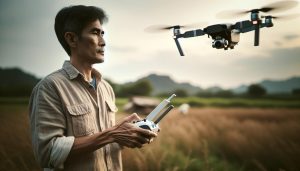
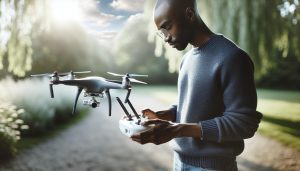
Imagine capturing your most adventurous moments without the hassle of operating your drone manually. With DJI’s ActiveTrack technology, your drone can autonomously follow you, allowing you to focus on your activities while it records stunning aerial footage. This powerful feature not only enhances your filming experience but also caters to a variety of scenarios, from sports to travel vlogging. Understanding how to effectively use ActiveTrack can elevate your content creation, making it more dynamic and engaging. Whether you’re a novice trying to get started or an experienced pilot looking to refine your skills, this guide will provide essential insights into optimizing your DJI drone’s tracking capabilities. Join us as we explore everything you need to know about making your drone follow you seamlessly, transforming the way you document your adventures!
Understanding DJI’s ActiveTrack Technology
ActiveTrack technology by DJI has transformed how drone enthusiasts and professionals capture dynamic scenes. This advanced feature utilizes a combination of sophisticated computer vision algorithms and intelligent tracking capabilities, allowing drones to autonomously follow a subject while adjusting their flight path and camera positioning to maintain focus. Whether you’re a cyclist, runner, or simply looking to capture an adventure, ActiveTrack does the heavy lifting, enabling you to fully engage in your activity without the distraction of manual piloting.
To leverage ActiveTrack, it’s essential to understand its operating principles. The technology works by recognizing and tracking moving subjects through the drone’s onboard cameras and sensors. Depending on the specific model of your DJI drone, you can access various modes, such as following from behind, above, or beside your subject. This versatility enhances not just the creative possibilities but also the practical use cases for various scenarios, from sports to weddings.
When using ActiveTrack, optimizing performance is crucial to achieving the best results. Factors such as lighting conditions, subject distance, and terrain can significantly impact tracking accuracy. Ensure your drone is equipped with the latest firmware, as updates often include enhancements to tracking stability and responsiveness. Additionally, familiarize yourself with the operating environment to minimize obstacles that may interfere with the drone’s line of sight, particularly when navigating complex landscapes.
In essence, DJI’s ActiveTrack technology not only streamlines the filming process but also elevates it, providing users with the tools to create engaging, high-quality aerial footage with minimal stress. Embracing this feature can lead to not just stunning visuals but also an enriched flying experience that allows for greater creativity and exploration.
How to Set Up ActiveTrack on Your DJI Drone
To unlock the full potential of your DJI drone’s ActiveTrack feature, setting it up correctly is crucial. The process is designed to be intuitive, making it accessible even for beginners. Start by ensuring your drone’s firmware is up to date; doing so not only enhances performance but also adds new features that improve tracking capabilities. You can check for updates through the DJI app, which will guide you through the installation if any are available.
Once your drone is ready, launch the DJI app on your mobile device and connect to your drone. After establishing the connection, select the ActiveTrack mode from the main menu. Your screen will show a camera view where you can set your subject. To do this, simply tap on your desired subject (for instance, yourself if you’re filming on the move) until a yellow box appears around it, indicating that the drone recognizes and is ready to track the subject.
Next, you’ll need to choose the tracking mode that best suits your filming scenario. DJI drones typically offer different options such as ‘Trace’ (follow from behind), ‘Profile’ (fly beside), and ‘Spotlight’ (keep the subject in the frame while flying it manually). Select the mode that fits your activity. For instance, if you’re cycling along a path, the ‘Trace’ mode is ideal to capture your movement while keeping distance and angle steady.
Before you take off, ensure that you have a clear line of sight and minimize any obstacles in the environment that could disrupt tracking, such as trees or buildings. As you begin flying, keep an eye on the drone’s performance. The app will display real-time tracking data, and if the drone ever loses track of the subject, you can reposition the drone manually or recommit it to focus by re-tapping the subject on the screen.
Utilizing ActiveTrack effectively opens up opportunities for stunning, dynamic shots while you engage in your activities. The possibility of capturing creative angles and perspectives without the hassle of manual piloting not only enhances your video quality but also allows for a seamless storytelling experience. Whether you’re filming an extreme sport or simply documenting a leisurely day out, the proper setup of ActiveTrack ensures you get the most out of your DJI drone’s capabilities.
Step-by-Step Guide: Activating Follow Me Mode
Activating the Follow Me mode on your DJI drone can dramatically enhance your aerial filming experience, turning it into a seamless and automated activity. This feature allows the drone to autonomously track and follow you while you move, whether you’re biking, hiking, or filming dynamic sports. To maximize your use of this exciting technology, follow these detailed steps to successfully enable Follow Me mode.
Begin by ensuring your drone’s firmware is updated to the latest version. Open the DJI app on your device and connect it to your drone. You’ll want to check that the GPS signal is strong, as a stable connection helps the Follow Me feature function correctly. Once connected, ensure you select ActiveTrack mode from the main menu. Within this mode, you will find the Follow Me option, which is specifically designed for tracking a moving subject effectively.
Next, position yourself within the drone’s camera view and tap on your image on the screen. A yellow outline will appear around you, indicating the drone has locked onto your position. At this point, you need to select the appropriate tracking mode. The options typically include ‘Trace’ (the drone follows from behind), ‘Profile’ (the drone flies beside you), and ‘Spotlight’ (the drone remains focused on you while you control its direction). Choose the mode that best fits the activity you are doing. For example, if you’re running along a coastline, the ‘Trace’ mode will allow the drone to capture the distance and movement beautifully.
Before taking off, ensure that the area around you is clear of obstacles such as low-hanging branches or buildings-these can interfere with the drone’s tracking ability. Once the path is set, launch your drone while monitoring the live feed for tracking accuracy. If at any moment the drone loses track of your position, simply reposition and retap on the screen to reacquire focus. This mode opens up various creative possibilities, allowing you to get stunning shots from unique perspectives effortlessly.
By integrating these steps into your routine, you’ll be able to harness the full power of your DJI drone’s Follow Me functionality, capturing breathtaking aerial footage while maintaining the freedom to engage in your favorite activities.
Choosing the Right DJI Model for ActiveTrack
When it comes to utilizing ActiveTrack features effectively, selecting the appropriate DJI drone model is crucial for maximizing your aerial filming capabilities. Different DJI models offer varying levels of sophistication in tracking technology, so understanding the strengths and limitations of each can significantly enhance your experience. Models like the DJI Mavic Air 2 and Mini 2 excel in stability and user-friendly options, while the Mavic 3 series integrates advanced sensors that improve tracking accuracy and environmental awareness.
For those who value portability without sacrificing performance, the DJI Mini 2 provides essential ActiveTrack features in a compact form, making it ideal for outdoor adventurers. However, if you are pursuing professional-grade footage and need more robust capabilities, the Mavic Pro series offers superior sensor technology, allowing for better obstacle avoidance and precise tracking over greater distances. This is particularly beneficial in dynamic environments such as busy sports events or scenic locations where you want to capture engaging movement.
Furthermore, consider what types of activities you’ll be filming. The DJI Air 2S, for instance, includes features tailored for high-resolution image capture and enhanced tracking modes, allowing it to adapt to a variety of subjects, from fast-moving cyclists to slow scenic walks. When choosing a model, think about your filming style, the desired output quality, and the environments you’ll be operating in, as these factors will influence which drone will best serve your needs.
Ultimately, aligning your choice with your specific filming objectives-whether for personal use or commercial projects-ensures that you leverage ActiveTrack technology effectively, unlocking new creative possibilities and improving your overall footage quality.
Exploring ActiveTrack Modes: What You Need to Know
ActiveTrack is a standout feature in DJI’s suite of intelligent flight modes, allowing drones to autonomously follow a moving subject while capturing stunning aerial footage. This technology relies on advanced computer vision algorithms, enabling the drone to adjust its flight path dynamically as it tracks a subject. Understanding the various ActiveTrack modes is essential for any drone pilot aiming to optimize their flying experience and capture mesmerizing videos.
ActiveTrack Modes Overview
DJI drones generally support three primary ActiveTrack modes: Trace, Profile, and Spotlight. Each mode serves different creative and operational needs, allowing pilots to tailor their tracking based on the subject’s movement and desired shot composition.
- Trace: In this mode, the drone follows the subject from behind or in front while maintaining a constant distance. It’s perfect for dynamic shots, such as following a runner on a trail or a cyclist on a road. The pilot can actively control the drone’s altitude and distance to frame the shot perfectly.
- Profile: This mode allows the drone to track the subject from the side, creating cinematic lateral shots. It is particularly useful for showcasing movement across a scene, like a surfer riding a wave or a performer on stage.
- Spotlight: Here, the drone remains stationary while keeping the camera focused on the subject. This is ideal when filming a subject that is moving unpredictably or when you want to maintain a fixed composition while capturing the action unfolding in front of the camera.
Choosing the Right Mode for Your Shots
Utilizing the correct ActiveTrack mode can significantly impact the quality of your footage. For instance, when filming fast-moving subjects, such as athletes in a sporting event, Trace can ensure that the drone captures exciting angles and emotions. Conversely, for environmental storytelling or promotional content, Profile allows for creative framing that emphasizes the subject’s journey through beautiful landscapes.
Before engaging ActiveTrack, always ensure that the area is clear of obstacles. While DJI drones are equipped with intelligent obstacle avoidance capabilities, they can still encounter challenges in densely populated environments. Proper planning and understanding the limitations of each mode enhance safety and improve your overall filming success.
With practice, you’ll learn how to quickly switch between modes based on the dynamic nature of your filming environment. This adaptability will not only enrich your footage but also expand your creative toolkit as a drone pilot. ActiveTrack empowers you to capture incredible moments without compromising on the quality of your shots, making it an invaluable feature in any drone operator’s arsenal.
Tips for Optimizing Your Drone’s Tracking Performance
To maximize your drone’s tracking performance, understanding the nuances of the environment and the settings of your DJI ActiveTrack is essential. First and foremost, ensure that the subject you intend to track is clearly visible. Avoid busy backgrounds with excessive movement; the ActiveTrack system can become confused if there are multiple moving elements competing for its focus. For best results, opt for a scene with a distinct contrast between the subject and the surroundings, particularly when capturing subjects outdoors.
Another critical factor is the elevation of your drone. Adjust the altitude based on the subject’s activity and the surrounding terrain. For instance, if you’re tracking a runner on a trail, a lower altitude might keep the subject framed well within the view. Conversely, when capturing a subject in a more open space, a higher altitude can provide a better overview while also maintaining safe distance protocols.
Also, familiarize yourself with the specific features of your DJI model. Different DJI drones may have varying sensitivity levels and obstacle avoidance capabilities, influencing how well they follow a subject. For instance, the Mavic series offers impressive tracking speeds, while the Air series might be more suited for slower-paced activities. Regular updates to your firmware are crucial, as manufacturers often release improvements that enhance tracking algorithms, giving you a smoother filming experience.
Lastly, practice makes perfect. Spend time experimenting with different subjects and environments. Each scenario provides unique challenges, so adapting your technique through experience is invaluable. Test out settings in controlled conditions, where you can adjust parameters without the pressure of capturing a perfect shot in a live situation. Over time, you will refine your ability to utilize ActiveTrack more effectively, allowing for impressive and professional-looking footage that highlights your capability as a drone operator.
Common Issues with ActiveTrack and Their Solutions
ActiveTrack technology offers the breathtaking ability to effortlessly capture compelling footage of moving subjects, but like any sophisticated system, it comes with its share of challenges. Understanding these common issues can significantly enhance your flying experience and ensure consistent results in your aerial photography.
One prevalent issue that users encounter is loss of tracking. This can happen when the subject moves behind an obstacle or when the drone’s view is obstructed. To mitigate this, always ensure that the subject remains within an unobstructed field of view. Regularly scanning the environment for potential barriers can help maintain continuous tracking. If tracking is lost, a quick adjustment by re-framing the subject or switching to a manual control mode temporarily can help regain focus.
Another common challenge is the sensitivity of the system to environmental conditions. ActiveTrack may struggle in low-light scenarios or when faced with high-contrast backgrounds, such as a bright sky against darker foliage. To enhance tracking performance in these conditions, consider flying at optimal times, like during the golden hour, and avoid busy or overly detailed backgrounds that can distract the drone’s visual sensors.
Calibration issues might also arise, affecting how well your drone can follow a subject. Regularly checking and calibrating your sensors and gimbal can prevent sporadic behavior and ensure accurate tracking. Additionally, keeping your firmware up to date will ensure you benefit from the latest enhancements and fixes.
Lastly, many pilots experience difficulties with speed synchronization when tracking fast-moving subjects. ActiveTrack has different modes designed to handle varying speeds, such as “Trace” for following an object from behind or “Profile” for side tracking. Utilize the mode most suited to your activity, and remember to adjust your drone’s altitude to provide a better perspective while ensuring the subject remains centered in your frame.
By being aware of these common ActiveTrack issues and employing practical solutions, you can improve your overall experience and produce high-quality footage, realizing the full potential of your DJI drone’s tracking capabilities.
Enhancing Your Flight Experience with ActiveTrack
The seamless experience of using ActiveTrack can transform how you capture dynamic events or activities, ensuring that you always remain in focus while enjoying your favorite pastimes. To truly enhance your flight experience with this powerful feature, it’s essential to familiarize yourself with a few strategies that maximize its potential.
First, ensure that your drone’s camera settings are optimized. Adjusting parameters such as exposure and white balance can significantly improve the quality of your footage during various lighting conditions. For instance, using manual control over camera settings during golden hour can yield stunning results compared to relying on automatic adjustments. Complementing this with the right frame rate will help you achieve the desired cinematic effect.
Another crucial element in harnessing ActiveTrack’s capabilities is pre-planning your flight path. Before you start tracking, scout the area for potential obstacles and plan your movements accordingly. Knowing the environment allows you to maintain a safe distance from obstructions while keeping the subject squarely within the drone’s line of sight. This not only enhances tracking reliability but also prevents unwanted interruptions during your shoot.
Experimenting with Different Modes
ActiveTrack offers various modes, such as “Trace” and “Profile,” designed for different tracking scenarios. Taking the time to practice with these modes can lead to better results. For instance, “Trace” allows the drone to follow you from behind, while “Profile” captures side angles, which can create more dynamic footage. Experimenting with these modes helps you understand which best suits your activity-whether you’re hiking, biking, or engaging in other fast-paced ventures.
Working in tandem with other features like obstacle avoidance can provide a significant edge. Enable the drone’s sensors to detect and avoid obstacles while ActiveTrack is in use. This feature allows you to focus on your subject without worrying about accidentally hitting something in your flight path, providing a safer, more enjoyable flying experience.
Ultimately, continuous practice is key. Take your ActiveTrack capabilities to the next level by routinely flying in diverse environments and situations. In doing so, you’ll build confidence and become adept at adjusting your style to harness ActiveTrack’s full potential, ensuring every flight is an opportunity to create breathtaking aerial footage that captures your adventures in real-time.
Safety Tips for Using ActiveTrack Features
Utilizing ActiveTrack on your DJI drone can create a seamless filming experience, but safety should always be a top priority. When your drone is autonomously following a subject, there are several crucial practices to ensure both the safety of your equipment and those around you.
First, before activating ActiveTrack, survey the area for potential hazards. Identify any obstacles such as trees, buildings, and power lines that could interfere with the drone’s path. This helps you anticipate potential conflicts that might not be obvious at first glance. Keeping a safe distance from these obstructions enhances tracking reliability, preventing accidents that can result in costly repairs or unsafe situations.
Another vital aspect of safety is to maintain visual line of sight with your drone at all times. While ActiveTrack can follow a subject automatically, the pilot should always be aware of the drone’s location and surroundings to react to any unforeseen events. In crowded or dynamic environments, actively monitor the drone’s altitude and flight trajectory. If needed, use your controller to take manual control if the drone appears to be straying or misinterpreting the surroundings.
It’s also crucial to check local regulations regarding drone operation, especially in public spaces. Many areas have specific restrictions on flying drones, particularly those with autonomous features. Make sure you’re aware of the rules surrounding airspace, privacy, and no-fly zones to avoid legal repercussions. Additionally, informing bystanders about your flight can prevent unwanted interference or accidents.
Lastly, before beginning your ActiveTrack session, assess the weather conditions. Wind and rain can significantly impact your drone’s stability and performance. For safety, avoid flying in poor weather and always keep the drone within operational limits regarding battery life and signal strength. Being proactive about these factors not only enhances safety but also improves the quality of your aerial footage, allowing for uninterrupted tracking and capturing of dynamic moments.
Real-World Applications of DJI ActiveTrack
Utilizing DJI’s ActiveTrack feature opens up a world of possibilities for capturing dynamic and engaging aerial footage. Whether you’re a content creator, an athlete, or just someone wanting to document your adventures, ActiveTrack can seamlessly follow you or your subjects, ensuring that you have the perfect shot without the need for constant manual adjustments.
One of the most exciting real-world applications of ActiveTrack is in the realm of extreme sports. For example, surfers, snowboarders, and mountain bikers can take advantage of this feature to capture exhilarating action shots from a bird’s-eye view. While the athlete performs stunts, the drone keeps up with their movements, allowing for stunning visuals that showcase both skill and scenery. This capability is especially useful for content creators looking to produce captivating social media posts or high-quality video for professional projects.
In addition to sports, the feature is incredibly effective for events such as weddings or parties. Couples can use ActiveTrack to ensure that their special day is documented beautifully without the distraction of a photographer or videographer constantly adjusting their position. The drone can autonomously follow the couple during key moments such as their first dance, cake-cutting, or even while they interact with guests, providing a unique perspective that traditional photography might miss.
ActiveTrack also proves invaluable for personal vlogs or travel documentaries. Pilots can share their journeys by having the drone follow them as they explore picturesque landscapes, historical landmarks, or bustling cities. This immersive perspective invites viewers into the experience, making it relatable and engaging. Furthermore, combining ActiveTrack with various cinematic shots can enhance the storytelling aspect, leading to compelling narratives that resonate well with audiences.
To maximize the effectiveness of ActiveTrack in any situation, it’s crucial to remember that the environment plays a significant role. Pilots should be mindful of their surroundings, ensuring that the area is free of obstacles and that lighting conditions are optimal for camera performance. By doing so, you can significantly enhance the quality of your footage, creating stunning visuals that highlight whatever journey or story you are imparting.
Comparing ActiveTrack Features Across DJI Models
To appreciate the full spectrum of DJI’s ActiveTrack technology, it’s essential to compare the features available across various models. Notably, DJI drones like the Mavic Air 2, Mini 2, and Phantom 4 Pro all come equipped with this innovative tracking capability, but their implementations and performance can vary significantly, catering to different users and use-case scenarios.
The Mavic Air 2 incorporates ActiveTrack 3.0, offering advancements in subject recognition and tracking stability. This model allows for reliable tracking of fast-moving subjects, making it ideal for sports enthusiasts or dynamic filming environments. It features enhanced obstacle avoidance, allowing the drone to maintain a safe distance while keeping its subject in frame. Its compact size and impressive battery life make it a popular choice among travelers and outdoor adventurers.
In contrast, the Mini 2, designed for beginners and casual users, presents a more straightforward approach to ActiveTrack, known as “Dronie” and “Circle” modes. While it lacks some advanced features seen in higher-end models, it still provides an enjoyable user experience with the ability to capture breathtaking shots with minimal complexity. Beginners can easily follow themselves or someone else without needing extensive piloting skills, making it a great introduction to aerial photography.
The Phantom 4 Pro offers one of the most advanced implementations of ActiveTrack, providing multiple tracking modes and a robust obstacle sensing system. With its capability to track subjects in complex environments, such as crowds or busy urban settings, this model is ideal for professional filmmakers and content creators. Its large sensor and superior image quality enhance the final output, making it a preferred choice for higher-end video production work.
When selecting a DJI drone for its ActiveTrack functionality, consider the specific needs of your projects. For those focused on casual documentation or travel, the Mini 2 provides ease of use without sacrificing quality. However, for serious cinematographers looking to capture action-packed scenes or perform complex tracking maneuvers, the Mavic Air 2 or Phantom 4 Pro would be more suitable choices due to their enhanced features and overall performance.
Ultimately, understanding the distinctions in ActiveTrack features across DJI models can empower pilots to make informed decisions that align with their creative goals, whether capturing everyday moments or producing professional-grade films.
Legal and Regulatory Considerations for Drone Use
Understanding the legal landscape surrounding drone usage is crucial, especially for those utilizing features like ActiveTrack. As drone technologies evolve, so do the regulations governing their operation, aimed at ensuring safety and privacy for all. Failing to adhere to these laws can lead to serious repercussions, including fines and penalties, which makes awareness of local rules imperative for both hobbyists and professional users.
Different countries-and even states or municipalities within those countries-may enforce distinct regulations regarding drone operation. In the United States, for example, the Federal Aviation Administration (FAA) provides a framework that includes registering your drone if it weighs over 0.55 pounds and adhering to airspace regulations. This means staying informed about no-fly zones, such as near airports or government buildings, which can impact your ability to use ActiveTrack effectively in certain areas. Internationally, many countries have their own regulations that may require permits, insurance, and specific certifications for drone pilots, particularly for commercial use.
Additionally, privacy concerns are an essential part of the conversation. When utilizing ActiveTrack features, ensure you have the necessary permissions to film people in public or private settings. This includes being mindful of local privacy laws, which vary widely, and may require you to obtain consent, especially in residential areas. Failing to respect privacy boundaries could not only damage your reputation but also lead to legal actions from individuals captured in your footage.
Lastly, it’s advisable to stay updated on any technological advancements or regulatory changes in the drone community. Engaging with local drone clubs or online forums can provide invaluable insights and real-world examples of how regulations affect drone operation, contributing to safer and more responsible flying practices. By prioritizing compliance, you not only protect yourself legally but also contribute positively to the broader perception of drone operators.
Faq
Q: How does DJI’s ActiveTrack feature work?
A: DJI’s ActiveTrack uses advanced computer vision technology to identify and follow subjects. By selecting a specific person or object on the screen, the drone can autonomously maintain a steady distance and altitude, adjusting its flight path dynamically to keep the subject in view.
Q: What types of ActiveTrack modes are available on DJI drones?
A: DJI drones typically offer three ActiveTrack modes: Trace, Profile, and Spotlight. Trace follows the subject from behind or in front; Profile flies alongside the subject; and Spotlight keeps the camera focused on the subject while allowing the drone to move freely.
Q: Can ActiveTrack work in crowded areas?
A: Yes, ActiveTrack can function in crowded areas. However, obstacles can interfere with tracking performance. It is recommended to perform a manual check of the environment before activating ActiveTrack to ensure reliable operation and avoid collisions.
Q: What should I do if ActiveTrack is not following correctly?
A: If ActiveTrack struggles to follow, try recalibrating the drone’s sensors, ensuring good lighting conditions, and making sure the subject is clearly visible. Avoid reflective surfaces and busy backgrounds that can confuse the tracking system. For detailed troubleshooting, refer to the “Common Issues with ActiveTrack and Their Solutions” section in the guide.
Q: Is there a distance limit for DJI drones using ActiveTrack?
A: Yes, there is a distance limit, which varies by model. Generally, DJI drones maintain effective tracking within 30 meters. Always consult your specific drone’s manual for precise limitations and recommendations on maintaining optimal tracking distance.
Q: Can I use ActiveTrack while flying manually?
A: ActiveTrack is primarily designed for autonomous tracking, but some models allow limited manual control during tracking. Check compatibility with your specific DJI drone model in the “Exploring ActiveTrack Modes” section for additional guidance.
Q: Why might my DJI drone lose track of a subject?
A: A DJI drone may lose track of a subject due to rapid movements, changes in the subject’s shape or color, or environmental obstacles. Ensure clear line-of-sight and avoid abrupt turns in fast-moving scenarios to enhance tracking stability.
Q: How can I enhance the effectiveness of ActiveTrack?
A: To improve ActiveTrack performance, maintain optimal lighting, choose open spaces with minimal obstacles, and keep the subject well-defined against the background. Regularly updating your drone’s firmware can also help optimize performance. For detailed tips, see the “Tips for Optimizing Your Drone’s Tracking Performance” section.
In Retrospect
Now that you’ve mastered the essentials of using ActiveTrack with your DJI drone, it’s time to put your skills into action! Remember, whether you’re capturing breathtaking scenery or filming dynamic activities, the ability to let your drone follow you adds an exciting layer to your aerial content. Don’t hesitate to dive deeper into more advanced features; our guides on drone firmware updates and gimbal calibration will ensure your drone is always performing at its best.
Join our community of drone enthusiasts by signing up for our newsletter and never miss the latest tips and updates! If you have any questions or want to share your experiences, leave a comment below-we love hearing from you. Keep exploring, experimenting, and enhancing your skills, and soon you’ll be flying like a pro!