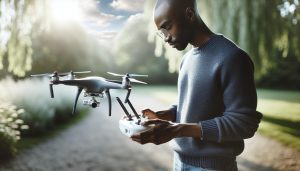
As drone enthusiasts increasingly embrace the freedom of aerial photography and exploration, many find themselves asking, “Can I fly my DJI drone without the app?” While the DJI Fly and Go apps offer extensive features and seamless operation, understanding alternative flight methods can empower pilots, especially during situations where app access is limited. Whether you’re faced with a malfunctioning device or prefer a minimalist approach to flying, exploring these alternative methods not only enhances your flying skills but also opens up new avenues for creativity and control in your aerial adventures. Dive into our guide to discover practical ways to take to the skies and maximize your drone’s potential without being tethered to an app.
Understanding DJI Drone Operating Essentials
Exploring the capabilities of DJI drones often leads to considering whether pilots can operate these sophisticated machines without relying on the companion app. DJI drones, such as the Mavic and Air series, are designed with integrated systems that enhance their functionality and user experience, but many enthusiasts find themselves wondering about their operational limits, particularly in a more manual or traditional control setting.
While using the app provides access to a plethora of features including flight modes, camera settings, and live data, it is possible to fly DJI drones without it. The remote controller serves as a crucial tool, allowing pilots to maneuver their drones effectively. To ensure a successful manual flight, it’s essential to familiarize yourself with the remote controls, including throttle, yaw, pitch, and roll movements. A thorough understanding of these controls can aid in performing basic maneuvers even without the detailed telemetry and mapping assistance provided by the app.
For those considering flight without the app, it is vital to prepare adequately. Before starting, make sure to calibrate your drone and establish a clear flight path to avoid obstacles. The absence of the app’s navigational aids means you must rely on your skills to maintain orientation and altitude. Additionally, practicing in open, familiar spaces can build confidence and reduce the risk of accidents.
Safety should remain a top priority when flying without the app. Ensure your drone is updated with the latest firmware to avoid issues related to malfunctioning components. Furthermore, keep an eye on battery levels, as operating without app indicators can lead to unpredicted power loss. Implementing these precautions will not only enhance your flying experience but will also ensure compliance with necessary regulations governing drone operations.
Exploring Drone Flight Without the App
Flying a DJI drone without the app may seem daunting at first, but it’s entirely feasible with a solid understanding of your drone’s controls and functionalities. The remote controller forms the backbone of this experience, offering essential commands to maneuver your drone effectively. While the app provides a wealth of features-from live telemetry to advanced flight modes-many basic operations can still be performed manually. This capability becomes particularly valuable in scenarios where the app might fail or when you want to reduce distractions.
To navigate without the app, you must be proficient with the remote’s joystick movements, which control throttle (up and down), yaw (rotation), pitch (forward and backward), and roll (side-to-side movement). Start by practicing these controls in a spacious, open area. A clear understanding of these dynamics allows you to maintain orientation and altitude, critical when the app’s guiding features are unavailable. It’s advisable to pre-plan your flight path to minimize the chances of collisions, especially since you will be flying without the app’s navigational aids.
Before you take off, preparation is key. Ensure your drone’s firmware is up to date to avoid unexpected issues, and perform a calibration of the compass and IMU for accurate flight performance. Familiarizing yourself with your drone’s return-to-home (RTH) functions is crucial, as this feature can be a lifesaver in the event of connection loss. Additionally, keep track of battery levels vigilantly, since it’s easy to underestimate remaining power without app notifications. Implementing these practices will bolster your confidence and competence when flying without the app.
While flying manually, safety should always be your primary concern. Observe local regulations and guidelines to mitigate risks associated with unauthorized drone flights. Engage with local drone communities or forums to share your experiences and gather insights from seasoned pilots about challenges and best practices. Remember, even with the skills to fly without the app, it is often advisable to utilize the app’s capabilities for advanced maneuvers and enhanced safety in more complex flying environments.
Manual Control: Can It Replace the App?
The ability to control a DJI drone manually offers a unique advantage, particularly in situations where the app may not be operational or when a pilot prefers a more tactile flying experience. While the DJI Fly app enhances the flying experience with real-time data, advanced controls, and safety features, manual control can replace the app for basic operations once the pilot is familiar with the necessary commands. The remote controller serves as the primary interface, allowing precise manipulation of the drone’s movements through its joystick controls, as well as essential functionalities like taking off, landing, and returning home.
To effectively operate a DJI drone without the app, it’s crucial to develop a solid grasp of the remote’s joystick configurations. These controls include throttle for altitude, yaw for rotation, pitch for forward and backward movement, and roll for lateral flight. Starting in an open space helps pilots practice and hone their skills without the distraction of app notifications. Moreover, pre-planning the flight path becomes essential to mitigate collision risks, effectively ensuring that pilots can navigate safely and accurately.
Preparation also plays a pivotal role in manual flights. Prior to flying, checking the drone’s firmware and conducting necessary calibrations (such as the compass and IMU) can dramatically improve performance and reduce the likelihood of in-flight issues. Understanding the return-to-home (RTH) function is indispensable as it provides a safety net in case of connection loss or visibility issues. Vigilance in monitoring battery life is another critical aspect, as manually piloted flights often demand greater attention to power levels compared to app-assisted operations.
Lastly, flying manually opens opportunities for seasoned pilots to engage in more challenging aerial maneuvers and experimentation, fostering a deeper connection with their aircraft. It’s vital, however, to remain aware of local drone laws and regulations, ensuring adherence to guidelines even without the app’s immediate support. By sharing experiences and insights within the drone community, enthusiasts can enhance their flying skills, navigating the skies with greater confidence and expertise, regardless of their reliance on smartphone applications.
Top Alternative Flight Methods for DJI Drones
Flying a DJI drone without relying on the app may seem daunting, but there are several alternative methods that can enhance the flying experience while maintaining control and precision. A deeper understanding of these methods can open new avenues for creativity and exploration in aerial photography and videography.
One popular alternative is the use of manual control, which allows pilots to take direct command of their drone using the remote controller. When flying in manual mode, pilots must master the essential joystick controls: throttle for altitude, yaw for rotation, pitch for forward and backward movements, and roll for lateral flight. This method fosters a more intimate relationship with the aircraft and can facilitate complex maneuvers that may be less accessible through app-controlled modes. Pilots can find themselves engaging in freestyle flying or racing, pushing the boundaries of their skills as they execute various stunts.
Another effective approach is to engage pre-programmed flight modes available in many DJI drones. Although the app usually configures these modes, they can also be activated via the controller in some instances. Modes like Waypoint and Point of Interest allow the drone to follow a specific path or circle around a subject, even when the app is not in use. Understanding how to set these modes up before a flight can lead to dynamic and cinematic shots without needing constant app interaction.
Additionally, leveraging GPS holds and return-to-home (RTH) features can enhance safety and reliability during flights without app supervision. By ensuring that these functions are engaged initially, pilots can focus on piloting and capturing images or videos, knowing that the drone will autonomously navigate home if needed. This redundancy allows for a sense of security, allowing for more immersive experiences as pilots manually control their craft.
Incorporating these methods into your flying routine not only enhances skill but also promotes a deeper connection with the equipment. By exploring the limits of manual control and utilizing built-in intelligent features, both novice and experienced pilots can elevate their drone flying experience significantly. All the while, prioritizing safe practices and getting familiar with local regulations will ensure a rewarding and compliant flying journey.
Using Remote Controllers Without the App
Flying a DJI drone without the app may seem intimidating, but many pilots use remote controllers effectively to maintain full control over their craft. While the app provides robust features and additional functionality, skilled operators often find that they can achieve impressive results through manual operation. Understanding the capabilities of your remote controller and the inherent features of your drone can empower you to explore various flight patterns and creative angles without app dependency.
Most DJI drones come equipped with comprehensive remote controls that allow pilots to adjust settings directly. Familiarizing yourself with the layout of your controller is essential. Important controls often include a combination of joysticks for altitude and direction, buttons for camera functions, and switches for activating special modes like GPS hold or Return to Home (RTH). These controls can enable you to navigate various flight settings, making it possible to engage standard modes without the app. For instance, many drones support GPS hold, meaning you can maintain altitude by simply letting go of the throttle stick, thus allowing for stable aerial photography while not fussing with an app.
Moreover, many DJI models allow pilots to engage waypoint navigation and point-of-interest modes manually from the remote. These features permit your drone to autonomously follow a set path or circle around a subject, reducing the need for constant adjustments through an application. Before flight, it’s wise to plan your waypoints or subjects and review your drone’s specifications to ensure that such features are compatible with your remote control.
Ultimately, practice is key. Regularly flying your drone without relying on the app will not only build your confidence but also enhance your flying proficiency. Experiment with various environmental settings and joy stick maneuvers to understand how your drone responds under different conditions. Safety remains paramount, and while flying manually can be liberating, having a solid grasp of your drone’s return-to-home function and fail-safes is crucial for successful operations away from the app. By maximizing your remote controller’s potential, you’ll cultivate a richer, more engaged flying experience.
Set Up Your Drone for Non-App Flights
Setting up your DJI drone for flight without relying on the app can be both straightforward and empowering, allowing you to gain a deeper understanding of your equipment. Before heading out, a few essential preparations will ensure that you can maximize the performance of your drone using only the remote controller. It’s crucial to familiarize yourself with your drone’s specific features and capabilities, as different models may offer varying levels of functionality when operated manually.
Begin by performing basic maintenance checks on your drone. Ensure that your drone’s propellers are securely attached and free from damage, as even minor defects can affect performance. Also, confirm that the battery is charged and properly installed. After powering on your drone and remote controller, check for any firmware updates that may improve performance or enhance security. While the app is typically required for updates, many drones will notify you of required updates before takeoff. If possible, do this before heading out to avoid being caught off guard.
Once you’re ready to fly, familiarize yourself with important controls on the remote. For DJI drones, the layout typically includes joysticks for maneuvering, a throttle, and buttons for features like GPS hold, return-to-home, and camera operations. Spend some time practicing these controls in a safe environment, such as a large open area, to understand how your drone responds to inputs without the help of the app. Couple this with setting up features such as compass calibration and home point location using the remote controller itself, ensuring that safety measures are in place.
When you’re comfortable flying, plan your flight path. Utilize waypoint navigation features directly through your controller if available. It’s usually possible to set waypoints manually during your setup, enabling autonomous routes without the need for the app. Review the documentation for your specific model to understand which functions can be accessed and set up via the remote control. Lastly, before taking off, conduct a final system check, confirming that all settings are correctly configured for your preferred flight mode, thus ensuring a smooth, engaging, and responsive flying experience.
Safety Considerations When Flying Without the App
Flying a DJI drone without relying on the app can be an exhilarating experience, but it requires careful consideration of safety protocols. Understanding the potential risks and limitations associated with manual flight is crucial to ensure both the safety of the operator and the integrity of the drone. Unlike when using the app, which guides users through various safety checks and offers real-time telemetry data, manual flying places the onus of safety solely on the pilot.
Before taking off, ensure you have a clear understanding of your drone’s critical flight parameters, such as altitude limits and battery life. Familiarizing yourself with the remote controller’s functionality is vital-knowledge of the return-to-home feature can be a lifesaver in case of an unexpected signal loss or low battery. Always conduct a thorough pre-flight inspection, checking not only the physical condition of the drone but also the weather conditions, as flying in adverse weather can significantly increase the risk of accidents.
- Check Propellers: Ensure they’re intact and free of obstructions.
- Battery Level: Always begin with a fully charged battery to maximize flight time.
- Flight Environment: Avoid crowded areas and be aware of local laws regarding drone operations.
Another essential safety consideration is to maintain visual line of sight (VLOS) with your drone at all times. This requirement is more challenging without the guidance of the app’s live video feed and telemetry. Pilots should be extra vigilant, using peripheral vision to monitor the drone’s altitude and distance, as manual flight can lead to disorientation. Additionally, it’s advisable to choose a spacious, open area for initial flights to minimize hazards from obstacles.
Finally, develop a habit of performing regular check-ins on your flight status. While the app provides updates, monitoring drone behavior manually means being attentive to unusual sounds or movements, which could indicate mechanical issues. By integrating these safety measures into your manual flying routine, you not only enhance your skills as a pilot but also protect your investment and ensure a safer environment for everyone involved in your drone activities.
Troubleshooting Common Issues During Manual Flights
Flying a DJI drone manually can be rewarding, offering a deeper connection to the machine, but it can come with its set of challenges. Pilots need to be prepared for common issues that might arise during manual flights, especially when forgoing the convenience of an app. One prevalent problem is experiencing temporary loss of signal, which can lead to uncertainty regarding the drone’s location and status. In such cases, it’s crucial to rely on the return-to-home (RTH) function. Familiarize yourself with this feature before taking off-it can save your drone if you lose track of it.
Another issue is potential disorientation while navigating the drone. Without the visual feed that the app provides, pilots can easily lose sight of their altitude or flight direction. To combat this, consistently practice maintaining visual line of sight (VLOS) and develop a habit of scanning the area around the drone. If you start to feel uncertain about the drone’s position, land it safely before trying to regain control. Additionally, practicing in open spaces can minimize this risk, enabling you to better focus on the drone itself rather than obstacles.
Battery management is another key concern when operating without an app, as it can be difficult to gauge battery life without the app’s telemetry data. Always conduct a thorough check of your battery level before flight and consider setting a personal low-battery threshold that prompts you to land the drone. This proactive approach not only extends flight time but also prevents unexpected crashes due to power loss.
Finally, it’s vital to be attuned to your drone’s sounds and responses during flight. Unusual noises can signal technical problems, and manual piloting means that you must rely on your senses to detect these issues. Making regular check-ins and performing pre-flight checks will enhance your ability to troubleshoot problems in mid-air, ensuring both your safety and the functionality of your drone. By honing these skills, you’ll enhance your manual flying experience while mitigating the inherent risks associated with flying without the app.
Maximizing Battery Life When Not Using the App
To ensure optimal battery life during flights without the app, it’s crucial to implement strategic practices that directly impact how your drone manages its power. While many pilots rely on app telemetry to gauge battery levels and consumption, flying manually requires a proactive approach to battery maintenance. Start by conducting a thorough pre-flight battery check, ensuring that your battery is fully charged and in good condition. Batteries naturally degrade over time, so replacing older batteries can significantly enhance flight time during your sessions.
Understanding the operational limits of your drone aids in better managing battery life. A variety of factors can impact how quickly your battery depletes-how fast you fly, your altitude, and even the weather conditions. For example, flying aggressively or in windy conditions can drain your battery more rapidly. To mitigate this, aim to maintain a smooth flight pattern and avoid abrupt maneuvers. It’s helpful to employ the following strategies for extending your battery’s longevity:
- Fly in Economy Mode: If your drone features a flight mode designed for extended battery performance, such as “Eco” or “Sport” mode, be sure to utilize it. These modes often adjust speed and responsiveness to conserve battery.
- Optimize Payload: Minimize additional weight by removing any unnecessary accessories before flight, such as gimbals or extra sensors that may not be needed for your mission.
- Maintain Altitude: Flying at a constant altitude reduces the energy required for ascent and descent. Lean towards level cruising to better preserve battery power.
- Plan Your Route: Pre-plan your flight path and flight times. Familiarizing yourself with your desired area can prevent unnecessary back-and-forth maneuvers that can sap battery life.
Monitoring your drone’s response can also provide insights into battery performance. Pay attention to changes in drone behavior, such as reduced responsiveness or changes in flight altitude, as these may indicate that the battery is running low. By developing the habit of landing well before hitting the low-battery threshold, you can significantly reduce the risk of a power loss during flight.
To further enhance your flying experience without the app, remember to perform regular battery maintenance, including proper charging techniques and storage. Avoid packaging your batteries in extreme temperatures and ensure that they are calibrated according to the manufacturer’s guidelines. By implementing these strategies, you’ll become more adept at maximizing your DJI drone’s battery life during manual flights, creating a more enjoyable and efficient flying experience.
Enhancing Flight Experience: Tips and Tricks
Flying a DJI drone without the app can open up a new realm of possibilities for enthusiasts and professionals alike, emphasizing the importance of honing manual flying skills. With various capabilities inherent to DJI drones, there are several techniques and practices that can significantly elevate your flying experience, even without relying on mobile applications.
To begin maximizing your potential in manual flight, understanding your drone’s specific configurations is crucial. Familiarize yourself with the available flight modes that your drone supports. Many DJI models feature a “Naza” mode, which provides advanced control options, including a more responsive handling that can adapt to your flying style. Switching to a more agile flight mode can enhance maneuverability, allowing for more dynamic aerial photography and videography even without app-guided flight paths.
Pre-flight Checks and Practice
Always conduct thorough pre-flight checks to ensure that your drone is ready for action. Examine the battery life, check for firmware updates through your computer, and inspect propellers for damage. Regular training sessions, even in a controlled environment, can improve your response time and familiarity with the controls, which can be particularly useful when flying under less-than-ideal conditions. Pavement or grassy fields can serve as excellent practice areas where pilots can focus on perfecting their skills without the interference of applications.
Utilizing Customizable Settings
By delving into your drone’s customizable settings, you can set parameters such as maximum altitude or geo-fencing limits directly from the remote. This proactive approach creates a safer flying environment and can help mitigate risks, particularly in unfamiliar locations. Employing the drone’s built-in sensors and safety features, like obstacle avoidance, during manual flights enhances both safety and creativity, allowing you to focus on capturing stunning visuals without succumbing to avoidable accidents.
Finally, enhance your flight experience by joining online communities or drone clubs. Sharing experiences and tips with fellow pilots can offer new perspectives and insights that can elevate your flying skills. Participating in forum discussions or local meet-ups can introduce you to advanced flying techniques, inspire new ideas for drone projects, and deepen your understanding of regulations and safety practices. Engaging with the drone community provides not just technical advice but also the support of others who share your passion for aerial exploration.
Legal Considerations for Flying Without the App
Navigating the legal landscape when flying a DJI drone without the accompanying app requires awareness of federal, state, and local regulations to ensure responsible operation. One fundamental aspect to understand is that various jurisdictions impose different rules on drone flights, and violating these regulations can lead to severe penalties. For instance, in the United States, the Federal Aviation Administration (FAA) mandates that all drone operators register their drones if they weigh more than 0.55 pounds. Although endless possibilities arise when flying manually, keeping up with compliance is crucial.
Understanding Local Regulations
Given that laws can vary significantly based on your location, research is critical. Here are important considerations you should adhere to before flying your drone manually:
- Restricted Zones: Be aware of no-fly zones, which are often near airports, military bases, or other sensitive areas. Even if you’re flying manually and without the app, breaching these zones can result in fines or the confiscation of your drone.
- Altitude Limits: Most regions implement a maximum altitude for drone flights, typically set at 400 feet in the U.S. Ensure you can accurately gauge your altitude without relying on an app to help you comply with this regulation.
- Privacy Laws: Drones equipped with cameras must comply with privacy regulations, which can restrict where and how you’re allowed to record footage. Be mindful of the potential liability when operating your drone in residential areas.
Insurance and Liability Considerations
Operating a drone without an app also raises questions about insurance. Many drone operators opt for liability insurance that protects against damage to property or injury caused during flights. Check with your insurance provider to verify that your policy covers manual flights, particularly if variegated flight modes or conditions are used.
You might also want to consider obtaining a Remote Pilot Certificate under part 107 if you plan to conduct commercial flights. This certification ensures that you are well-versed in the laws and regulations affecting drone operations and may provide additional legal protections to your activities.
In conclusion, while flying a DJI drone without the app can be an exhilarating experience that emphasizes manual control and piloting skills, a diligent understanding of the legal framework surrounding drone operations remains essential. Prioritizing adherence to relevant regulations not only ensures smoother flying experiences but also enhances the overall safety and acceptance of drone use within communities.
Community Insights: Experiences from Drone Pilots
Many drone pilots have discovered the versatility of flying DJI drones without relying on the accompanying app, sharing valuable experiences that can empower others to explore manual flying techniques. Community members from various backgrounds often emphasize the unique freedom that comes with operating drones independently of apps, highlighting a deeper connection with their equipment and the surrounding environment.
One avid pilot shared their experience of navigating scenic mountains where cellular service was nonexistent, making app-based flying impossible. Instead, they relied solely on the remote controller, using its built-in displays for altitude and flight data. This scenario proved that even without GPS assistance from the app, they could still enjoy flying their drone safely and effectively by enhancing their piloting skills. Manual control sharpening not only offered an exhilarating experience but also cultivated confidence in handling unexpected challenges.
Another perspective comes from those who appreciate the minimalistic approach of flying without apps. By turning off the drone’s app functionalities, pilots can focus more on the art of flying, experimenting with advanced flight maneuvers without the distractions of overlay information and navigation prompts. This hands-on experience allows for creativity in capturing shots and enhancing piloting finesse. Community forums are filled with tips on how to get the most out of sheer manual control, including mastering optimal flight speed and stability to handle situations like wind or turbulence.
While the community celebrates these experiences, they also urge awareness of essential flight parameters. It’s common advice to always perform a pre-flight check and familiarize oneself with flight envelopes to avoid accidents. Many pilots advocate for regular training sessions to simulate various flying conditions, reinforcing that safety should always remain a top priority. Engage with fellow drone enthusiasts online to gain insights and learn from collective experiences, enhancing both your flying skills and overall enjoyment of drone operations. Flying without the app might just open up a new realm of possibilities you hadn’t considered before.
FAQ
Q: Can you fly a DJI drone without the DJI GO app?
A: Yes, it is possible to fly some DJI drones without the DJI GO app. Users can rely on the remote controller to control the drone manually, accessing basic flight features without app integration. However, advanced functionalities may be limited. Refer to the “Exploring Drone Flight Without the App” section for more details.
Q: What are the alternative methods for flying DJI drones without the app?
A: Alternative methods include using the remote controller for manual flight or using third-party apps compatible with the drone. Some users explore firmware tweaks or other software solutions, but these may compromise warranty. Check the “Top Alternative Flight Methods for DJI Drones” for specific options.
Q: How can I set up my DJI drone for non-app flights?
A: To set up for non-app flights, ensure your drone is fully charged and calibrated. Connect the remote controller, perform pre-flight checks, and adjust settings for manual operation. Refer to the “Set Up Your Drone for Non-App Flights” section for detailed instructions.
Q: What are the safety considerations when flying a DJI drone without the app?
A: Safety considerations include ensuring you maintain a line of sight with the drone, checking local regulations, and being aware of battery life and environmental conditions. For an in-depth look, refer to the “Safety Considerations When Flying Without the App” section.
Q: Can I troubleshoot issues with my DJI drone when flying without the app?
A: Yes, common troubleshooting can include checking for error messages on the remote controller or observing flight behavior. You can also reset the drone if necessary. See the “Troubleshooting Common Issues During Manual Flights” section for more tips.
Q: Will flying my DJI drone without the app void the warranty?
A: Flying without the app generally does not void the warranty; however, any alterations made during non-app flights, like firmware changes, might do so. Always check your specific drone’s warranty details for clarity.
Q: What features will I miss by not using the DJI app?
A: Without the DJI app, you may miss features such as advanced flight modes, automated settings, and live telemetry data. Refer to the “Manual Control: Can It Replace the App?” section for a comparison of features available in manual flight versus app-assisted flight.
Q: Can third-party apps be used to control DJI drones without the official app?
A: Yes, some third-party apps can interface with DJI drones. However, compatibility and functionality can vary greatly, so ensure to research and choose a reputable app. Refer to the “Using Remote Controllers Without the App” section for further insights.
In Retrospect
Flying a DJI drone without the app is absolutely possible, but it’s essential to understand the limitations and alternative methods we discussed. Be sure to explore the various tools and setups we outlined so you can confidently take to the skies. If you’re curious about enhancing your drone experience further, check out our guides on optimizing drone settings and tips for safe flying.
Don’t miss out on our latest content-subscribe to our newsletter for expert insights and updates on drone technology. Have more questions or want to share your experiences? We encourage you to leave a comment below! Remember, the world of drones is vast; continue learning about advanced features like thermal imaging or obstacle avoidance to elevate your piloting skills. Happy flying!