Did you know that many drone enthusiasts wonder whether an internet connection is essential for flying their DJI drones? As technology advances, understanding the role of connectivity in enhancing or restricting your flying experience becomes crucial. Whether you’re a seasoned professional or just starting, knowing when and why you might need internet access can impact your flight planning, navigation, and real-time data acquisition. This article unravels the connectivity essentials for DJI drones, addressing key concerns about offline capabilities, safety features, and app functionalities. Discover how proper understanding of internet requirements can help optimize your flying experience and ensure you make the most of your aerial adventures. Stay tuned to learn the nuances that could define your next flight mission!
Do You Need Internet for DJI Drones? Understanding Connectivity Needs
Flying a DJI drone can offer breathtaking aerial views and unparalleled creative opportunity, but many operators wonder about the necessity of an internet connection. Understanding the connectivity requirements is crucial for maximizing your flight experience and ensuring smooth operation. While you do not need a constant internet connection to fly most DJI drones, having access to the internet during setup and pre-flight preparations can make a significant difference.
Most DJI drones primarily rely on a connection between the remote controller and the aircraft itself, which operates using Wi-Fi or Lightbridge technology. However, connectivity to the internet can enhance several functions. For instance, the DJI Fly app, which is essential for flight planning and control, benefits from internet access for downloading geolocation data and accessing firmware updates. Internet connectivity also allows you to utilize live mapping features and retrieve weather information, which enhances flight safety and efficiency.
Additionally, prepared pilots should consider how an internet connection can support various features. Features such as DJI Care Refresh, which offers repair and replacement services, and accessing customer support, are only available with an active internet connection. Therefore, while flying your DJI drone is indeed possible offline, ensuring you have internet access for initial setup, updates, and resourceful applications can greatly improve your overall experience and operational confidence.
Wi-Fi vs. Mobile Data: What You Need to Know
To maximize your flying experience with DJI drones, understanding the differences between Wi-Fi and mobile data connectivity is essential. Both options have their unique advantages, and knowing when to use each can profoundly impact your operational capability and ease of use.
Using Wi-Fi to connect your drone provides a reliable and high-speed link between the aircraft and the remote controller. Most DJI drones, including popular models like the Mini and Mavic, utilize Wi-Fi or proprietary Lightbridge technology for seamless communication. This connection type is optimal for real-time video streaming, allowing pilots to receive high-quality footage without lag, which is vital during critical maneuvers or when capturing stunning imagery from the sky. Additionally, Wi-Fi connections typically have a limited range, but they can offer robust control over the drone and smoother video transmission when within the recommended distance.
On the other hand, employing mobile data can extend your connectivity beyond the immediate area. When you fly in remote locations where Wi-Fi signals may weaken, mobile data allows you to maintain access to the DJI Fly app’s features, including GPS tracking, live mapping, and crucial flight updates. It’s important to note that while mobile data can enhance certain functionalities, it may not be necessary for basic flight operations. If you plan to utilize features such as real-time weather updates or access customer support during your flight, having a mobile data plan can be beneficial. However, it’s wise to keep in mind data usage, especially if you’re in an area with limited service or roaming charges.
Ultimately, whether to rely on Wi-Fi or mobile data depends on your specific flying conditions and intended use. Employing a blended approach, where you use Wi-Fi during takeoff and initial flight setup and switch to mobile data in less accessible areas, may provide the best of both worlds. By understanding these connectivity options, you can enhance your flying experience, ensuring that you always have the coverage you need, wherever your adventures take you.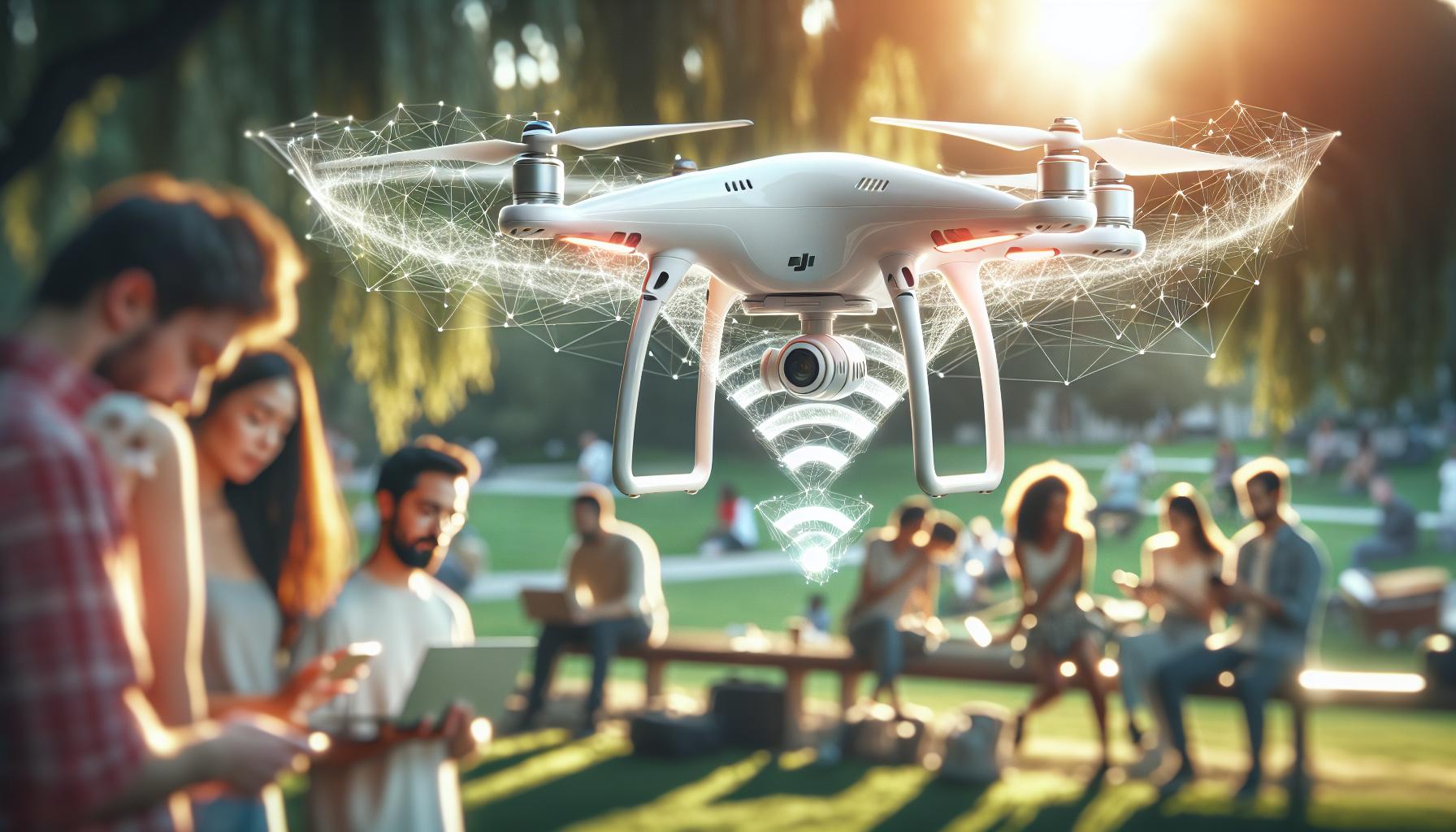
How Internet Impacts DJI Drone Features
The role of internet connectivity in operating DJI drones cannot be overstated. Internet access, whether via Wi-Fi or mobile data, significantly enhances the functionality and user experience of your drone, allowing you to fully exploit its capabilities.
For example, if you’re using the DJI Fly app, a reliable internet connection enables features such as real-time mapping, firmware updates, and access to flight-related community advice. These online resources are invaluable when planning a flight route or managing real-time data about weather conditions and local airspace regulations. Additionally, the app uses cloud computing to provide vital support services that enhance flight safety, including no-fly zone information and GPS coordinates. Without an internet connection, pilots may miss out on crucial updates that could affect safe flight operations.
Real-Time Features and Updates
Utilizing the internet ensures that your drone can receive essential updates and enhancements that improve performance. Frequent firmware updates not only optimize your drone’s software but also introduce new features. For instance, the introduction of advanced obstacle-avoidance algorithms can be leveraged effectively only when your system is up to date. Furthermore, features such as live video streaming to platforms like YouTube are made possible through fast, stable internet connections, enhancing the sharing experience while flying.
On the flip side, flying a DJI drone does not strictly require active internet access for basic flight operations. Once the necessary firmware is installed and the drone is appropriately calibrated, pilots can operate their drones without a connection. However, disconnecting can limit the ability to troubleshoot issues effectively or access certain real-time functionalities that rely heavily on internet connectivity.
Challenges of Offline Flying
While it’s technically feasible to fly drones offline, challenges may arise. Loss of connection can hinder access to real-time telemetry data, navigation assistance, and the ability to view updated maps. It may put hobbyists and professionals at a disadvantage, particularly in treacherous or unfamiliar environments. Pilots should familiarize themselves with offline functionalities and ensure they have offline maps downloaded before heading into areas with limited connectivity.
In essence, while you can fly your DJI drone without internet access, maximizing its potential requires an understanding of how connectivity impacts features and functionality. By preparing and leveraging available resources, you can ensure a smoother flight experience, regardless of where your aerial adventures take you.
Flying DJI Drones Offline: Is It Possible?
Flying a DJI drone without an active internet connection is certainly feasible, and many pilots successfully enjoy their craft in remote areas free of Wi-Fi or mobile data. Understanding how to prepare for an offline flight can make the difference between a smooth experience and one riddled with potential challenges. Once all necessary firmware is installed and the drone is properly calibrated, basic flight operations can proceed without any connectivity. This makes offline flying a practical option, especially for those venturing into wilderness or areas where signals are weak or non-existent.
However, it’s essential to be aware of the limitations that come with flying offline. For instance, access to real-time telemetry data, navigation aids, and updated maps will not be available. Factors such as airspace restrictions, local regulations, and the latest firmware updates important for performance and safety also become inaccessible. Therefore, prior to flying in an offline environment, ensure that you have downloaded offline maps and essential information to your device, enabling safe navigation during your flight. A thorough pre-flight checklist could include gathering necessary data, calibrating the drone, and ensuring that battery levels are optimal.
The feature sets of DJI drones are designed with flexibility in mind, allowing users to enjoy flight operations without the need for constant internet access. It’s advisable to conduct flight simulations and familiarize yourself with the drone’s capabilities before taking off, especially if operating in uncharted territories. The ability to operate effectively without internet is not just a matter of convenience but can prove critical in rural adventures or hobbyist explorations where connectivity is limited.
While flying without the internet may restrict access to certain helpful resources and functionalities, it also encourages a deeper understanding of the drone and its mechanics. Many professional drone operators appreciate the opportunity to reconnect with the essentials of piloting without relying on external guidance. Embrace the challenge of flying offline by planning carefully and utilizing the capabilities of your DJI drone for an enriching aerial experience, no matter where your journey leads.
Preparing for Flight: Connectivity Tips and Tricks
When preparing for a flight with your DJI drone, particularly in areas lacking reliable internet access, a thorough pre-flight strategy becomes essential. A well-thought-out plan ensures not only an efficient flight but also the safety of your drone. Before heading out, it’s vital to ensure all necessary data is accessible without the need for online connectivity. This includes downloading offline maps, relevant flight regulations, and any temporary airspace restrictions that may apply to your flight area.
To facilitate a successful flight, consider the following steps:
Pre-Flight Checklist
- Firmware Updates: Make sure your drone’s firmware is up to date. Performing updates while connected to Wi-Fi at home helps mitigate the need for an internet connection during flights.
- Offline Maps: Download detailed maps and area information onto your mobile device or compatible flight planning app. This will give you the data needed for navigation, even without connectivity.
- Battery Levels: Check that your drone’s batteries and remote controller are fully charged. A healthy battery ensures that your drone can complete its intended flight path without unexpected returns.
- Calibration: Conduct a gimbal and compass calibration before taking off. This step is crucial for achieving accurate flight data and stable footage.
- Flight Mode Familiarization: Familiarize yourself with your drone’s flight modes and functionalities. Understanding how to switch modes and access features offline can enhance your flying experience.
Being efficient in preparing for flight allows you to focus on the experience rather than stressing about potential connectivity issues. It’s also beneficial to check the local laws and regulations regarding drone flights in your intended area. Some regions have restrictions or require registration, and being aware of these can prevent legal complications later.
In addition to advanced preparation, bring along a portable power bank to maintain your devices’ battery life throughout the day. This can especially be useful if you are operating in remote locations far from standard charging options. Finally, consider packing spare propellers and tools for on-site maintenance, as even minor mechanical issues can hinder a successful flight. Adapting to the environment with these connectivity tips ensures that you can fully engage in drone piloting, enjoying a seamless and rewarding experience regardless of whether an internet connection is available.
Best Practices for Remote Flying Without Internet
Successfully operating a DJI drone in remote areas without internet access can be a rewarding experience, but it requires strategic planning and a good understanding of your drone’s capabilities. Many drone enthusiasts often worry about connectivity issues affecting their flight experience, but with the right practices, you can achieve seamless flying even in the most isolated locations.
Before heading out, make sure that all your necessary resources are ready. This includes downloading offline maps and any relevant geographic data. By using apps that allow for offline functionality, you can have detailed area information, including potential hazards and legal restrictions, at your fingertips. You’ll also want to ensure that you’ve performed all firmware updates ahead of time; having the latest software will prevent any unexpected connectivity issues during your flight.
When flying without internet, your pre-flight preparation becomes even more critical. Always check the battery levels of both your drone and the remote controller to avoid unexpected issues mid-flight. You should also consider using flight modes that require less external data; for instance, GPS mode relies heavily on satellite signals, which may still work without an internet connection if the drone has cached data.
Another important aspect to keep in mind is maintaining your equipment. Bring along essential tools and extra parts, like propellers or a spare battery. This foresight allows you to handle minor mechanical issues on-site without needing to return to civilization. Additionally, packing a power bank can sustain your devices’ battery life throughout prolonged excursions in the field, allowing you to focus on the task at hand rather than recharging devices.
Ultimately, embracing the challenge of flying in remote areas without internet can greatly enhance your skills as a drone operator. By thoroughly preparing and familiarizing yourself with your equipment, you can enjoy a rewarding and uninterrupted flying experience, opening up a world of possibilities in stunning, off-the-grid locations.
Understanding Firmware Updates: Connection Requirements
Ensuring your DJI drone operates optimally hinges significantly on keeping its firmware up to date. Firmware updates often include crucial enhancements, bug fixes, and new features that significantly impact your flight performance and safety. To conduct these updates, a reliable internet connection is essential. This means that before venturing into remote areas where connectivity may be limited, you should perform all necessary updates while you still have access to a Wi-Fi network or mobile data.
Updating firmware typically involves connecting your drone to the DJI Fly app or the DJI Assistant 2 software on your PC. The process is straightforward: once connected, the app will automatically check for available updates. If any are found, you’ll be prompted to download and install them. Neglecting firmware updates before heading out can lead to unwanted issues such as reduced flight stability, inability to access new flight modes, or even complete operational failure due to software conflicts.
To streamline the preparation for your flights, consider these key steps in the firmware update process:
- Check Compatibility: Ensure your drone model is supported by the latest firmware before initiating updates.
- Read Release Notes: Familiarize yourself with the changes involved in the update to understand its impacts on your drone’s functionality.
- Backup Settings: If applicable, back up your drone settings so you can restore them if necessary.
It’s also wise to verify that your drone’s batteries and remote controller are adequately charged, as firmware updates can take time and power. Remember, planning and connectivity before flight are vital, especially if you intend to fly in areas where reception may be sparse. By ensuring your software is up to date and functioning well, you minimize the risk of running into issues during your flight, enabling a smoother, more enjoyable aerial experience.
What to Do if You Lose Connection During Flight
Losing connection with your DJI drone mid-flight can be a nerve-wracking experience, but understanding how to respond effectively can minimize risks and ensure a safe recovery. When your drone loses connectivity, whether due to interference, range issues, or other unforeseen factors, it enters a fail-safe mode designed to protect it from potential harm. Knowing how this mode operates can empower you to take the best course of action.
First and foremost, if you experience a loss of connection, remain calm. DJI drones are equipped with automatic return-to-home (RTH) features that activate when they lose signal. This feature allows the drone to ascend to a predefined altitude and then navigate back to its takeoff location, provided it has enough battery life. Before flying, make sure to set your RTH altitude high enough to clear any obstacles in the vicinity. You can usually customize this setting within the DJI app pre-flight, providing you with greater peace of mind when flying in unfamiliar or complex environments.
If the drone does not initiate RTH automatically, you can try to regain signal by moving your controller to a location where you have better line-of-sight with the drone. In some cases, physical barriers, such as trees or buildings, can obstruct the signal; thus, repositioning yourself may help re-establish communication. Furthermore, ensure that you can see the drone visually. If you have a clear view but still can’t regain connection, consider activating manual RTH using the app or the controller’s button, if available.
Upon regaining connection, always check the drone’s battery levels and signal status before resuming flight. If connection issues persist, it may indicate a deeper problem, such as firmware that needs updating or hardware that might require inspection. Regularly performing pre-flight checks, which include assessing firmware status and ensuring your devices are charged, can significantly reduce the chances of disconnection during flight. Lastly, familiarize yourself with emergency protocols specific to your drone model by reviewing its user manual, and practice responding to these scenarios in a safe and controlled environment to build confidence.
Legal Considerations for Flying Without Internet
Flying a drone without internet access can be a legal grey area that varies significantly by location. Many drone operators overlook the importance of understanding not just operational necessities but also regulatory requirements that govern drone usage, especially when connectivity is limited. For instance, areas with restricted airspace, such as near airports or military installations, may require prior authorization regardless of your internet connection status. Familiarizing yourself with local UAV regulations is essential to avoid fines and legal repercussions.
Understanding Local Laws and Regulations
Each country-and sometimes states or municipalities within countries-has its own set of rules concerning drone flight. For example, in the U.S., the Federal Aviation Administration (FAA) mandates that drone pilots register their aircraft and follow guidelines regarding altitude and flight paths, independent of whether they are connected to the internet. In regions where you may not have access to navigation aids online, it becomes your responsibility to maintain awareness of no-fly zones through offline maps or hard copies of regulatory resources.
Safety and Accountability
When flying offline, it’s crucial to maintain a high level of situational awareness. Keep your drone in your line of sight and adhere strictly to any legal requirements regarding altitude and flying over populated areas. Should an incident occur, such as flying into restricted airspace or having a collision, you may be held accountable even if you were offline at the time. Documenting your flight path and adhering to legal guidelines can serve as proof of your compliance with the law.
Insurance and Liability Considerations
Insurance policies typically cover drone operations, but flying without internet connectivity could complicate claims. If you lose control of your drone or have an accident while offline, your insurer may question whether you adequately followed regulations or monitored your UAV’s status. Maintaining an up-to-date understanding of your local drone laws and carrying suitable liability coverage is imperative for protecting yourself legally and financially while enjoying flight without internet reliance.
In summary, while it’s possible to fly DJI drones without an internet connection, ensuring compliance with local regulation, maintaining safety through diligent flying practices, and securing appropriate liability insurance are all essential steps for responsible drone operation in offline conditions.
Maximizing Performance: Enhancing Connection Stability
Ensuring a stable connection while operating your DJI drone is essential for maximizing performance and maintaining control, especially in environments where internet connectivity may be limited. In the world of drone flying, where factors like signal interference and distance play pivotal roles, establishing a robust connection can enhance your flying experience. This includes effectively utilizing both the drone’s built-in systems and optimizing your operational environment.
To strengthen your connectivity, consider these practical tips:
- Pre-Flight Checklist: Before takeoff, verify that your drone’s firmware is up to date. Current firmware can improve connection stability by optimizing communication between the drone and remote controller. Check the DJI Fly app for the latest updates.
- Choose the Right Location: Select a launch site away from buildings, trees, and other potential sources of interference. Open areas with a clear line of sight between you and the drone will help maintain a strong signal.
- Adjust Antenna Orientation: Ensure that the antennas of your remote controller are pointed towards the drone while in flight. This can significantly enhance signal strength and stability.
- Utilize Dual-Band Frequencies: Many DJI drones support both 2.4 GHz and 5.8 GHz frequencies. Using the 5.8 GHz band can provide a cleaner, more interference-free connection, especially in urban environments.
- Limit Obstructions: Physical objects between your controller and the drone can weaken the signal. Avoid flying behind obstacles or even through narrow spaces to maintain a direct line of sight.
When it comes to enhancing connection stability, being mindful of your environment and preparing adequately can make all the difference. If you do encounter connectivity issues while flying, relying on the drone’s built-in features, such as Return to Home (RTH), can prevent distress or loss of control. This is crucial, especially when operating the drone at further distances or in challenging conditions.
Moreover, understanding your drone’s connectivity features can aid in troubleshooting. For example, be aware of the visual indicators on the DJI Fly app that signal connectivity status. If you notice a drop in connection strength during flight, it may be prudent to maneuver the drone back towards yourself rather than pushing it further away, thereby avoiding potential loss of control due to signal degradation.
By implementing these strategies, you can significantly enhance the performance of your DJI drone, ensuring a more enjoyable and controlled flying experience regardless of your location or connectivity limitations.
Troubleshooting Connectivity Issues: A Step-by-Step Guide
Ensuring a smooth flight experience with your DJI drone can sometimes be complicated by connectivity issues. Whether you’re in a remote area or surrounded by urban interference, knowing how to troubleshoot connectivity problems is essential for maintaining control over your flight. Here’s a structured approach to resolving these challenges effectively.
Identify Connection Status
Before diving into any troubleshooting steps, first check the connectivity status displayed in the DJI Fly app. If you see a weak signal indicator, it’s time to take action. Being aware of your drone’s connection status can inform your next steps and help prevent mishaps during flight.
Step-by-Step Troubleshooting Guide
- Change the Environment: If connectivity issues arise, try moving to a different location. Look for an area with fewer obstructions like buildings and trees. A clear line of sight between the remote controller and the drone is critical for maintaining a strong signal.
- Adjust Antennas: Ensure that the antennas on your remote controller are positioned appropriately. Data shows that pointing them directly towards the drone can enhance signal reception, especially during flight.
- Switch Frequencies: If your drone supports dual-band frequencies, experiment with switching from 2.4 GHz to 5.8 GHz. This can provide a more stable connection, particularly in congested areas.
- Reset the Controller: If all else fails, reset your remote controller. Power it off, wait for about 30 seconds, and then power it back on. This can clear any temporary glitches impacting connectivity.
- Firmware Check: Confirm that both your drone and the remote controller are running the latest firmware. Outdated firmware can lead to compatibility issues, so using the DJI Fly app to check for updates is always advisable.
What to Do if You Lose Connection
In case of signal loss, trust your drone’s built-in safety features. Most DJI drones will execute a Return to Home (RTH) command automatically if they lose connection for a predetermined period. Ensure you’ve set your RTH altitude correctly prior to flight, so the drone can safely navigate back to you without hitting obstacles.
Understanding these troubleshooting techniques equips you with the necessary skills to address connectivity issues proactively. The innovations within DJI drones, such as advanced signal processing and fail-safe features, help mitigate risks, ensuring a more enjoyable flying experience. By preparing adequately and being mindful of potential obstacles, you can fly with confidence, even in challenging environments.
Frequently Asked Questions
Q: Can I fly my DJI drone without an internet connection?
A: Yes, you can fly your DJI drone without an internet connection. DJI drones mainly rely on GPS for navigation, which does not require the internet. However, certain features, like live streaming or firmware updates, will be unavailable without connectivity.
Q: What features do DJI drones lose without internet access?
A: Without internet access, you won’t be able to access real-time map updates, live streaming capabilities, or use features that require cloud processing. Additionally, you won’t receive firmware updates or download new flight modes until you reconnect.
Q: How does Wi-Fi connectivity impact my DJI drone’s performance?
A: Wi-Fi connectivity enhances your drone’s capabilities by allowing access to live video feeds and enabling smooth data transfer for features like advanced flight modes and editing capabilities. Without a stable Wi-Fi connection, these features may not function optimally.
Q: Is it safe to fly my DJI drone in offline mode?
A: Yes, it is safe to fly your DJI drone in offline mode as long as all settings and firmware are up to date. Ensure that you are aware of your surroundings and have set up necessary flight parameters before taking off.
Q: How can I prepare my DJI drone for offline flying?
A: To prepare your DJI drone for offline flying, update all firmware and settings while connected to the internet. Download any necessary maps and check for software updates in advance to ensure optimal functionality.
Q: What should I do if I lose signal during my flight?
A: If you lose signal during flight, most DJI drones are programmed to return to the home location automatically. Ensure your return-to-home settings are configured to minimize risks. Always monitor your drone’s battery and connection status.
Q: Can I edit videos from my DJI drone offline?
A: Yes, you can edit videos offline using desktop editing software or the DJI GO app after downloading footage to your device. For more advanced editing features, ensure your software is installed and up to date while you have internet access.
Q: Are there legal restrictions for flying drones without internet?
A: There are no specific legal restrictions for flying drones without internet. However, you must still comply with general drone regulations in your area, including local flight restrictions and airspace rules, which should be checked before flying.
The Way Forward
Understanding the connectivity needs for flying a DJI drone can greatly enhance your flying experience and ensure safer operations. While an internet connection isn’t mandatory for flying, knowing when and how to connect can improve functionality and access to vital updates. If you have further questions or want to delve deeper into drone setup and troubleshooting, we encourage you to explore our guides on firmware updates and gimbal calibration.
Ready to take your drone skills to the next level? Don’t miss out on our detailed reviews of the Mini, Mavic, and Phantom series, where you can find the perfect drone that fits your needs. Join our community by signing up for our newsletter for the latest tips and resources, and feel free to share your experiences or questions in the comments below. Your next adventure in the skies is just a click away!