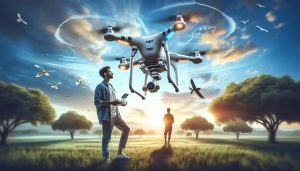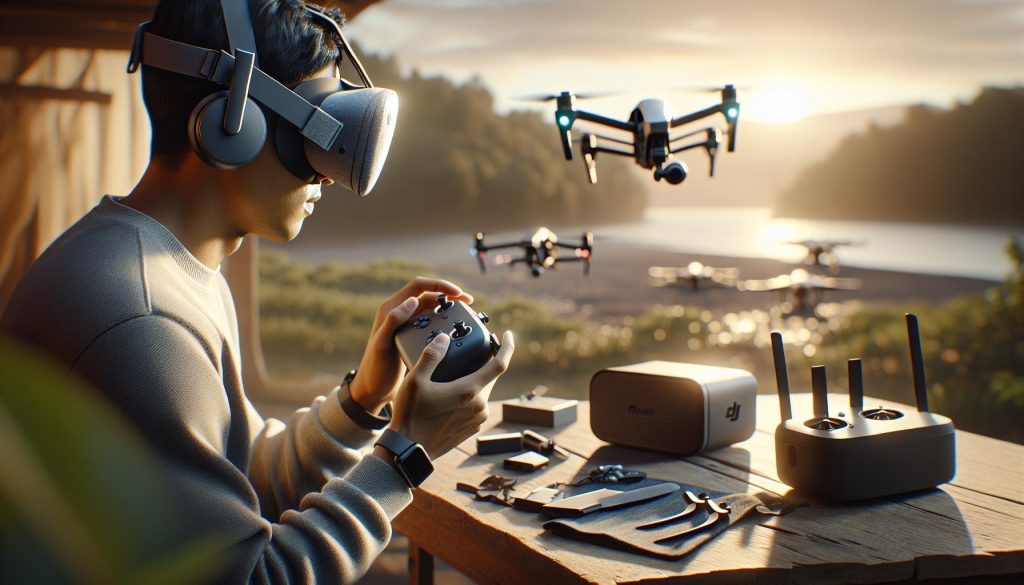
Imagine soaring through the skies, experiencing flight from a bird’s-eye view, all from the comfort of your living room. Using the Oculus Quest 2 with DJI drones can elevate your flying experience into an immersive adventure, blending the latest in VR technology with the thrill of drone piloting. Whether you’re a hobbyist looking to enhance your skills or a professional seeking advanced visualization tools, understanding how to set up and operate your DJI Mini or Mini 2 with the Oculus Quest 2 is paramount. This guide will walk you through the essential steps to unite these powerful technologies, ensuring you can navigate the skies with confidence and creativity. As you delve deeper, prepare to unlock new possibilities for exploration and creativity in your drone adventures!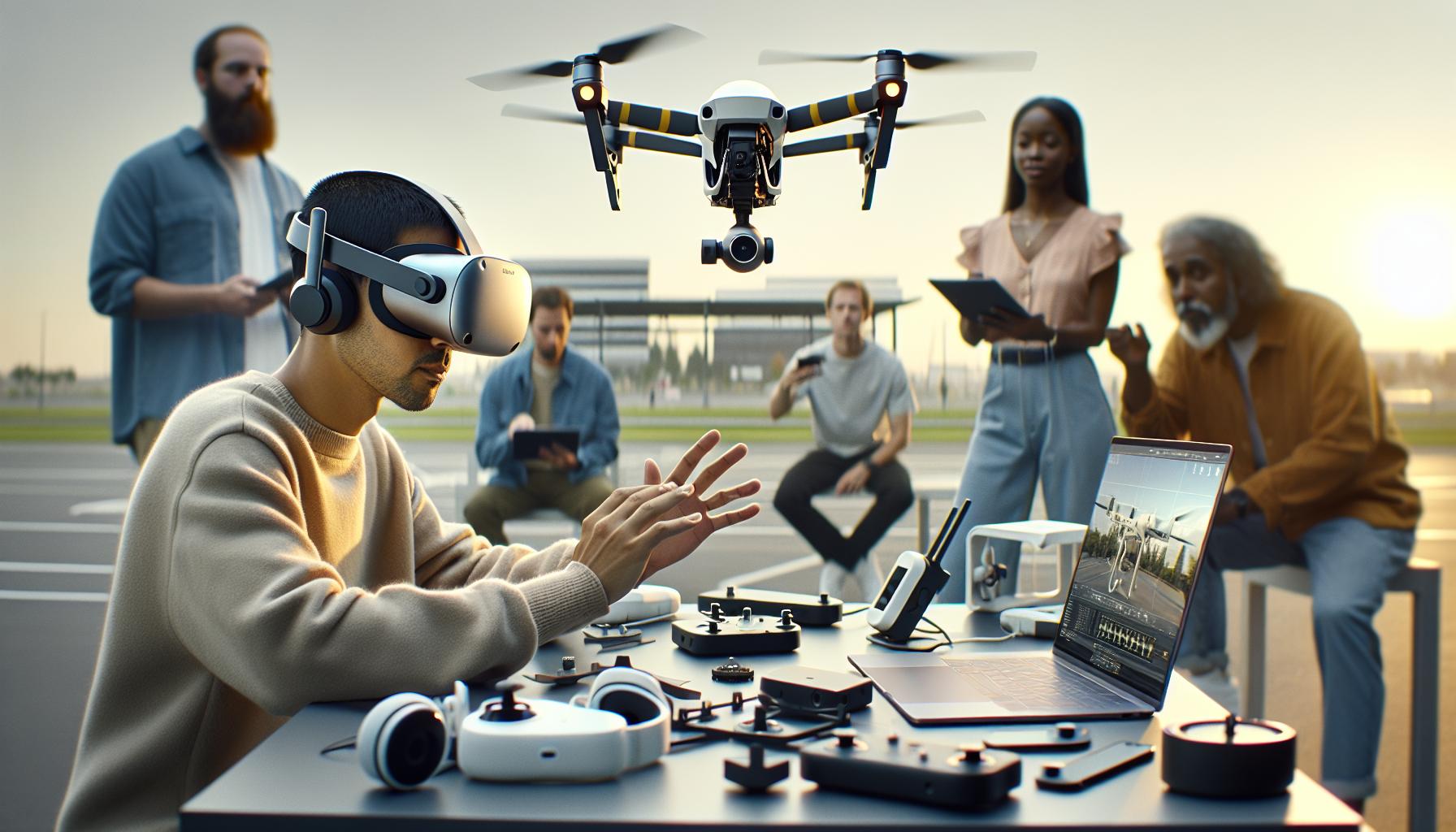
Understanding the Compatibility Between Oculus Quest 2 and DJI Drones
The integration of Oculus Quest 2 with DJI drones opens a new frontier in immersive drone flying, allowing users to experience a first-person view from the drone’s perspective. However, understanding the compatibility between these devices is crucial for an optimal VR flight experience. The Oculus Quest 2, a standalone VR headset, boasts impressive capabilities that can enhance drone flying significantly, but its compatibility with DJI’s range of drones involves both hardware and software considerations.
To commence, it’s essential to recognize that not all DJI drones support VR viewing directly. Models that have been successfully integrated with Oculus Quest 2 include the DJI Mavic Air 2, Mavic Pro, and Phantom 4. These drones can stream their camera feed to the headset using third-party apps or through custom setups. For connectivity, a reliable method such as a dedicated streaming software setup is necessary to ensure low-latency video feed and smooth operation. The drone should also be equipped with the latest firmware to optimize performance and maintain compatibility with VR applications.
From a software standpoint, using compatible apps like DJI Fly, or third-party applications such as Litchi or DroneLink, enhances the immersive experience. These apps often provide options to link the headset with the drone, offering VR functionalities such as map visualization, telemetry data, and live video streaming. It’s worth noting that achieving high-quality VR streaming requires strong Wi-Fi connections and may need adjustments to the transmission settings on the drone.
In essence, while the Oculus Quest 2 can significantly enhance the drone flying experience, both users and drone operators must remain attentive to their compatibility. Engaging with communities and reviewing the latest firmware updates can provide insights and solutions for maximizing the use of these technologies together.
Essential Equipment for VR Flight Setup
To embark on a successful VR flight experience using the Oculus Quest 2 with DJI drones, gathering the right equipment is paramount. A seamless integration of technology not only enhances your flying experience but also ensures safe operations and optimal performance. Here’s what you need to get started.
First, a robust and compatible drone model is essential. Selected DJI drones, such as the Mavic Pro, Mavic Air 2, and Phantom 4, are known to work well with VR headsets. These models can effectively transmit their camera feed to your Oculus Quest 2, allowing for an immersive first-person view. Make sure your drone is equipped with the latest firmware to avoid connectivity issues and enhance performance.
Next, a streaming solution is vital for transmitting the video feed from the drone to the Oculus headset. Using compatible apps like Litchi, DroneLink, or DJI Fly will significantly improve your experience. These applications often provide necessary features for VR, including viewer customization and telemetry data. Be prepared to explore settings that optimize wireless video transmission, as a strong Wi-Fi connection or a wired option can greatly affect streaming quality.
Don’t overlook the importance of the right cables and adapters. Depending on your setup, you might need a USB-C to USB-C cable or a USB-A to USB-C adapter, especially if you plan to connect the headset directly to your controller for a more stable connection. Investing in quality cables can prevent frustrating interruptions during flights.
Finally, consider using a VR-compatible remote control for your drone, which can enhance pilot control and responsiveness when flying in VR mode. These peripherals often have additional functions, such as customizable buttons and enhanced grips, facilitating a more intuitive flying experience.
In summary, ensuring you have the proper drone model, streaming solution, connection cables, and compatible controllers will lay a solid foundation for an exhilarating VR flight experience with your DJI drone and Oculus Quest 2. By gathering the right equipment and taking the time to set it up correctly, you can transform your drone flying sessions into an immersive adventure.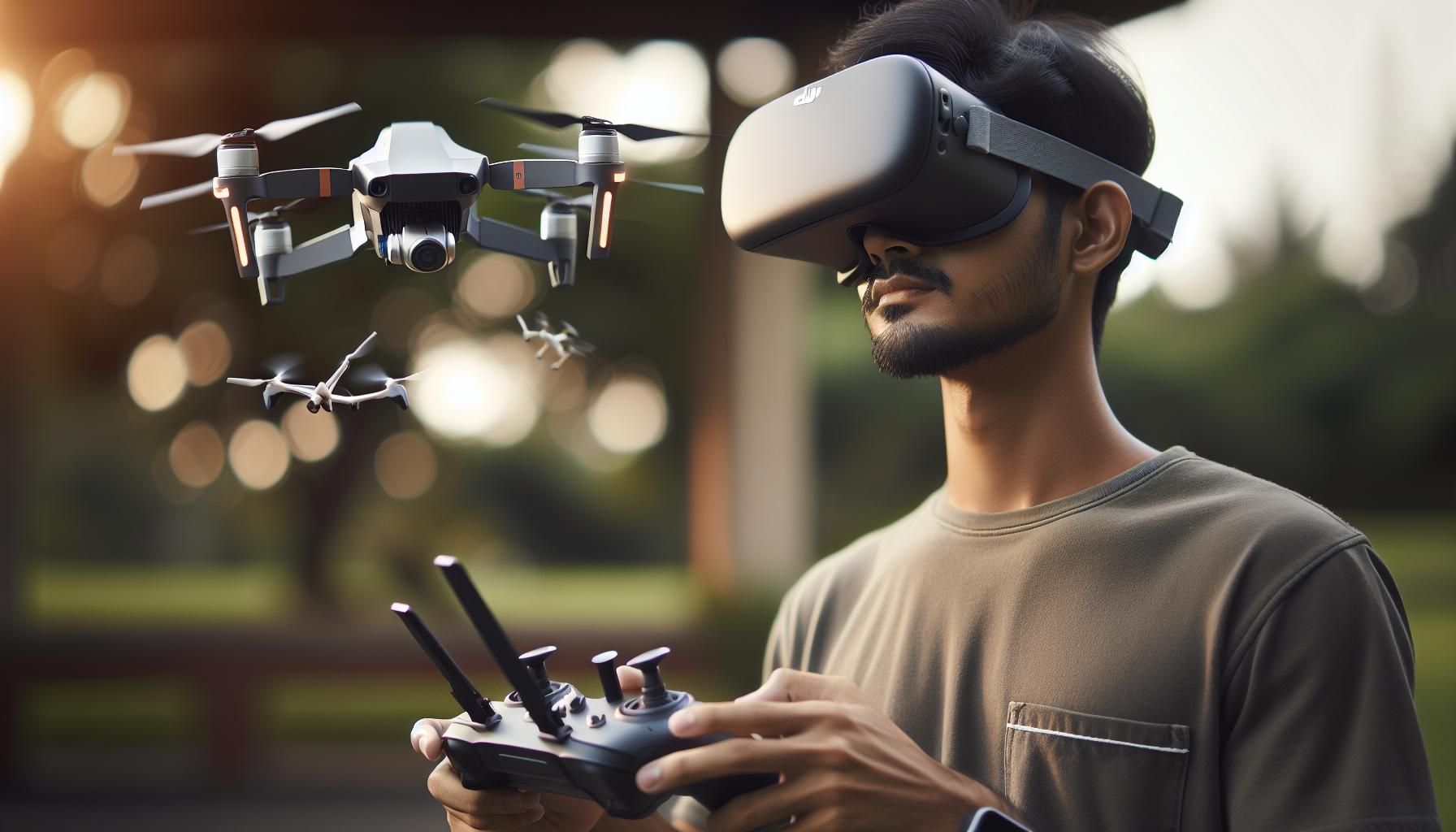
Step-by-Step Guide to Connecting Oculus Quest 2 to DJI Drones
Connecting an Oculus Quest 2 to a DJI drone can elevate your flight experience, transforming everyday flying into a breathtaking virtual reality adventure. By following a systematic approach, you can seamlessly set up your gear for an immersive flight. Here’s a comprehensive guide to facilitate the connection process.
Start by ensuring that both your Oculus Quest 2 and DJI drone are fully updated with the latest firmware. Keeping your devices updated is crucial for compatibility and optimal performance. Check the DJI app to see if any firmware updates are available for your drone. Once updated, power on your Oculus Quest 2 and the DJI drone, preparing both devices for connection.
Next, you’ll need a reliable streaming application that supports VR capabilities. Popular options include Litchi, DroneLink, or DJI Fly, each providing unique features for an enhanced experience. Download and install your chosen app on your mobile device and link it to your DJI drone by connecting to the drone’s Wi-Fi network. Most DJI drones will create their own Wi-Fi network, which you can connect to via your device.
Once connected, it’s time to set up the video feed. Open the streaming app and adjust the settings to enable VR mode, ensuring video transmission to your Oculus is optimized. If you’re using a direct connection through USB, plug your Oculus headset into your controller-this will necessitate the appropriate USB-C cables depending on your setup. Always double-check connections to prevent any interruptions during flight.
Finally, put on your Oculus Quest 2 and initiate the streaming app on your mobile device. You should see the drone’s camera feed displayed in the headset. Calibrate the gimbal if necessary, ensuring the horizon is level and all camera settings are configured to your liking. Familiarize yourself with the controls and practice flying in a safe, open space, adjusting VR settings to enhance your comfort and experience.
With these steps, you’re well on your way to integrating your Oculus Quest 2 with your DJI drone, allowing you to explore the skies like never before. Enjoy your flights as you dive into the thrilling world of virtual reality flying!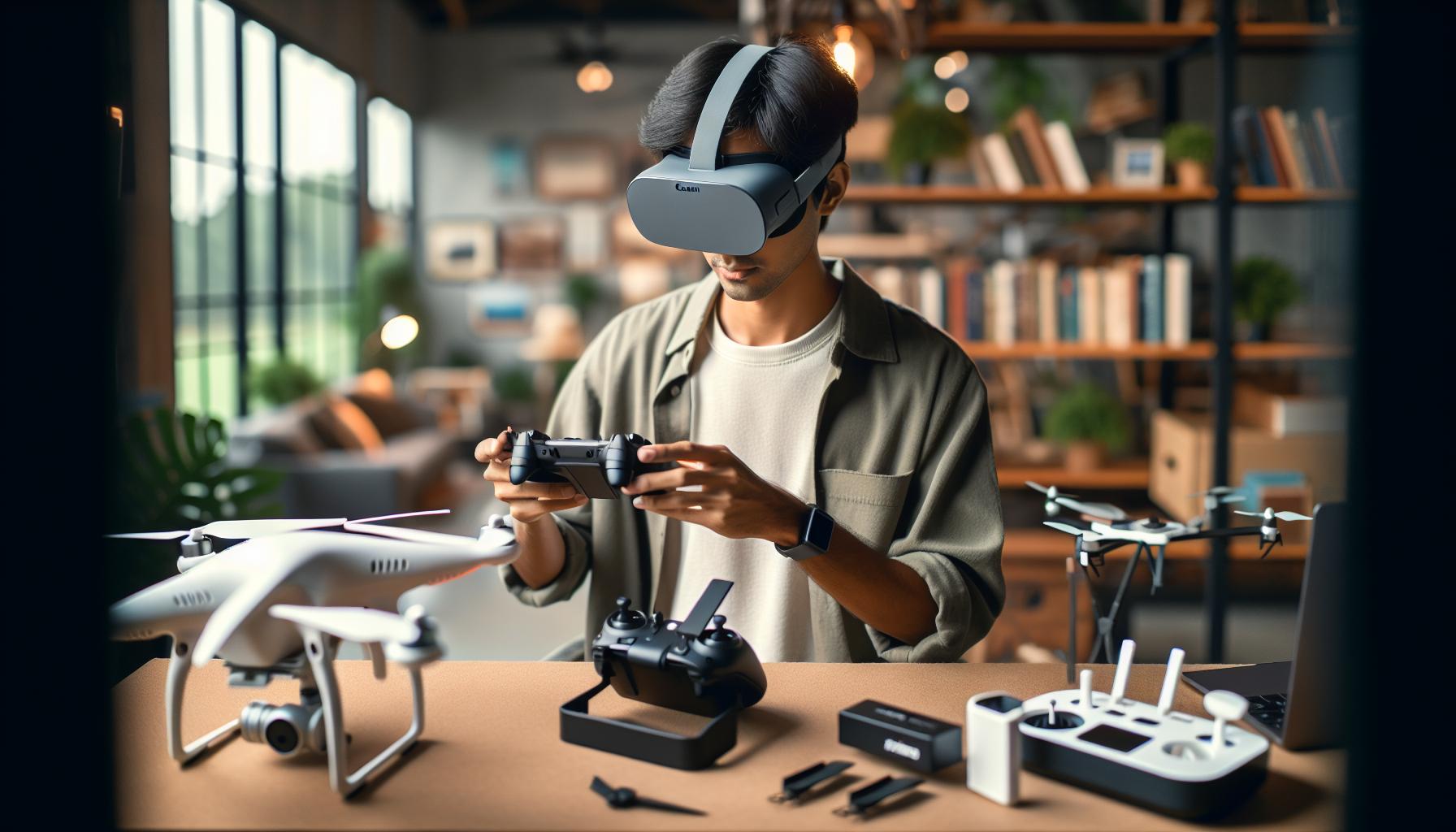
Optimizing Your Oculus Quest 2 for Drone Flight
To truly enjoy the immersive experience of flying a DJI drone with the Oculus Quest 2, optimizing your headset settings and overall setup is imperative. By fine-tuning aspects of your VR experience, you can enhance comfort, increase visual clarity, and ensure that the flight is as responsive as possible. A seamless connection between your devices allows for smoother, more enjoyable flights, transforming your drone flying into an exhilarating virtual adventure.
Start by adjusting your Oculus Quest 2 display settings. Make sure to enable “Theater Mode” or “Wide Mode”, depending on your preferences, this can dramatically enhance immersion. Experiment with settings such as IPD (interpupillary distance) to ensure the lenses align with your eyes, providing the clearest picture possible. Additionally, consider tweaking the resolution settings within the streaming app you are using. Higher resolutions often yield a sharper image, but can also tax your mobile device’s processing power, potentially leading to lag. It’s about finding the right balance that prioritizes both sharpness and responsiveness.
While using the drones camera feed in VR, ensure that video latency is minimal. Opt for direct connections through USB when feasible, as this can dramatically reduce lag compared to wireless streaming. If you are relying on Wi-Fi, ensure you are in close proximity to your drone’s network and that other devices are not competing for bandwidth. You can also check for firmware updates for both the Oculus and the DJI drone, as improvements in software can contribute to better performance and connectivity.
Lastly, calibrating your gimbal properly before takeoff is essential. This can help you achieve a stable view during flight, mitigating the risk of poor image quality and disorientation within the headset. After setting everything up, take some time to practice flying in a clear environment, refining your controls and VR settings until you find the optimal setup that feels best for you. With these optimizations, you’ll be well-equipped to fully appreciate the stunning landscapes and thrilling perspectives that drone flying in virtual reality can offer.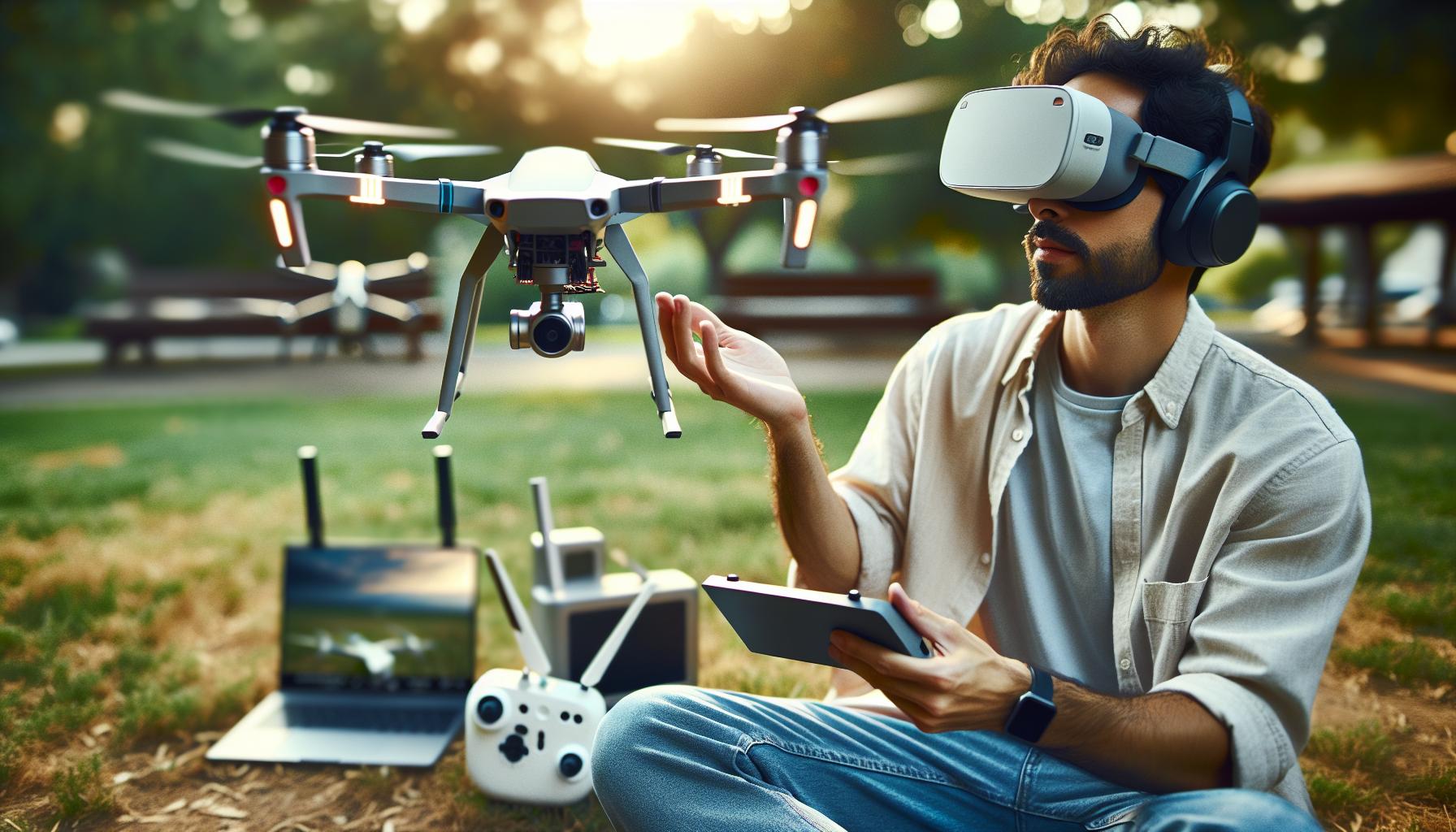
Top DJI Drone Models to Use with Oculus Quest 2
The DJI ecosystem offers a range of powerful drones that deliver exceptional aerial experiences, particularly when paired with the Oculus Quest 2 for immersive flying. Whether you’re a seasoned pilot or a newcomer, certain models stand out as ideal partners for virtual reality flight.
One of the most accessible and popular options is the DJI Mini 2. This compact drone boasts excellent performance with a maximum flight time of 31 minutes, making it perfect for capturing stunning aerial footage. The Mini 2 features 4K video capability and DJI’s impressive OcuSync 2.0, which provides a reliable transmission signal up to 10 km. When used with the Oculus Quest 2, you can enjoy a clear live feed and an engaging FPV (first-person view) experience, enhancing your flights significantly.
The DJI Air 2S takes the experience to another level with its advanced features and superior camera capabilities. With a large 1-inch sensor, it captures 5.4K video at 30 fps and outstanding low-light performance. Its Smart HDR and obstacle sensors on all sides provide added safety, making it an excellent choice for VR flight. The Air 2S connects seamlessly, ensuring minimal latency in video transmission, which is crucial for maintaining situational awareness while flying.
For those interested in a more rugged option, the DJI Mavic 3 offers unparalleled performance and features. With dual-camera systems, including a Hasselblad camera, you can capture stunning, high-quality imagery while experiencing VR flight immersion like never before. Its advanced obstacle avoidance and intelligent flight modes boost confidence in complex flying situations, making it suitable for both recreational and professional use.
Finally, consider the DJI Avata for a completely different flying experience. Designed for first-person view, the Avata is lightweight and agile, perfect for indoor flying and tight spaces. Its integrated prop guards and stabilization technology enhance safety, allowing you to explore without the worry of crashes. The Avata’s built-in camera and compatibility with the DJI Goggles offer a thrilling, immersive experience tailored for VR drone flying.
In summary, when choosing a DJI drone to use with Oculus Quest 2, consider your flying environment and the specific features you need. Each model presents unique advantages, so selecting the right one can significantly enhance your immersive flying experience. Be sure to complement your drone with the necessary equipment and firmware updates to maximize performance and enjoyment.
Configuring Your Drone for VR Flight Experience
To achieve an exhilarating VR flight experience with your DJI drone and Oculus Quest 2, it is crucial to ensure that your drone is properly configured. Start by ensuring that your drone is fully charged and that any necessary firmware updates are completed. These updates not only enhance drone performance but also include critical features essential for safe flying, such as new flight modes or improved transmission capabilities. Additionally, familiarize yourself with the specific requirements of your drone model, as setups may vary.
Connect your Oculus Quest 2 to the drone’s camera feed using a compatible system for a seamless experience. While not all DJI drones directly support Oculus Quest 2, those like the DJI Mini 2, Air 2S, and Avata provide excellent compatibility through external apps or adapters. You might need a USB-C cable to connect your device properly, as this facilitates real-time video streaming to the headset for an immersive first-person view. Always check that you’re using the latest version of the drone’s control app, which might include specific settings for VR experiences.
Calibration is another critical step in preparation. Make sure you calibrate the drone’s gimbal and compass before flight. An improperly calibrated gimbal can lead to issues with the camera feed, causing discomfort and potential disorientation while flying. To calibrate, follow the on-screen instructions within your control app. Most apps will guide you through the calibration process, which usually involves rotating the drone in specific orientations until it confirms that it is ready for flight.
Lastly, it’s important to acknowledge the safety measures tied to flying with a VR headset. Always ensure your flight area is clear and prepare for the possibility of losing visual contact with your drone. Utilize features like GPS return-to-home and set altitude limits to maintain control, even while absorbed in the immersive experience. By carefully configuring your drone and attending to these details, you will set the stage for thrilling and safe VR flights that take advantage of the immersive potential provided by the combination of the Oculus Quest 2 and your DJI drone.
Best Apps for Immersive Drone Flying in VR
To fully realize the immersive experience of flying drones in virtual reality, selecting the right applications is critical. Applications designed for VR drone operation can dramatically enhance the flight experience by allowing users to view the drone’s camera feed in a 360-degree perspective, facilitating a more engaging and intuitive piloting experience. Several apps cater to this need, offering various features tailored to different DJI drone models, including popular options such as the DJI Mini 2 and Mavic Air 2S.
One of the leading apps for achieving an immersive VR experience is DJI Fly, specifically for pilots using DJI’s newer models. This app provides real-time video streaming from the drone to the VR headset, enabling a first-person view (FPV) that feels incredibly lifelike. Another noteworthy application is Litchi, which is often favored for its advanced features, such as waypoint missions and panoramic modes. Litchi’s compatibility with DJI drones, combined with its user-friendly interface, makes it an excellent choice for both hobbyists and professionals.
Other strong contenders include FPV Freerider and DroneVR. These platforms not only allow for a VR view but also simulate FPV racing, catering to those looking to enhance their piloting skills in a more competitive setting. These apps can utilize the Oculus Quest 2’s capabilities to create a responsive and dynamic flying experience.
When selecting an app, consider factors such as compatibility with your specific DJI drone, the quality of video streaming, and additional features that may enhance your flying experience. Always stay updated with app releases and user reviews to ensure you have the latest innovations and functionalities that can elevate your drone flying adventures in VR.
Troubleshooting Common Issues with Oculus and DJI Setup
Getting the Oculus Quest 2 to work seamlessly with DJI drones can dramatically enhance your flying experience, but it’s not without its challenges. Users often encounter a variety of issues ranging from connectivity problems to app incompatibilities. Understanding how to troubleshoot these common concerns is crucial for both novice and seasoned drone pilots eager to take their operations into virtual reality.
One of the most common hurdles is establishing a stable connection between your Oculus Quest 2 and the drone. Ensure your devices are compatible; for example, the DJI Mini 2 should work with specific apps designed for VR operations. Using the right cables is also critical-many users recommend a high-quality USB-C cable to link your drone controller to the headset. If the connection is recognized but still unresponsive, consider restarting both devices and double-checking that all software, including the Oculus app and your drone’s firmware, are up to date.
App Issues and Solutions
Compatibility issues with the apps can frustrate many users. Applications like DJI Fly and Litchi provide a robust VR experience, but they may face performance issues or crashes, especially if not adequately optimized. If you’re experiencing performance lags or crashes during flight, check your internet connection as a weak signal can disrupt the real-time video streaming to your headset. Additionally, freeing up memory on your Oculus Quest 2 by closing unnecessary applications can greatly improve performance.
Lastly, conducting routine checks on your drone and controller configurations can help avoid potential issues before they occur. Recalibrating the drone’s gimbal and updating all hardware settings may prevent unexpected behavior during flight. If you continue to encounter problems, reviewing user forums or reaching out to DJI support can provide assistance tailored to your specific setup, ensuring a smoother and more enjoyable flying experience.
By following these troubleshooting steps, you can minimize frustrations and maximize your enjoyment while exploring the skies through VR.
Exploring Advanced VR Flight Features with DJI Drones
Flying a drone in virtual reality opens up a world of immersive experiences that can be both exhilarating and educational. The DJI ecosystem, particularly when paired with the Oculus Quest 2, enhances the flying experience through features that allow for intricate exploration and advanced piloting techniques. Utilizing the VR headset transforms the way you interact with your drone, offering a first-person view (FPV) that closely mimics the perspective of being in the air.
One of the standout features you can utilize in this setup is DJI’s Intelligent Flight Modes. These modes, which include features such as ActiveTrack, QuickShots, and Point of Interest, allow you to focus on composition and creativity while the drone handles complex flying maneuvers autonomously. In VR, seeing the drone autonomously navigate through designated points or follow moving subjects from your perspective can provide an unforgettable experience. For example, using ActiveTrack allows the drone to follow a moving subject while you remain fully immersed in a first-person view, enabling you to concentrate on capturing the perfect shot without worrying about piloting.
Another advanced feature to explore is the ability to use VR for detailed gimbal adjustments and camera settings in real-time. When connected to the Oculus Quest 2, DJI drone operators can visualize adjustments such as tilt, pan, or roll from a first-person perspective, allowing micro-adjustments that can significantly impact the footage captured. Understanding these settings becomes intuitive as they engage directly with the live feed displayed in the headset.
The inclusion of real-time telemetry information in VR environments also enhances flight safety and situational awareness. You can overlay key data such as altitude, speed, and battery levels directly into your VR view. This feature ensures that you maintain control and awareness of your drone’s status while you focus on the dynamic environment around you.
For those looking to push their skills further, customizing flight paths and conducting drone races in VR mode introduces a competitive edge to flying. Utilizing the Oculus Quest 2, pilots can set up virtual courses and challenges, gaining not only practical flying experience but also engaging in community events where they can challenge friends or other enthusiasts.
By immersing yourself in the advanced features available through DJI drones, the connection with the Oculus Quest 2 can transform your perception of piloting. Whether using innovative flight modes, adjusting camera inputs in a more engaging way, or competing in virtual events, you will find that the combination of VR and drone technology elevates your flying capabilities to new heights.
Safety Tips for Flying Drones in VR Mode
Flying drones in virtual reality presents an exhilarating experience, but safety should always be a top priority. When using an Oculus Quest 2 to pilot a DJI drone, it’s essential to maintain a safe flying environment to protect both the equipment and those around you. First, always ensure you are in a suitable area with ample space and minimal obstacles. Identify potential hazards such as trees, power lines, and people, as these can pose significant risks in both VR and real-world flying.
Before taking to the skies, double-check your drone’s firmware and perform necessary pre-flight checks. This includes inspecting the battery levels, ensuring the propellers are securely attached, and confirming that all sensors are functioning correctly. Performing these routine checks beforehand can prevent malfunctions while flying, which is crucial when operating in VR mode, where spatial awareness may be compromised. It’s also beneficial to have a reliable fail-safe plan in place, such as a “return to home” feature that can be activated should you lose control or connection.
To enhance your safety while flying in VR, here are some practical tips to follow:
- Limit Flight Duration: Keep your flight sessions manageable to prevent fatigue, which can reduce your reaction time and overall situational awareness.
- Practice On the Ground: Familiarize yourself with the drone’s controls and VR interface before taking off. Consider conducting initial flights in a less immersive mode to get accustomed to the drone’s responses.
- Use a Spotter: Having a friend watch the drone in real-time can help provide a visual reference of your surroundings, alerting you to potential collisions or issues during flight.
- Stay Mindful of Your Surroundings: Although you’re immersed in VR, make a conscious effort to periodically glance away from the headset to maintain spatial awareness of your environment.
By adhering to safety procedures and maintaining awareness while flying your DJI drone using Oculus Quest 2, you can enjoy the thrill of immersive flying while minimizing risks. Remember, the fusion of VR and drone technology should enhance your experience, not compromise safety.
Legal Considerations for VR Drone Flight
Using virtual reality to pilot drones adds a thrilling layer to aerial photography and exploration, but it’s imperative to navigate the complex landscape of drone regulations. Understanding the legal considerations governing drone flight, especially when integrating technologies like the Oculus Quest 2, is crucial for both safety and compliance. Ignoring these regulations can lead to severe penalties, including fines or loss of flying privileges.
First and foremost, familiarize yourself with the Federal Aviation Administration (FAA) regulations if you’re operating in the United States. Under Part 107 rules, commercial drone operators must be licensed and adhere to various operational guidelines, including maintaining a line of sight with the drone and flying below 400 feet. These rules apply to VR drone operations as well. Although immersive flying in VR might enhance the experience, it does not excuse the pilot from compliance with visual line-of-sight (VLOS) regulations.
Local Regulations and Restrictions
In addition to federal laws, individual states and municipalities may impose their own laws regarding drone flight. These can include restrictions on flying in certain public places, near airports, or over private property without consent. Therefore, it’s essential to check local laws before initiating your flight. For example, parks often have specific rules about drone usage, and violating these can lead to immediate confiscation of your equipment. Furthermore, staying updated on temporary flight restrictions (TFRs) is vital, particularly during events or emergencies where airspace may be closed to drones.
Insurance and Liability
As with any technology that can have significant consequences if misused, consider obtaining liability insurance specifically for drone operations. Many insurance companies now offer policies for drone pilots that can cover potential damages or claims resulting from accidents. This not only protects you financially but also signals to regulatory authorities that you approach drone flying responsibly.
Staying Informed and Responsible
Finally, as drone technology rapidly evolves, so do the regulations governing their use. Join drone pilot organizations or online communities to stay informed about changes in local and federal laws. Additionally, take advantage of educational resources and workshops that help pilots understand their responsibilities when flying in new and potentially immersive environments like VR.
By remaining aware of these legal considerations, you can enjoy the benefits of using the Oculus Quest 2 with DJI drones while ensuring compliance with existing regulations and promoting safe flying practices.
User Experiences: What to Expect When Flying Drones in VR
Experiencing flight through the eyes of a drone while wearing the Oculus Quest 2 is nothing short of exhilarating. Pilots who embrace VR drone flying often report an enhanced sense of presence and control, likening the experience to flying a bird. The immersive environment allows them to navigate through landscapes, dodge obstacles, and enjoy breathtaking views from perspectives that were previously only possible with expensive aerial photography equipment.
When embarking on your VR journey, it’s essential to start with realistic expectations. The initial setup may seem daunting, but once your Oculus Quest 2 is paired with a compatible DJI drone, the synergy between the two can lead to a complete transformation of your flying experience. Many users recommend starting in a large, open area to get accustomed to the immersive experience, where the anxiety of VR-induced disorientation is less likely to be a concern. This practice not only builds confidence but also helps pilots refine their skills in managing the drone from a first-person perspective, improving both their flying techniques and their comfort with VR technology.
Adaptability plays a crucial role when integrating VR with drone flying. Some users have shared valuable insights about adjusting their VR settings to minimize motion sickness, a common issue for new VR users. This includes ensuring a stable frame rate, optimizing graphics settings, and utilizing a comfortable strap for prolonged use. Additionally, experimenting with different drone models can yield varied experiences-what enhances thrill for one might be disorienting for another. For instance, pilots flying DJI’s more agile models, like the Mavic Air, often report sharper turns and faster maneuvers add to their enjoyment but may require a steeper learning curve.
Ultimately, engaging with the community can significantly enhance the enjoyment and learning curve of flying drones in VR. Online forums and social media groups provide a valuable platform for sharing experiences, tips, and troubleshooting advice. Whether it’s showcasing breathtaking flight footage or seeking help with specific technical issues, the collective knowledge of dedicated pilots fosters an enriching environment for both hobbyists and professionals. By embracing this combination of cutting-edge technology and shared passion, users can fully maximize their VR flying experiences while enjoying the thrill of aerial exploration.
FAQ
Q: Can I use Oculus Quest 2 with any DJI drone?
A: The Oculus Quest 2 is compatible with select DJI drones, particularly the Mini series. Ensure your drone has the capability to transmit live video and allow connections via USB-C or Wi-Fi for an optimal flight experience in VR mode. Refer to your drone’s specifications for compatibility details.
Q: What do I need to connect my Oculus Quest 2 to a DJI drone?
A: To connect your Oculus Quest 2 to a DJI drone, you need a USB-C to USB-C cable, or a compatible app that supports Wi-Fi connections. Additionally, ensure your drone’s firmware is up to date and that your Oculus Quest 2 is optimized for VR experiences.
Q: How do I set up my Oculus Quest 2 for drone flying?
A: To set up your Oculus Quest 2 for drone flying, ensure the drone is powered on and connected via USB-C. Open the appropriate app on the headset that supports drone flight and follow the step-by-step instructions for calibration and video streaming. Refer to our guide for detailed steps.
Q: What apps are best for flying DJI drones in VR?
A: Popular apps for immersive drone flying with the Oculus Quest 2 include DJI Fly and third-party VR applications designed for flight simulation. These applications enhance your flying experience by providing a 360-degree view of your surroundings and simulating real-time flight data.
Q: Are there any legal considerations for flying drones in VR?
A: Yes, flying drones in VR still requires adherence to local aviation regulations, including maintaining line-of-sight and complying with no-fly zones. Always check for specific drone laws in your area and ensure your flight adheres to safety guidelines.
Q: How can I troubleshoot connection issues between Oculus Quest 2 and my DJI drone?
A: If you encounter connection issues, ensure all devices are updated to the latest firmware. Check cable connections or Wi-Fi settings and ensure the app permissions are correctly configured. Restarting both the drone and the headset can also resolve many common issues.
Q: What can I expect from the VR drone flying experience?
A: The VR drone flying experience offers an immersive perspective, allowing pilots to see from the drone’s viewpoint. Users can expect enhanced control and a thrilling sense of presence, akin to being in the cockpit. Be prepared for a unique sensory experience that combines 3D visuals with drone telemetry.
Q: Can I use Oculus Quest 2 for first-person view (FPV) flying with DJI drones?
A: Yes, you can use the Oculus Quest 2 for FPV flying with compatible DJI drones. Ensure the drone supports FPV modes, and use the right application to stream live footage to your headset. This setup can create an exhilarating flight experience, providing an immersive virtual environment.
Future Outlook
Are you ready to elevate your drone flying experience with the Oculus Quest 2? By integrating cutting-edge VR technology with DJI drones, you can immerse yourself in a whole new realm of aerial exploration. Don’t miss out on the opportunity to refine your piloting skills through our comprehensive guides on drone setup, firmware updates, and everything from the Mini to the Mavic series.
Be sure to explore related articles on drone safety protocols and the latest accessory recommendations to maximize your flying experience. If you have questions or want to share your experiences, please leave a comment below – we love hearing from fellow enthusiasts! Remember, the skies are waiting for you, so take action today! Dive deeper into the world of drones and virtual reality to stay ahead of the game.