As drone enthusiasts and professionals alike embrace the sky with DJI’s cutting-edge technology, many wonder: do you really need data to fly your DJI drone? This guide will unravel essential information about internet requirements and connectivity needs for a smooth flying experience. With more drones now featuring advanced capabilities like live streaming, GPS tracking, and firmware updates, understanding these needs is crucial. Whether you’re capturing breathtaking aerial photography or navigating complex flight paths, ensuring you have the right data setup can enhance your performance and safety. Dive into the details as we explore how connectivity impacts your drone operations and what you need to consider for an uninterrupted flight experience.
Do You Need Mobile Data for DJI Drone Flights?
Flying a DJI drone can be a breathtaking experience, but many pilots wonder whether they need mobile data for their flights. The answer is nuanced; while mobile data is not strictly required for many DJI drone operations, it can significantly enhance your flying experience. For example, utilizing mobile data allows you to access real-time maps, receive app updates, and even stream video directly from your drone, which can be invaluable for various applications, including inspections or cinematography.
When considering your flight needs, it’s essential to note that DJI drones are equipped with advanced features that may function offline. For instance, GPS and internal sensors enable the drone to maintain its position and orientation without mobile data. However, features like live video feed and some automated flight modes-such as Follow Me or Waypoints-depend on a stable internet connection. This means if you’re in a remote area without coverage, you could miss out on these functionalities, even though you can still pilot the drone manually.
In practical terms, if you are flying in open areas or locations with reliable mobile coverage, having data can maximize your capabilities. It helps in optimizing your flight with updated geofencing information and maintaining communication with the drone control app. Conversely, if you plan to fly in areas with unreliable cell service, ensure you download necessary maps ahead of time and familiarize yourself with basic flight operations in offline mode. Understanding these distinctions will empower you to make informed choices about your equipment and setup prior to flight.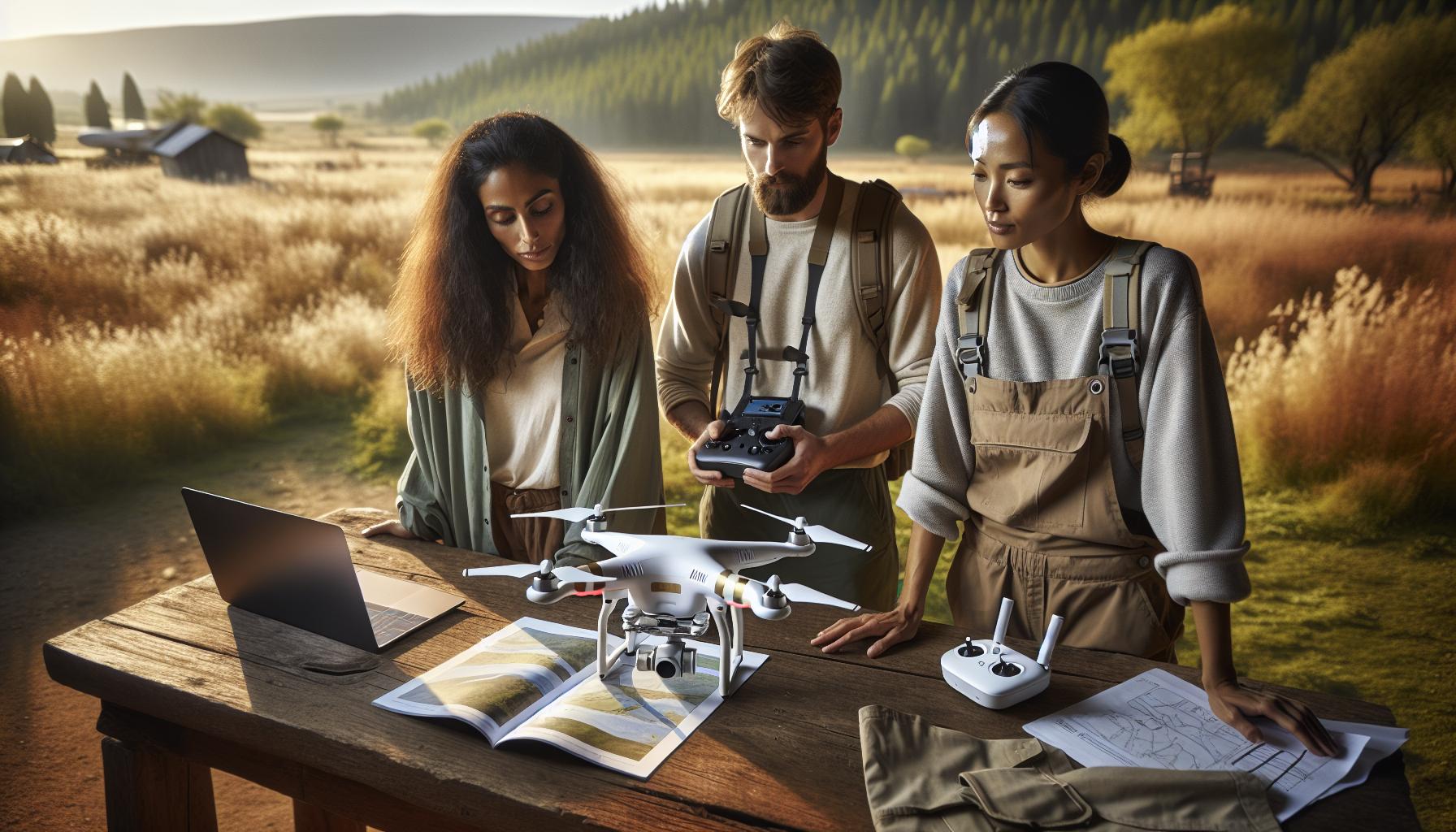
Understanding the Internet Requirements for DJI Drones
Flying a DJI drone opens up a realm of exhilarating possibilities, yet understanding the internet requirements can greatly influence your experience. While many functions can operate independently of mobile data, certain features are intrinsically tied to a stable internet connection, enhancing the functionality and safety of your flights.
First, let’s clarify the fundamental aspects of connectivity. DJI drones typically rely on GPS technology and internal sensors, which allow them to maintain flight stability and navigate without mobile data. However, some critical features such as live video streaming, real-time map updates, and certain automated flight modes (like Follow Me or Waypoints) necessitate a robust internet connection. Without it, pilots may find themselves deprived of essential capabilities, especially in dynamic shooting environments or in unfamiliar locations where geofencing is needed.
Consider the advantages of being data-connected during your flights. With mobile data, you can access comprehensive real-time flight information, including weather conditions, no-fly zones, and app updates. This connectivity can be crucial when conducting professional aerial photography or inspections, where precision and efficiency are paramount. For those flying in remote areas, pre-downloading maps and familiarizing yourself with manual flight operations can mitigate the absence of mobile data.
Ultimately, while mobile data is not mandated for DJI drones to function, embracing its use maximizes your flying potential and enriches your aerial experiences. By planning accordingly and understanding the specific requirements of your drone model, you can confidently navigate both urban landscapes and wild terrains, ensuring a safe and efficient flight every time.
How Wi-Fi Connectivity Affects Your Drone Flight
Flying a DJI drone offers exhilarating possibilities, but the impact of Wi-Fi connectivity on your flight experience can be profound. While many drones can operate without mobile data, establishing a strong Wi-Fi connection enhances numerous functionalities that can effectively elevate both the performance and safety of your flights.
A robust Wi-Fi connection primarily enables features like live video streaming and real-time telemetry data that provide essential insights during flight. For instance, utilizing the DJI Fly app, pilots can access live feeds directly from the drone’s camera, ensuring they capture the perfect shot. Moreover, downloading high-resolution maps beforehand can optimize the flight experience, particularly for those flying in complex environments. This means that if Wi-Fi is available, leveraging it not only improves your situational awareness, but it also assures adherence to no-fly zones and restricted areas based on updated data.
Furthermore, Wi-Fi connectivity plays a central role in firmware updates and troubleshooting. Keeping your drone’s software up to date is critical for enjoying new features and maintaining safety standards. A stable Wi-Fi connection allows you to easily download updates, enhancing the drone’s capabilities and fixing bugs that could affect performance. It’s recommended to routinely check for updates to ensure you’re getting the best out of your device. In case of connectivity issues, having access to online resources or community forums can provide immediate assistance, enabling quick resolutions for common problems.
In summary, while DJI drones can function without mobile data, establishing a strong Wi-Fi connection yields substantial benefits. It enriches the flying experience, fosters operational safety, and keeps your equipment finely tuned. As a drone operator, understanding the nuances of Wi-Fi connectivity can ensure you maximize your aircraft’s potential, whether you’re capturing breathtaking landscapes or conducting a professional inspection.
Exploring Offline Flight Capabilities of DJI Drones
While many drone pilots envision soaring through the sky with their DJI models, the ability to fly without mobile data or Wi-Fi can open up a world of possibilities, especially in remote locations. DJI drones are designed with offline capabilities, allowing pilots to make the most of their aircraft even when connectivity is scarce. Understanding these features not only enhances your flight experience but also empowers you to explore environments where other technology might falter.
DJI’s intelligent flight modes, such as Waypoint missions or Point of Interest, can be programmed offline. Before heading out, you can pre-plan your flight paths using the DJI Fly app while connected to Wi-Fi. By saving these settings, you ensure that your drone can execute the predefined maneuvers without needing constant internet access. Furthermore, features like GPS navigation rely on satellite signals rather than mobile data or Wi-Fi. This means that as long as your drone has a clear view of the sky, you can enjoy stable, autonomous flying.
It’s also worth mentioning that downloading maps in advance is crucial for maximizing your offline capabilities. Before heading to your chosen location, use Wi-Fi to download low-flight maps in the app. This will help you navigate and avoid no-fly zones or restricted areas that are essential for regulatory compliance. For those engaging in activities such as aerial photography or inspections, being able to fly without the worry of data availability ensures that you can focus on capturing the perfect shot rather than maintaining constant connectivity.
To ensure a smooth offline experience, pilots should conduct pre-flight checks and familiarize themselves with their drones’ settings. Remember to conduct tests in familiar environments before venturing into the unknown. By leveraging your DJI drone’s offline capabilities, you’re not just enhancing your flying experience but also embracing the frontier spirit of exploration, all while ensuring safety and compliance in your flights.
Step-by-Step Guide: Setting Up Your DJI Drone for Flight
Setting up your DJI drone for flight is essential for ensuring a safe and successful flying experience. Understanding the necessary steps can help you maximize your drone’s potential, whether you’re a beginner or an experienced pilot. With proper preparation and attention to detail, you can enjoy smooth takeoffs and well-executed flights, all while minimizing the need for mobile data during your operation.
Preparation and Configuration
Before you even power on your drone, consider the following preparatory steps to facilitate a seamless flight experience:
- Firmware Updates: Ensure your drone’s firmware is up to date. Check for updates via the DJI Fly app or the DJI Assistant 2 software on your computer. Keeping your firmware current helps improve performance and introduces new features.
- Battery Check: Inspect your drone’s batteries for charge levels and any signs of physical damage. Ensure they’re fully charged prior to flight. Also, check the battery contacts for any debris.
- Controller Setup: Turn on your remote controller and connect it to your mobile device. Ensure the DJI Fly app is installed and that it has been successfully connected to your controller.
Physical Inspection and Calibration
Once you’ve completed the preliminary setup, conduct a thorough physical inspection of your drone:
- Visual Check: Inspect the drone for any loose or damaged parts, including propellers, gimbal, and camera. Any irregularities could affect flight stability.
- Gimbal and Camera Calibration: If your drone features a gimbal, run a calibration via the app to ensure optimal camera performance. Proper calibration is crucial for tasks such as aerial photography or videography.
- GPS Signal: Step outside and power on your drone. Wait for it to acquire satellite signals; adequate GPS data is vital even if you’re flying without mobile data. A minimum of six satellites is recommended for stable positioning.
Flight Planning and Execution
Once everything is set up, plan your flight:
- Download Maps: If you plan to fly in areas with limited connectivity, download necessary maps in advance while on Wi-Fi. This is especially useful for identifying no-fly zones and understanding the terrain.
- Pre-Plan Missions: Utilize the DJI Fly app to plan your flight path if you’re using intelligent flight modes like Waypoints or ActiveTrack. Programming these modes before heading into the field eliminates dependence on data during your flight.
- Conduct Pre-Flight Checks: Just before takeoff, perform a final check on battery levels, GPS signal strength, and the operational status of your drone according to the diagnostics provided by the DJI Fly app.
Every flight should begin with a thoughtful setup. By following these steps, pilots can not only enhance their flying experience but also embrace the freedom of operating in environments without the necessity for constant data connectivity. Regular checks and updates will equip you for challenges in the air, ensuring that your flights are safe, effective, and enjoyable.
Essential Internet Features for DJI Drone Performance
The performance of DJI drones is significantly enhanced by their reliance on robust internet features, which not only facilitate seamless operation but also enrich the flying experience. For both hobbyists and professional operators, understanding these essential internet functions can direct efficiency and safety in drone activities.
One primary internet feature integral to DJI drone performance is real-time telemetry data. This capability allows pilots to monitor crucial flight parameters such as altitude, speed, battery status, and GPS location directly from their mobile devices. The DJI Fly app, for instance, provides a comprehensive interface to visualize this data, empowering pilots to make informed decisions mid-flight. Moreover, having an active internet connection enables users to access updates regarding airspace restrictions, no-fly zones, and weather conditions, all of which are critical for compliance and safety.
Additionally, cloud connectivity allows for swift firmware updates, enhancing the drone’s operational capabilities and introducing new functionalities. Regular updates executed over a Wi-Fi connection can refine flight stability, improve navigation algorithms, and fix known issues, ultimately boosting overall performance. The ability to download detailed maps and aerial information ahead of flights further empowers operators, particularly in remote locations where data connectivity may be limited.
However, it is important to recognize that while internet access elevates the functionality and safety of flying a DJI drone, many operations can be conducted offline. Users can pre-download essential data and plan flights using the intelligent features of the DJI Fly app, allowing them to navigate without relying solely on mobile data during the actual flight. This hybrid approach enables pilots to enjoy the best of both worlds, capitalizing on internet features while maintaining the ability to operate independently in areas with sporadic connectivity.
Troubleshooting Common Connection Issues with DJI Drones
Connection issues can be a common stumbling block for pilots eager to maximize their DJI drone experience. Understanding these challenges is crucial because even one minor glitch can disrupt your flight and lead to missed opportunities for stunning aerial photography or complex maneuvers. Whether you’re trying to connect to the DJI Fly app or attempting to establish a live video feed, being equipped with troubleshooting strategies can save time and enhance your flying experience.
One of the first steps when encountering connection issues is to check the basics. Ensure that both your mobile device and your drone have the latest firmware updates installed, as compatibility issues may arise if either is outdated. Additionally, rebooting both devices can resolve many common issues by clearing temporary glitches. If the connection still falters, pay close attention to your Wi-Fi settings. Since DJI drones often rely on Wi-Fi networks for data transmission, ensure you are connected to the correct network and that no other devices are overloading the signal.
Should problems persist, consider the environmental variables at play. Obstacles such as buildings, trees, or even people can interfere with the drone’s signal. Attempt to fly in open areas away from these distractions, and avoid urban environments when possible for the best performance. For users experiencing disconnections during flight, be mindful of the drone’s signal strength indicated in the app. If it drops too low, this may require immediate action to either return the drone to home or adjust your position for better connectivity.
In more persistent connection cases, dive deeper by reviewing the app permissions on your mobile device. Sometimes, the DJI Fly app requires certain permissions to function effectively, such as location services and network access. Ensure these settings are correctly enabled. If all else fails, consulting the user manual or the DJI support page can provide specific guidance tailored to your drone model, helping you to refine your troubleshooting approach and ensure a more seamless flying experience thereafter. With these strategies, you will not only overcome common connection issues but also gain confidence in managing your DJI drone technology efficiently.
Comparative Analysis of Data Usage Across DJI Models
Understanding data usage across various DJI drone models is essential for pilots who want to maximize their flying experience while managing connectivity costs. Each model within the DJI lineup has unique data requirements, which can direct how pilots plan their flights, especially in areas with limited mobile data coverage. Recent advancements in drone technology have led to models requiring varying amounts of data for functionalities like live HD video streaming, telemetry, and image sharing.
For instance, the DJI Mini series is designed with efficiency in mind, typically consuming less data compared to the Mavic Air and Mavic Pro series, which offer higher resolution video capabilities and advanced features that demand more bandwidth. Here’s a quick look at the comparative data usage during typical operations for these models:
| Drone Model | Average Data Usage per Flight (1 Hour) | Key Features Affecting Data Usage |
|---|---|---|
| DJI Mini 2 | 30-50 MB | Standard definition streaming, basic telemetry |
| DJI Mavic Air 2 | 100-200 MB | HDR video, enhanced obstacle avoidance, 4K streaming |
| DJI Mavic 2 Pro | 200-300 MB | 4K video at 60fps, multiple camera functions, advanced tracking |
Data usage can significantly increase when utilizing features like live streaming, where high-definition video feeds demand robust bandwidth. Depending on environmental conditions, flying in urban settings or near interference can further exacerbate data needs, as drones often maintain better connections with stable internet. Pilots planning flights in remote areas must consider these factors and potentially download maps or calibrate settings to minimize data transmission on-site.
Moreover, features such as droning-sharing capabilities may incur additional data costs if pilots leverage cloud-based services to store or share media. Understanding these nuances ensures that drone operators can effectively plan their flights, control data expenditures, and enhance the overall flying experience, whether they are enthusiasts capturing scenery or professionals executing detailed aerial tasks.
Tips for Flying Your DJI Drone in Remote Areas
When navigating the great outdoors with your DJI drone, especially in remote areas where mobile data can be scarce, preparation becomes paramount. Understanding how to maximize your flight experience without dependable internet access can lead to successful flights and beautiful captures, fulfilling your creative and technical aspirations.
First and foremost, ensure you download all necessary maps and updates before heading into the field. The DJI app allows users to preload maps, offering offline navigation and minimizing the need for an active data connection during flights. This capability enables you to access essential features like waypoints and return-to-home settings without consuming data, allowing you to focus on the stunning landscapes around you.
Check Your Settings: Before launching your drone, adjust your camera settings and resolution to match your photography or videography goals while considering the limitations of your drone’s capabilities in remote areas. For example, shooting in lower resolution can conserve data when you plan to do light post-processing later. Additionally, consider setting your drone to “Waypoint” mode during flight, allowing for precise route planning without the need for constant manual control, which helps in conserving battery and potentially avoiding areas with weak signals.
Use Alternative Connection Options
If your remote location permits, consider setting up a personal hotspot from another device to occasionally check flight data or upload your files in intervals. If you do encounter disconnection issues while flying, knowing how to reset connections quickly can help. Familiarize yourself with standard troubleshooting steps, such as reconnecting your controller to your drone or even reinserting the drone’s batteries to clear temporary glitches.
Ultimately, the preparation will pay off when you find yourself soaring above unspoiled nature. Flying in remote areas can provide stunning views and unique opportunities, but being ready to handle the challenges posed by limited connectivity will greatly enhance your flying experience. Embrace the adventure, and let your creativity unfold freely in nature’s embrace.
Legal and Regulatory Considerations for Drone Use
Operating a drone is as much about enjoying the freedom of the skies as it is about adhering to legal frameworks that govern airspace usage. For both hobbyists and professionals, understanding the legal landscape is essential to ensure safe and responsible flying. Most countries have specific regulations governing drone usage, which may include registration requirements, mandatory pilot certifications, and adherence to altitude and distance restrictions. Familiarizing yourself with these rules not only helps prevent potential fines but also encourages responsible use of technology that can both enrich and intrude upon personal and public spaces.
In the United States, the Federal Aviation Administration (FAA) outlines a relatively clear set of regulations. For instance, any drone weighing more than 0.55 pounds must be registered, and pilots are required to follow the guidelines set forth for the operation of Unmanned Aircraft Systems (UAS). Crucially, regulations stipulate that drones must not be flown over people or moving vehicles, and pilots must maintain a visual line of sight with their drones at all times. Understanding these parameters is vital, especially when considering flights in remote or scenic locations where these rules may often be overlooked.
For those operating in urban or developed areas, additional considerations come into play, such as privacy laws. For example, capturing images or video over private property without consent can lead to legal repercussions. Drones equipped with advanced cameras have made it easier than ever to inadvertently invade someone’s privacy, leading to potential liability issues. Pilots should exercise caution and respect the privacy of individuals and property owners in the areas they are flying.
To ensure compliance with local laws, it’s beneficial to check for any specific rules tied to your location, which can often include no-fly zones near airports, military bases, or national parks. Utilizing resources such as the FAA’s B4UFly app or consulting local aviation authorities can help provide clarity on the regulations you must follow. By taking these legal and regulatory considerations seriously, drone pilots can foster a culture of safety and respect within the community, promoting the responsible use of their aerial technology.
Maximizing Your Drone’s Functionality with Internet Access
Maximizing the performance and capabilities of your DJI drone significantly hinges on the availability of internet access. Having a stable connection enhances various functionalities, ensuring that you can utilize your drone to its full potential. For instance, features such as real-time video streaming, intelligent flight modes, and firmware updates rely on robust internet connectivity. Without it, your drone’s performance can be notably limited, potentially hindering your overall flight experience.
One of the key benefits of having internet access during your flights is the ability to receive live telemetry data and GPS updates. These features are essential for improving navigation accuracy and maintaining flight stability. Additionally, cloud-based services enable pilots to plan routes, access airspace information, and monitor weather conditions, which play crucial roles in pre-flight preparations. For DJI drones, applications like DJI Fly or DJI GO 4 provide pilots with access to these data-driven functionalities, making internet access a vital component of effective drone operation.
To ensure you are making the most out of your drone’s capabilities with internet access, consider these practical tips:
- Update Firmware Regularly: Keeping your drone’s software updated is crucial for optimal performance and access to the latest features. Regular updates can only be downloaded when you have a stable internet connection.
- Use GPS and Mapping Services: Plan your flights utilizing detailed maps and satellite imagery available through apps that require data access. This aids in identifying ideal launch spots and understanding the surroundings better.
- Engage in Real-Time Monitoring: Leverage live telemetry and monitoring features which provide real-time information about battery levels, GPS coordinates, and even potential obstacles in the flight path, all of which require an internet connection.
- Streamline Troubleshooting: Access technical support and troubleshooting guides through your drone’s app when connected to the internet, greatly enhancing your ability to quickly resolve issues.
Overall, embracing the advantages of internet connectivity can elevate your drone flying experience, making it more efficient and enjoyable while allowing you to explore the capabilities of your DJI device to the fullest.
Future of Connectivity: 5G and Its Impact on Drone Flying
The advent of 5G technology is set to revolutionize drone operations, enhancing capabilities and moving towards a future where connectivity plays an even more critical role in flight management and data exchange. Unlike 4G, which has limitations in bandwidth and latency, 5G offers significantly greater speed and lower latency, enabling real-time data transfer that is essential for high-performance drone applications. This will empower operators to transmit high-definition video streams and large sets of telemetry data seamlessly, improving decision-making processes during dynamic flight conditions.
As 5G networks expand, DJI drone pilots can expect shifts in operational standards. For instance, applications that rely on real-time analytics or cloud computing will benefit immensely. Imagine flying a DJI drone equipped with AI capabilities that can process live data about the environment and make split-second adjustments to flight paths based on traffic or weather conditions in real time. Such advanced functionalities will not only enhance the safety and efficiency of flights but also open new frontiers in areas like package delivery, search and rescue missions, and infrastructure inspection.
Moreover, 5G’s enhanced connectivity will facilitate the development of drone swarms, where multiple drones work in unison to accomplish tasks efficiently. This cooperative operation would be particularly beneficial in agricultural settings, enabling drones to communicate with one another and coordinate actions like planting seeds or monitoring crop health across vast fields. As this technology matures, DJI users could engage in complex missions that were previously impractical due to connectivity limitations.
In essence, 5G is not merely an upgrade in speed; it represents a paradigm shift in how drones can interact with their environments and how pilots can control and manage these machines. Embracing 5G technology will allow DJI drone operators to maximize their capabilities, opening up a world of possibilities once thought to be the realm of science fiction. Staying abreast of this advancement will certainly be invaluable for both hobbyists and professionals looking to leverage technology for innovative applications in the sky.
Frequently asked questions
Q: Do I need internet access to fly my DJI drone?
A: No, you don’t need internet access to fly your DJI drone. Once you have downloaded the necessary maps and firmware updates, drones can operate offline. However, real-time data and some features, like firmware updates and live footage streaming, require internet access.
Q: How does GPS work without data on DJI drones?
A: DJI drones rely on GPS satellites for navigation, which does not require internet data. As long as the drone has a clear view of the sky, it can accurately determine its location using GPS alone, even without a network connection.
Q: What features of DJI drones require an internet connection?
A: Features that require an internet connection include live video streaming, map updates, and accessing firmware updates. Additionally, some advanced functionalities, such as certain telemetry and flight planning, may rely on online data.
Q: Can I fly my DJI drone in remote areas with no data?
A: Yes, you can fly your DJI drone in remote areas without data, as long as it has been set up correctly and you have pre-downloaded any necessary maps. Offline mode works well for standard flying, though features that need connectivity won’t be available.
Q: What should I do if my DJI drone loses an internet connection?
A: If your DJI drone loses its internet connection, check your settings and ensure you have GPS lock. You can continue flying as usual within the range, but features requiring internet access will be limited. Review the drone manual for offline operation tips.
Q: How can I prepare my DJI drone for offline flight?
A: To prepare your DJI drone for offline flight, ensure that all maps are downloaded and the firmware is updated beforehand. Familiarize yourself with the controls and features available in offline mode through the DJI Fly app or your drone’s software.
Q: Is data usage the same for all DJI drone models?
A: Data usage can vary by model, with some advanced features and functionalities in drones like the Mavic 3 or Mini 3 Pro requiring more data for optimal performance. Refer to the specific model’s user manual for detailed data usage guidelines.
Q: Will flying my DJI drone without data affect its performance?
A: While flying your DJI drone without data won’t impact basic flight features, advanced capabilities like live telemetry, map updates, and event streaming will be unavailable, potentially limiting your operational effectiveness depending on your mission needs.
Wrapping Up
As you prepare to take flight with your DJI drone, remember that understanding your internet requirements is essential for a seamless and enjoyable flying experience. Whether you’re looking to download the latest firmware or access real-time telemetry, having a reliable internet connection can enhance performance and functionality. Don’t let connectivity issues hold you back-ensure you have everything you need before your next adventure!
For more expert tips, check out our in-depth guides on drone setup and maintenance, as well as insights into the best DJI models like the Mavic and Mini series. Ready to elevate your flying skills? Join our newsletter for exclusive tips and tutorials or explore our product pages for the latest accessories that can enhance your drone experience. Have questions or want to share your experience? Engage in the comments below-your community is waiting to connect and support your journey in the skies!