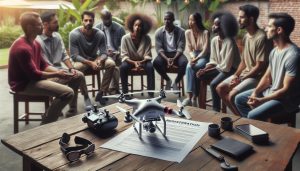
Did you know that DJI drones are among the most popular choices for both hobbyists and professionals alike? Having the right mobile device to control these incredible flying machines can elevate your experience significantly. In this article, we’ll explore whether DJI drones are compatible with Android devices, covering essential app setup and compatibility details. Understanding how to connect your drone with an Android device is crucial for achieving seamless operation, accessing advanced features, and enhancing your aerial photography or videography adventures. Whether you’re a seasoned pilot or just starting your drone journey, grasping this aspect will empower you to fully utilize your DJI equipment, ensuring that you’re prepared for any flight. Join us as we delve into the specifics and set you up for success in your drone endeavors!
Do DJI Drones Work with Android? Understanding Compatibility
Many drone enthusiasts often wonder about the compatibility of DJI drones with Android devices, particularly given the vast array of models available today. First and foremost, it’s essential to understand that DJI drones are designed to work seamlessly with both iOS and Android platforms. This compatibility allows users to access a wealth of features through the DJI Fly or DJI GO apps, depending on the drone model.
When connecting your DJI drone to an Android device, ensure that your smartphone or tablet meets the minimum system requirements specified by DJI. Typically, this includes Android version compatibility (often at least Android 6.0 or later) and sufficient RAM. Some older devices may experience performance issues, so it’s wise to check for any device-specific recommendations from DJI.
Getting Started with DJI and Android
To set up your DJI drone with your Android device, begin by downloading the appropriate app from the Google Play Store. After installation, you can connect your device to the drone via USB or Wi-Fi, depending on the model. Ensure that your drone’s battery is sufficiently charged and that both the drone and your device are updated to the latest firmware and app versions for optimal functionality.
Additionally, Android users have the benefit of customizable settings within the app interface that enhance their flying experience. Features such as intelligent flight modes, camera adjustments, and flight telemetry data are all accessible, allowing for a specialized flying experience tailored to user needs.
Incorporating these practical steps ensures that not only do DJI drones work effectively with Android devices, but users can also leverage advanced features to enhance their aerial photography and videography endeavors.
Essential Android Apps for DJI Drones

To maximize the potential of your DJI drone, leveraging the right apps on your Android device is essential. The primary applications designed for DJI drones, such as the DJI Fly and DJI GO 4, empower users to control their drones effectively while providing access to advanced features that enhance the flying experience. These apps are user-friendly and cater to both novices and experienced pilots, making them indispensable tools for aerial photography and videography.
The DJI Fly app is geared towards newer models like the Mavic Mini and the Air 2 series. It offers an intuitive interface that simplifies the filming process. The app features QuickShots, allowing users to execute pre-programmed flight maneuvers effortlessly-perfect for capturing cinematic footage without extensive piloting skills. Additionally, the Fly app supports real-time video transmission, enabling live views from your drone’s camera, which is crucial when framing shots during flight.
On the other hand, the DJI GO 4 app serves the more advanced drones like the Phantom 4 and Mavic Pro, providing a comprehensive suite of tools. This app grants detailed telemetry data, sophisticated camera controls, and the ability to tweak flight parameters for customized flying experiences. It also includes features like ActiveTrack, which lets the drone autonomously follow subjects while maintaining focus, ideal for action shots or wildlife photography.
For those interested in mapping and surveying, the DJI Terra app is an invaluable resource, offering tools for creating detailed maps and models based on drone data. This app is commonly used in professional settings, illustrating how DJI’s applications extend beyond casual use into commercial endeavors.
To get started with these applications, download them directly from the Google Play Store, making sure your Android device meets the compatibility requirements. Regularly updating these apps ensures that you access the latest features and improvements, optimizing your aerial operations. By utilizing these essential Android apps, you can unlock the full capabilities of your DJI drone, transforming your flying experience into a creative and efficient process.
Step-by-Step Guide to Setting Up DJI Drones on Android

To embark on your aerial adventure with a DJI drone, proper setup is crucial for ensuring a smooth and enjoyable experience. Whether you’re a novice or an experienced pilot, setting up your DJI drone on an Android device is straightforward if you follow the right steps. The integration of your drone with your mobile device not only enables control but also enhances your ability to capture stunning aerial footage.
Firstly, confirm that your Android device is compatible with DJI drones. Check DJI’s official website or the Google Play Store to find a list of supported devices. Once confirmed, download the appropriate DJI app, such as DJI Fly or DJI GO 4, depending on your drone model. Ensure your Android OS meets the app requirements and has sufficient storage space.
After downloading the app, launch it and create or log into your DJI account. This account syncs your settings and flight data across devices. Connect your drone’s battery and power it on, then ensure your remote control is also powered. Use the provided USB cable to connect your Android device to the remote control. The app will prompt you to establish a connection with your drone. Follow the on-screen instructions; this may include calibrating the drone’s compass and connecting to GPS.
Before your first flight, perform a thorough pre-flight checklist. Ensure the drone’s firmware is up-to-date by checking within the app. Regular updates improve flight safety and performance. Additionally, calibrate the gimbal through the app to guarantee smooth video capture. With everything set, you are ready to take your drone into the sky, ready to explore and capture the world from above.
By following these steps carefully, you can ensure that your DJI drone is set up correctly and ready for flight, allowing you to focus on capturing breathtaking images and enjoying your flying experience.
Troubleshooting Android App Issues with DJI Drones

Encountering issues with the DJI app on your Android device can be frustrating, but many common problems have straightforward solutions. One frequent issue that pilots face is connectivity troubles between the drone and the app. If you find that the app fails to connect to your drone, start by ensuring that both your drone and remote controller are powered on and that the USB cable between them and your Android device is securely connected. Check for physical damage to the cable, as a faulty cable can hinder communication.
Another annoyance is the app crashing unexpectedly. This can often be resolved by performing a few preliminary steps: clear the app’s cache from your device settings, or even uninstalling and reinstalling the app to ensure you have the latest version. Keeping your Android device’s operating system updated is also crucial; out-of-date software might lead to compatibility issues with the DJI application. If problems persist, consult the DJI support website or community forums, where other users may have shared similar experiences and effective solutions.
In cases where the app displays error messages or warnings, carefully read the notifications as they often provide guidance on how to resolve the issue. Many times, these messages are linked to hardware settings (e.g., low battery, GPS signal loss) that require user action. For example, if your drone indicates that it cannot take off due to a weak GPS signal, ensure you are in an open area away from tall buildings or large metal structures that could interfere with GPS reception.
Lastly, keeping your drone’s firmware up-to-date is essential. The DJI app sometimes won’t function correctly if the drone’s firmware is outdated. Regularly check for firmware updates available through the app, as installing the latest version can fix bugs and improve compatibility, performance, and safety features. By systematically addressing these issues, you can ensure a smoother flying experience and make the most of your DJI drone through your Android device.
Exploring Advanced Features of DJI Drones with Android

Unlocking the full potential of DJI drones offers a thrilling blend of creativity and technology, particularly for users leveraging Android devices. This synergy fosters an environment where flying becomes not only about piloting but also about capturing stunning visuals with advanced features integrated into the DJI app. Familiarizing yourself with these capabilities can vastly improve your experience, whether you’re a budding hobbyist or an experienced pilot.
One of the standout features available through the DJI app on Android devices is intelligent shooting modes. These include options like ActiveTrack, which enables the drone to autonomously follow a subject while keeping it in the frame. This mode is particularly useful for filmmakers or anyone looking to capture dynamic action shots without the need for a second operator. Another exciting feature is QuickShots, a collection of pre-programmed flight patterns that allow users to easily execute complex cinematic maneuvers, such as Rocket, Dronie, and Circle-all just a tap away via the touchscreen.
Moreover, real-time telemetry data enhances user control and situational awareness. Through the Android app, pilots can access critical flight information, including altitude, distance, GPS status, and battery life, all displayed clearly on their screen. This data can be invaluable in ensuring safe flights and efficient battery usage, making it easier to plan flights effectively. Additionally, features like waypoints enable users to pre-plan flight paths, allowing for consistent imagery or data collection for mapping projects.
For those delving into more advanced realms, integrating Live View provides a direct line of sight from the drone’s camera to your Android device. This feature is crucial for DF professional applications, such as surveying and mapping, as it allows detailed real-time adjustments to the drone’s position and orientation. Additionally, the capability to edit footage directly within the app before sharing can save valuable time, streamlining the entire creative process.
In summary, the DJI app empowers Android users to elevate their flying experience by offering an array of innovative features designed for both artistic expression and practical applications. Understanding how to navigate and utilize these advanced functions can significantly enhance your drone operations, tailoring them to fit personal or professional needs. Embracing these tools not only enriches your skills but also adds a layer of excitement to your aerial adventures.
Firmware Updates: Keeping Your DJI Drone Up-to-Date
Keeping your DJI drone up-to-date with the latest firmware is essential for optimizing performance, enhancing functionality, and ensuring that your device operates safely and efficiently. Regular firmware updates from DJI often include critical improvements that can significantly impact flight stability, camera performance, and the introduction of new features compatible with the DJI app on Android devices. Neglecting to update your firmware can mean missing out on these enhancements, which could lead to subpar performance or even safety risks during flight.
To update your firmware using an Android device, begin by ensuring you have the DJI Fly or DJI GO 4 app installed and that your drone is correctly paired with your mobile device. Then, follow these steps:
- Connect your drone and remote controller: Ensure that your drone and the remote controller are powered on and linked properly.
- Open the DJI App: Launch the DJI Fly or DJI GO 4 app, and it will automatically check for any available firmware updates once your drone connects.
- Download the update: If an update is available, the app will prompt you to download it. Make sure you are connected to a stable Wi-Fi network during this process to avoid interruptions.
- Install the update: After the download completes, follow the on-screen instructions to initiate the installation. Do not turn off your drone or controller during this process to prevent rooting the firmware.
- Complete verification: Once the installation is done, the app will guide you through a verification process to ensure everything is functioning correctly.
- Reboot your devices: It is a good practice to restart both the drone and the remote controller post-update to finalize the process.
By regularly updating your firmware, you can take advantage of new features, bug fixes, and performance enhancements that DJI rolls out. Examples can include improved GPS functionality, added flight modes, enhanced camera settings, and better connectivity options for your Android device. This proactive approach to maintenance not only extends the lifespan of your drone but also enhances your flying experience, empowering you to focus on capturing your best aerial shots.
Ultimately, staying current with firmware updates is about ensuring that your drone operates at its peak capabilities while also adhering to safety standards recommended by DJI. As a pilot, being informed about the latest updates and understanding the implications of each will allow you to harness the full potential of your DJI drone.
Gimbal Calibration: A Must for Smooth Flights
Proper gimbal calibration is a critical step in ensuring that your DJI drone produces smooth, professional-quality footage. An improperly calibrated gimbal can lead to shaky videos and poor image stability, diminishing the overall quality of your aerial photography and videography. Regular calibration of the gimbal is vital, particularly after firmware updates or changes to your drone’s configuration, to guarantee that the stabilization system is functioning optimally.
To calibrate the gimbal, first ensure your drone is powered on and that it is connected to the DJI app on your Android device. Follow these steps for a successful calibration process:
- Open the DJI App: Launch the DJI Fly or DJI GO 4 app. The app will recognize your drone and connect automatically.
- Navigating to Gimbal Settings: Go to the camera settings menu within the app. Look for the option labeled “Gimbal Calibration.”
- Begin Calibration: Tap on the calibration option. The gimbal will start to move automatically to find its center position and calibrate itself. Ensure that the drone is placed on a flat, stable surface for accurate results.
- Follow On-Screen Instructions: The app will provide instructions throughout the process. Pay close attention and do not interfere with the drone during this time.
- Confirm Calibration: Once the calibration is completed, the app will notify you. Perform a test flight to assess the stability of the footage.
In addition to routine calibration, factors such as temperature fluctuations, battery levels, and payload changes can affect gimbal performance. It is wise to recalibrate in these circumstances to maintain the highest possible video quality.
Lastly, gimbal calibration is not only about correcting issues but also about enhancing your overall flying experience. By ensuring your gimbal is finely tuned, you can focus on capturing stunning aerial footage while knowing that your equipment operates at its best. This meticulous attention to detail in setup and maintenance empowers drone pilots to deliver exceptional results, whether for personal projects or professional endeavors.
Indoor Flying: Safety Tips and App Settings
Flying a DJI drone indoors can be a thrilling experience, but it requires careful preparation and a solid understanding of safety protocols. In confined spaces, obstacles abound, and maintaining control of your drone becomes paramount. Notably, DJI drones feature advanced obstacle avoidance systems, but these systems may not function as effectively indoors due to limited space and reflective surfaces. Therefore, before you take off, familiarize yourself with your drone’s capabilities and the specific settings in the DJI app that can enhance your indoor flying experience.
Start by adjusting your flight settings through the DJI Fly or DJI GO 4 app. It’s crucial to switch your drone into Indoor Mode, if available, which limits the altitude and speed to better suit indoor flying conditions. Additionally, enabling the Beginner Mode will restrict the range of your drone and simplify controls, making it perfect for less experienced pilots. To access these settings, open the application, connect your drone, and navigate to the settings menu where you can toggle these options with ease.
Safety measures should always be your top priority. Ensure that there’s ample space for the drone to maneuver without hitting walls, furniture, or other obstacles. Remove any fragile items from your flying area to avoid accidents. A pre-flight checklist can be a good practice; confirm that the propellers are undamaged, the battery is charged, and the drone is properly calibrated. Maintain a clear line of sight throughout the flight, and if you’re flying with others, inform them to stay a safe distance from the drone’s path to prevent collisions.
Moreover, practice emergency landings using the app. Familiarize yourself with the Stop and Return to Home features for quick control should something go awry. By combining these steps with a strong understanding of your drone’s features and limitations, you’ll elevate your indoor flying experience, ensuring a blend of excitement and safety.
Understanding Flight Modes on DJI Drones
DJI drones are equipped with an array of flight modes that cater to different flying experiences and pilot skill levels. Understanding these modes not only enhances your piloting capabilities but also ensures a safer and more enjoyable flight. From beginners to seasoned pilots, each mode offers unique features tailored to specific needs and scenarios.
Among the most prominent modes is Normal Mode, which is the default setting for most flights. This mode allows for smooth navigation at standard speeds and altitudes. It is ideal for capturing everyday footage and performing basic aerial maneuvers. For those looking for a more intuitive flying experience, Beginner Mode restricts altitude and speed, providing new pilots with a limited flight range and simplified controls. This is crucial for building confidence and familiarity with the drone’s handling without overwhelming the operator.
As pilots gain experience, they can explore the exciting capabilities of Sport Mode. This mode transforms your drone into a high-speed machine, enabling rapid maneuvers and increased responsiveness. However, this added speed comes with reduced obstacle avoidance capabilities; thus, pilots should exercise caution and maintain a clear environment when flying in this mode.
Another fascinating feature within these flight modes is ActiveTrack, which allows the drone to automatically follow and film a subject while maintaining a safe distance. This mode is particularly useful for capturing dynamic scenarios, such as outdoor sports or nature walks. Similarly, Waypoint Mode is perfect for those planning complex shots, allowing you to pre-set flight paths for the drone to follow autonomously.
In addition to these standard modes, DJI drones are often equipped with specialized flight settings for various scenarios, including Cinematic Mode, which smooths the drone’s movements for professional-looking footage, and Indoor Mode, designed for safe flying in confined spaces. By adjusting these settings through the DJI app, users can fully optimize the drone’s performance based on their surroundings.
As you familiarize yourself with these modes, remember to routinely check for updates within your DJI app to ensure you’re taking advantage of any new features or improvements. This adaptability makes it vital for Android users to maintain their app compatibility, allowing seamless access to all functionality tailored to your specific drone model. Understanding these flight modes empowers you as a pilot, providing both creative freedom and a grounded approach to safe, effective drone operation.
Comparing DJI Drone Models: Which Works Best with Android?
When considering the best DJI drone models for Android users, it’s crucial to evaluate key factors such as compatibility, functionality, and intended use. DJI has created a range of models, including the Mavic, Mini, Phantom, Air, and Avata series, each tailored to different types of pilots and applications. Understanding these variations can help you choose the right drone that seamlessly integrates with your Android device while offering an optimal flying experience.
The Mavic Series is particularly popular among both hobbyists and professionals, known for its advanced features, compact design, and robust app compatibility. The Mavic Air 2, for example, provides excellent 4K video and a host of intelligent flight modes. Its dedicated app, DJI Fly, is well-optimized for Android, allowing easy access to functions like ActiveTrack, QuickShots, and more. This model is ideal for users looking to capture high-quality aerial footage while enjoying a user-friendly experience.
In contrast, the Mini Series is perfect for beginners or those seeking a lightweight, portable option. The DJI Mini 2 supports various shooting modes and boasts impressive battery life, making it a top choice for casual flyers and travel enthusiasts. While it offers solid performance and camera quality, its app, also DJI Fly, simplifies the flying process and guides users through setup and operation, which is particularly beneficial for Android newcomers.
For professionals looking for high-end features and maximum control, the Phantom Series stands out. The Phantom 4 Pro V2.0 combines advanced sensors, 20MP camera capabilities, and exceptional stability in flight. While it’s a more significant investment and bulkier than the Mavic and Mini, its sophisticated features and robust performance make it suitable for cinematic production. The DJI Go 4 app ensures full control and compatibility with Android devices, although some users may find it slightly less intuitive compared to the Fly app.
Lastly, the Avata, DJI’s latest offering in the FPV (First-Person View) segment, is designed for immersive flying experiences. While its setup might be slightly more complex, it allows for exciting acrobatic maneuvers that standard models don’t offer. With the DJI Fly app, Android users can manage settings, view live feeds, and capture stunning aerial shots from a unique perspective quickly.
In summary, when selecting a DJI drone that best works with your Android device, consider your experience level, the drone’s specific capabilities, and how the associated apps enhance your overall experience. Each model brings its own strengths to the table, ensuring that whether you are a novice flyer or a seasoned professional, there is a DJI drone that complements your needs and enhances your aerial adventures.
Buying Accessories to Enhance Your DJI Android Experience
To maximize the capabilities of your DJI drone when pairing it with an Android device, investing in the right accessories can elevate your flying experience significantly. From improved control and extended flight time to enhanced video quality, the right gear can help you fully exploit the features of your drone and app integration.
Essential Accessories for Android Users
- Tablet Mount: If you prefer a larger screen for operating the DJI Fly or DJI Go 4 app, a tablet mount is essential. It provides a stable surface for viewing and accessing your flight data and camera feed clearly, helping you navigate complex settings and enjoy real-time aerial views.
- Batteries: Extended flight sessions are crucial for capturing long footage. Having extra batteries ensures that you’re prepared for longer outings. Consider high-capacity options to enhance flight time further, especially when shooting in remote locations.
- ND Filters: Neutral Density filters help control exposure when filming in bright conditions, allowing you to achieve cinematic effects by reducing glare and improving color saturation. This is particularly beneficial for drones with advanced camera capabilities, enhancing the video quality captured directly on your Android device.
- MicroSD Cards: Ensure you have high-speed microSD cards with ample storage to accommodate the high-resolution images and videos. Brands like SanDisk and Lexar are popular choices that offer reliable performance, meeting the demands of 4K recording.
- Carrying Case: To protect your drone and accessories during transport, invest in a durable carrying case designed specifically for your drone model. This ensures that all your gear, including your Android device, is safe and organized.
Flight Enhancements and Additional Gear
Beyond the essentials, consider gear that enhances your flying experience. A gimbal stand can stabilize your shots further, especially in breezy conditions, improving video quality. For those interested in FPV flying, dedicated VR headsets compatible with the DJI FPV drone can offer an immersive flying experience. Additionally, interchangeable lenses for specific camera drones can help you achieve professional-grade shots by providing varied perspectives.
By integrating these accessories into your flying routine, you not only enhance the functionality and ease of use of your DJI drone with Android but also improve the overall quality of your aerial content. This attention to detail can mean the difference between average footage and stunning cinematic masterpieces, allowing you to create engaging content while enjoying the process of flying.
Legal Compliance: What Android Users Should Know
Understanding the landscape of drone regulation is crucial for every Android user who operates a DJI drone. Regulations can vary significantly based on geographic location, and being aware of federal, state, and local laws is essential to avoid legal pitfalls. In the United States, for instance, the Federal Aviation Administration (FAA) governs drone operations, requiring users to register their drones that weigh over 0.55 pounds and to adhere to established flight guidelines.
Before you launch your drone, familiarize yourself with the essential rules set forth by the FAA, which include maintaining visual line-of-sight with your drone, not flying over people, and adhering to altitude limits of 400 feet. Local laws may further restrict where you can fly, particularly around crowded venues, airports, and protected wildlife areas. This is why it’s important for mobile app users-like those on DJI Fly or DJI Go 4-to utilize built-in features such as geofencing and no-fly zone alerts, which help mitigate the risk of violating regulations by preventing the drone from entering restricted airspace.
State and Local Considerations
It’s also vital for Android users to check their state and local regulations, as many regions impose additional restrictions on drone usage. Some states may require drone operators to obtain specific permits for commercial use or restrict flying in certain areas altogether. Apps often come equipped with information on local regulations, so staying informed can significantly enhance your flying experience while ensuring compliance with the law.
Among the best practices for legal compliance as an Android user is to document your operations. Keeping detailed logs of your flights, including locations, times, and any incidents, not only demonstrates responsibility but can also provide crucial evidence if legal questions arise. Additionally, insurance may be a worthy consideration, particularly for commercial operators, as it can provide coverage in case of accidents or disputes.
By understanding and adhering to these legal responsibilities, Android users can enjoy the full capabilities of their DJI drones while contributing to the safety and integrity of the airspace. Staying informed and proactive about regulations enhances not only your flying experience but also supports the growing community of responsible drone enthusiasts.
Frequently asked questions
Q: Do all DJI drones work with Android devices?
A: Not all DJI drones are compatible with every Android device. Most newer DJI drones support the DJI Fly or DJI GO apps, which require Android 6.0 or higher. Always check the specific drone specifications on the DJI website for compatibility details.
Q: What Android apps are essential for DJI drones?
A: The primary apps for DJI drones are DJI GO, DJI GO 4, and DJI Fly. Each app caters to different drone models; for instance, DJI Fly is primarily for newer models like the Mavic Mini and Air series. Check the section on “Essential Android Apps for DJI Drones” for more information.
Q: How do I connect my DJI drone to an Android device?
A: To connect your DJI drone to an Android device, download the appropriate DJI app from the Google Play Store, enable Bluetooth and GPS on your device, then follow the in-app instructions to connect via Wi-Fi or USB, depending on your drone model.
Q: Why is my DJI app not working on my Android phone?
A: Common reasons for DJI app issues on Android include compatibility problems, outdated firmware, or a weak Wi-Fi connection. Ensure your device meets the app requirements and check for firmware updates in the “Troubleshooting Android App Issues” section.
Q: How do I update my DJI drone firmware using an Android device?
A: To update your DJI drone firmware via an Android device, connect your drone to the DJI app, navigate to the firmware update section, and follow the prompts. Ensure your drone is charged and connected to Wi-Fi for the update process.
Q: Can I use DJI drones indoors with an Android device?
A: Yes, you can use DJI drones indoors with an Android device, but proper settings are crucial. Adjust your app settings for indoor flying, activating features such as indoor positioning and obstacle avoidance to ensure safety.
Q: What should I do if my DJI app keeps crashing on my Android phone?
A: If the DJI app crashes, try clearing the app cache, restarting your device, or reinstalling the app. Ensure your Android software is updated and that your phone meets the app’s performance requirements for optimal functionality.
Q: Are there specific Android devices recommended for use with DJI drones?
A: While DJI drones are compatible with a range of Android devices, high-performance phones with robust processing power and good battery life, such as Samsung Galaxy or Google Pixel, are often recommended. Check the compatibility list on the DJI website for detailed suggestions.
The Way Forward
Now that you understand how DJI drones work with Android devices and the steps for seamless app compatibility and setup, it’s time to elevate your flying experience. Whether you’re capturing stunning aerial shots or diving into sophisticated flight modes, ensuring your device aligns perfectly with your drone can make all the difference. Don’t miss out-check out our comprehensive guides on DJI drone models like the Mavic and Mini series, which provide further technical insights and troubleshooting tips to enhance your skills.
Ready to take flight? Join our community of drone enthusiasts by subscribing to our newsletter for the latest updates and exclusive content. Explore our other resources for drone regulations and accessory recommendations to maximize your flight adventures. We invite your thoughts and experiences-share them in the comments or connect with fellow pilots to inspire and learn together. Your next aerial masterpiece awaits!