
As a drone enthusiast or professional, knowing how to charge your DJI drone safely and efficiently is crucial for uninterrupted flight sessions and optimal battery longevity. Did you know that improper charging can lead to reduced battery performance and even safety hazards? Whether you’re planning an epic aerial adventure or capturing stunning visuals for a project, understanding the nuances of fast charging is key. In this guide, we’ll explore essential tips and best practices for charging DJI drones, ensuring you get the most out of your flying experience. Get ready to empower your drone operations with effective charging strategies that keep you in the air longer and maximize your drone’s performance!
How Charging Works: Understanding DJI Drone Batteries
Understanding how charging works for DJI drone batteries is crucial for anyone looking to maximize their flying experience. DJI drones rely on Lithium Polymer (LiPo) batteries, known for their high energy density and lightweight design. These batteries have a finite cycle life, typically between 300 to 500 charge cycles, depending on usage and care. Proper charging techniques not only extend battery lifespan but also enhance safety during flight.
When charging DJI batteries, it’s essential to utilize the correct charger specific to your drone model. Using a charger that matches the voltage and amperage specifications is critical; for instance, the DJI 30W USB-C charger can charge batteries more quickly and efficiently compared to lesser chargers. Many of these drones come with a built-in battery management system that regulates charging, ensuring safe operations by preventing overcharging and overheating. Moreover, it’s vital to monitor the charging environment; avoid exposing batteries to extreme temperatures, as this can negatively impact performance and safety.
Additionally, understanding the various charging options available-such as dedicated charging hubs or fast chargers-can significantly expedite your preparation for flights. For example, using the DJI battery charging hub allows you to charge multiple batteries simultaneously, making it a time-efficient solution for drone enthusiasts. It’s also prudent to read the manufacturer’s guidelines and instructions pertaining to your specific model, ensuring that you follow the best practices for your equipment. By prioritizing safe and effective charging techniques, drone operators can experience extended flights while ensuring the longevity of their batteries.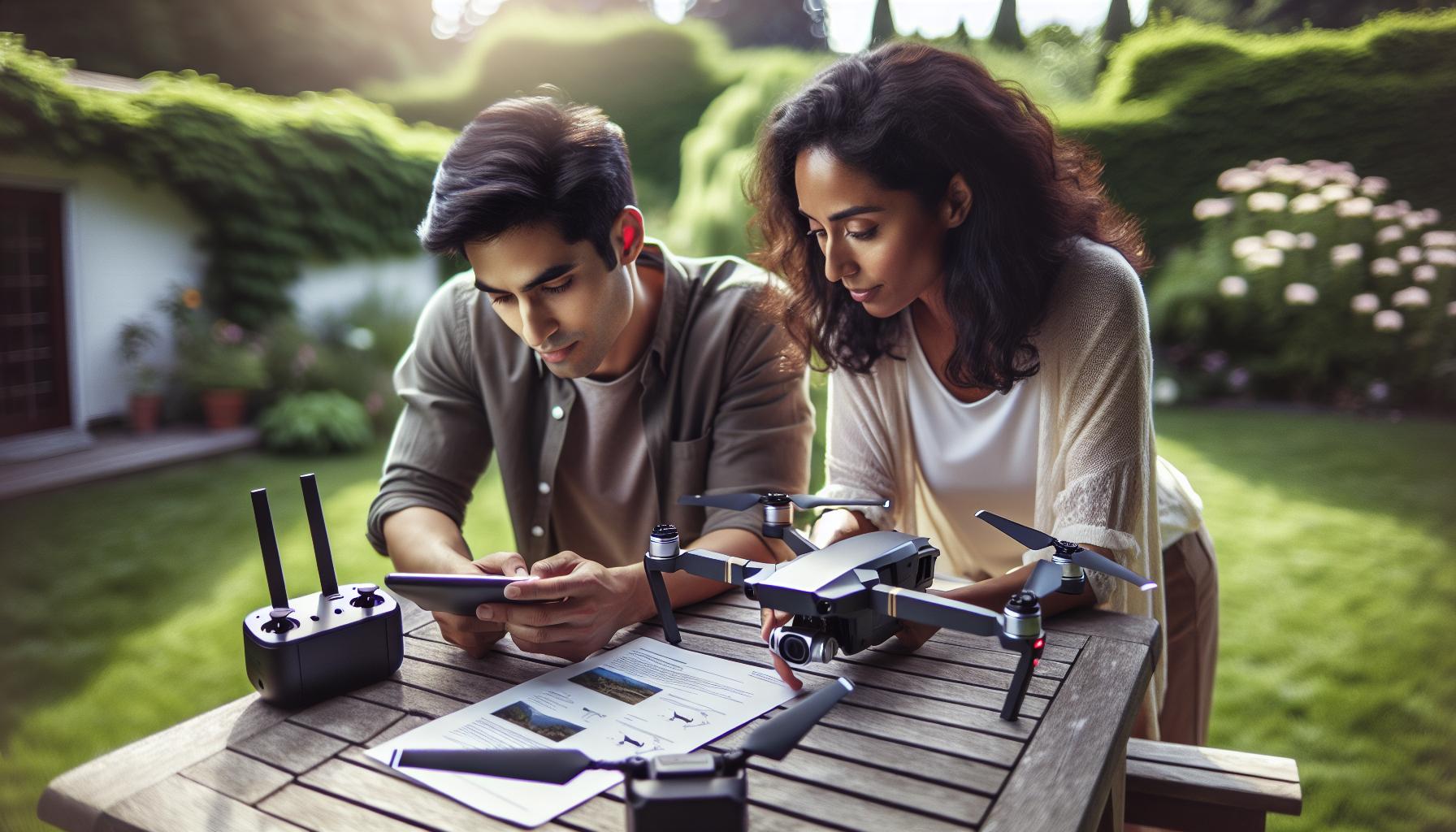
Essential Tools for Fast and Safe Drone Charging
Charging your DJI drone efficiently and safely requires understanding the essential tools that enhance the process. From specialized chargers to smart accessories, having the right equipment can dramatically speed up charging times while ensuring the longevity of your batteries.
One of the most crucial tools is a dedicated DJI charger compatible with your model. Using the correct charger ensures that your batteries receive the appropriate voltage and current, reducing the risk of overcharging or battery damage. For instance, the DJI 30W USB-C charger is particularly effective for models like the Mavic series, providing fast charging capabilities without compromising safety. Additionally, investing in a battery charging hub allows you to charge multiple batteries at once, a game-changer for drone enthusiasts who need to maximize flight time during outings. This hub intelligently manages power distribution, ensuring each battery is charged efficiently.
Incorporating a battery management system is another key element in ensuring safe and effective charging. Many DJI products come equipped with built-in management features that monitor battery health, temperature, and charging cycles. This functionality can alert you to any irregularities during the charging process, emphasizing the importance of keeping your firmware updated. Furthermore, consider using a carrying case that provides protection against physical damage and helps regulate temperature fluctuations. A high-quality carrying case not only safeguards your gear but also serves as a portable charging station for your batteries.
Choosing the right accessories can also improve charging experiences, such as using protective sleeves designed to dissipate heat and prevent short circuits during charging. By equipping yourself with these essential tools, you can significantly enhance both the safety and efficiency of charging your DJI drone, allowing for more time in the air and longer battery life.
Step-by-Step Guide to Charging Your DJI Drone
Charging your DJI drone is a straightforward process, but following the correct steps ensures safety and efficiency. Whether you’re using a USB-C charger or tapping into a battery hub, performing it correctly can significantly enhance your flying experience and prolong the life of your batteries. Below is a guide to help you navigate the charging process effectively.
Start by selecting the right charger for your drone model. For instance, the DJI 30W USB-C charger is ideal for many drones, like the Mavic series, as it optimizes charging speed while safeguarding the battery’s health. If you have multiple batteries, consider utilizing a battery charging hub. This handy tool allows you to charge multiple batteries simultaneously and intelligently manages the power distribution among them.
Next, ensure that your drone’s battery is inserted securely into the charging slot or connected properly to the charger. Inspect the connections to prevent dust or debris from causing issues. Plug your charger into a reliable power source, preferably a wall outlet. Avoid using low-power chargers as they can lead to slower charging times and may not provide adequate power.
While charging, keep an eye on the battery status indicator if available, as it not only shows the charge level but also any irregularities that may arise during the process. DJI batteries typically take about 1 hour and 22 minutes to charge fully with the official DJI 18W charger. Using the 30W charger may reduce that time significantly, charging a single battery in around 1 hour and 4 minutes, while the hub can complete the same task even faster for multiple batteries.
In addition, it’s vital to ensure that your charging environment is safe. Choose a location free from extreme temperatures and direct sunlight. Overheating can damage the battery and reduce its lifespan, so always aim to charge in moderate conditions. Finally, after charging is complete, disconnect the charger and store the battery in a cool, dry place until your next flight. With these simple steps, you can ensure that your DJI drone batteries are charged securely and efficiently, ready for your aerial adventures.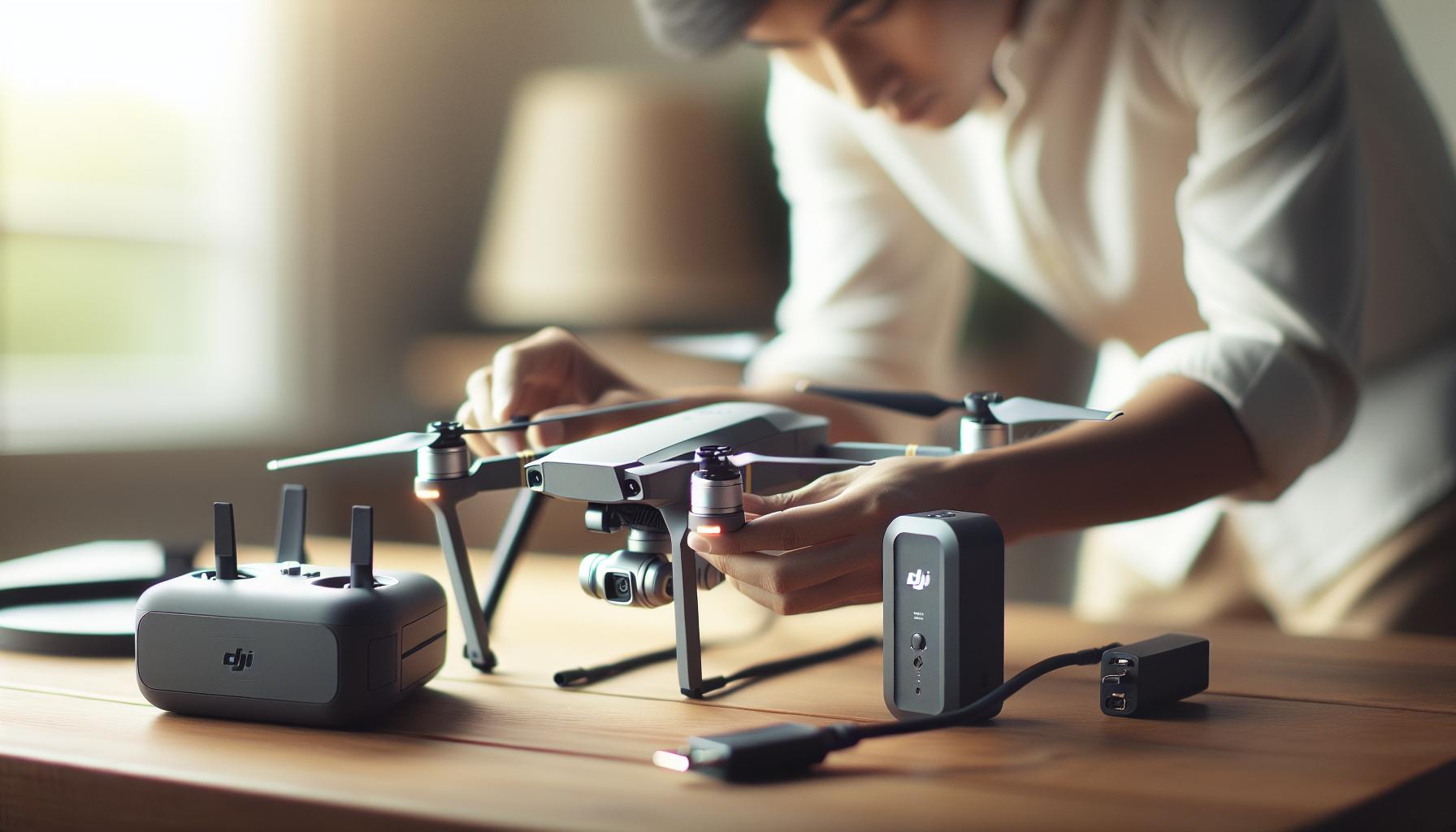
Best Practices for Maximizing Battery Lifespan
To ensure that your DJI drone batteries last as long as possible, it’s crucial to adopt sound charging habits and maintenance practices. High-quality lithium-polymer (LiPo) batteries, commonly used in drones, can provide excellent performance when treated correctly. However, improper handling or charging can lead to reduced capacity over time and even safety hazards. By following best practices, you can effectively extend the lifespan of your drone batteries, ensuring they are always ready for your next flying adventure.
One of the most effective strategies for maximizing battery lifespan is to avoid extreme charge levels. It’s best to keep your battery charge between 20% and 80%. Regularly charging your battery to 100% can lead to unnecessary stress, while letting it drop below 20% can potentially damage the cells. To facilitate this, consider using DJI’s intelligent battery management systems, which help to monitor and manage charge levels effectively.
Another important aspect is the charging environment. Always charge your batteries in a cool, dry place and avoid exposure to direct sunlight or extreme temperatures. Heat is a significant adversary of battery health; therefore, using a designated charging bag can help mitigate potential risks associated with thermal events. Additionally, allow your batteries to cool down before recharging them after a flight.
Furthermore, regular maintenance of your batteries can make a substantial difference. Check your battery’s health through the DJI app, which provides statistics on voltage and cycle count. Keeping track of this data can alert you to any irregularities before they become significant issues. Periodically inspect the batteries for any signs of swelling, damage, or corrosion, and refrain from using any compromised batteries.
Lastly, consider using DJI’s official charging accessories. These are designed to optimize charge times and maintain battery integrity. Proper storage is also vital; for extended periods of inactivity, store your batteries at a 50% charge in a cool location. Following these best practices not only enhances the longevity of your DJI drone batteries but also ensures safer operation during flights, granting peace of mind as you navigate the skies.
Common Charging Mistakes and How to Avoid Them
Charging your DJI drone should be a straightforward process, but many pilots make common mistakes that can lead to reduced battery life or even safety hazards. Understanding and avoiding these pitfalls not only maximizes the efficiency of your charging routine but also promotes the long-term health of your batteries and drone.
One prevalent mistake is charging the battery immediately after a flight. Drone batteries, particularly lithium-polymer (LiPo) types, can be quite warm after use. Plugging them in while they’re still hot can put undue stress on the cells, leading to diminished performance over time. Instead, allow your batteries to cool for at least 15 minutes post-flight before starting the charging process.
Another frequent error is neglecting to use the correct charger. Using non-DJI chargers or those incompatible with your battery specifications can damage the battery or cause it to overheat. Always opt for DJI-approved chargers, as they are equipped with features that regulate voltage and current, optimizing the charging process for safe and effective battery management.
In addition to charger compatibility, many pilots overlook the importance of battery condition. Regularly inspecting batteries for signs of wear, swelling, or corrosion is essential. A damaged battery not only holds a diminished charge but also poses a significant safety risk. If you notice any irregularities, it is best to replace the battery rather than risk a short circuit or fire.
Finally, ignoring the importance of charging environment can lead to premature battery failure. Ensure you are charging in a cool, dry space, away from direct sunlight or high temperatures. Using a charging bag can serve as an extra layer of protection, particularly in unpredictable conditions. Hardened charging practices will not only improve safety but extend the overall life cycle of your DJI batteries.
By being aware of these common mistakes and implementing corrective measures, you can enhance your flying experience while ensuring your DJI drone batteries remain in peak condition for many adventures to come.
Tips for Charging DJI Drones in Different Environments
Charging your DJI drone can vary significantly based on your environment, whether you’re at home, on a travel adventure, or in a remote location. Each setting has its unique challenges and advantages that can affect your battery management strategy. Understanding how to adapt your charging routine to different circumstances is crucial for maintaining battery health and ensuring optimal flight readiness.
When charging at home, it’s easy to create an ideal environment for your batteries. Choose a cool, dry space away from direct sunlight, preferably with stable temperatures between 20-25°C (68-77°F). Using a dedicated charging station can help streamline the process, allowing you to charge multiple batteries safely and efficiently. Consider investing in a charging bag designed for LiPo batteries, which can provide an additional layer of safety in case of battery swelling or overheating. Make it a habit to monitor the batteries during the charging process and never leave them unattended.
Traveling poses its own set of challenges. Always bring your charger and a voltage regulator to safely adapt to different power sources, especially when visiting areas with variable electric supply. If you’re charging in a vehicle, invest in a car charger that matches your drone’s specifications. This ensures you can replenish your battery power even during long drives without sacrificing safety. Be mindful of the temperature; cars can heat up quickly in the sun, which can affect battery performance. Always try to charge in a shaded or cooled environment to help maintain optimal battery temperature.
In remote locations where access to power may be limited, portable power banks or solar chargers can be lifesavers. Ensure these alternative charging options are compatible with your DJI batteries. A solar panel, coupled with a compatible inverter, can keep you airborne even when far from electricity. Additionally, consider the weight and space of your charging gear; opting for lightweight, compact charging accessories can make a significant difference during long hikes or camping trips.
Ultimately, being aware of your charging environment and adjusting your approach can safeguard your DJI drone batteries. Whether at home, traveling, or in remote areas, fostering good charging habits will prolong your battery life and enhance your overall flying experience.
Charging Options: Home, Travel, and Remote Locations
When it comes to keeping your DJI drone in the air, understanding how to charge its batteries efficiently and safely across different environments is vital. Each charging scenario-whether at home, during travel, or in remote areas-presents unique opportunities and challenges that can affect battery health and performance.
Charging at Home
Home charging offers the most control over the environment. Create an ideal setup by designating a cool, dry location away from direct sunlight where temperatures remain stable (ideally between 20-25°C or 68-77°F). Using a quality USB-C charging cable with a compatible high-power wall adapter will expedite the process, ensuring your batteries charge efficiently. Consider investing in a dedicated charging station that can accommodate multiple batteries; this allows for simultaneous charging and helps you keep track of your power needs. Additionally, a LiPo battery charging bag adds an extra layer of safety against potential overheating or swelling, an essential consideration for modern lithium polymer batteries. Regularly monitor your batteries during charging-never leave them unattended-to minimize risks.
Charging During Travel
Traveling with your drone presents a range of challenges, especially regarding varied power sources. Always carry your charger and a voltage regulator, which is crucial for ensuring safety and compatibility with different electrical standards in various countries. For those long road trips, a high-quality car charger designed for your drone is indispensable. Not only does it guarantee you can recharge on the go, but it can also save you from the inconvenience of low battery warnings mid-flight. However, be mindful of overheating; parked vehicles can trap heat, which isn’t ideal for battery health, so aim to charge batteries in shaded areas or with the air conditioning running when possible.
Charging in Remote Locations
In the great outdoors, where access to traditional power sources can be scarce, having a reliable backup charging method is critical. Portable power banks and solar chargers are ideal companions for drone enthusiasts who venture off the beaten path. Ensure these devices are rated to work with your DJI batteries and can deliver the required power output. For example, a solar panel system with an inverter can provide ample energy, allowing you to keep flying even in the wilderness. When selecting charging gear for remote adventures, prioritize lightweight and compact options that won’t weigh down your pack. These considerations can significantly enhance your periods in the field, allowing you to capture the stunning vistas without the dread of dying batteries.
Understanding and adjusting your battery charging routine based on your location not only improves safety but actively contributes to the longevity and efficiency of your DJI drone batteries. By implementing mindful practices at home, preparing adequately for travel, and being resourceful in remote settings, you’ll ensure that you remain airborne and ready to capture every moment.
Understanding Battery Health and Maintenance
Maintaining the health of your DJI drone battery is critical to ensuring extended flight times and optimal performance. Understanding the intricacies of battery maintenance not only prolongs the life of your batteries but also enhances your overall flying experience. Lithium polymer (LiPo) batteries, commonly used in DJI drones, require specific attention to charge cycles, environmental conditions, and storage practices to prevent damage and degradation.
One crucial aspect of battery health is monitoring the charge cycle. DJI batteries are designed to withstand a finite number of charge cycles, typically indicated in their user manuals. To maximize battery longevity, avoid consistently discharging your battery to its minimum level (usually 20% or less) before recharging. Instead, aim to keep your batteries within the 30%-80% charge range for daily flying. This practice reduces stress on the battery cells, which can lead to a significant increase in their lifespan. Additionally, consider regularly updating your drone’s firmware, as these updates can optimize battery management systems for improved performance.
Environmental Considerations
Batteries are sensitive to both extreme temperatures and humidity. Storing DJI batteries in a controlled environment-away from direct sunlight and extreme heat or cold-can make a notable difference in battery performance. Ideally, batteries should be kept at room temperature and in a dry location. If you plan to store them for an extended period, it’s advised to discharge the batteries to around 50% before storing, which helps in maintaining cell balance and reduces the risk of swelling or leakage.
Storage and Usage Tips
When it comes to regular use, always inspect your batteries for any signs of damage, such as swelling, punctures, or discoloration. These are clear indicators that your battery is compromised and should not be used further. Additionally, keep your batteries in a dedicated LiPo safe bag when transporting them. This is not just a safety precaution; it also helps insulate against potential risks associated with thermal runaway-a critical concern with lithium batteries.
Lastly, familiarize yourself with the DJI battery management app, which provides valuable insights into battery status and health metrics. Regularly checking these readings can alert you to problems before they become significant issues. By integrating these practices into your maintenance routine, you can ensure that your DJI drone batteries remain reliable and safe, allowing you to focus on what truly matters: capturing breathtaking aerial footage.
Signs Your DJI Battery Needs Replacement
A well-functioning battery is at the heart of any successful DJI drone flight, and recognizing when it’s time for a replacement is crucial for safety and performance. Over time, even the best lithium polymer (LiPo) batteries will exhibit signs of wear and reduced capacity. Monitoring these indicators can save you from unexpected mid-flight failures and enhance your overall flying experience.
One of the most apparent signs that your DJI battery may need replacing is a noticeable decrease in flight time. If you find yourself landing significantly sooner than expected or your drone is unable to maintain its usual flight duration, it may be a signal that the battery’s capacity has diminished. Keep an eye on your battery discharge rates; if they begin to surge unexpectedly, it’s time to assess the health of your battery.
Another critical sign is physical damage. Inspect your battery for any swelling, punctures, or discoloration. Healthy LiPo batteries should have a firm and consistent shape. A swollen battery can pose a significant safety risk, as it may lead to leakage or even fire. If you notice any such damage, discontinue use immediately and dispose of the battery according to your local regulations.
Performance Anomalies
If your drone exhibits abnormal behavior, such as erratic flight patterns or failure to maintain altitude, these could also be related to battery health. Newer DJI models might provide warning notifications if the battery is degrading. Make sure to pay attention to these alerts, as they can guide you in maintaining optimal performance.
Lastly, utilizing the DJI battery management app can greatly assist in monitoring battery health. This tool allows you to view detailed metrics and provides a clearer picture of your battery’s remaining life and overall condition. By integrating regular checks into your maintenance routine, you can proactively address any potential issues before they escalate. Taking these steps will ensure that your DJI drone remains reliable and ready to capture stunning aerial footage whenever you are.
Charging Accessories: What You Need to Enhance Safety
When it comes to charging your DJI drone safely and efficiently, having the right accessories can make all the difference. Beyond the essential charging cable, several additional items can enhance your charging experience and ensure that your battery life is maximized while minimizing risks.
One of the most important accessories is a qualified USB-C wall adapter that meets or exceeds power requirements for your specific drone model. For instance, using a high-power USB-C adapter can significantly reduce charging times, allowing you to get your drone back in the air quickly. Additionally, consider a battery charging hub, which enables simultaneous charging of multiple batteries, making it ideal for longer sessions or when you’re operating multiple drones.
Battery Care and Safety Accessories
Safety should always be a priority in drone charging. A fireproof battery bag can offer an added layer of security during the charging process. These bags are specifically designed to contain potential fires that may arise from lithium polymer (LiPo) batteries, protecting not only your batteries but also your surroundings. Furthermore, use a battery voltage checker to monitor the health of your batteries before and after charging, ensuring they are not over or under-voltage, which can affect performance and safety.
It’s also wise to invest in a smart charging adapter that communicates with your drone’s battery management system. These adapters can provide insights into battery levels and health, alerting you to potential issues before they escalate. Additionally, power banks with USB-C output can be a game-changer during travel or extended outdoor shoots. They allow you to charge your batteries on the go, ensuring you’re not caught without power at a critical moment.
Overall, proper charging accessories not only streamline the process but also safeguard your investments in drone technology. By equipping yourself with the right tools and educational resources, you can ensure safer operations, extend battery lifespan, and enhance your overall drone experience.
Dealing with Common Charging Issues and Troubleshooting
Charging your DJI drone is typically a straightforward process, but various issues can arise that may hinder your ability to power up your device effectively. Understanding common charging problems and their solutions can significantly improve your experience and extend the lifespan of your batteries.
One of the most frequent problems is slow charging or failure to charge entirely. This can stem from using an inadequate charger. Always ensure that you are using a DJI-certified charger with the appropriate power specifications. For instance, most newer DJI drone models charge optimally with a 60W USB-C adapter. If you notice that your drone is not charging correctly, try a different outlet or check if the cable is damaged. It’s also worth inspecting the charging port for debris or damage; a clean, unobstructed port is essential for effective power transfer.
Overheating during the charging process is another concern. Lithium polymer (LiPo) batteries, which DJI drones use, can be sensitive to high temperatures. If you notice that your battery is becoming excessively warm, it’s advisable to pause the charging process and allow it to cool down. Charging in a cooler environment can help mitigate this issue. Additionally, always charge your batteries on a non-flammable surface and consider utilizing a fireproof bag as an added safety measure.
To troubleshoot battery health, ensure that you routinely check the voltage levels with a battery checker. This device can help you identify if a battery is under- or over-voltage, indicating it’s time for maintenance or replacement. If you find that your battery is showing erratic charging behavior or no longer holds a charge, you may need to consider replacing it entirely.
In cases where you are on the move, such as during outdoor shoots or travel, employing a reliable power bank with USB-C output can be a game-changer. These portable power sources can effectively charge your batteries when conventional wall outlets are not available. Familiarizing yourself with these common charging issues and their remedies not only prepares you for unforeseen circumstances but also enhances your confidence as a drone operator, ensuring your flights are as smooth as possible.
Advanced Charging Techniques for Professional Pilots
To truly harness the full potential of DJI drone batteries, professional pilots must embrace advanced charging techniques that optimize performance and efficiency. One key strategy involves utilizing smart charging hubs. These hubs not only charge multiple batteries simultaneously but often come equipped with features that monitor battery health and voltage levels. By employing a charging hub, you can ensure that all batteries reach optimal voltage levels, thus facilitating balanced charging and maximizing life cycles.
Another effective method is to incorporate thermal management systems during charging. These systems can help maintain an ideal temperature for the batteries, preventing overheating-a common issue with lithium polymer cells. Utilizing thermal bags designed specifically for drone batteries can further enhance safety, allowing for cooler charging and reducing the risk of fire hazards.
For pilots engaged in high-demand shooting scenarios, consider adopting a tiered charging approach. This means charging batteries to different capacity levels based on upcoming flight requirements. For instance, if you plan to capture a longer sequence of aerial shots, charge certain batteries to 100% while leaving others at 50%. This not only streamlines the charging process but also reduces wear by preventing frequent full discharges.
Finally, integrating charging routines with monitoring applications can be exceptionally beneficial. Many modern DJI drones come with companion apps that provide insights into battery health. By regularly checking voltage, cell balance, and temperature through these apps, pilots can make informed decisions about when to replace batteries, ensuring that they are always flying with reliable power sources. Investing in these advanced techniques can significantly enhance the efficiency and safety of your operations, keeping your drone flights running smoothly and effectively.
Frequently Asked Questions
Q: What are the best practices for charging DJI drone batteries safely?
A: The best practices for charging DJI drone batteries include using the manufacturer’s recommended chargers, avoiding extreme temperatures, and not leaving batteries unattended during charging. Always ensure batteries are on a hard, fireproof surface and disconnect them immediately once fully charged to prolong their lifespan.
Q: How can I tell if my DJI drone battery is fully charged?
A: A DJI drone battery is fully charged when the indicator lights display a steady green light. If the lights are blinking, it indicates that charging is still in progress. Refer to your user manual for specific light patterns related to your drone model.
Q: Can I charge my DJI drone battery in cold weather?
A: It’s not recommended to charge your DJI drone battery in cold weather, as low temperatures can affect the battery’s capacity and charging efficiency. Ideally, charge the battery at room temperature (20-25°C or 68-77°F) for optimal performance.
Q: What should I do if my DJI drone battery isn’t charging?
A: If your DJI drone battery isn’t charging, first check if the charger and cables are functioning properly. Ensure that the battery is compatible with the charger and try resetting by disconnecting and reconnecting the battery. If issues persist, consider contacting DJI support.
Q: Is it safe to use third-party chargers for my DJI drone batteries?
A: Using third-party chargers can be risky as they may not meet the voltage and current specifications required for DJI batteries. It’s best to use original DJI chargers to ensure safety and performance.
Q: How long does it take to fully charge a DJI drone battery?
A: Charging time varies by model. For example, using the DJI 18W charger typically takes about 1 hour and 22 minutes for a standard battery, while the DJI 30W charger can reduce the time to about 1 hour. Always refer to specific charging times in your drone’s manual.
Q: What indicators show that my DJI drone battery is failing?
A: Indicators of a failing DJI drone battery include significant reduction in flight time, swelling of the battery case, or the inability to hold a charge. If any of these signs are present, it’s wise to replace the battery.
Q: Can I charge my DJI drone battery while using it for power bank purposes?
A: Yes, many DJI batteries can be used to charge devices while also being charged themselves. However, this may prolong the overall charging time of the battery itself. Always monitor battery levels to avoid over-discharging.
The Way Forward
Now that you’ve mastered the essentials of charging your DJI drone safely and efficiently, you’re one step closer to enhancing your aerial photography skills. Remember, using the right charger not only prolongs battery life but also ensures optimal performance on every flight. If you’re eager to dive deeper into drone operations, check out our guides on troubleshooting common DJI drone issues and advanced flight modes for a broader understanding of your equipment.
Don’t hesitate to share your charging tips or ask any questions in the comments below-we love hearing from fellow drone enthusiasts! For more insights and updates, be sure to sign up for our newsletter and explore our latest articles on optimizing your drone experience. Your next adventure is just a charge away-stay informed, stay inspired, and happy flying!