Every pilot knows that proper calibration is key to a smooth and successful flight experience with your DJI drone. Imagine preparing for a breathtaking aerial shot only to encounter erratic behavior due to an uncalibrated compass or IMU. Understanding how to perform these calibration steps not only enhances your drone’s performance but also ensures your safety and the safety of those around you. In this guide, we will walk you through three easy steps to calibrate your DJI drone, enabling you to achieve perfect flight every time. Whether you’re a seasoned operator or just starting out, mastering these techniques will empower you to capture stunning visuals while flying with confidence. Let’s dive in and ensure your drone is ready for the skies!
Understanding Drone Calibration Basics for Your DJI Model
Before taking to the skies with your DJI drone, it’s crucial to understand the fundamentals of drone calibration. Calibration is essentially the process of ensuring that your drone’s sensors, particularly the GPS and compass systems, are functioning properly, allowing for stable flight and precise navigation. Skipping calibration can lead to erratic flight behaviors that compromise both safety and the quality of your aerial footage.
Calibration typically involves a straightforward process that includes determining the home point, adjusting for magnetic interference, and making sure that the drone can accurately sense its orientation in relation to the ground. This is especially important if you’re flying in unfamiliar locations or around obstacles that could affect navigation. All DJI drones, from the compact Mavic Mini to the robust Phantom series, require calibration during initial setup or after significant changes in location, as the Earth’s magnetic field can differ dramatically between regions.
To properly calibrate your DJI drone, follow this step-by-step approach:
- Starting in a safe, open area: Ensure that there are no metal structures or electronic devices nearby that could interfere with the calibration process.
- Activate the compass calibration: In the DJI Fly or DJI GO app, navigate to the settings and select ‘Calibrate’. Follow prompts to rotate your drone horizontally and vertically, effectively allowing it to collect the necessary data.
- GPS Calibration: This often occurs automatically. Ensure you have a clear view of the sky to acquire a strong GPS signal, which is vital for precise positioning and stability.
Once you’ve completed these initial steps, it’s wise to conduct a test flight. Observing the drone’s behavior can indicate whether further calibration is needed. If the drone drifts unexpectedly or returns to home inaccurately, recalibrating the compass or checking for firmware updates may be necessary to resolve any flight anomalies.
Understanding and executing effective calibration not only enhances your flying experience but also ensures compliance with local regulations, promoting safe and responsible drone usage. By establishing a routine calibration practice, DJI pilots can confidently take to the skies, ready to capture stunning aerial perspectives without the worry of technical discrepancies.
Essential Steps for Accurate GPS Calibration
Accurate GPS calibration is a cornerstone of successful drone operation, significantly influencing the stability and reliability of your flights. Ensuring that your DJI drone has precise GPS coordinates not only enhances its navigation capabilities but also contributes to the safety and quality of your aerial shots. When embarking on the calibration process, there are essential steps that every pilot must follow to ensure optimal performance.
Start by positioning your drone in an area free from obstructions. The presence of metallic objects, buildings, or electronic devices can interfere with the GPS signal, leading to inaccuracies. A clear view of the sky is critical; select an open space away from potential signal disruptors. Once situated, power on your drone and connect to the DJI Fly or DJI GO app, navigating to the settings menu where the calibration option is located.
To initiate GPS calibration, ensure that you have adequate satellite visibility. Typically, the app will provide feedback on the number of GPS satellites your drone can detect; aim to have at least 8-10 satellites for reliable positioning. During this process, it’s beneficial to remain stationary initially so that the drone can lock onto its home position. Afterward, gently rock your drone on its axes to allow it to properly adjust to the surrounding magnetic field without any external interference.
After completing the initial calibration, it’s advisable to perform a pre-flight check. Conduct a short test flight to observe how the drone behaves. If you notice unusual drift or your drone doesn’t hold its position accurately, it may indicate that further GPS calibration is needed. Regularly repeating this calibration process, especially after changing locations or experiencing noticeable anomalies, helps maintain flight integrity and promotes a safer flying experience.
Lastly, when operating in diverse environments, be mindful of unique factors that can affect GPS accuracy, such as nearby power lines or dense urban areas. Adjust your flight practices accordingly, and always prioritize safety by ensuring your drone is well-calibrated before each session in a new setting. Following these essential steps not only empowers you as a remote pilot but also enhances the overall quality and enjoyment of your drone flights.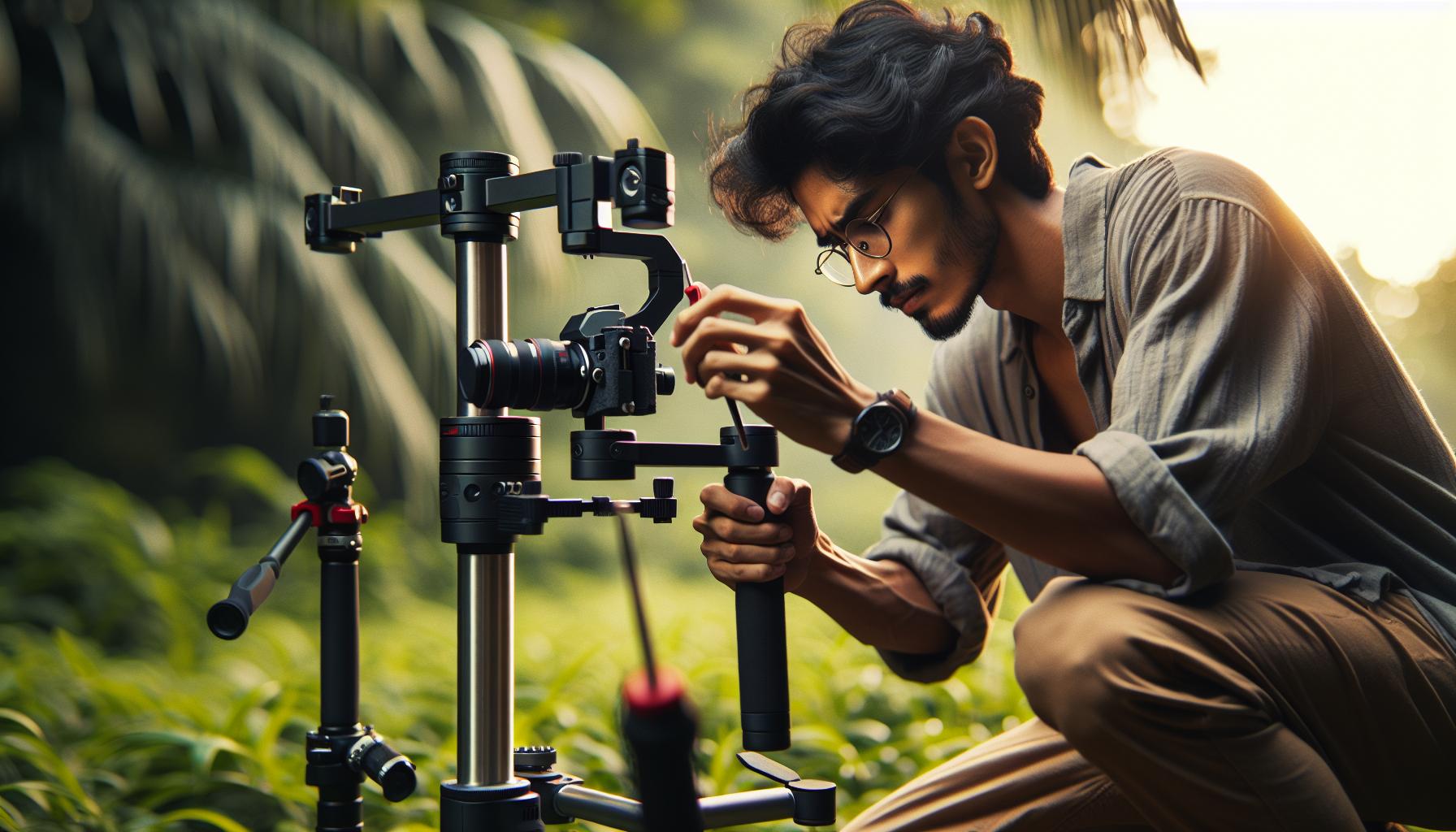
How to Adjust the Gimbal for Perfect Stability
Ensuring perfect stability for your drone’s camera can significantly elevate the quality of your aerial footage. Gimbal calibration is a critical procedure that contributes to the steady recording of smooth and dynamic shots, preventing unwanted shakes or vibrations during flights. Utilizing your DJI drone’s gimbal correctly allows you to achieve cinematic-quality results, whether you’re shooting expansive landscapes or capturing fast movements.
To start adjusting the gimbal for optimal stability, first, make sure that your drone is properly powered on, and it initializes the gimbal correctly upon startup. Ensure that all motors are functioning and there are no obstructions around the gimbal. Many DJI models offer a gimbal calibration option through the DJI Fly or DJI GO app, which allows you to self-check and adjust the gimbal easily. Access this feature by navigating to the settings menu, where you will find the calibration option. It’s crucial to perform this calibration in a stable environment, free from external vibrations or movements, which can lead to inaccurate adjustments.
After initiating the calibration process, follow the on-screen instructions closely. This typically involves positioning the drone on a flat, level surface while the gimbal takes readings and adjusts itself to capture balanced footage. Once the calibration is complete, conduct a short test flight to evaluate the gimbal’s performance. If you notice any unwanted shakes, you may need to recalibrate or check for physical issues, such as loose mounting screws or debris obstructing the gimbal’s movement.
Maintaining a properly adjusted gimbal is essential, especially when transitioning between flight modes or after firmware updates. Each time you update your drone’s software, it’s advisable to recalibrate not only the gimbal but the entire drone system to ensure optimal performance. Regularly evaluating and recalibrating the gimbal enhances the longevity of your equipment and significantly improves the overall quality of your aerial footage, allowing you to capture stunning visuals effortlessly.
Firmware Updates: Why They Matter for Calibration
Keeping your DJI drone’s firmware updated is not just about accessing the latest features; it plays a crucial role in ensuring that your calibration processes are reliable and effective. Firmware updates provide improvements to the drone’s software, enhancing its stability, flight performance, and overall functionality. When you perform a firmware update, these adjustments can directly impact how your drone handles calibration tasks, as they often contain optimizations based on user feedback and technological advancements.
One of the primary reasons firmware updates are critical for calibration lies in their ability to resolve bugs and issues that may have previously affected the drone’s performance. For instance, if you’re experiencing erratic flight behavior or sensor misreadings, a recent firmware update might include corrective measures that enhance the accuracy of the IMU (Inertial Measurement Unit) and GPS systems. This is significant because accurate readings are essential for both the gimbal and the drone’s overall stability, directly affecting the calibration results.
To maximize the benefits of these updates, always ensure that your drone is calibrated following a firmware installation. This involves recalibrating vital components such as the IMU and compass, which can be influenced by new software changes. The process typically follows these steps:
- Connect your drone to the DJI Fly or DJI GO app.
- Check for available firmware updates and install them before proceeding with any calibrations.
- After the update, navigate to the calibration settings within the app to recalibrate the IMU and compass.
By adopting this routine, you can enhance not just the performance of your drone but also extend its lifespan, as regular updates and recalibrations minimize wear from potential misalignments or faulty readings. Ultimately, a well-maintained drone operating with the latest firmware will deliver superior flight experiences and high-quality aerial footage, giving you the confidence to tackle complex aerial projects.
Common Calibration Mistakes and How to Avoid Them
Calibration is crucial for ensuring optimal performance from your DJI drone, but many operators encounter pitfalls that can compromise accuracy. To achieve the best results, it’s essential to be aware of common mistakes and learn how to sidestep them.
One prevalent error is neglecting the environmental factors that affect calibration. Wind, magnetic interference, and proximity to large metal structures can distort the drone’s compass readings. For instance, calibrating in a busy urban area with tall buildings could lead to erroneous readings due to GPS and magnetic interference. To avoid this, always conduct calibrations in open, unobstructed areas with minimal metal interference. Also, check weather conditions-high winds can impact your ability to perform a stable calibration.
Another mistake lies in skipping the recalibration process after firmware updates. Drone firmware improvements can significantly alter how a drone operates, especially in terms of sensor accuracy. Failing to recalibrate the IMU (Inertial Measurement Unit) and compass after updating the firmware can result in erratic flight behavior and reduced stability. Make it a habit to recalibrate each time you install a new firmware version to maintain optimal performance.
Additionally, many users rush through calibration steps without ensuring that they follow the instructions provided in the DJI app. Different models may have unique requirements for calibration, so it’s crucial to read and adhere to the on-screen prompts. Missing even a small step can lead to unnecessary complications later. Always take your time during the calibration process and ensure that each step is completed accurately.
Lastly, do not overlook the importance of regular maintenance checks. Pre-calibration tasks may include confirming that your drone’s gimbal is properly mounted and that all sensors are clean and operational. Debris on the gimbal or camera sensors can impact the stability of your drone’s footage, thereby skewing the calibration results. Prioritize regular inspections to catch any issues before they arise.
By educating yourself on these common calibration pitfalls and taking proactive steps, you can ensure a smoother flying experience and more precise drone operations.
Advanced Calibration Techniques for Different DJI Models
Calibration of DJI drones can make or break your flying experience, ensuring not only quality footage but also the safety of your aircraft. Each model-be it the Mavic, Phantom, or the Air series-requires specific calibration techniques unique to its design and capabilities. Understanding these advanced calibration techniques can transform any operator into a confident pilot, equipped to tackle the nuances of their particular drone.
Model-Specific Calibration Techniques
- Mavic Series: For the Mavic series, you need to focus on both the IMU and compass calibration. Begin by ensuring that your drone is positioned on a level surface. Start the IMU calibration by accessing the DJI GO app, selecting the ‘Calibration’ feature, and following the on-screen instructions. Be sure to perform a compass calibration by moving the drone in a figure-eight pattern in a clear area, away from metal and electronics.
- Phantom Series: The Phantom series often requires a more rigorous approach. After initially calibrating the IMU using the DJI app, it’s critical to confirm that the gimbal is correctly positioned to maintain stable footage. Monitor for any gimbal shake or horizon drift during test flights. If issues arise, recalibrating the gimbal using the app can help stabilize your shots.
- Air Series: The Air series features a compact design and often operates in dynamic conditions. It’s essential to conduct the gimbal calibration before every flight. Activating the gimbal calibration from the settings menu ensures your camera remains stable during capture. Furthermore, remember to perform obstacle avoidance calibration in varied environments to familiarize the sensors with local conditions.
Utilizing Firmware Updates
Regular firmware updates across DJI models bring enhancements and bug fixes essential for optimal performance. Each time a firmware update is applied, recalibrating both the IMU and compass is non-negotiable. These updates often bring adjustments to how sensors operate, meaning your drone might behave differently than before. Establish a routine of checking for updates and recalibrating, ideally syncing this process so it becomes a seamless part of your flight preparation.
Advanced Features Awareness
In addition to standard calibration, being aware of the advanced features provided by your drone can aid in precise adjustments. The Mavic 3, for instance, includes intelligent flight modes that can auto-tune certain calibration aspects based on its environment. Understanding how these modes interact with your drone’s calibration can enhance your flight experience, allowing you to utilize features like ActiveTrack more effectively, ensuring the drone’s performance is fine-tuned for the best results in varied situations.
With these advanced calibration techniques tailored to specific DJI models, you’ll not only enhance your drone’s performance but also elevate your piloting skills, resulting in better imagery and safer flight operations.
Understanding Flight Modes: What Affects Calibration
Understanding how different flight modes interact with calibration processes is crucial for achieving optimal performance from your DJI drone. Each mode-be it P-Mode (Position mode), S-Mode (Sport mode), or A-Mode (Attitude mode)-can significantly influence how sensors behave and how the drone responds during flight. For instance, Position mode utilizes GPS and visual positioning systems, which require accurate calibration of both the IMU (Inertial Measurement Unit) and compass to ensure the drone can hold its position against wind and other environmental factors.
In contrast, Sport mode prioritizes speed and agility, but this increased responsiveness can result in less stability. This mode may mask potential calibration issues until the drone is subjected to high speeds or sudden maneuvers. Therefore, proper calibration remains vital, even if the immediate response seems adequate during casual flight. It’s essential to recalibrate the IMU and compass particularly when switching to Sport mode, as the sensitivity to environmental factors increases.
When operating in A-Mode, the drone does not rely on GPS for stabilization, which can lead to challenges during low-light conditions or when flying indoors. Calibration in this mode focuses mainly on ensuring the IMU is finely tuned. Pilots should remember that poor calibration in A-Mode can lead to erratic flight behavior, as the drone will rely solely on inertial sensors. Regular recalibration, especially in changing environments, is necessary for maintaining performance in all modes.
By understanding these nuances of flight modes, pilots can improve their calibration practices and, thus, enhance the overall flying experience. Whether adjusting for challenging weather conditions or shifting from gentle aerial photography to fast-paced action shots, taking the time to calibrate properly ensures safety, stability, and the highest possible quality in capturing your aerial adventures.
Troubleshooting Calibration Issues: Tips and Tricks
Calibration is a crucial process for ensuring that your DJI drone performs optimally in various flying conditions. When you encounter issues with your drone’s calibration, it’s important to troubleshoot effectively to avoid complications during flight. Various signs can indicate calibration problems, such as erratic flying, drifting during hover, or the compass displaying incorrect readings. Here are some valuable tips and tricks to help you address these issues smoothly.
To start troubleshooting, ensure your drone is in a suitable environment for calibration. Avoid areas with large metal structures or magnetic interference, as these can skew sensor readings. Performing calibration in an open space with a clear GPS signal is ideal. If you notice poor GPS lock, try recalibrating your compass. To do this, place your drone on a flat surface, access the DJI app, and follow the on-screen instructions to complete the compass dance: rotate the drone horizontally and then vertically until the app indicates successful calibration.
Another common calibration issue relates to the IMU (Inertial Measurement Unit). If the drone is unresponsive or tilts during flight, recalibrating the IMU can often resolve these problems. Ensure the drone is on a stable, horizontal surface while following the calibration process outlined in your user manual or the DJI app. After recalibration, it’s essential to conduct a test flight in an open area to verify stability before undertaking more complex maneuvers or capturing critical footage.
Lastly, make sure your firmware is up-to-date, as improvements and bug fixes are regularly released. Firmware updates can enhance calibration algorithms and overall flight performance. To check for updates, connect your drone to the DJI app; the prompt will guide you through the installation process if a new version is available. Regular checks can prevent many calibration issues and keep your drone operating at peak performance.
By being proactive about troubleshooting calibration issues, you’ll enhance your flying experience and ensure safe operation. Armed with these tips, you can confidently tackle potential problems head-on, ensuring that your DJI drone performs flawlessly whether you’re aerially photographing stunning landscapes or navigating complex environments.
Safety Precautions Before Starting Calibration
Before diving into the calibration process for your DJI drone, prioritizing safety is essential to ensure a smooth and secure experience. Calibration involves adjusting various sensors and components that are vital for the drone’s stability, handling, and overall performance. Therefore, understanding and implementing the right safety precautions can significantly mitigate risks and enhance flight safety.
To start, always select a suitable environment for calibration. It’s vital to avoid areas with potential interference that could affect sensor performance. This includes being away from large metal structures, power lines, and other sources of electromagnetic interference. A clear, open space with ample GPS coverage not only boosts the accuracy of your calibration but also minimizes the likelihood of encountering obstacles. Additionally, it’s advisable to perform calibration far from crowds or pets to prevent unexpected incidents.
Next, ensure that your drone and remote controller are fully charged. Low battery levels can lead to power failure during the calibration process, resulting in erratic movements or inability to complete the calibration. Always inspect the drone for any physical damage or loose components. A thorough pre-flight check can help identify any issues that might compromise safety or calibration accuracy. If any parts appear damaged or are not functioning correctly, it’s best to address these issues before attempting calibration.
Final considerations should include checking weather conditions. Avoid calibrating or flying in high winds, rain, or other adverse weather, as this can affect sensor readings and lead to unexpected drone behavior. Always adhere to local regulations regarding drone flights, including specific guidelines for calibration procedures. For example, some areas may have restrictions on flying near airports or sensitive locations, impacting your calibration efforts.
Implementing these precautionary measures can empower you to conduct the calibration process with confidence, setting the stage for successful flight operations. Remember, a well-calibrated drone not only improves performance but also enhances safety during flight.
Legal Considerations When Operating Your DJI Drone
Operating a DJI drone can be a thrilling experience, but it also comes with a set of legal considerations that every operator must be aware of. Whether you’re a hobbyist or a professional, adhering to local regulations is crucial not just for the safety of your drone, but also for the safety of the people and properties around you. Each country, and often each region within a country, has different laws and guidelines governing drone usage, so it’s vital to familiarize yourself with these rules to avoid penalties and ensure responsible flying.
Key Legal Regulations
When operating your DJI drone, some general regulations likely include:
- Registration: In many countries, drones above a certain weight must be registered with the relevant aviation authority. Ensure your drone is registered if required.
- Flight Altitude: Most regulations require maintaining a maximum altitude (often 400 feet or about 120 meters) to prevent interference with manned aircraft.
- No-Fly Zones: Familiarize yourself with no-fly zones that could include areas around airports, military bases, and other sensitive regions. This information is often available through official regulatory websites or dedicated apps.
- Line of Sight: Pilots are typically required to keep their drones within their visual line of sight during flight. This assists in maintaining awareness of potential hazards.
- Privacy Laws: Respect the privacy of individuals and properties. Avoid capturing images or videos of private spaces where you do not have consent.
Understanding Local Laws
Before calibrating and operating your drone, check for local laws that govern aerial photography, commercial use, and any specific hope or requirements that apply to your area. In the U.S., for example, the Federal Aviation Administration (FAA) has specific guidelines for commercial drone use under Part 107 regulations that include various requirements, such as passing a knowledge test and ensuring your drone is properly maintained and calibrated. Similarly, many other countries have their guidelines influenced by international aviation standards.
Responsibility and Safety
Every drone operator holds the responsibility not only to comply with these laws but also to ensure the safe operation of their aircraft. Failure to follow legal requirements can lead to fines, drone confiscation, or even criminal charges. Moreover, accidents resulting from negligence can have serious consequences, which underscores the importance of knowing when and how to calibrate your DJI drone before each flight. Stay updated on changes to regulations, as drone laws are rapidly evolving globally.
In summary, being informed about the legal considerations related to operating your DJI drone is essential-this understanding not only ensures compliance but significantly enhances flight safety for you and the wider community. Take the time to educate yourself and possibly even partake in local drone clubs or forums which can offer invaluable advice and updates on legal requirements.
Navigating Obstacle Avoidance: Calibration Insights
Understanding the intricacies of obstacle avoidance in DJI drones can significantly enhance a pilot’s flying experience, making it both safer and more enjoyable. Obstacle avoidance is a critical feature that utilizes multiple sensors to detect obstacles in real-time and prevent collisions. Proper calibration of these sensors ensures that your drone performs optimally, especially in complex environments.
To achieve effective calibration, begin by ensuring that the sensors are clean and unobstructed. Dust or moisture can significantly hinder performance. Most DJI models, like the Mavic series, come equipped with front, rear, and bottom sensors designed to detect objects up to a certain distance, typically 0.5 meters to 30 meters. Before each flight, conduct a simple check of the sensors through the DJI app, which will usually prompt you if obstacles are disrupting their function.
Calibrating Vision Sensors
For step-by-step calibration of the vision sensors, follow these guidelines:
- Open the DJI GO or Fly app and connect your remote control and drone.
- Navigate to the Settings menu and select the Cameras and Obstacle Avoidance section.
- Select the Calibration option for the sensors. Follow on-screen prompts to adjust the calibration. Usually, this process involves rotating the drone in a slow, controlled manner to ensure all sensors can accurately perceive their surroundings.
- After calibration, conduct a test flight in a safe area to verify that the obstacle avoidance system responds appropriately. Pay attention to how the drone reacts as you approach nearby objects.
Common Challenges and Solutions
While navigating obstacle avoidance could seem straightforward, several common challenges can arise:
- Inconsistent Sensor Feedback: If the drone frequently misjudges distances or fails to recognize objects, revisit the calibration process. Ensure the sensors are clean and unobstructed.
- Environmental Factors: Heavy rain, fog, or direct sunlight may affect sensor performance. Be mindful of the conditions before flying.
- Firmware Issues: Regularly check for firmware updates as these often contain improvements and fixes for the obstacle avoidance system. Properly updating your drone ensures it utilizes the latest algorithms for obstacle detection.
By maintaining your sensors and understanding how to properly calibrate them, users can maximize the efficiency of their DJI drones’ obstacle avoidance systems, leading to enhanced safety and smoother flying experiences. Testing in varied environments also helps familiarize yourself with how your specific model reacts, allowing you to fly confidently, even in challenging terrains.
Best Accessories for Enhanced Drone Calibration
To achieve optimal performance and ensure the accuracy of your DJI drone’s calibration, utilizing the best accessories available can make a significant difference. High-quality calibration tools not only enhance your drone’s flying stability but also streamline the setup process, allowing for more focused and precise performance during your flights.
One essential tool is a highly accurate external GPS module. While DJI drones come equipped with built-in GPS, an external module can provide enhanced precision, especially when flying in areas with limited satellite visibility. Accessories like the D-RTK 2 Mobile Station can help achieve centimeter-level accuracy, particularly beneficial for surveying or mapping missions. Moreover, incorporating a professional-level IMU calibration tool can help ensure that your drone’s inertial measurement unit is perfectly tuned for the specific conditions of each flight.
Another invaluable accessory is a mobile device mount or tablet holder designed for DJI controllers. This allows for a stable setup when utilizing apps like DJI GO or Fly for real-time calibration adjustments and firmware updates. This stability can be crucial when conditions are less than ideal, as a secure platform will keep your device from shifting, allowing for precise input.
Don’t overlook the importance of keeping your drone’s optics clean. Investing in a lens cleaning kit ensures that your drone’s camera and sensors are free from dust and smudges, which can otherwise compromise calibration accuracy and overall flight performance. Regularly using a microfiber cloth and appropriate cleaning solutions for drone optics maintains visibility and sensor function, ensuring calibration settings reflect actual flight conditions.
Finally, consider a protective case that includes compartments for all your calibration tools and accessories. This will not only safeguard your equipment but also simplify the process of getting ready for a flight. Organized storage ensures that you have quick access to all necessary items, enhancing your ability to perform accurate calibrations on the fly.
Incorporating these accessories into your drone operation routine will not only lead to enhanced precision in calibration but also improve the overall safety and efficiency of your flying experience. Each of these tools plays a critical role in ensuring that every flight is a success and that your DJI drone performs at its very best.
Q&A
Q: How often should I calibrate my DJI drone?
A: You should calibrate your DJI drone every time you change locations, particularly if you move to a new area with different magnetic fields. It’s also advisable to calibrate after firmware updates or if your drone behaves unusually during flight.
Q: What is the difference between compass and IMU calibration in a DJI drone?
A: Compass calibration aligns the drone’s heading with the Earth’s magnetic field, while IMU (Inertial Measurement Unit) calibration ensures the drone’s sensors accurately measure orientation and movement. Both calibrations are essential for stable flight.
Q: Can I fly my DJI drone without calibrating it first?
A: While you can fly a DJI drone without calibration, doing so increases the risk of inaccuracy in navigation and stability. It’s best practice to calibrate before each flight, especially in unfamiliar flying areas.
Q: What should I do if my DJI drone compass calibration fails?
A: If compass calibration fails, ensure you’re away from metal objects and electronic devices that may interfere. Restart the calibration process, maintain a clear area, and use the DJI Go app for any error messages that might provide further guidance.
Q: How can environmental factors affect my DJI drone calibration?
A: Environmental factors like magnetic interference from buildings, power lines, or large metal objects can disrupt sensor readings and affect calibration. Always perform calibration in open, unobstructed areas for the best accuracy.
Q: What are some common signs that my DJI drone needs calibration?
A: Common signs include erratic flight behavior, unresponsive controls, or if the drone drifts when hovering. If you notice these issues, calibrate the compass and IMU to restore stability.
Q: How do I know if my DJI drone’s calibration is successful?
A: Successful calibration is usually indicated by a confirmation message in the DJI app, along with stable flight behavior afterwards. You may also want to do a short test flight to ensure everything operates correctly.
Q: Are there specific steps for calibrating different DJI drone models?
A: Yes, while the general calibration steps are similar, specific models may have unique instructions. Always refer to the user manual for guidelines tailored to your drone model to ensure proper calibration.
To Wrap It Up
Congratulations on taking the first steps toward perfecting your DJI drone flights! By following our easy calibration guide, your drone will be equipped to operate at its best, ensuring smooth and reliable performance every time you fly. If you found this guide helpful, don’t forget to check out our detailed articles on Drone Setup Tips and Troubleshooting Common Issues for further insights.
Ready to elevate your skills even more? Join our newsletter for exclusive tips and drone news that can enhance your flying experience. Whether you’re a hobbyist or a professional, there’s always more to learn, so dive into our resources on advanced flight modes and legal compliance to keep your knowledge fresh.
Your next adventure awaits-explore our site for more invaluable content. Share your calibration success or ask any lingering questions in the comments below. Happy flying, and let’s keep pushing the boundaries of what your DJI drone can achieve!