Drones have revolutionized how we capture images, conduct surveys, and explore the skies, but losing one can be a pilot’s worst nightmare. The ability to track a DJI drone is not just a convenience; it’s a safety feature that every operator should understand. In this article, we’ll delve into the location features and functionalities of DJI’s “Find My Drone” system, answering critical questions about how to locate your aerial companion when it goes out of sight. Whether you’re a seasoned flyer or just starting, knowing how to track your drone is essential for a hassle-free experience and peace of mind in the air. Join us as we uncover the crucial tools and tips that ensure you can always keep your drone within reach.
Understanding DJI Drone Location Features
Understanding the location features of DJI drones can significantly enhance your flying experience and ensure greater safety during flights. Today’s models are equipped with advanced GPS and built-in navigation systems that allow pilots to track their drones with impressive accuracy. This not only aids in flight planning but also provides crucial information in case of an emergency or when the drone strays beyond visual line of sight.
DJI drones utilize a combination of GPS and GLONASS (the Russian satellite positioning system) to enhance location accuracy. The integration of these technologies enables drones to maintain precise positioning even in urban environments or areas with signal obstructions. Furthermore, DJI provides several key features to assist with tracking. For instance, the Geofence feature prevents drones from flying into restricted areas, while the Return to Home function allows the drone to autonomously return to its starting point if it loses signal or the battery runs low. These features not only help in flying safely but also provide peace of mind to users, especially beginners.
A specialized aspect of the location tracking is the “Find My Drone” feature available in DJI’s Fly and GO apps. This function allows users to locate their drone on a map, displaying its last known location accurately. Such tools are invaluable during recovery missions, enabling you to swiftly track down your drone if it lands outside your line of sight. It is imperative to familiarize yourself with these features, as they are designed to optimize the operational capabilities of your drone while significantly improving safety protocols.
Moreover, understanding the limitations of these tracking systems is equally important. Factors such as signal interference, battery life, and environmental conditions can adversely affect the tracking performance. Pilots should always have a contingency plan, especially in remote flying locations. Embracing these advanced location features and remaining aware of their practical applications will not only enhance your flying skills but also prepare you for a wide range of scenarios in the dynamic world of drone operation.
How to Enable DJI Drone Tracking
Enabling tracking features on your DJI drone is essential for safe and effective operation. DJI drones are equipped with various technologies that leverage GPS and GLONASS systems to provide accurate location data, making them invaluable as tools for both recreational and professional use. To ensure you can take full advantage of these features, follow the steps outlined below to enable tracking capabilities.
First, ensure that you have the latest version of the DJI Fly or GO app, depending on your drone model. Regular updates not only provide new features but also enhance the existing ones, including tracking functionalities. Once you’ve updated the app, launch it and connect your mobile device to your drone via the DJI remote controller. You’ll typically set this up once, but it’s good practice to check connectivity every time you fly.
After connecting, navigate to the app settings. Look for the “Safety” or “Control” options, where you can find the “Find My Drone” feature. Enable this setting to ensure that your drone can be tracked on a map during flight. It’s also advisable to familiarize yourself with the “Return to Home” function, which automatically directs your drone back to its takeoff point if it loses connection with your controller or if the battery is running low.
For an optimal tracking experience, ensure that your drone’s GPS signals are strong before takeoff. You can check this in the app; it will indicate if the drone has successfully locked onto enough satellites for accurate positioning. For added safety, consider performing a brief test flight in an open area to ensure that the tracking features are functioning correctly and responding as expected.
By following these steps, you can ensure that your DJI drone’s tracking features are enabled and ready for use, dramatically increasing your operational safety and confidence during flights.
Utilizing the Find My Drone Feature
Utilizing the “Find My Drone” feature is one of the most valuable aspects of DJI drones, particularly for pilots who want added peace of mind during flights. This functionality leverages real-time GPS coordinates to help you locate your drone should it drift out of range or become lost due to an unexpected issue. Understanding how to effectively use this feature is crucial, not only for recovering your drone but also for enhancing your overall flying experience.
To begin with, ensure that your drone is connected to the DJI Fly or GO app, and that you’ve enabled the “Find My Drone” feature in the app’s settings. This tool displays the last known GPS location of your drone on a map, which can be pivotal in recovery efforts. If your drone goes out of range or loses connection, you can return to this map in the app to see exactly where the drone last reported its position. Additionally, many DJI models support the live tracking of your drone’s location during flight, ensuring that you can monitor its path in real time.
When activated, the Find My Drone feature can provide important cues about your drone’s status. For instance, in case of a low battery or signal loss, your drone may automatically initiate the Return to Home function, which directs it back to its takeoff point. This feature works in tandem with GPS and relies on a strong satellite connection, which means before flying, you should always verify that your drone has locked onto enough satellites for accurate positioning. An open, unobstructed area is ideal for ensuring solid GPS reception, reducing the likelihood of tracking errors.
In practical scenarios, many users have successfully located their DJI drones using the Find My Drone feature after experiencing flyaways caused by sudden gusts of wind or other unforeseen circumstances. Being familiar with this feature not only aids in the recovery of the drone but also helps build confidence in your flying skills. Storing this knowledge for future flights ensures you’re always prepared to respond promptly should a situation arise, maximizing both safety and enjoyment during your aerial adventures.
Limitations of Tracking DJI Drones

Tracking capabilities in DJI drones, while advanced, come with distinct limitations that every pilot should be aware of. Understanding these constraints is essential for effective drone operation and recovery strategies. One significant limitation is the dependency on GPS signals; if you’re flying in an area obstructed by tall buildings, dense forests, or even heavy cloud cover, the GPS signal can be weakened or lost. This can lead to inaccurate tracking or your drone not being able to report its last known location effectively.
Another issue arises from the communication range of your drone’s controller. DJI drones can only maintain a stable connection for a limited distance, usually up to several kilometers in optimal conditions. When the drone moves beyond this range, it may fail to send location updates to your app, making recovery more challenging. In situations where the connection is terminated, the drone may initiate a Return to Home (RTH) protocol if properly set up, but this depends on the last known position being accurate, which isn’t always guaranteed.
Interference from radio signals can also disrupt the drone’s location tracking. For instance, flying in urban areas with heavy electronic interference may impact the drone’s ability to communicate effectively with its controller and the GPS satellites. Moreover, certain environmental factors such as strong winds can cause the drone to drift unexpectedly, complicating its tracking and potentially leading to loss of control.
Lastly, software or firmware issues can affect tracking features. It’s crucial to keep your drone’s firmware up to date to ensure all features, including tracking, work optimally. Failure to do so can lead to tracking malfunctions, increasing the risk of losing your drone. Therefore, maintaining regular checks on your equipment and understanding these limitations will enhance your overall flying experience and safeguard against potential losses during flights.
Real-Time Location Tracking for DJI Models
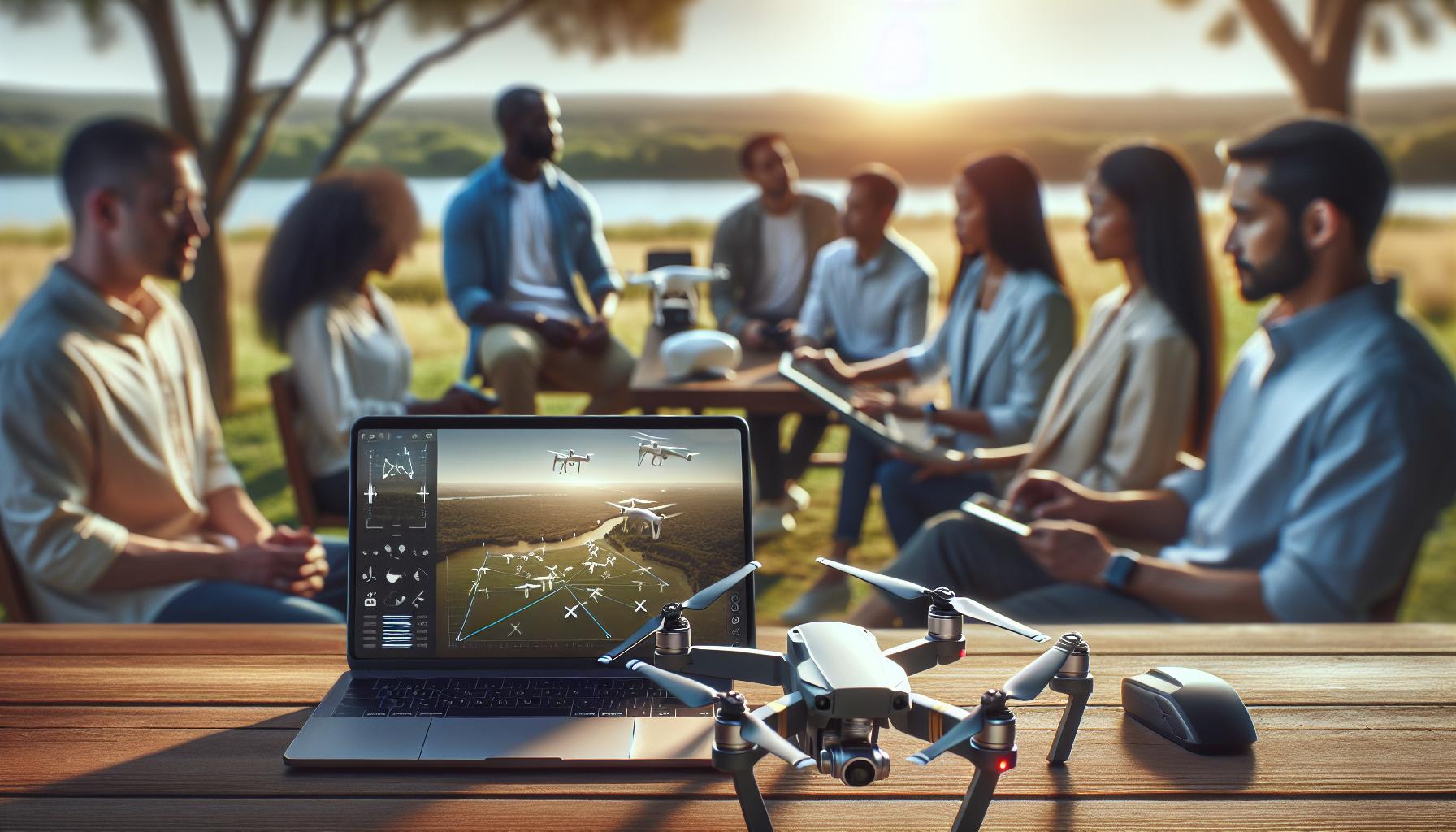
The capability for real-time location tracking has become a pivotal feature for DJI drone users, transforming not only how pilots navigate but also how they recover their drones in unforeseen circumstances. DJI models such as the Mavic Air, Phantom, and Mini series utilize advanced GPS technology and telemetry data to provide users with their drones’ precise locations throughout the flight. This functionality is crucial, especially when flying in expansive or challenging environments where visual contact may be compromised.
To leverage real-time tracking effectively, you can enhance your DJI experience through apps like DJI GO or DJI Fly. These applications display real-time telemetry, including location coordinates, altitude, and distance from the home point. Users can activate features like Return to Home (RTH), which uses the last recorded GPS position to return the drone safely, a critical aspect of emergency protocol. However, it is essential to ensure that RTH settings are correctly configured prior to flight to avoid unexpected failures in case of lost signals or other issues.
Navigating the real-time tracking interface also includes understanding the drone’s ability to maintain connectivity. DJI drones are equipped with robust communication systems that utilize both GPS and GLONASS satellites for enhanced positioning accuracy. Despite this, various environmental factors such as tall buildings, dense woods, or even weather conditions can interfere with GPS signals, potentially leading to less reliable tracking. Pilots are encouraged to monitor the signal strength indicators provided in the app to ensure that their drones maintain optimal connectivity throughout the flight.
Lastly, it’s prudent to regularly update the drone’s firmware and the associated tracking applications. Updates often include enhancements to tracking algorithms and connectivity features, which bolster reliability during operation. Additionally, exploring integrated features like Find My Drone can provide an extra layer of security, enabling users to locate their drones even after they have landed. By understanding these aspects of real-time tracking, DJI pilots can significantly enhance their flying experience and ensure a safer, more controlled operation.
Troubleshooting Tracking Issues with DJI Drones
Tracking issues with DJI drones can be frustrating, especially when you’re relying on them for navigation and safe recovery. One common problem that pilots encounter is a loss of GPS signal, which can significantly impact location tracking. Situations such as flying in urban areas with tall buildings or dense forests can obstruct satellite signals, leading to erratic or lost tracking data. To troubleshoot this, always check the GPS signal strength displayed on your app before your flight. If the signal is weak, consider changing your takeoff location to a more open area where the sky view is less obstructed.
Another aspect to consider is the firmware of your drone and controller. DJI regularly releases updates that can fix bugs and improve overall functionality, including tracking capabilities. Ensure that you have the latest firmware installed by checking the DJI app before each flight. If you are experiencing tracking issues, try performing a firmware update; this could resolve not only location tracking problems but also enhance other features of your drone.
Sometimes, the DJI app connected to your drone may require troubleshooting. If tracking is intermittent or fails altogether, first check if the app is set up properly. Disconnect and reconnect your drone, and make sure the app has the necessary permissions enabled, such as location services. If issues persist, reinstalling the app may help clear any bugs affecting its performance. Regular app updates also introduce improvements, so keeping your software current is essential for optimal tracking function.
If all else fails, utilizing the built-in features such as “Find My Drone” can be invaluable. This feature allows you to locate your drone using the last known GPS position, even if the live tracking isn’t operational. Familiarize yourself with these recovery features to enhance your chances of successful drone recovery in the event of tracking failure. By being proactive with these troubleshooting techniques, you can mitigate tracking issues and ensure a smoother flying experience.
Advanced Tracking Techniques for Drone Pilots
In the rapidly evolving world of drone technology, understanding how to maximize your drone’s tracking capabilities can significantly enhance your flying experience and increase the chances of a successful recovery. Advanced tracking techniques empower pilots to not only monitor their drone’s location more effectively but also make informed decisions in challenging environments. Here are some strategies to consider:
- Utilize Mobile Data: Many DJI drones offer real-time GPS tracking, but environmental factors can disrupt signal clarity. Using mobile data to access the DJI Go app’s live telemetry can supplement the GPS information, providing real-time updates that help maintain visual contact and assist in navigation.
- Explore Custom Waypoints: For complex flight missions, setting custom waypoints allows you to plan precise paths for your drone. By programming waypoints in advance, you can track your drone’s trajectory and ensure it stays on course, especially in areas with potential signal obstruction.
- Live Feed and Camera Monitoring: Utilizing your drone’s camera live feed not only helps maintain visual line-of-sight but can also aid in locating your drone if it goes out of sight. This technique is particularly helpful in visually obstructive environments like woods or urban settings.
- Advanced Pairing with Ground Stations: For professional pilots, using a ground control station (GCS) can elevate tracking capabilities. These systems can employ multiple communication channels to maintain control and tracking accuracy, reducing the risks associated with signal loss.
Enhanced Tracking Features
To fully utilize your DJI drone’s tracking features, familiarizing yourself with new functionalities is essential. For instance, many models support “Follow Me” modes, where the drone can autonomously follow a designated target using GPS tracking. This feature can be particularly useful for capturing dynamic shots during outdoor activities like hiking or cycling.
Also, it’s worth exploring the use of tracking aides such as DJI’s “Find My Drone” feature, which can pinpoint the last known location when the GPS signal drops. Training yourself to quickly activate this feature during flight can minimize recovery time in case of emergencies.
Staying Informed
Continuously educate yourself on updates from DJI that could introduce new tracking capabilities or enhance existing ones. Regularly checking forums, official DJI releases, and user experiences can provide insights into best practices and innovative tracking methods being used by the community.
By employing these advanced tracking techniques, you can bolster your confidence in flying and recovering your drone, turning potential tracking challenges into manageable aspects of your aerial adventures.
Legal Aspects of Drone Tracking and Privacy
The integration of tracking technologies in DJI drones has revolutionized how pilots manage their devices, but it also raises questions about legality and privacy. With a growing emphasis on responsible drone use, understanding the legal frameworks surrounding drone tracking is crucial for all users. In many jurisdictions, the tracking features of drones, including GPS and “Find My Drone” functionalities, must be utilized in compliance with local and national laws that protect personal privacy and airspace regulations.
In the United States, for instance, the Federal Aviation Administration (FAA) mandates that drone operators adhere to specific guidelines, including not flying in restricted or private areas without permission. The ability to track drones can be beneficial for recovering lost devices; however, it should not be used to infringe upon the privacy of individuals. Filming or tracking individuals without their consent can lead to serious legal repercussions, particularly in states with stringent privacy laws. It is advisable for drone operators to be aware of their surroundings and ensure that their activities do not violate the rights of others.
Additionally, pilots should familiarize themselves with privacy policies set forth by DJI. Although the company incorporates tracking capabilities to enhance user experience, these features are designed for safety and recovery purposes-misusing them can result in the suspension of service or legal action. It is essential to strike a balance between utilizing these advanced functionalities and respecting individual privacy.
For international drone users, the legal landscape can vary significantly. In Europe, for example, the General Data Protection Regulation (GDPR) places strict limitations on data collection and surveillance, which extends to drone operations. Users must ensure they are compliant with these laws to avoid fines or other legal issues. Engaging with local aviation authorities or legal advisors can provide necessary guidance on best practices for drone tracking and privacy.
By maintaining an understanding of the legal aspects related to tracking DJI drones, operators can enjoy enhanced flying experiences while respecting privacy rights, ultimately fostering a culture of responsible drone use.
Best Practices for Safe Drone Recovery
When a DJI drone goes missing, the stakes can feel incredibly high, especially if you’ve invested significant time and resources into your flying skills and equipment. However, understanding and implementing can greatly enhance your chances of retrieving your device effectively. Utilizing the built-in tracking features, such as the “Find My Drone” functionality, is only part of the equation; preparation and appropriate responses play critical roles in the recovery process.
Preparation Before Flight
The journey to effective drone recovery begins well before launching your drone. Here are key preparatory steps:
- Update Firmware: Ensure your drone’s firmware is up to date. This maximizes functionality, including tracking features.
- Confirm GPS Signal: Before taking off, check that your drone has a strong GPS connection. A drone with a weak signal may not report its location accurately in case of a loss.
- Create a Flight Plan: Always have a planned flight path and be aware of the surroundings, including potential obstacles or no-fly zones that might interrupt your flight.
- Understand Tracking Features: Familiarize yourself with how DJI’s “Find My Drone” feature works in your specific model. Knowing how to access this function quickly can be a game changer in emergencies.
Actions to Take if Your Drone Goes Missing
If your drone does go missing, quick and informed action can help locate it. Start by utilizing your remote control or the DJI app to engage the tracking features available on your device. Here are essential steps to follow:
- Activate “Find My Drone”: As soon as you notice your drone is unresponsive, use the app to initiate the “Find My Drone” feature. This will help you locate its last known position.
- Check Flight Logs: Inspect the flight logs within the app to assess the last movements of your drone. This will provide insights into its trajectory and help narrow your search area.
- Use the ‘Return to Home’ (RTH) Feature: If it is still within connection range, activating the RTH function can guide the drone back to its takeoff point, provided it has enough battery life.
Post-Loss Recovery Efforts
Once you have a general idea of where your drone may be, don’t hesitate to launch a recovery mission. This could be a direct search in a nearby area or even leveraging community support. Consider these tips:
- Gather Local Help: Enlist the help of fellow drone enthusiasts or local drone flying groups. Their combined experience and equipment can assist in your recovery efforts.
- Utilize Additional Technology: If your drone is outfitted with any secondary tracking devices or accessories (like a GPS beacon), deploy those technologies to assist in locating your drone.
- Be Mindful of Your Environment: Depending on the terrain-be it urban, rural, or wooded-adjust your search strategy accordingly. For instance, in wooded areas, consider using an app or device that can actively detect a signal.
Using these best practices, you can enhance your chances of successfully recovering a lost DJI drone, while also ensuring that you are well-prepared for every flight. Remember, the combination of proactive measures and a swift response can make a profound difference in the outcome of your recovery efforts. Always prioritize keeping your drone updated and planning your flights with safety and recovery in mind.
Exploring Third-Party Tracking Solutions
Exploring additional avenues for drone tracking beyond DJI’s built-in options can significantly enhance your ability to locate a lost drone. While DJI provides robust solutions like the “Find My Drone” feature, the incorporation of third-party tracking devices can offer extra layers of security and recovery capabilities, especially in challenging environments where GPS signals may falter.
One effective solution is the integration of GPS tracking devices, such as compact GPS modules that can be attached to your drone. These devices often come with dedicated mobile apps that allow for real-time location tracking and even offer functionalities like geofencing and speed alerts. Many drone pilots recommend sticking to recognizable brands such as Tile or Tracki, which not only provide accurate tracking but also come with warranty and customer support. These devices can send notifications if your drone strays beyond a preset boundary, making it easier to track and recover if it goes down in an unfamiliar area.
Moreover, utilizing smartphone applications designed for drone tracking adds a layer of functionality. Apps such as Lifecam or DroneLogbook can log your flights and allow you to review aerial maps post-operation, providing you with historical data that may assist during recovery efforts. These apps sometimes integrate with hardware solutions, enabling you to blend your tracking capability with a community interface, where other users can offer assistance if they are also in the vicinity.
To further amplify your recovery strategies, consider investing in drone accessories that incorporate advanced tracking technologies like radio frequency identification (RFID) or mesh networks. These setups can continue to communicate and provide location data even in areas where GPS signals are weak or blocked, such as dense urban environments or forests. Combining multiple categories of tracking solutions, from basic GPS devices to advanced RF systems, not only increases the probability of recovery but also instills confidence in your flying capabilities, knowing you have a robust backup plan should things go awry.
In conclusion, integrating third-party tracking solutions not only complements the existing tracking features in DJI drones but also empowers users with a comprehensive toolkit for effective drone recovery. By leveraging innovative technologies, drone enthusiasts can enhance their operational safety and peace of mind during every flight.
Comparing DJI Drones: Tracking Capabilities
While each DJI drone comes equipped with sophisticated tracking capabilities, understanding the distinctions among models can significantly enhance your flying experience and recovery strategies. DJI’s advanced technology allows users to not only track their drones effectively but also offers varying features tailored to meet different operational needs.
Here’s a quick comparison of some notable DJI series:
| Model | Find My Drone Feature | Real-Time Tracking | Flight Logs | Geofencing |
|---|---|---|---|---|
| Mavic Air 2 | ✔ | ✔ | ✔ | ✔ |
| Phantom 4 Pro | ✔ | ✔ | ✔ | ✔ |
| Mini 2 | ✔ | ✖ | ✔ | ✔ |
| DJI Avata | ✔ | ✔ | ✔ | ✔ |
The Find My Drone feature is a highlight across most models, enabling users to locate their drones on a map if they go missing. This function is particularly invaluable in urban or dense woodland settings where visibility can be obstructed. For example, the Mavic Air 2 and Phantom 4 Pro offer seamless integration of this feature, allowing for both real-time tracking and efficient recovery after an unexpected descent.
In terms of real-time tracking, the DJI Mavic series excels with its advanced GPS modules and enhanced connectivity, which maintain a solid link with the remote control. This ensures that you can monitor your drone’s exact location during its flight, an essential feature for those new to drone piloting or for experienced operators flying in challenging environments. Alternatively, the Mini 2, while great for beginners because of its compact size, lacks real-time tracking capabilities, making it essential to keep your flying range in mind.
Additionally, flight logs provide a record of your flight sessions, which can be beneficial for understanding your drone’s previous routes and possibly retracing your steps if needed. Models like the Phantom 4 Pro and Mavic Air 2 include this feature in conjunction with geofencing capabilities, which prevent your drone from straying into restricted airspace-an essential function to adhere to local laws and avoid drone loss.
Ultimately, while choosing a DJI drone, understanding these tracking capabilities empowers pilots to optimize their flying sessions while enhancing safety and recovery options. By recognizing the specific features of each model, users can make informed decisions that align with their flying needs and improve their overall drone experience.
User Experiences: Success Stories in Drone Recovery
Among the myriad of stories shared by drone enthusiasts, nothing captures the optimism and potential of DJI’s tracking features quite like successful drone recoveries. Case after case illustrates how the clever integration of technology helps users find their lost drones, often in the most unexpected circumstances. Whether it’s soaring winds that cause a sudden drift or a minor error in piloting, each instance reaffirms the reliability of features like “Find My Drone.”
A notable example involved a hobbyist flying their Phantom 4 Pro over a densely forested area. After an unexpected gust knocked the drone off course, it lost connection and crashed. Utilizing the “Find My Drone” feature, the pilot quickly regained a visual on the device’s last known location on the map. This feature not only marked the general area but also provided an estimated distance from the pilot’s location. With a bit of trekking through the thick underbrush, the pilot successfully located the drone, further buoyed by the assurance of having useful flight data at hand.
In another instance, a professional videographer was filming a local event with a Mavic Air 2 when he encountered an unforeseen technical malfunction, resulting in a crash mid-flight. The videographer activated the tracking feature, which pinpointed the drone’s last recorded position. This proved invaluable in a cityscape, where distinguishing landmarks became crucial. Relying on the coordinates and direction indicated by the app, he quickly navigated to the area and found his drone surprisingly intact, albeit a bit scruffy from its landing. Such experiences underscore how the quick accessibility of location features can make a significant difference in both hobbyist and professional environments.
To enhance your chances of a successful recovery, it’s advisable to familiarize yourself with the drone’s capabilities before flying. Here are some quick tips for optimal usage:
- Create a flight plan: Knowing where you’re going can help you retrace steps in case of loss.
- Check battery levels: Low battery is a common reason for drone crashes; plan flight time accordingly.
- Use landmarks: Familiarize yourself with the area to ease recovery efforts once tracking is initiated.
- Practice manual control: Understanding how to maneuver without aids can also enhance recovery prospects in the case of lost signal.
Each recovery story serves as a testament to the reliability of DJI’s tracking features which, when utilized properly, can turn a potentially devastating situation into an inspirational tale of piloting success. The confidence provided by these technologies allows both beginners and experienced pilots to venture further, knowing that their tools for recovery are robust and ready to assist when needed.
FAQ
Q: Can you track a DJI drone in real-time?
A: Yes, many DJI drones offer real-time tracking capabilities through their associated apps. By enabling GPS and using features like “Find My Drone,” you can constantly monitor your drone’s location as long as it’s powered on and within range of the controller.
Q: How does the Find My Drone feature work on DJI models?
A: The Find My Drone feature utilizes GPS technology to help locate the drone if it becomes lost. When activated in the DJI app, it displays the last known location, allowing users to navigate toward their drone efficiently.
Q: What should I do if I can’t find my DJI drone using tracking features?
A: If tracking features fail, try manually searching the last recorded location. Also, check the app for any signal issues, ensuring your drone is powered on. If all else fails, consider using third-party tracking solutions for better chances of recovery.
Q: Are there any limitations to tracking DJI drones?
A: Yes, limitations include loss of GPS signal in poor weather conditions, battery depletion, and distance from the controller. Understanding these constraints is crucial for effective tracking and recovery strategies.
Q: Can I track multiple DJI drones at once?
A: It depends on the app’s capabilities and drone models. Most DJI applications allow tracking of one drone at a time; however, advanced third-party tools may support multiple drones, providing real-time updates for all tracked devices.
Q: What advanced techniques can improve DJI drone tracking and recovery?
A: To enhance tracking and recovery, ensure your drone’s firmware is up-to-date, use waypoints for planned flights, and establish a search area based on flight history. Familiarizing yourself with the drone’s return-to-home feature also aids effective recovery.
Q: Is it legal to track a DJI drone?
A: Tracking your DJI drone is generally legal as long as it’s your property. However, always be vigilant about local laws regarding drone tracking and privacy to ensure compliance, especially if tracking in public areas.
Q: How can third-party tracking solutions benefit DJI drone users?
A: Third-party solutions can offer enhanced tracking accuracy, extended range, and more features compared to standard DJI applications, benefiting users who fly in challenging environments or need additional backup recovery options.
Future Outlook
Now that you’ve explored how to track your DJI drone and the valuable location features it offers, you’re well-equipped to make the most of your flying experience. Remember, using the “Find My Drone” feature can provide peace of mind, ensuring that your flights are both enjoyable and safe. Don’t wait-get out there, fly smart, and utilize the tools at your disposal to enhance your flying adventures!
If you’re eager to learn more about maximizing your drone’s capabilities, check out our guides on optimal flight modes and safety procedures. Additionally, for those wondering about the latest accessories to complement your DJI drone, our reviews on must-have gear are just a click away. As you continue your journey, feel free to share your thoughts and questions in the comments below-we’re here to support your drone flying ambitions and build a vibrant community of enthusiasts like you. Happy flying!