
When planning a drone flight, understanding charging times is crucial to maximizing your aerial adventures. DJI drones, renowned for their quality and performance, typically take about 60 minutes to charge using the DJI 100W USB-C Power Adapter with the Battery Charging Hub. This knowledge empowers both hobbyists and professionals to optimize flight schedules, ensuring you spend less time tethered to a charger and more time capturing breathtaking footage. Whether you’re scouting locations or simply enjoying the thrill of piloting, knowing how long it takes to recharge can mean the difference between an aborted mission and a successful flight. Ready to dive deeper? Let’s explore the charging specifics for various DJI models and discover tips to enhance your flying experience.
How DJI Drones Charge: Understanding the Process
Charging DJI drones is a straightforward process, but understanding the nuances can enhance your flying experience significantly. Most DJI drones utilize lithium polymer (LiPo) batteries, which require specific handling to ensure safety and longevity. When connecting the battery to the charger, it’s important to use the charger specifically designed for your drone model. This ensures that your battery is charged at the correct voltage and current, minimizing the risks of damage or fire.
The charging process typically involves connecting the battery to the provided charger and plugging it into a power source. During charging, the status indicator lights on the battery provide visual confirmations of the charging process, changing color as the battery progresses through various charge stages. Most DJI batteries take about 1 to 2 hours to achieve a full charge when using the original charger, depending on the model and its battery capacity.
Understanding Charging Protocols
DJI drones employ smart charging technology that helps manage the power distribution within the battery cells. This means that the charger monitors each cell individually to ensure balanced charging, which is crucial for battery health. Here are key elements of the charging protocol:
- Balance Charging: Each cell in the battery pack is monitored and charged to ensure even distribution of power, preventing overcharging and extending battery life.
- Temperature Monitoring: Some chargers have built-in temperature sensors to halt charging if the battery overheats, adding a layer of safety.
- Fast Charge Capability: Certain DJI chargers offer fast charging options, which can significantly reduce the charging time but should be used with caution to avoid overheating.
Optimal charging conditions also play a critical role. Keeping the battery in a cool, dry place is essential, as high temperatures can negatively affect battery efficiency and lifespan. Following these best practices not only ensures safe charging but also enhances your overall flying experience, allowing you to get back in the air with confidence.
Understanding this process not only prepares you for efficient drone operation but also empowers you to extend the lifespan of your batteries through proper maintenance and charging practices.
Charging Times for Different DJI Models
Charging times for DJI drones can vary significantly based on the model and battery configuration, making it essential for users to understand what to expect. For those eager to optimize their flight time, knowing how long it takes for different models to charge can help plan flight sessions more effectively.
For example, the DJI Mini 2 typically completes a full charge in about 90 minutes, while the more advanced Mavic Air 2 only takes around 1 hour to charge fully. In contrast, the high-capacity batteries used in the Mavic 3 or Phantom series can take up to 2 hours for a complete recharge. It’s worth noting that using a third-party charger or a power bank with different output specifications might alter these times, potentially leading to longer charging periods.
Additionally, the charging speed can also depend on certain factors such as current battery levels and temperature conditions. If a battery is significantly depleted, the initial charging phase may take longer as the charger implements safety protocols to prevent overheating and overcharging. To better manage your flying schedule, here’s a quick reference table to summarize the charging times for popular DJI models:
| DJI Model | Charging Time |
|---|---|
| DJI Mini 2 | ~90 minutes |
| Mavic Air 2 | ~60 minutes |
| Mavic 3 | ~2 hours |
| Phantom 4 Pro | ~2 hours |
Understanding these charging times enables pilots to make informed decisions about when to recharge their batteries, optimizing both their time and efficiency in the air. With this knowledge, you can enjoy a more seamless and enjoyable flying experience, ensuring your drone is always ready for adventure when you are.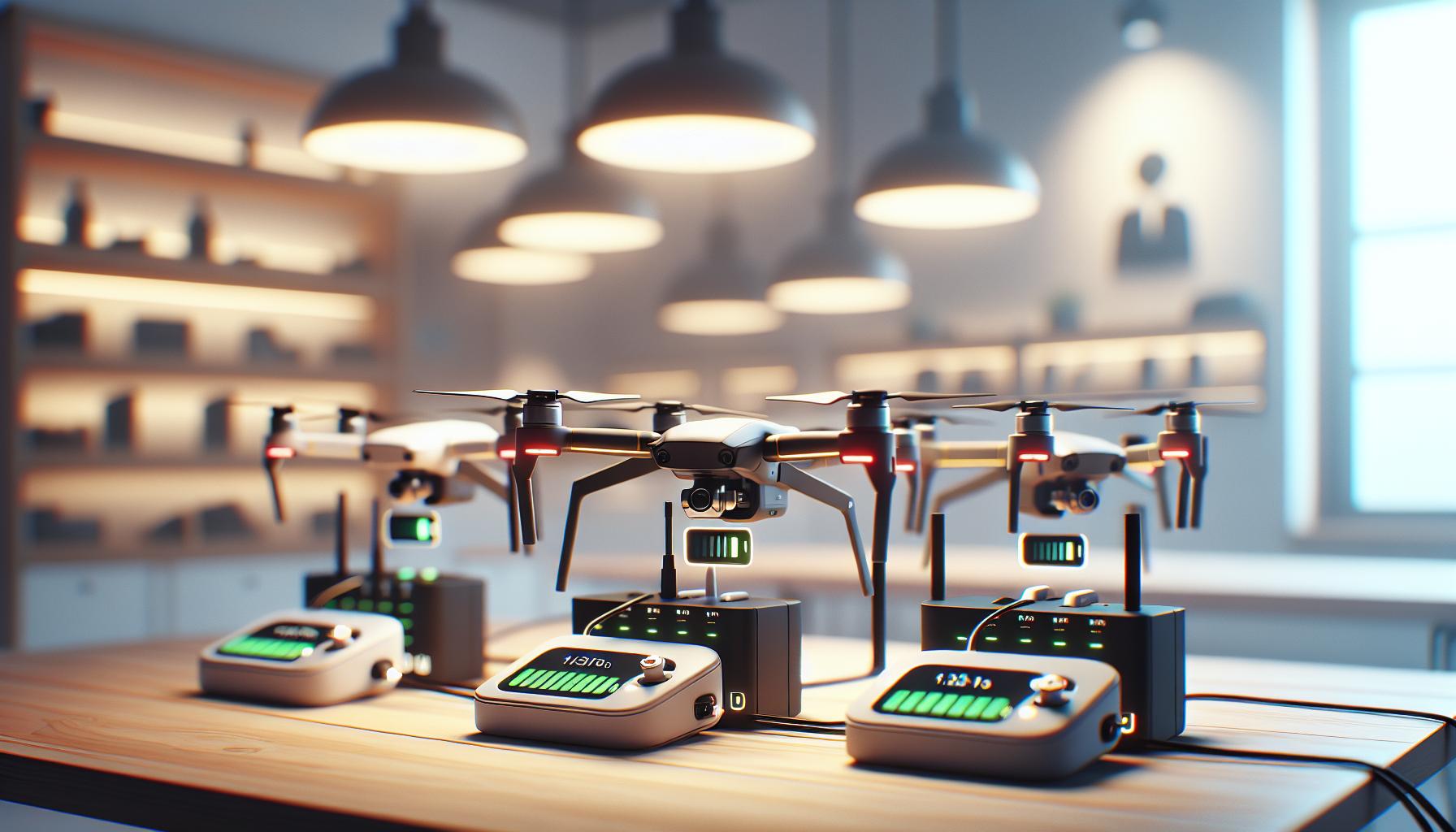
Factors Affecting DJI Drone Charging Speed
Charging a DJI drone isn’t just about plugging it in and waiting; several factors can influence how quickly your battery reaches full capacity. Understanding these elements can help you optimize your charging routine and ensure your drone is ready for your next aerial adventure.
One of the primary factors impacting charging speed is battery temperature. Lithium-polymer batteries, commonly used in DJI drones, operate within a specific temperature range. If the battery is too cold, charging can slow down significantly to protect the battery cells. Conversely, if it’s too hot, the charging process may also be throttled to prevent overheating. It’s advisable to allow the battery to acclimate to room temperature if you’ve just retrieved it from cold conditions or if it has been exposed to high heat.
Battery age and cycle count also play crucial roles. Over time and frequent use, a battery’s capacity diminishes, which can lead to longer charging times. If your drone’s battery is old or has been cycled excessively, it may not recharge as quickly as it once did. DJI typically provides guidance on battery lifespan, so keeping an eye on the number of charge cycles can help you plan for replacements when necessary.
Using the right charger is essential too. Each DJI model comes with a designated charger optimized to deliver the correct voltage and current. While third-party chargers may offer the promise of increased speed, they can often underperform or even damage the battery if they fail to meet the drone’s specifications. Sticking with the recommended equipment helps ensure safe and efficient charging.
Lastly, battery charge levels prior to starting the charge cycle significantly affect the speed. If you’re trying to charge a battery that is nearly empty, expect the initial phase to take a bit longer as the charging system prioritizes safety and stability. In contrast, a battery that is partially filled might recharge more quickly. Understanding this can help you better time your recharges based on how much flight time you have left before the next use.
By considering these factors, drone pilots can streamline their charging processes, ensuring they get back to flying as swiftly and safely as possible.
Tips to Speed Up Your Drone Charging
Charging your DJI drone can sometimes feel like a race against time, especially before a crucial flight. Here are some effective strategies to help you speed up that charging process and keep your aerial adventures on schedule.
One of the most straightforward methods to enhance charging speed is to ensure that your drone battery is within the optimal temperature range during charging. Lithium-polymer batteries perform best when they are warm but not overheating. If your battery has been in a cold environment, allow it to warm to room temperature before plugging it in to charge. Conversely, avoid charging if the battery feels excessively hot to the touch, as this could trigger safety mechanisms that slow down the charging process.
Utilizing the correct charger is another vital factor. Always use the charger specified by DJI for your model, as it is engineered to deliver the precise voltage and current necessary for fast and safe charging. Third-party chargers may promise faster results but can potentially damage the battery or even become a safety hazard. Staying within the manufacturer’s guidelines helps maintain the lifespan of your battery while ensuring efficiency.
Additionally, consider the charge level when starting the charging cycle. A battery that is nearly depleted may take longer to charge initially because the system prioritizes safety. If possible, try to charge your drone battery while it’s at a moderate charge level, around 30-50%. This not only speeds up the charging time but can also help extend the overall lifespan of the battery through fewer full discharge cycles.
Lastly, for those who frequently fly, investing in a multi-battery charging hub can be a game changer. These hubs can charge multiple batteries simultaneously and often come with intelligent management features that prioritize charging based on battery health and remaining charge. This way, you can have several batteries ready to go for extended flying sessions without the downtime of charging individual units.
By implementing these tips, you’ll be able to significantly reduce your DJI drone’s downtime and maximize your time in the air. Whether you’re a hobbyist or a professional pilot, adopting these practices ensures your equipment is ready whenever adventure calls.
Best Practices for Maintaining Battery Health
Maintaining the health of your DJI drone’s battery is crucial for ensuring optimal performance and longevity. Lithium-polymer batteries, commonly used in drones, have specific care requirements that, when met, can significantly enhance their lifespan and efficiency. With proper management, you can avoid premature battery degradation and ensure your drone is always ready for flight.
To begin with, temperature management is essential. Lithium batteries function best between 20°C to 30°C (68°F to 86°F). Always allow your batteries to acclimate to room temperature if they’ve been in a cold environment before charging. Conversely, never charge a battery that’s hot to the touch, as elevated temperatures can lead to swelling and reduced capacity. Regularly monitoring the battery’s condition can help mitigate risks associated with extreme temperatures.
Another key consideration is the charging cycle. To prolong battery life, aim to maintain the charge level between 30% and 80%. Fully discharging or constantly charging to full capacity can wear out lithium batteries faster. If you plan to store your batteries for an extended period, discharge them to around 50% and keep them in a cool, dry place. Many DJI models now come with smart management systems that automatically optimize charging based on current battery health and usage patterns, which can further enhance performance.
Finally, implementing usage practices such as regular flight intervals and diverse flight conditions can help maintain battery health. Avoid subjecting your drone to same-type activities repetitively, as this can strain the battery. Incorporating varied flight patterns not only improves your piloting skills but also contributes to even wear on battery cells. Furthermore, consider investing in a high-quality charging hub, which can intelligently manage multiple batteries, signaling when each needs charging, and optimizing the process across all units.
By following these best practices, you can ensure that your DJI drone’s battery remains healthy, maximizing both flight time and overall performance. Regular care, attention to environmental factors, and smart usage habits will keep your drone ready for adventure whenever you are.
Understanding DJI Battery Capacity and Voltage
Understanding the capacity and voltage of DJI drone batteries is essential for optimizing your flying experience and ensuring the longevity of your equipment. Most DJI drones utilize lithium-polymer (LiPo) batteries, known for their high energy density, making them ideal for the compact yet power-hungry requirements of modern drones. A typical DJI battery can range from about 1,500mAh to over 5,000mAh, with the capacity directly impacting how long the drone can stay airborne.
The voltage of a battery significantly influences its ability to deliver power efficiently. DJI batteries come with different voltage ratings, commonly found in configurations such as 3S (11.1V), 4S (14.8V), or 6S (22.2V), where the “S” indicates how many cells are connected in series. A higher voltage means that the battery can provide more power to the motors, resulting in better performance during flight. For instance, the Mavic 2 Pro employs a 4S battery that offers a balance of power and weight, allowing for approximately 31 minutes of flight time under optimal conditions.
To maximize battery usage, understanding the recommended charge levels is crucial. Fully charging a battery to its maximum voltage can lead to quicker degradation over time. Instead, strive to keep your batteries between 30% and 80% charge for regular usage. This approach not only extends battery life but also maintains optimal performance. While DJI’s intelligent battery management system can help monitor and manage these levels automatically, staying informed and vigilant about your charging habits will empower you to get the most out of your drone.
Here are some practical tips to consider regarding your DJI battery’s capacity and voltage:
- Regularly check the battery’s voltage using DJI’s app or dedicated smart chargers.
- Store batteries at a partial charge (around 50%) if not in use, especially during long downtimes.
- Avoid extreme temperatures while charging and storing your batteries.
The interplay of capacity and voltage is vital for achieving the desired flight times and performance from your DJI drone. Being equipped with this knowledge, you can enhance your drone operation experience and ensure your batteries serve you well throughout their lifespan.
Charging Accessories for DJI Drones: A Guide
When planning your flying sessions, understanding the variety of charging accessories available for DJI drones can significantly enhance your experience and ensure you maximize flight time. High-quality charging equipment not only reduces wait time between flights but also enhances battery longevity and performance. As such, it’s essential to explore the different options that cater to specific needs.
One of the most popular accessories is the DJI charging hub. This convenient accessory allows you to charge multiple batteries simultaneously, making it invaluable for those long days of shooting or when you have multiple drones. The hub intelligently distributes power to each battery based on its current charge level, ensuring all cells receive optimal charging without the risk of overcharging. Using a charging hub can greatly reduce total charging time, especially if you find yourself in a pinch with several depleted batteries.
In addition to the charging hub, the DJI Smart Battery Charger is designed specifically for certain models, such as the Mavic and Phantom series. This device incorporates advanced features like an integrated cooling system, which prevents overheating during the charging cycle and ensures the safety of the batteries. For those who may be traveling or operating in remote locations, consider the car charger option. This practical accessory allows you to charge your drone batteries directly from your vehicle, ensuring you’re always flight-ready, no matter where your adventures take you.
For enthusiasts who want to maintain battery health, an external smart battery tester can be a game-changer. These devices provide quick diagnostics on battery health, voltage output, and remaining capacity, allowing you to make informed decisions about when to charge or if a battery replacement is necessary. By investing in dedicated charging accessories and tools, you can uphold optimal battery functionality, prolong your drone’s operational lifespan, and enhance your flying experiences.
In summary, selecting the right charging accessories for your DJI drone isn’t just about convenience; it directly impacts your flying efficiency and the health of your batteries. Whether it’s a multi-battery charging hub, a smart charger with safety features, or a portable car charger, the right tools will empower you to focus on capturing stunning aerial shots rather than worrying about battery life.
When to Replace Your DJI Drone Battery
Knowing is crucial for ensuring optimal performance and safety during flights. Drone batteries, especially lithium polymer variants commonly used in DJI models, have a finite lifespan and can experience degradation over time due to various factors, such as charge cycles, environmental conditions, and overall usage patterns.
One key indicator that it may be time to replace your battery is a noticeable decrease in flight time. If your drone previously provided 25 minutes of flight per charge but now only manages 15 minutes, this significant drop suggests the battery has lost its capacity. Another critical aspect to consider is the number of charge cycles a battery has undergone. Typically, a DJI battery starts to lose efficiency after about 300 to 500 charge cycles. If you frequently recharge your battery without allowing it to discharge adequately, this cycle count can accumulate rapidly.
Physical signs can also indicate that a battery is due for replacement. If you notice any swelling, corrosion, or damage to the battery casing, you should stop using that battery immediately. Swollen batteries may pose a risk of bursting or catching fire; thus, it’s essential to adhere to safe handling and disposal practices.
To maximize battery lifespan, regularly monitor its performance using software available for DJI drones or battery management tools. Setting reminders for periodic battery checks and maintenance will help ensure your drone operates at peak performance. In summary, keeping an eye on flight times, charge cycles, and physical condition can help you decide when to invest in a new battery, ensuring safe and uninterrupted flying experiences.
Common Charging Issues and Troubleshooting
When it comes to charging DJI drones, users may encounter various issues that can affect efficiency and performance. Understanding these common charging problems and their solutions can save valuable time and ensure a better flying experience. One frequent issue is a failure of the drone to charge properly, which could stem from using inappropriate charging cables or power sources. It’s essential to use the recommended charger that comes with your drone, as generic or unsupported chargers can severely impact battery health and charging times.
Another common problem is related to temperature extremes. DJI batteries perform best within a specific temperature range; temperatures that are too hot or too cold can delay charging or even prevent it altogether. If you’re trying to charge your drone in an environment with temperatures below 0°C (32°F) or above 40°C (104°F), consider relocating to a more stable climate to facilitate proper charging.
It’s also worth checking the battery contacts for dirt or debris, which can interfere with the connection and charging process. Regularly clean the terminals with a soft cloth to ensure good contact. If the battery still won’t charge, performing a reset may help. To do this, remove the battery from the drone, disconnect it from the charger, and then reconnect everything after a few minutes. This simple reset can resolve many minor technical issues.
Lastly, be vigilant about the age of your battery. As mentioned before, lithium polymer batteries degrade over time, impacting their ability to hold a charge. If you’ve regularly faced issues despite following best practices, it might be indicative of deeper battery degradation and necessitate a replacement. Regularly checking the firmware updates for both the drone and the battery can also resolve charging issues, as software updates often fix bugs that may impair performance.
In summary, by addressing these common charging issues and applying diligent care, drone users can enhance battery longevity and improve their overall flying experience.
Comparing DJI Batteries: Specifications and Life
When considering the various batteries that power DJI drones, it’s essential to understand their specific specifications, performance characteristics, and lifespan. Each model in the DJI lineup-whether it’s the Mavic, Mini, or Phantom series-comes equipped with batteries tailored for its intended use, influencing both charging times and overall flight duration.
Different DJI models feature distinct battery capacities measured in milliamp-hours (mAh), which directly impacts the flight time. For example, the DJI Mavic Air 2 has a battery capacity of 3500 mAh, enabling flight times of up to 34 minutes under optimal conditions. In contrast, the DJI Mini 2, with a smaller battery capacity of 2250 mAh, offers a slightly shorter aerial experience, boasting a maximum flight time of approximately 31 minutes. These variations in capacity are crucial for pilots who plan their flights based on time constraints and specific use cases.
Battery life and charging speed are also influenced by factors such as the discharge rate and voltage. DJI’s Intelligent Flight Batteries utilize a nominal voltage of 11.4V, maximizing efficiency and minimizing weight without sacrificing power. Furthermore, advanced battery management systems monitor individual cell voltages, ensuring safety and optimal performance throughout the battery’s lifecycle. Understanding the differences in voltage among models helps users choose the right battery for their flight requirements.
In terms of durability and longevity, lithium polymer batteries typically have a lifespan of around 300 to 500 charge cycles, depending on usage and care. Proper storage conditions, charging techniques, and regular maintenance can prolong battery life significantly. DJI encourages pilots to follow best practices, such as keeping batteries stored in cool environments and avoiding complete discharges, to maintain optimal health.
Lastly, recognizing the specifications of DJI batteries allows for informed decision-making when comparing various models. With an array of batteries available, users can select the most suitable option based on their needs, whether for casual photography, commercial videography, or racing applications. By comprehensively understanding these factors, drone enthusiasts and professionals can enhance their flying experiences and maximize the efficiency of their equipment.
User Experiences: Real-World Charging Insights
Real-world experiences with charging DJI drones reveal much about both the efficiency and the occasional pitfalls of the charging process. Many pilots have shared that the charging time varies significantly based on the model and the conditions in which the battery is charged. For instance, users of the Mavic Air 2 frequently note that its battery takes around 1 hour and 15 minutes to charge from empty to full using the standard charger, while the Mini 2 can sometimes be charged in under an hour. However, users have also observed that charging time can extend if using non-DJI chargers or charging in colder temperatures, as lithium polymer batteries may not perform optimally under such conditions.
To ensure the best performance from their batteries, seasoned drone operators recommend investing in a multi-battery charging hub. This not only streamlines the process of charging multiple batteries for extended flying sessions but also helps maintain balanced charging, extending the overall lifespan of the batteries. Some users have shared that with a hub, they can manage their drone’s readiness better for those spontaneous photography sessions or journey flights, where every minute counts.
Another common insight among DJI enthusiasts relates to the advantages of monitoring the charging status through either the DJI Fly app or directly on the batteries themselves, which often have built-in LED indicators. These visual cues help pilots avoid overcharging-an important factor for battery health. In situations where pilots noticed performance issues or degradation in battery life, rare occasions of neglecting to monitor the charge level or leaving the batteries plugged in for too long were often cited.
Additionally, some users suggest implementing a charging routine that includes disconnecting the battery once it hits about 80% when not needing a full charge. This practice seems to optimize battery health and longevity without sacrificing too much convenience. In conclusion, understanding the nuances of the charging process through these real-world insights allows DJI drone users to enhance their flying experiences and prolong battery life effectively.
Frequently asked questions
Q: How long does it take to charge a DJI Mini 2 drone?
A: Charging the DJI Mini 2 drone typically takes about 90 minutes using the standard charger. For optimal charging, ensuring the battery temperature is within the recommended range can help maintain efficiency and longevity.
Q: Why does my DJI drone take longer to charge than expected?
A: A DJI drone may take longer to charge due to factors like low ambient temperatures, using non-compatible charging accessories, or if the battery is near its depletion limits. Always use the original charger and charge at room temperature to mitigate longer charging times.
Q: Can I use a fast charger for my DJI drone battery?
A: While some DJI drones can utilize fast chargers, it’s crucial to use chargers specifically designed for your model. Using a compatible fast charger can reduce charging time but may affect battery lifespan if not designed for enhanced power delivery.
Q: What factors can affect DJI drone charging times?
A: Several factors can affect charging times, including battery temperature, battery age, the capacity of the charger, and initial battery charge level. Maintaining optimal charging conditions can help achieve faster charging times.
Q: How does charging time differ between DJI drone models?
A: Charging time varies across DJI models; for instance, the Mavic Mini takes around 90 minutes, whereas the Mavic Air 2, with a larger battery, may take up to 60 minutes if fully depleted. Consult model-specific guidelines for precise times.
Q: Is it safe to charge my DJI drone overnight?
A: Charging your DJI drone overnight is not recommended unless using a smart charger with overcharge protection. To ensure battery health, monitor charging sessions and avoid leaving the drone plugged in indefinitely.
Q: What is the best practice for maintaining my DJI drone battery during charging?
A: To maintain DJI drone battery health, charge in a cool, dry location and avoid charging immediately after flying, as higher temperatures can lead to reduced battery life. Regularly check for updates on optimal charging practices from DJI.
Q: How do I know when my DJI drone battery is fully charged?
A: DJI drone batteries typically have indicator lights to show charging status. A fully charged battery will display solid green lights. Check your specific model’s manual for detailed instructions on interpreting battery status lights.
The Way Forward
Now that you know how long it takes for your DJI drone to charge, you’re better equipped to plan your flying adventures! Remember, charging times can vary based on factors like battery capacity and charger type, so always check your specific model for the best results. For tips on optimizing your drone’s performance, check out our articles on drone setup basics and battery maintenance.
If you found this guide helpful, don’t forget to subscribe to our newsletter for more insights and expert advice on all things DJI. Have questions or tips of your own? Share them in the comments below! Dive deeper into our related content for everything from firmware updates to drone safety procedures to enhance your flying experience and keep your craft in top shape. Your next adventure is just a flight away!