As drones become increasingly vital for both professional and recreational use, knowing which models are compatible with the DJI RC 2 controller is essential for maximizing your flying experience. This comprehensive guide provides an up-to-date list of compatible drones as of 2025, helping you make informed decisions for your aerial adventures. Whether you’re a seasoned pilot looking to expand your fleet or a newcomer eager to explore the skies, understanding this compatibility can simplify your purchasing decisions and enhance your overall drone experience. Dive into this essential resource to ensure your equipment is perfectly matched for optimal performance and enjoyment.
What Are DJI RC 2 Compatibility Requirements?
To ensure seamless operation with the DJI RC 2, it’s essential to consider the compatibility requirements that apply to various drone models. The DJI RC 2 is designed to enhance your flying experience, providing improved control, customizable settings, and advanced features that elevate the performance of compatible drones.
Drone Model Compatibility
The DJI RC 2 is primarily compatible with select models from DJI’s Mavic, Air, and Mini series. To verify compatibility, users must check the official specifications or user manual of the drone. Generally, the latest models in these series are equipped with the technology that allows them to connect effectively to the RC 2, integrating features like enhanced video transmission and refined gimbal control. Be sure that your drone has the latest firmware installed, as updates can modify compatibility options.
Firmware and Software Requirements
Before pairing the DJI RC 2 with your drone, ensure that both devices are updated to their latest firmware versions. Compatibility can often hinge on the software versions. Typically, DJI provides firmware updates on their official website or through the DJI Fly app, so regular monitoring and updating of your drone and controller will keep functionality at its peak.
Physical Connectivity and User Authentication
For some drone models, a physical connection might be necessary during the pairing process. Follow the on-screen prompts within the DJI Fly app to initiate pairing, which often involves confirming a user authentication process to ensure that your drone and controller communicate effectively.
By understanding these compatibility requirements, drone operators can ensure a smooth and efficient flying experience, unlocking the full potential of their DJI equipment.
Complete List of Drones Compatible with DJI RC 2
The DJI RC 2 has significantly expanded the possibilities for drone operators, offering exceptional control and improved features. To make the most of this advanced controller, it’s essential to understand which drone models are compatible with it. As of 2025, a number of popular DJI drones are designed to work seamlessly with the RC 2, ensuring pilots can take advantage of enhanced functionality and connectivity.
Compatible Drone Models
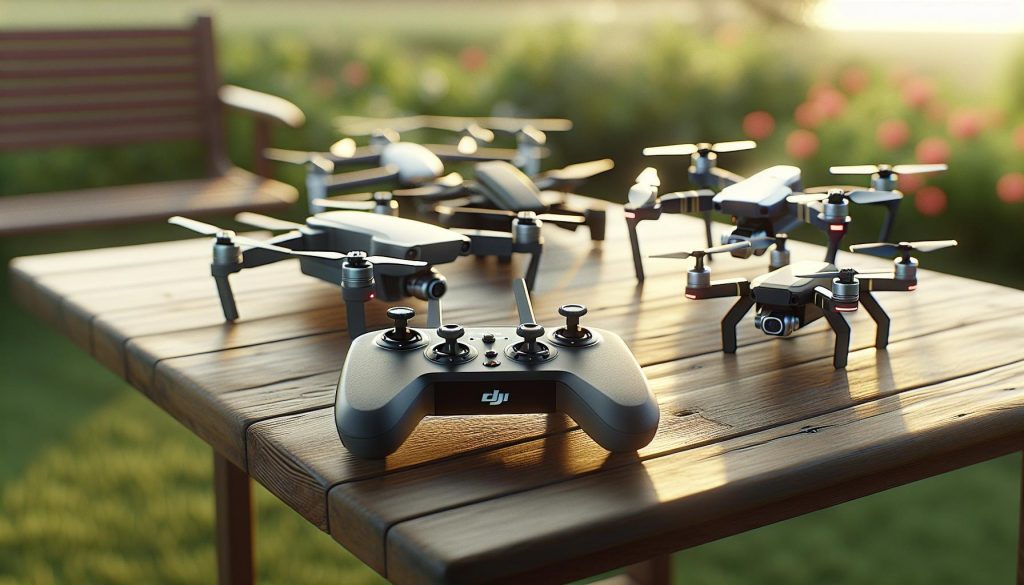
The list of drones that can be paired with the DJI RC 2 includes, but is not limited to:
- Mavic 3 Series
- Mavic 2 Series
- Mavic Air 2 and Air 2S
- Mini 3 and Mini 3 Pro
- Phantom 4 RTK
- Avata
Each of these models offers unique features, enabling users to leverage the advanced capabilities of the DJI RC 2. For instance, the Mavic 3 Series, with its high-resolution sensors and impressive flight time, can greatly benefit from the RC 2’s intuitive controls and real-time data feedback.
Understanding Compatibility
It’s important to note that compatibility can vary based on firmware versions. Always check for the latest updates on both the drone and the RC 2 controller, as these can enhance functionalities or resolve potential issues. Keeping both devices updated ensures that you receive the best performance and connectivity.
Whether you’re shooting aerial photography, capturing breathtaking landscapes, or conducting inspections, knowing which drones are compatible with the DJI RC 2 will ensure a more streamlined and effective flying experience. As technology evolves, further updates and new models are likely to emerge, broadening the horizons for drone enthusiasts and professionals alike. Engaging with the latest models not only enhances your skills but also keeps you at the forefront of drone technology.
Comparing DJI Drone Models Compatible with RC 2
The DJI RC 2 has redefined the flying experience for drone enthusiasts by providing unparalleled control and functionality. When comparing the various DJI drone models compatible with this advanced controller, it’s essential to recognize both their individual strengths and how they complement the enhanced capabilities of the RC 2.
The Mavic 3 Series, for instance, stands out with its impressive camera system, featuring a large sensor that captures stunning 5.1K video and 20-megapixel stills. It boasts a flight time of up to 46 minutes, enabling longer sessions in the air, perfect for capturing expansive landscapes or intricate details during inspections. When paired with the RC 2, pilots benefit from enhanced real-time data and intuitive controls that significantly improve overall maneuverability.
In contrast, the Mini 3 and Mini 3 Pro offer a lightweight, portable solution for those in need of compact drones without sacrificing performance. These models excel in ease of use and are perfect for beginners and casual flyers. The Mini 3 Pro, in particular, incorporates advanced features like obstacle avoidance and intelligent shooting modes. When utilized with the RC 2, users can experience improved responsiveness and control, making it easier to navigate tight spaces or capture dynamic shots.
The Phantom 4 RTK is another noteworthy model, especially for professionals engaged in mapping and surveying tasks. It offers precise positioning capabilities thanks to its RTK module, making it ideal for high-accuracy applications. In this case, the RC 2’s advanced video transmission aids in live monitoring and accurate data collection, ensuring that every flight produces reliable results.
Lastly, the Avata, designed for immersive first-person view (FPV) flying, drastically changes the way pilots engage with their environment. This model provides an exhilarating flying experience and is perfect for those looking to capture action shots or engage in freestyle flying. Using the RC 2 with the Avata further enhances the immersive flight experience with refined controls, making complex maneuvers significantly more manageable.
Understanding these differences allows pilots to select the best drone for their specific needs while maximizing the potential benefits of the DJI RC 2. Each model presents unique features that, when combined with the capabilities of the RC 2, create powerful tools for both capturing breathtaking imagery and performing intricate aerial tasks. Whether you’re a professional photographer, a mapping technician, or a hobbyist, matching the right drone with the RC 2 enriches your flying experience and elevates the quality of your output.
Key Features of DJI RC 2-Compatible Drones
The integration of DJI RC 2 with a variety of drone models has brought forth an excellent synergy, enhancing the flying experience across different applications. One of the standout features of DJI RC 2-compatible drones is the advanced live video transmission, which utilizes O3+ technology. This feature offers crystal-clear real-time footage with minimal latency, ensuring that pilots have the best possible view of their surroundings, making it essential for both casual users and professionals alike.
Additionally, users can appreciate the ergonomic design of the DJI RC 2, which enhances control during flight. The responsive joystick control and customizable buttons allow pilots to tailor their flying experience according to their preferences. Features such as intelligent modes-including ActiveTrack and Waypoint Navigation-further simplify complex maneuvers, allowing enthusiasts to focus more on creativity rather than technical operations.
When considering safety, these drones come equipped with sophisticated obstacle avoidance systems, reducing the risk of collisions while flying. This system works in tandem with the advanced flight modes, making it suitable for beginners who are still honing their skills. Also, the seamless integration with DJI’s Fly App provides users with intuitive access to flight data and easy management of their drone settings.
Importantly, the diverse range of battery life and extended flight times found in compatible models, such as the Mavic 3 series and Mini 3 Pro, bolster the operational capabilities. This not only allows for longer flight sessions but also makes it feasible for detailed aerial photography and mapping missions. With features such as automatic return-to-home and intelligent battery management, pilots can focus on their tasks while ensuring the safety and readiness of their drones.
Overall, the compatibility of these DJI models with the RC 2 goes beyond simple control-it creates a robust platform that enriches both the user experience and the creative possibilities in drone operation.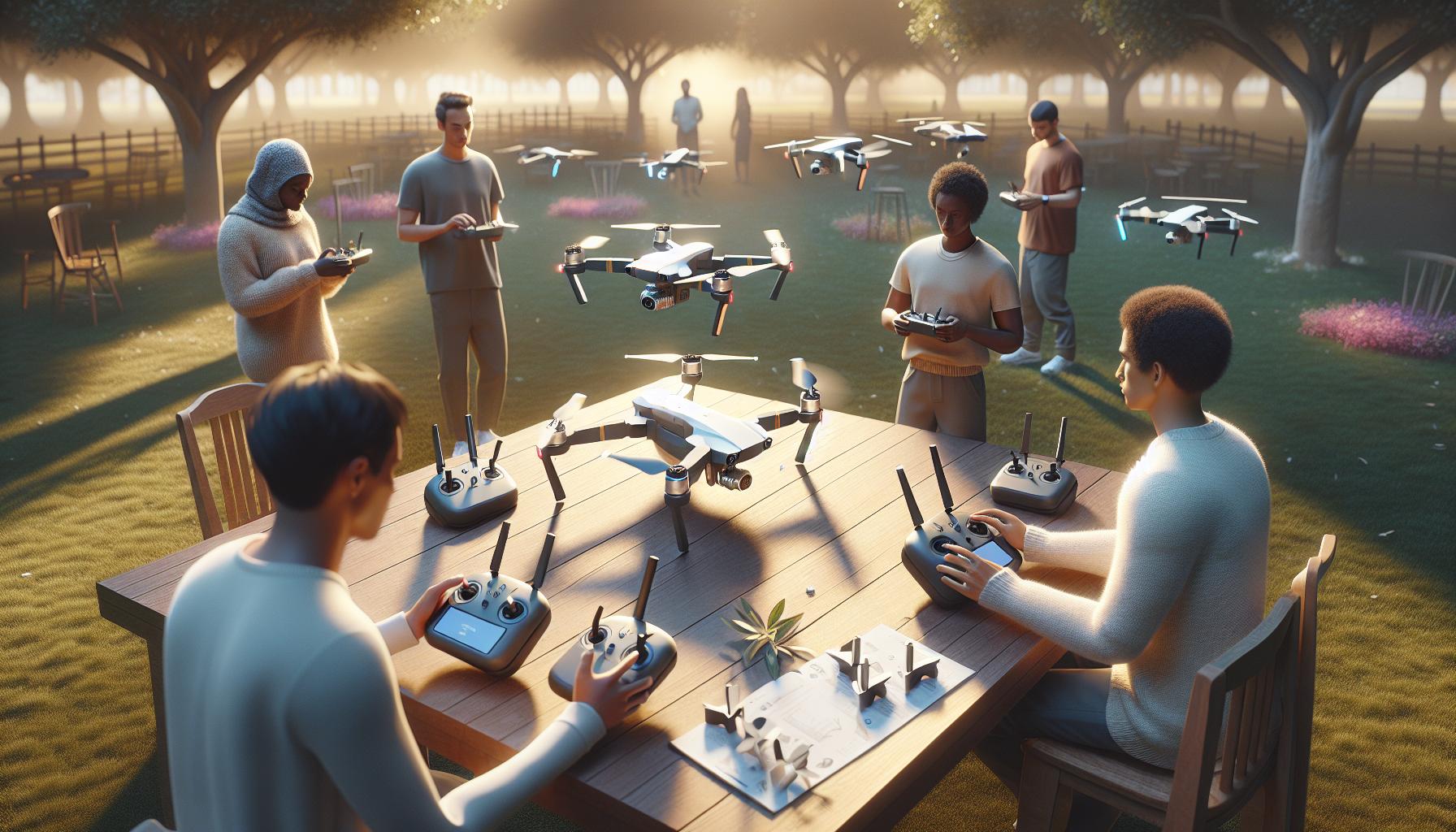
Step-by-Step Guide to Using DJI RC 2 with Drones
Using the DJI RC 2 with compatible drones offers an intuitive and enriched flying experience. Follow these steps to set up your drone for optimal performance and enjoy a seamless connection between the remote control and your aerial device.
Start by ensuring your DJI RC 2 remote controller and compatible drone model are fully charged. To begin the pairing process, turn on the drone and the remote controller. Open the DJI Fly app on your mobile device and ensure that Bluetooth is enabled. The app will guide you through the setup process. When prompted, select the option to pair your RC 2 with the drone. Follow the on-screen instructions; typically, this involves pressing the link button on your drone until the indicator light blinks, indicating it’s in pairing mode. Your remote controller should recognize the drone and establish a connection.
Calibrating Your Drone and Controller
Once connected, calibrating both your drone and remote controller is essential for accurate flight. On the DJI Fly app, navigate to the settings menu and select “Calibration.” This process usually involves performing a series of movements with the remote controller to ensure that it accurately reflects any changes in orientation and position. Calibration enhances your control accuracy, especially during complex maneuvers.
Updating Firmware
Next, ensure that both the drone and RC 2 are running the latest firmware. In the DJI Fly app, check for updates under the settings menu. Keeping firmware up-to-date not only enhances performance but also resolves bugs and improves functionality. If updates are available, download and install them, following the app’s prompts.
Testing Flight Settings
Before your first flight, familiarize yourself with the various flight modes available on the DJI RC 2. Features such as ActiveTrack and Waypoint Navigation can significantly enhance your shooting capabilities. Test these functionalities in a safe, open area to build confidence in your control of the drone. Additionally, utilize the app to adjust camera settings, such as resolution and frame rate, to suit your filming needs.
Finally, ensure you understand the safety protocols specific to drone flying. Check local regulations and consider using features like “Return-to-Home” to protect your equipment during flights. Regularly monitor the drone’s battery levels and set appropriate warnings within the app to ensure you’re always prepared for a safe landing.
By following this step-by-step guide, you’ll be well-equipped to maximize your flying experience with the DJI RC 2 and its compatible drones, helping to elevate your aerial photography and videography skills.
Firmware Updates for Drones and DJI RC 2
Keeping your DJI RC 2 and compatible drones up-to-date with the latest firmware is crucial for optimizing performance and ensuring smooth operation. Firmware updates not only introduce new features but also fix bugs and enhance the overall functionality of your devices. Whether you are a hobbyist or a professional operator, understanding the firmware update process will empower you to maintain peak performance from your equipment.
Regular updates can enhance flight stability, improve camera performance, and ensure better connectivity between the remote controller and the drone. For instance, when DJI releases a firmware update for the RC 2, it often includes enhancements to transmission capabilities, range, and compatibility with newer drone models or accessories. Updating is straightforward and typically done through the DJI Fly app. Here’s how you can seamlessly manage these essential updates:
Step-by-Step Firmware Update Process
Ensure both your DJI RC 2 and the drone are fully charged before beginning the update.
- Open the DJI Fly App: Make sure your mobile device is linked to the RC 2 via Bluetooth.
- Check for Updates: Navigate to the settings menu within the app and select the firmware update option. The app will automatically check for the latest firmware for both the remote controller and the connected drone.
- Download and Install: If an update is available, follow the prompts to download. Ensure a reliable internet connection to avoid interruptions during the download. Once downloaded, the app will guide you through the installation process.
- Restart Devices: After installation, restart both the drone and the remote controller. This step is essential to ensure that the new firmware is properly applied.
Benefits of Regular Firmware Updates
By committing to regular firmware updates, you can enjoy several clear benefits:
- Enhanced Flight Experience: New features and optimizations such as improved obstacle avoidance and better aerial stability.
- Compatibility: Ensures that your RC 2 remains compatible with any new drones or accessories that DJI releases.
- Solved Issues: Regular updates often contain fixes for previous bugs and issues users might have encountered.
- Security Improvements: Keeping your firmware updated helps protect against potential vulnerabilities.
Monitoring the firmware status of your DJI equipment is a powerful way to enhance your flying experience. Regularly checking for firmware updates and promptly applying them keeps your gear in top shape and ready for every flying adventure. Always consult the official DJI website or support channels for detailed release notes to understand what each firmware update entails, ensuring you maximize the benefits of each enhancement.
Troubleshooting Common Issues with DJI RC 2
Issues with the DJI RC 2 remote controller, while manageable, can disrupt your flying experience. Knowing how to troubleshoot these problems is vital for any operator, whether a seasoned pilot or a beginner. One common issue might be a connection problem between the remote controller and the compatible drone. If your DJI RC 2 fails to establish a successful link, ensure both devices are fully charged. Restarting both the drone and the remote controller can often resolve connectivity issues. Additionally, checking the settings in the DJI Fly app to confirm both devices are properly paired can be crucial.
Occasionally, pilots may encounter performance glitches, such as lagging video feed or erratic drone movements. In such cases, check the firmware versions of both the DJI RC 2 and your drone. Keeping everything updated ensures that you benefit from the latest enhancements and bug fixes offered by DJI. If the problem persists, consider resetting the remote controller to factory settings-this can clear out software quirks that may have developed over time. Always consult the official DJI website for specific instructions tailored to the RC 2.
Another common concern relates to interference during flights. The DJI RC 2 uses advanced O4 video transmission technology, but local environmental factors can still affect performance. For example, flying in areas with a lot of Wi-Fi networks or other radio signals can lead to reduced video quality or connectivity issues. When flying in such areas, try to maintain a clear line of sight to your drone and avoid crowded signal spaces where possible. If you notice consistent interference, consider using the different frequency bands supported by the RC 2 to identify a clearer signal.
Lastly, don’t forget about troubleshooting the physical components of the remote controller itself. Check for any visible damage, ensure all buttons and joysticks are functioning smoothly, and that the antenna is properly extended when in use. Regular maintenance and care for your equipment can prevent minor issues from escalating into major problems, allowing you to focus on capturing those breathtaking aerial shots without interruption.
Understanding the Benefits of Upgrading to DJI RC 2
Upgrading to the DJI RC 2 remote controller not only unlocks advanced features but also enhances your overall flying experience, making it an invaluable asset for both enthusiasts and professional pilots. One significant advantage is the improved O4 video transmission technology, which provides clearer, higher-quality video feed during flights. This upgrade translates to a more immersive experience, as you can enjoy real-time visuals with reduced latency and added stability. With a brightness of 700 nits, the 5.5-inch FHD screen ensures visibility even under bright sunlight, making it easier to monitor your drone’s status and surroundings without straining your eyes.
The RC 2 also offers features that cater to diverse flying needs. For example, its ergonomic design allows for comfortable extended use, which is especially beneficial during longer flights or when capturing intricate aerial shots. Moreover, the controller’s high responsiveness and customizable controls afford seasoned pilots the flexibility to tailor settings according to their specific flying styles, thereby enhancing their operational efficiency. With future firmware updates anticipated to expand its compatibility, investing in the RC 2 means not only enjoying its current capabilities but also being ready to embrace the latest advancements in drone technology.
Equipped with enhanced functionality, the DJI RC 2 does not just improve the flying experience but also contributes significantly to safety in the air. The controller’s intuitive interface helps streamline pre-flight checks and in-flight adjustments, making it easier to deal with unexpected changes or challenges while flying. This is an essential consideration, particularly when flying in complex environments or during challenging weather conditions. Overall, transitioning to the DJI RC 2 is a strategic step towards optimizing performance, elevating creativity, and enhancing safety for every flight mission.
Accessories That Enhance Your DJI RC 2 Experience
Upgrading your drone experience with the DJI RC 2 opens the door to a range of accessories that can further enhance your capabilities, ensuring every flight is maximized for creativity and efficiency. The compatibility of the RC 2 with various drones allows users to tailor their setup based on specific needs, from casual photography to professional cinematography.
One of the most sought-after accessories is the ND filter set. These filters help manage light intake, allowing for smoother video capture and enhanced image quality during bright conditions. When paired with the RC 2, they enable drone pilots to achieve cinematic shots by controlling shutter speed without overexposing the footage.
Additionally, the controller sunshade is essential for users who often fly in sunny conditions. This accessory provides shade for the RC 2’s 5.5-inch display, ensuring visibility remains optimal even under direct sunlight. This becomes particularly valuable during outdoor shoots when screen glare could hinder the ability to track drone performance.
For those looking to extend flight times, consider investing in extra batteries designed for the specific drone models compatible with the RC 2. Higher-capacity batteries not only prolong your flying sessions but also enhance the drone’s performance by providing consistent power for longer periods, which is crucial for aerial photography and complex maneuvers.
Finally, a carrying case specifically modeled for the RC 2 and your compatible drone is a practical solution for transporting your gear safely. This can protect against damage during travel while also allowing you to organize your setup efficiently, ensuring that all necessary components, such as spare propellers and extra batteries, are easily accessible.
By equipping your DJI RC 2 with these accessories, you not only enhance functionality but also tailor your flying experience to meet diverse creative demands, making each flight more productive and enjoyable.
Safety Tips for Flying Drones with DJI RC 2
Flying a drone equipped with the DJI RC 2 presents an exhilarating opportunity for aerial enthusiasts, but it also comes with important safety considerations to ensure a safe and enjoyable flight experience. Prioritizing safety not only protects your investment but also promotes responsible piloting in accordance with regulations and community standards.
The first step in ensuring safe operations is to always conduct a thorough pre-flight check of your drone and remote controller. This includes inspecting the propellers for any damage, ensuring the batteries are fully charged, and verifying that firmware is up to date on both the drone and RC 2. A tight connection with the drone can prevent loss of control, as can a well-charged battery. Additionally, familiarize yourself with the DJI RC 2 controls and settings before flight to ensure you can react quickly to any unexpected situations.
Weather conditions play a critical role in safe drone usage. Avoid flying in high winds, rain, or other adverse weather, as these can affect stability and visibility. Always maintain your drone within visual line of sight and be aware of your surroundings to prevent collisions with obstacles such as trees, buildings, and other aircraft. It’s vital to respect no-fly zones, including airports and other sensitive areas. Consult resources such as the DJI Fly app, which provides real-time notifications about airspace restrictions and weather conditions.
Lastly, consider using built-in safety features offered by your drone and the DJI RC 2. Features such as GPS positioning, return-to-home functionality, and obstacle avoidance systems can significantly enhance safety during flights. For new pilots, start with beginner-friendly modes that help acclimate you to the controls and dynamics of drone flying while minimizing potential mishaps. Engaging in practice flights in open and unobstructed areas can also boost your confidence and control, setting the stage for more advanced maneuvers in the future.
By following these safety guidelines, you can maximize both the enjoyment and the utility of your DJI RC 2 experience, ensuring each flight is not only productive but also secure.
Legal Considerations for Drone Pilots Using DJI RC 2
Understanding the regulatory landscape surrounding drone operations is crucial for pilots using the DJI RC 2. Different countries and regions have their own specific rules and regulations that govern drone usage, so staying informed and compliant is essential for a successful flying experience. For instance, in the United States, the Federal Aviation Administration (FAA) requires drone operators to register their drones, obtain a Remote Pilot Certificate for commercial operations, and adhere to specific operational guidelines to ensure safety within the national airspace.
Before taking flight, it’s vital to familiarize yourself with local laws regarding drone flying. Municipal regulations can vary widely; some cities may have restrictions on drone use in public parks or crowded areas, while others might require permits for aerial photography or commercial work. Additionally, always check for temporary flight restrictions (TFRs) and no-fly zones, such as those near airports, military bases, or during special events. Utilizing apps like the DJI Fly app can provide real-time information about airspace restrictions and TFRs to keep your flights compliant and safe.
Responsible piloting also involves respecting privacy laws. When flying with the DJI RC 2, be aware that capturing images or videos of private property without permission could lead to legal ramifications. Always maintain a respectful distance from individuals and properties, and consider informing people if you plan to capture aerial footage in populated areas. Emphasizing transparency not only helps build trust within the community but can also prevent unwanted legal issues.
Incorporating safety guidelines into your flying practices is not just about personal and equipment safety; it’s also about promoting the responsible use of drone technology. Engaging with local drone communities and organizations can be beneficial as they often provide updates about changes in regulations, safety courses, and other valuable resources. By staying informed and proactive about legal considerations, drone pilots can enjoy the full capabilities of their DJI RC 2 while contributing to a positive image of the drone community.
Expert Tips for Maximizing DJI RC 2 Performance
To harness the full potential of the DJI RC 2, understanding how to optimize its performance is essential for both seasoned pilots and novices alike. The RC 2 not only enhances the flying experience but also unlocks advanced functionalities that can significantly improve aerial photography and videography. Here are some expert tips to ensure you get the most out of your DJI RC 2.
Calibrate Regularly
One of the best practices to maintain optimal performance is regular calibration of the DJI RC 2. Ensure both the controller and your drone are calibrated before flying, especially if you’ve switched locations or after a firmware update. This includes gimbal calibration and compass calibration to mitigate any potential drift, ensuring the drone remains stable during flight.
Keep Firmware Up-to-date
Firmware updates can bring new functionalities, improve flight stability, and enhance safety features. Regularly check for updates in the DJI Fly app and install them before heading out for a flight. Keeping firmware updated helps eliminate bugs and ensures compatibility with the latest drone models integrated with the RC 2.
Utilize Intelligent Flight Modes
The DJI RC 2 offers several intelligent flight modes that can enhance the creativity of your shots. For instance, using modes like ActiveTrack or Point of Interest can facilitate easier capture of cinematic shots while allowing you to focus on composition rather than maneuvering the drone. Familiarize yourself with these modes and experiment with them during practice flights to fully integrate them into your shooting repertoire.
Optimize Your Settings for the Environment
Understanding and adjusting your settings based on environmental conditions is crucial. Factors like wind speed, lighting, and temperature can affect drone performance. Before flying, calibrate the camera settings for optimal exposure and ISO based on current environmental conditions. For instance, lower the ISO in bright sunlight to avoid overexposure, or switch to the right white balance to ensure accurate color reproduction.
Effective Battery Management
Maximizing your flight time involves proper battery management. Always fully charge your batteries before heading out and monitor battery levels during flights. Consider investing in a multi-battery charging hub to streamline the charging process, ensuring you have ample power for extended sessions. Additionally, avoid letting the battery drain completely and store batteries at a safe charge to prolong their lifespan.
By implementing these strategies, you can significantly enhance the performance of your DJI RC 2 and enjoy an enriched flying experience that yields impressive aerial results. Whether you are capturing stunning landscapes or conducting professional photography, these tips will empower you to fly confidently and creatively.
Faq
Q: What is the DJI RC 2, and why is it important for drone pilots?
A: The DJI RC 2 is a controller designed for specific DJI drones, offering enhanced features like a high-resolution display and advanced flight functions. It’s important for pilots seeking improved control, real-time telemetry data, and an overall better flying experience with compatible drones.
Q: Are there any restrictions on using DJI RC 2 with older drone models?
A: Yes, DJI RC 2 is specifically designed for newer drone models. Older drones may not support its advanced features or may require firmware updates for compatibility. Always check the drone’s manual to confirm compatibility before using the RC 2.
Q: How can I check if my drone is compatible with DJI RC 2?
A: You can check compatibility by referring to the official DJI website or the user manual for your drone model. Look for a list of compatible controllers or firmware requirements to ensure seamless operation with the DJI RC 2.
Q: What additional features does DJI RC 2 provide compared to previous models?
A: DJI RC 2 offers a larger display, better battery life, enhanced transmission quality, and additional customization options for flight settings compared to previous models. These features improve usability and provide pilots with more control and information during flights.
Q: Can I upgrade my existing drone to work with DJI RC 2?
A: Upgrading to compatibility with DJI RC 2 typically requires a drone model that is designed to support it from the outset. New firmware updates may improve performance but may not enable compatibility for unsupported older models. Check your model specifications for clarity.
Q: What should I do if my DJI RC 2 won’t connect to my drone?
A: If your DJI RC 2 won’t connect, ensure both devices are updated to the latest firmware. Restart both the drone and the controller, and check for any obstructions or settings that could interfere with the connection. Refer to the troubleshooting section for more detailed steps.
Q: Will using DJI RC 2 improve the flight experience of my drone?
A: Yes, using DJI RC 2 often results in a more intuitive and responsive flight experience due to its enhanced controls, display quality, and real-time telemetry. These improvements help pilots manage their drones more effectively, especially in complex flying environments.
Q: What common issues can arise when using DJI RC 2 with compatible drones?
A: Common issues may include connectivity problems, battery management warnings, or unresponsive controls. Regularly updating firmware and following manufacturer guidelines can help mitigate these problems; consult the troubleshooting section for specific solutions.
These questions and answers are structured to provide quick, relevant information tailored for visibility and user engagement. For further insights, consider exploring the “Complete List of Drones Compatible with DJI RC 2” section.
The Way Forward
As we’ve explored in our comprehensive guide on “What Drones Are Compatible with DJI RC 2: Full List 2025,” knowing your drone’s compatibility is crucial for maximizing your aerial experience. Whether you own a Mavic, Mini, or Phantom series, aligning your gear with the right controller unlocks enhanced capabilities and smooth operation. If you’re eager to dive deeper into optimizing your drone use, consider exploring our detailed tutorials on firmware updates and gimbal calibration.
Don’t miss out on the chance to enhance your drone skills! Subscribe to our newsletter for the latest insights and expert tips. Have questions or a favorite drone feature? Share your thoughts in the comments-we love hearing from our community! Keep flying and capturing stunning visuals, and explore more of our resources on advanced flight techniques and accessories designed to elevate your aerial adventures. Your next adventure awaits!