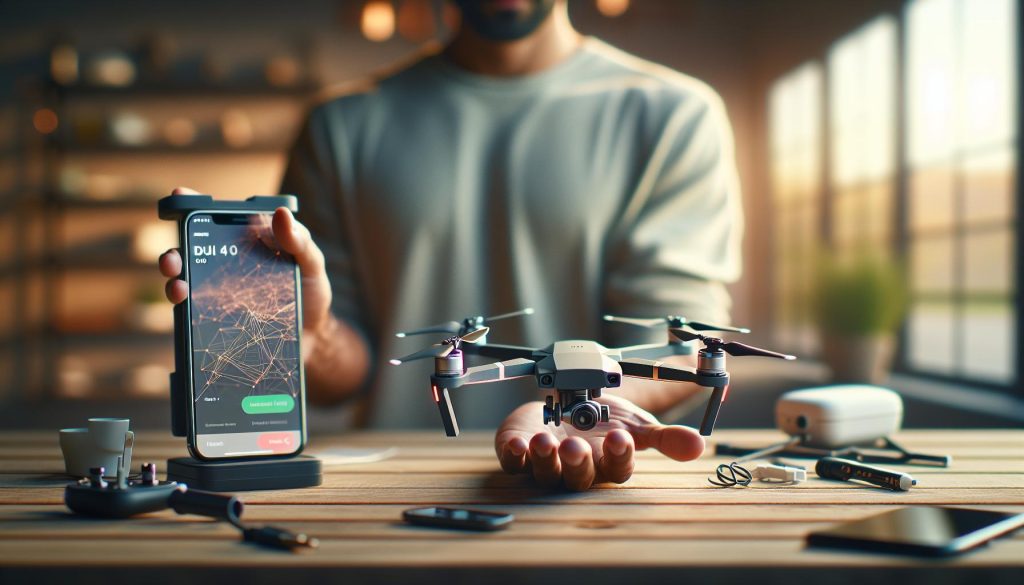
Choosing the right app for your DJI Mini 4 Pro is crucial for unlocking its full potential and enhancing your aerial photography experience. The drone market is evolving rapidly, and ensuring seamless connectivity and functionality with the appropriate software can significantly elevate your skills and effectiveness as a pilot. With the right app, you can fine-tune flight settings, access unique shooting modes, and share stunning content effortlessly. Readers may relate to the challenge of navigating various options, making informed decisions is essential for maximizing their investment in this advanced drone. Continue reading to discover the essential app that will transform your flying experience and help you capture breathtaking footage with confidence.
Choosing the Right App for DJI Mini 4 Pro: A Comprehensive Guide
Choosing the right app to enhance your experience with the DJI Mini 4 Pro is crucial for ensuring smooth flights and capturing stunning aerial shots. With advances in drone technology, the apps provided by DJI are designed to maximize the capabilities of the Mini 4 Pro, but selecting the right one can be overwhelming for new or even seasoned pilots. The primary app for this drone is the DJI Fly app, which offers an intuitive interface, making it easy for users to control their drone, access flight modes, and adjust camera settings efficiently.
The DJI Fly app is tailored specifically for the Mini series, providing features that cater to both beginners and professionals. Here are some standout functions and features that you should consider when choosing the right app:
- Flight Modes: The DJI Fly app includes multiple flight modes such as Normal, Sport, and Tripod modes, allowing you to choose the best one based on your environment and skill level. Each mode is designed to enhance your control and adaptability in various flying scenarios.
- User-Friendly Interface: The design of the Fly app is streamlined for ease of use, which is particularly beneficial for beginners. The layout displays vital flight information like altitude, speed, and battery life in an easily digestible format.
- Intelligent Features: This app integrates various intelligent features such as QuickShots, Mastershots, and FocusTrack, enabling pilots to create cinematic content effortlessly. These features guide you in framing your shots perfectly without requiring extensive expertise.
- AirSense Compatibility: The app enhances safety by incorporating AirSense technology, which alerts you to nearby aircraft, providing an essential layer of security during your flights.
Selecting the right app is about aligning it with your flying goals and comfort level. While the DJI Fly app is the primary choice for Mini 4 Pro pilots, for those who may transition toward more advanced features in other DJI drones, familiarity with the DJI Go 4 app can be beneficial. This app is better suited for more complex drone models and offers deeper customization for settings and advanced flight capabilities. Understanding the strengths of each app can profoundly impact your flying experience, amplifying both your creativity and flight safety. By taking the time to assess your needs and the features of each app, you can ensure a seamless experience with your DJI Mini 4 Pro.
Must-Have Features in DJI Apps for Enhanced Flight Control
Unlocking the full potential of any drone often depends on the power of the accompanying app. For DJI Mini 4 Pro pilots, must-have features in the DJI Fly app not only enhance flight control but also elevate the overall flying experience. The seamless integration of user-friendly design and advanced functionalities makes this app indispensable for capturing stunning aerial footage, whether you’re a beginner or an experienced pilot.
One essential feature is the Smart Mode Selector, which auto-adjusts flight settings based on your current mode, such as Normal, Sport, or Tripod. This allows for effortless transitions between different flying styles, ensuring that you can adapt to diverse shooting environments with ease. Paired with the Intelligent Flight Modes like QuickShots and Mastershots, you gain the ability to execute complex movements automatically, allowing you to focus on composition while the drone handles the technical details.
Additionally, the DJI Fly app prioritizes safety through features such as AirSense, which alerts you to nearby air traffic, and Obstacle Avoidance, helping to prevent collisions during flights. These functionalities are not just for convenience but provide critical support, allowing you to fly with confidence, especially in crowded or challenging environments. The Geo-Fencing feature also assists in maintaining legal flying standards by preventing takeoff in restricted areas, ensuring compliance with regulatory requirements.
The app’s intuitive interface presents flight data clearly, showcasing real-time information like battery status and GPS connectivity. Furthermore, the ability to customize settings for image capture, including exposure and ISO, gives you control over the quality of your footage. By leveraging these features of the DJI Fly app, users can enhance their flight control capabilities, streamline the shooting process, and ultimately capture breathtaking visuals with their Mini 4 Pro.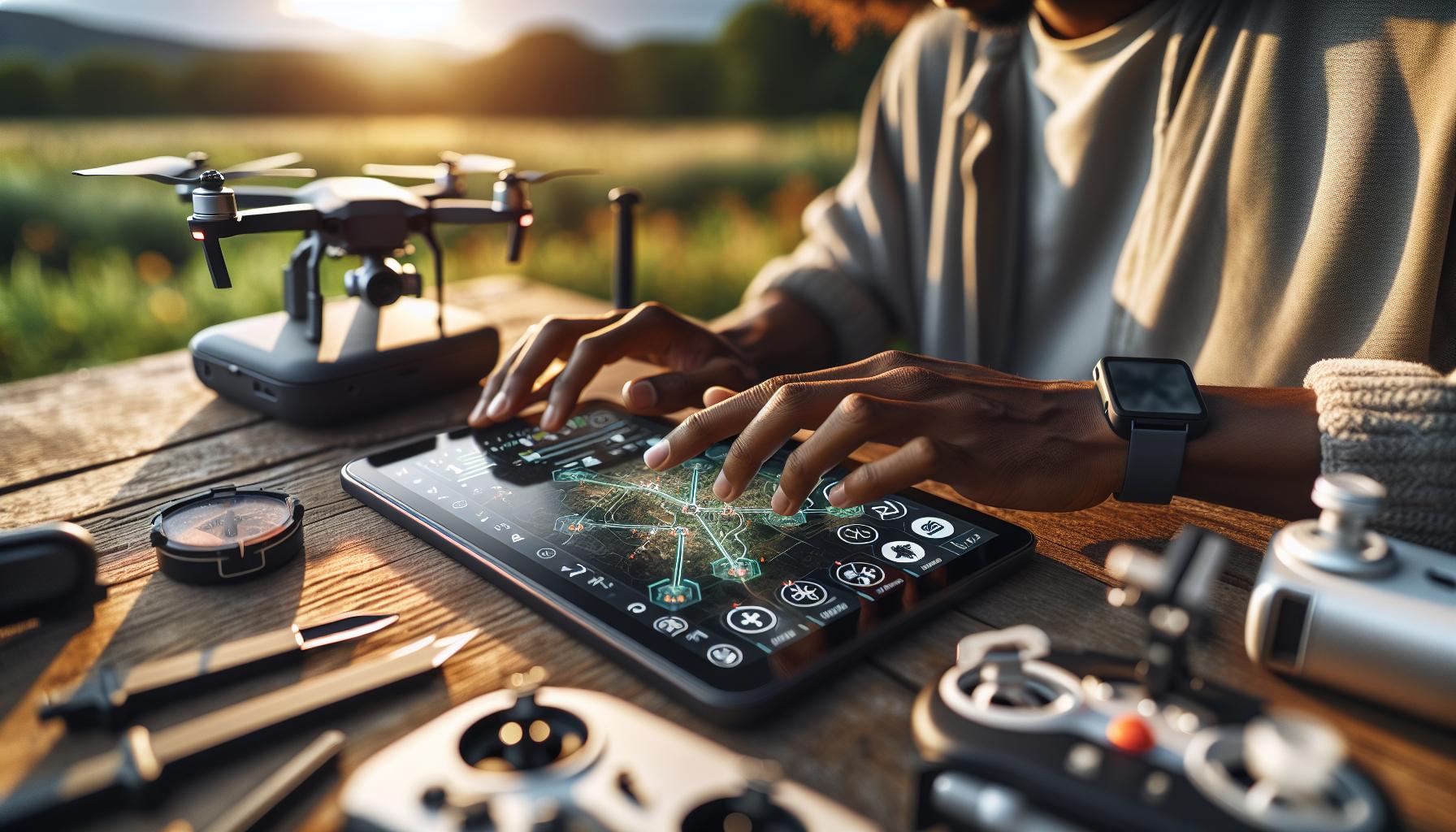
Step-by-Step Setup of DJI Fly App for Mini 4 Pro
To unleash the full potential of your DJI Mini 4 Pro, proper setup of the DJI Fly app is crucial. This step-by-step guide will help you navigate through the initial configuration, ensuring a smooth and efficient flying experience.
Begin by downloading the DJI Fly app, available on both iOS and Android platforms. Once downloaded, launch the app and create an account or log in if you already have one. This account will allow you to access essential features, updates, and cloud services. Next, connect your mobile device to the RC2 controller of your Mini 4 Pro via USB or wirelessly, depending on your controller model.
Connecting Your Drone
Ensure your drone and controller are powered on. The app will automatically detect the Mini 4 Pro. Follow the on-screen prompts to establish a connection. This may involve accepting terms of use, connecting to Wi-Fi for firmware updates, and asking for permissions to access your device’s location. Keeping your firmware up to date is vital for optimal performance, so connect to Wi-Fi and check for any available updates.
Calibrating the Compass
Before flying, it’s important to calibrate the compass. In the app, navigate to the settings menu and select “Sensors.” Follow the instructions to perform the calibration, which typically involves rotating the drone in specific orientations. This step ensures the accuracy of your drone’s navigation and flight stability.
Setting Flight Parameters
Once connected and calibrated, customize your flight settings according to your skill level and planned shots. The app’s interface allows easy access to features like flight mode selection (Normal, Sport, or Tripod Mode) and Intelligent Flight Modes including QuickShots and Mastershots. Adjust parameters like maximum altitude and distance to suit your experience level and ensure compliance with local regulations.
By following these steps, you’ll not only set up the DJI Fly app but also position yourself for a successful and enjoyable drone flying experience. With potential features like automated flight plans and real-time telemetry at your fingertips, you’re ready to take to the skies with confidence.
Navigating DJI Go 4: Advanced Features for Pros
When it comes to mastering your DJI Mini 4 Pro, knowledge of advanced features found within the DJI Go 4 app can set professional pilots apart from the competition. This powerful tool goes beyond basic controls, allowing seasoned flyers to harness their drone’s full potential. With a range of capabilities designed for demanding aerial photography and videography, the app provides a professional edge that can turn standard shots into cinematic masterpieces.
The DJI Go 4 app offers an array of advanced settings that enable precise control over camera functions. For instance, pilots can manually adjust ISO, shutter speed, and aperture settings, giving complete creative freedom for capturing that perfect shot. Additionally, the app boasts intelligent flight modes such as ActiveTrack and Point of Interest, making it easier than ever to achieve dynamic camera movements without sacrificing stability. These features empower users to create compelling narratives, enhancing both the storytelling and visual quality of their footage.
Seamless Live View and Real-Time Telemetry
One of the standout features of the DJI Go 4 app is the live video feed it provides. This real-time view is not just about watching your drone; it includes critical telemetry data such as altitude, distance from home, and battery life indicators. This information is invaluable during flight, helping you make quick decisions that enhance safety and performance. The app also allows for easy access to waypoint mapping for automated flights, enabling the creation of complex flight paths tailored to specific filming needs.
Furthermore, with features like HDR video capture and customizable LUTs (Look-Up Tables), the DJI Go 4 app ensures that pilots can produce stunning visuals with relative ease. It allows for greater post-processing flexibility, crucial for professionals looking to deliver high-quality work to clients. The ability to instantly edit and preview how changes affect the final output can streamline the workflow and enhance productivity on set.
Incorporating both innovative technology and user-friendly interfaces, the DJI Go 4 app is essential for those serious about drone flying. By utilizing its advanced features, drone operators can elevate their skills, maximize creativity, and ensure top-tier results in every flight. Whether you are pursuing your passion or working in a professional capacity, mastering this app can significantly enhance your drone flying experience.
Essential Accessories to Enhance Your App Experience
To elevate the experience of flying your DJI Mini 4 Pro and interacting with its associated apps, several essential accessories can enhance functionality and improve overall performance. These tools not only make piloting more convenient but also add a layer of professionalism to your aerial photography and videography.
A quality smartphone holder is fundamental when using the DJI Fly or Go 4 apps. Look for holders that offer secure grip and adjustability, allowing you to position your device at the perfect viewing angle. A sturdy setup ensures you can see the live feed and telemetry information clearly, minimizing distractions during flight. Some holders even come with additional attachments that support tablet devices, ideal for those who prefer larger screens.
In addition, consider investing in a pair of high-quality propeller guards. While the Mini 4 Pro identifies obstacles and prevents collisions, prop guards provide an additional safety net for inexperienced pilots or for flying in tight spaces. These accessories protect not just your drone but also your property, ensuring that flight encounters remain safe and incident-free.
Battery management is another critical area to focus on. Carrying multiple spare batteries ensures that creative sessions aren’t cut short by power limitations. Additionally, a reliable battery hub allows simultaneous charging, significantly optimizing your preparation time for drone outings. Look for hubs that include features like LED indicators to monitor battery health and charge levels.
Lastly, outdoor environments can pose signal challenges, so a range extender for your controller can improve connectivity between the drone and your device. This accessory amplifies the signal strength, giving you greater control and a more responsive flying experience. When you combine these accessories with the DJI Fly app, you ensure a streamlined, advanced, and enjoyable flight experience that maximizes your Mini 4 Pro’s capabilities, empowering both hobbyists and professionals alike.
By integrating these essential tools, you prepare yourself not just for the extraordinary aerial views your drone can capture, but also for a smoother, more efficient flying operation that lets your creativity thrive.
Firmware Updates: Keeping Your DJI Mini 4 Pro Optimal
Keeping the DJI Mini 4 Pro at its peak performance requires regular firmware updates. These updates not only introduce new features but also enhance existing functionalities and address any bugs present in previous releases. It’s vital for drone enthusiasts and professionals alike to stay informed about available updates, as they can significantly improve flight stability, camera performance, and navigation accuracy. Regularly checking for and applying firmware updates can make the difference between a smooth flight experience and unexpected issues during your aerial adventures.
To initiate a firmware update for your Mini 4 Pro, simply connect the drone to the DJI Fly app on your mobile device. Once your drone is online, the app will automatically notify you if there’s an available update. Follow these steps to ensure your update process is seamless:
- Connection: Power on your Mini 4 Pro and connect it to your device using the DJI Fly app.
- Check for Updates: Open the app, and navigate to the settings menu. Here you’ll find a firmware update option. The app will check for the latest firmware version.
- Download and Install: If an update is available, follow the prompts to download and install the firmware. Ensure your drone and remote controller have sufficient battery life-ideally, over 50%-to avoid interruptions during the update process.
- Restart: After installation, the app will prompt you to restart your drone and remote controller. This step is crucial for changes to take effect.
The meticulous attention that DJI pays to firmware updates reflects its commitment to safety and quality. For instance, a previous update might have boosted the Mini 4 Pro’s obstacle avoidance capabilities, providing a more reliable flying experience. Always read the release notes to understand what improvements have been made, and consider trying out any new features introduced in the update immediately after installation.
Regular maintenance of your firmware not only enhances the performance and longevity of your drone but also secures your flights against potential malfunctions. By incorporating a routine check of firmware updates into your drone piloting practices, you ensure that you are making the most out of your DJI Mini 4 Pro, allowing for a reliable and enhanced flying experience every time you take to the skies.
Gimbal Calibration: How the App Streamlines the Process
Gimbal calibration is a crucial process that ensures your DJI Mini 4 Pro captures smooth and stable footage. An improperly calibrated gimbal can lead to shaky videos and misaligned images, which can be frustrating for both novice and professional users. Thankfully, the DJI Fly app makes this process streamlined and user-friendly, allowing you to achieve optimal results with minimal hassle.
Initiating gimbal calibration through the DJI Fly app is straightforward. First, connect your Mini 4 Pro to the app and navigate to the gimbal settings. Here, you’ll find the calibration option prominently displayed. The app guides you step-by-step, starting with positioning your drone on a flat surface and ensuring that it is powered on. As you begin the calibration, the gimbal will move and test its range of motion; watching this process helps you understand how the gimbal maintains stability during flight.
Once the calibration is complete, take the time to test your gimbal’s performance by filming a short clip. This can help identify any lingering issues that might need addressing. If the footage still isn’t to your satisfaction, you have the option to recalibrate, ensuring you’re always ready to capture the best moments from the sky.
An important consideration during calibration is to perform it in a location free from strong winds and vibrations. External factors can affect the accuracy of the calibration process. Furthermore, regular calibration is recommended, especially after updates or changes in the flight environment, to maintain consistent performance. The DJI Fly app not only simplifies the calibration procedure but also enhances your overall flying experience by ensuring your gimbal is fine-tuned for peak performance.
By using the app, you’re empowered to keep your footage crisp and steady, significantly enhancing the artistic quality of your aerial photography or videography. This accessibility encourages drone pilots at all skill levels to take full advantage of the capabilities of the Mini 4 Pro.
Maximizing Safety Modes: Using the App for Secure Flights
Flight safety is paramount when operating the DJI Mini 4 Pro, and utilizing the app’s safety modes effectively can significantly enhance your flying experience. The DJI Fly app streamlines several safety features designed to protect both your drone and the surrounding environment, making it essential for all pilots to familiarize themselves with these functionalities.
One of the standout features within the app is the Geo-Fencing function, which prevents the drone from flying into restricted areas, such as airports or high-security zones. Users can visually check on the map where these no-fly zones exist or adjust their flight path accordingly before takeoff. Additionally, the app provides real-time warnings if the drone is approaching these boundaries, giving you an extra layer of security during your flight.
Another key aspect of safety is the RTH (Return to Home) functionality. This feature ensures that your Mini 4 Pro can autonomously return to its takeoff point if it loses connection with the controller or if the battery is running low. The app allows you to set the RTH altitude, which is crucial for avoiding obstacles in the environment as your drone ascends. Making sure this setting is configured appropriately before a flight can save your drone from potential crashes.
Engaging Obstacle Avoidance is another critical safety mode available through the app. The Mini 4 Pro features advanced sensors that detect obstacles in its path, allowing the drone to navigate around them automatically. Ensuring this feature is enabled will help mitigate risks, especially when flying in complex environments or when capturing dynamic shots. Before any flight, it’s recommended to double-check that this option is engaged, particularly in cluttered settings like forests or urban areas.
By regularly reviewing the parameters and settings outlined in the DJI Fly app, pilots can bolster their flying safety. Utilizing Safety Checklists ensures proper pre-flight preparation, and during the flight, keeping track of telemetry data like battery life and GPS signal strength through the app can help reinforce situational awareness. Following these practices not only enhances the piloting experience but also fosters a more responsible approach to drone operation.
Accurate Flight Planning: Tools Inside Your DJI App
Planning your drone flight with precision can significantly enhance the quality of your photos and videos, while also ensuring a smoother flying experience. The DJI Fly app provides an array of tools designed to assist you in meticulous flight planning, accommodating both novice pilots and experienced drone operators alike.
One of the standout features for flight planning is the Waypoints function, which allows you to pre-select specific points your Mini 4 Pro will fly to autonomously. This is particularly useful for shooting videos or aerial photography, as it gives you the ability to plan intricate routes and focus on capturing stunning imagery without the distraction of manually controlling the drone. By plotting out these waypoints in advance, you can ensure that the drone remains within your desired frame while adhering to any environmental considerations.
Another critical tool embedded in the DJI Fly app is the Flight Mode Selector, which provides options such as Normal, Cine, and Sport modes. Each mode has its own characteristics: Normal mode offers a balance of speed and stability, Cine mode allows for smoother control that’s perfect for cinematic shots, and Sport mode allows for fast maneuvers. Adjusting the flight mode based on your flight plan can yield dramatic differences in the resulting footage, making it essential to choose wisely depending on your creative goals.
Additionally, the app includes real-time weather updates and airspace information. Keeping an eye on these aspects is crucial for safe and effective flight planning. Wind speed, temperature, and local weather conditions can significantly affect drone performance, and the app’s integration of these factors ensures you choose optimal times for flying. By understanding the conditions during your planned operation, you can modify your approach, whether it’s adjusting flight paths or choosing alternative locations.
Lastly, post-flight analysis tools in the DJI Fly app allow you to review your flights, assess battery performance, and refine future planning strategies based on actual flight data. By using these features, you can gain insights into your flight patterns and develop techniques that enhance both safety and creative output on your subsequent flights. Such comprehensive tools not only empower operators to achieve their artistic vision but also foster a deeper understanding of drone dynamics.
Troubleshooting Common App Issues with DJI Mini 4 Pro
While the DJI Fly app is designed for smooth operation with the Mini 4 Pro, users might occasionally encounter some common issues that can impact their flying experience. Understanding how to troubleshoot these problems is key for maintaining an optimal flight and capturing stunning aerial imagery.
First and foremost, a frequent issue involves connection problems between the drone and the app. If you find that the app fails to connect or drops out during use, try restarting both the drone and your mobile device. Make sure your device’s Bluetooth and Wi-Fi are enabled, as the app relies on these connections for control. Additionally, ensure that your app is updated to the latest version, as updates often contain important fixes and enhancements.
Another common hurdle is related to lost GPS signals. If the Mini 4 Pro shows a weak GPS connection, it can be challenging to achieve stable flight. In such instances, relocate to an open area free from tall structures or dense trees that might interfere with the GPS signal. This adjustment can significantly improve connectivity. Also, allowing extra time for the drone to acquire satellites before takeoff will increase your chances of a stable flight.
Battery management can also lead to concerns, especially if the app indicates a low battery warning despite the battery showing adequate charge. To resolve this, calibrate the battery within the app. This process resets the battery’s internal gauge, providing a more accurate reading. It’s also advisable to ensure that the battery contacts are clean and free from any obstructions, which can affect performance.
Finally, users might encounter app glitches, such as unresponsive features or trouble accessing specific settings. If you experience this, try clearing the app cache or reinstalling the app. This can often resolve issues arising from corrupted data or software conflicts. Regularly performing these checks will not only enhance your flying experience but also help in understanding the functionality of the DJI Fly app fully.
By being proactive about troubleshooting and maintaining the Mini 4 Pro and its app, users can significantly enhance their flying experience, ensuring that they capture every breathtaking moment efficiently.
User Reviews: What the Community Says About DJI Apps
User experiences with DJI apps for the Mini 4 Pro offer valuable insights into how these tools can significantly enhance drone operations. Many users praise the DJI Fly app for its user-friendly interface, which is particularly appealing to newcomers. Its clean layout and straightforward navigation help users quickly access important features, making it an excellent choice for first-time pilots. For instance, one user mentioned how the quick access to flight modes and real-time telemetry allowed them to focus on flying rather than fumbling with complex menus.
However, seasoned drone operators have mixed opinions, especially concerning the app’s performance under varied conditions. Some experienced pilots highlight that while DJI Fly excels in simplicity, they found its limitations in advanced flight planning and customizability. Users have expressed that they wish for more sophisticated features similar to those seen in DJI GO 4, which offers intricate settings for professional-grade filming and detailed flight logs. As one user noted, “While Fly gets the job done for casual shooting, I miss the depth of control that GO 4 provides for more artistic projects.”
The community also shares proactive strategies for optimizing app performance. Several users recommend keeping the app updated with the latest versions to benefit from bug fixes and enhanced functionalities. A common tip shared across forums is to restart the app and drone if connection issues arise, as it often resolves glitches that could disrupt a session. Moreover, the practice of calibrating the drone’s sensors through the app has been emphasized as essential before any significant flight, especially for those venturing into more challenging environments where GPS signal may be weak.
In summary, while opinions vary, the feedback from users consistently underlines the importance of choosing the right app to cater to individual flying styles and experiences. For beginners, the DJI Fly app is often recommended for its ease of use, while more advanced users might lean towards DJI GO 4 for its robust feature set. Engaging with community forums allows potential users to benefit from shared experiences, helping them make informed decisions on which DJI app aligns best with their flight goals.
Comparing DJI Apps: Which One’s Best for You?
When deciding between DJI’s apps for the Mini 4 Pro, it’s essential to understand the unique strengths and intended uses of each application. The two primary contenders are the DJI Fly app, which caters to beginners and casual users, and the DJI GO 4 app, designed for more advanced operators seeking greater control and customization. Choosing the right app can enhance your flying experience and help you make the most of your drone’s capabilities.
The DJI Fly app is celebrated for its intuitive design and straightforward functionality. It simplifies the flying experience, enabling new drone enthusiasts to jump right in with minimal learning curve. Key features such as quick access to flight modes, guided tutorials, and automatic updates keep the experience seamless. You’ll find this app particularly advantageous if you’re focused on capturing stunning aerial images without the complexities of manual control. Its smart modes, like QuickShots, are designed to enhance creativity effortlessly, making it an excellent choice for hobbyists who want to get high-quality shots instantly.
In contrast, the DJI GO 4 app offers advanced settings that cater to professionals and serious enthusiasts. With this app, users can dive deep into parameters affecting flight dynamics, camera settings, and detailed analytics. It provides sophisticated flight planning tools and customizability, allowing experienced operators to craft intricate shots and execute specific maneuvers that the Fly app cannot facilitate. Features such as advanced telemetry, customizable shortcut settings, and support for complex broadcasting settings make this option indispensable for filmmakers and aerial photographers pushing the boundaries of drone capabilities.
To determine which app aligns with your needs, consider the following aspects:
- Your Skill Level: Beginners may find the DJI Fly app more approachable, while seasoned pilots might appreciate the depth of DJI GO 4.
- Type of Content: If you primarily document casual events, DJI Fly is sufficient. For commercial work where detailed control is essential, DJI GO 4 is preferable.
- Ease of Use vs. Customization: Evaluate whether you prefer a straightforward interface or a more complex tool that allows for deeper involvement in your flight and filming processes.
- Community Feedback: Engaging with user forums can provide insights on real-world experiences, which can guide your decision based on collective wisdom.
Ultimately, the choice between DJI’s apps depends on personal flying style and the specific demands of your projects. Embracing the right tools will elevate your drone flight experience, turning every flight into a creative adventure.
Frequently asked questions
Q: What is the DJI Fly app used for with the Mini 4 Pro?
A: The DJI Fly app is essential for controlling the Mini 4 Pro, providing features like flight planning, camera settings, and real-time telemetry. It enhances the flying experience by allowing users to customize settings and access intelligent flight modes.
Q: Do I need a phone to operate the DJI Mini 4 Pro?
A: While the Mini 4 Pro can be flown with the RC2 controller, using the DJI Fly app on your phone provides additional functionality, such as live video feeds and advanced settings. Download it from the DJI website for best compatibility.
Q: How do I download the DJI Fly app for the Mini 4 Pro?
A: To download the DJI Fly app for the Mini 4 Pro, visit the official DJI website on your mobile device. Avoid using third-party app stores like Google Play to ensure you get the correct version [2[2].
Q: Can I use the DJI Go 4 app with the Mini 4 Pro?
A: The DJI Go 4 app is not compatible with the Mini 4 Pro. The drone runs exclusively on the DJI Fly app, designed to support its features and functionalities for enhanced flight control and planning.
Q: What are the main features of the DJI Fly app for the Mini 4 Pro? Now that you understand the essential apps for maximizing your DJI Mini 4 Pro experience, don’t delay! Download the DJI Store app and unlock your drone’s full potential today. Whether you’re looking to activate exciting features like ActiveTrack 360° or manage your settings efficiently, these tools are indispensable for both beginners and seasoned pilots alike. Explore our guides on firmware updates and drone safety tips to ensure you’re flying smartly and safely. For more expert insights, check out our tutorials on obstacle avoidance techniques and indoor flying strategies. Feel free to leave a comment with any questions, and share your flying experiences with our community! Keep flying, keep exploring, and elevate your drone skills with us.
A: Key features of the DJI Fly app include a user-friendly interface, intelligent flight modes, advanced camera controls, and built-in tutorials for beginners. It also supports firmware updates, helping maintain optimal performance To Wrap It Up