
In an era where aerial photography and videography are becoming increasingly accessible, choosing the right DJI drone can feel overwhelming. Whether you’re a beginner eager to capture stunning landscapes or a professional seeking to elevate your creative projects, understanding the nuances of DJI’s extensive lineup is vital. This guide demystifies the process, helping you navigate key features, model comparisons, and essential accessories. You’ll discover how to align your needs-like flight time, camera quality, and ease of use-with the perfect drone choice. Get ready to unlock a new perspective and transform how you capture the world around you!
Understanding DJI Drone Models and Their Features
Understanding the diverse range of DJI drone models and their features allows both hobbyists and professionals to select the ideal craft for their specific needs. DJI’s lineup includes several popular series, such as the Mini, Mavic, Phantom, and Air, each designed to cater to different audiences and purposes. The Mini series, known for its compact design and user-friendly interface, is perfect for beginners and those seeking portability without sacrificing quality. For intermediate and advanced users, the Mavic series offers advanced features like obstacle avoidance and impressive camera capabilities, making it suitable for aerial photography and videography.
Key Features of DJI Drone Models
When considering a DJI drone, it’s essential to understand the key features that differentiate each model. Here are some notable aspects:
- Camera Quality: Most DJI drones come equipped with high-resolution cameras. The Mavic 3, for example, features a 4/3 CMOS sensor capable of shooting 5.1K video, while the Mini 4 Pro offers impressive 4K capabilities in a lightweight form.
- Flight Time: Flight time varies significantly across models. The Mavic 3 boasts up to 46 minutes of flight time on a single charge, while Mini drones generally offer around 30 minutes-ideal for quick outdoor adventures.
- Size and Portability: Mini drones are designed for portability, folding easily into small backpacks. The Phantom series, while offering superior quality and stability, sacrifices some portability for increased capability.
- Intelligent Flight Modes: Features like ActiveTrack, Point of Interest, and Waypoint missions enhance the flying experience, allowing users to focus on capturing stunning visuals rather than manual controls.
Understanding these features empowers potential buyers to match a drone with their specific requirements, whether it’s casual flying, creative endeavors, or professional projects. By evaluating these elements, users can enhance their aerial photography and videography experiences, ensuring they select a drone that not only meets but exceeds their expectations.
Key Factors to Consider When Buying a DJI Drone
When considering the purchase of a DJI drone, it’s crucial to evaluate several factors to ensure you select a model that perfectly aligns with your needs and expectations. The first aspect to consider is the intended use. Are you a beginner looking for a simple, easy-to-fly drone for recreational use, or are you a professional photographer seeking high-end features for stunning aerial imagery? Understanding your primary focus will guide you toward the right model.
Another important factor is the camera quality. DJI drones are equipped with varying camera specifications, which significantly impact photographic outcomes. For instance, if capturing high-resolution video is essential for your projects, models like the Mavic 3, with its advanced 4/3 CMOS sensor, are ideal. On the other hand, the Mini series offers good quality in a compact format, making it suitable for casual flying without too much emphasis on professional-grade imaging.
Additionally, consider the flight time and battery performance. Different models offer varying durations, with higher-end drones like the Mavic 3 providing up to 46 minutes of flight time, compared to the approximately 30 minutes offered by the Mini series. This discrepancy can affect how long you can film or survey an area without needing to land and recharge.
Portability and Size
Portability is another essential consideration, especially for users who plan to travel with their drone. The Mini series is specifically designed for easy transport, folding down to a size that fits comfortably in a backpack. In contrast, larger models like the Phantom series, while offering superior stability and image quality, may be bulkier and less convenient for transport.
Lastly, exploring the intelligent flight modes available can enhance your flying experience tremendously. Features such as ActiveTrack and Waypoint missions allow you to execute complex maneuvers automatically, making it easier to focus on capturing your desired shots. Always ensure the drone you choose includes the flight modes that best suit your creative ambitions.
By thoughtfully assessing these factors-intended use, camera quality, flight time, portability, and intelligent features-you can confidently select a DJI drone that meets your needs and elevates your flying experience.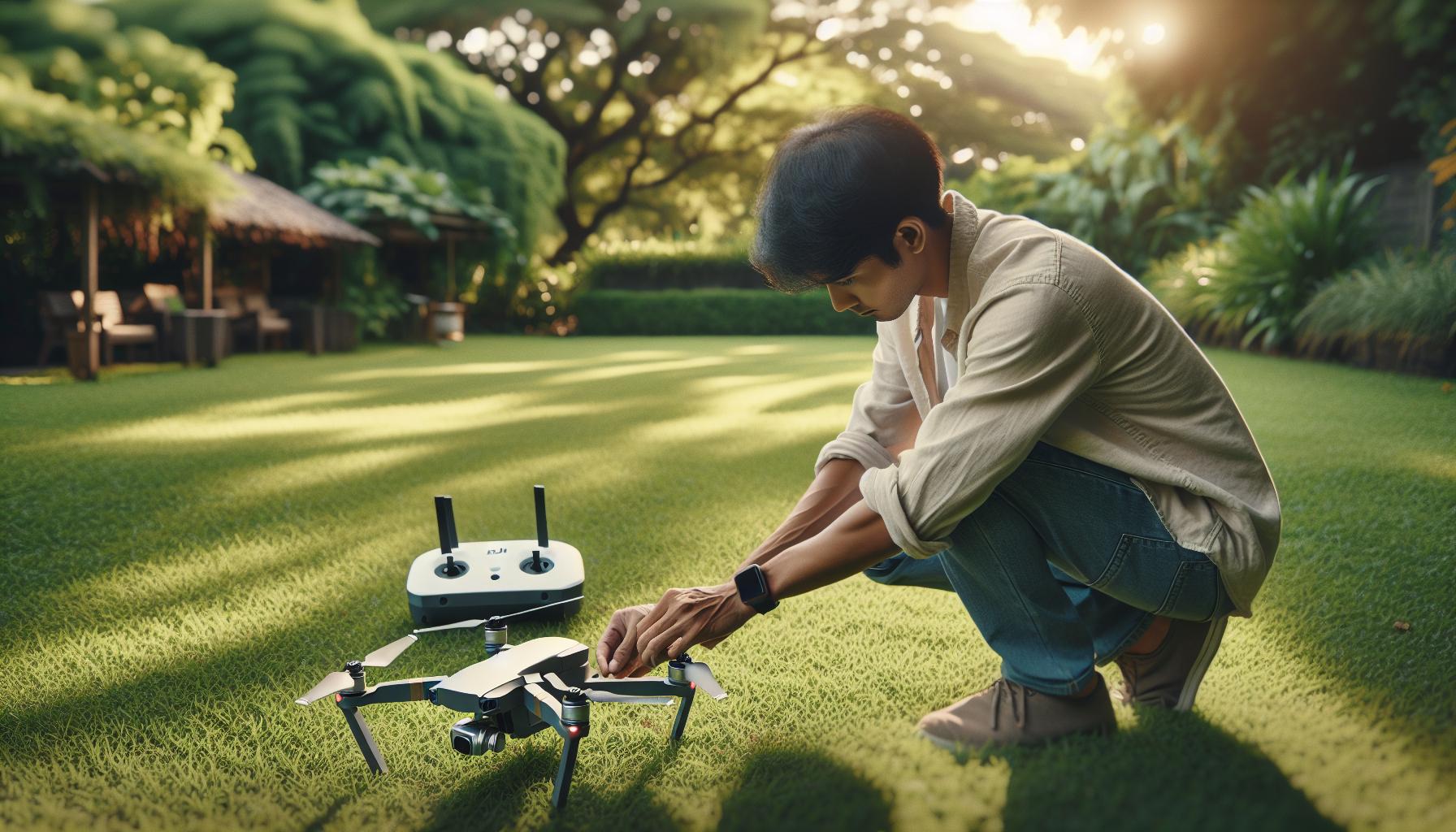
How to Properly Set Up Your DJI Drone
Setting up your DJI drone properly is a crucial first step that can significantly enhance your flying experience, ensuring not only optimal performance but also safety. By following the right procedures, you’ll be ready to capture stunning aerial footage or enjoy seamless flights. Begin by unpacking your drone and examining all components, which typically include the drone body, remote controller, battery, propellers, and charging equipment. Ensure that everything is in good condition, without any visible damage.
Once you’ve inspected your equipment, charge the battery fully using the provided charger. A well-charged battery is essential for achieving maximum flight times and performance. While the battery charges, download the DJI app that corresponds to your drone model, such as DJI Fly for the Mavic series or DJI GO 4 for the Phantom series, from your device’s app store. Setting up the app is a straightforward task; simply create an account or log in if you already have one.
After the app is installed, it’s time to update your drone’s firmware. Connect your smartphone to the drone’s remote controller, turn the drone on, and follow the app’s instructions to check for firmware updates. Keeping your firmware current is vital for accessing the latest features and enhancements, as well as ensuring stability and safety in flight.
Next, proceed to install the propellers. Make sure to match the propeller orientation with the corresponding motor on the drone, as each one has a specific direction. Turn the propellers clockwise to attach them securely. With the propellers in place, you are nearly ready for takeoff. Before that, perform a gimbal calibration by following the prompts in the app to fine-tune the camera movements, ensuring smooth and accurate footage during your flights.
Lastly, conduct a pre-flight check that includes the following steps:
- Check the compass and GPS signal strength.
- Calibrate the IMU (Inertial Measurement Unit) if necessary, especially if flying in a new location or after a firmware update.
- Review your local regulations regarding drone flight to ensure compliance.
By thoroughly setting up your DJI drone with these steps, you’ll be equipped for a safe and enjoyable flying experience, ready to explore the skies with confidence.
Mastering DJI Drone Flight Modes and Techniques
Understanding the various flight modes available on DJI drones is essential for maximizing your flying experience and capturing stunning imagery. Each drone model features specific modes designed to cater to different flying styles, skill levels, and filming needs. From beginners to seasoned pros, knowing how to utilize these modes can enhance your control and help you achieve the desired results.
Flight Modes Overview
DJI drones generally support several key flight modes, each serving unique purposes:
- GPS Mode: This is the default mode for most users, providing stable flight through GPS signals. Ideal for beginners, it helps maintain altitude and position during flight, allowing you to focus on photography or videography.
- ATTI (Attitude) Mode: In this mode, the drone relies less on GPS, making it more maneuverable. However, it does not maintain altitude, which requires more piloting skill. This mode is excellent for advanced users looking to perform complex maneuvers.
- Sport Mode: This mode unlocks the maximum speed and agility of the drone, making it suitable for racing or acrobatic flying. However, it also disables certain safety features like obstacle detection, so it should only be used by experienced pilots.
- Tripod Mode: Designed for precision flying, Tripod Mode reduces the speed and makes the drone highly responsive to controls. It’s perfect for capturing cinematic shots and detailed images in tight spaces.
- Focus Mode: This mode allows the drone to focus on a specific subject while maintaining its distance. It is particularly useful for filmmaking, enabling smooth tracking shots.
Techniques for Mastery
Mastering flight techniques begins with familiarizing yourself with these modes. Start by practicing in an open area, utilizing GPS Mode for stability as you learn the controls and feel of the drone. Once comfortable, gradually experiment with ATTI Mode to develop your piloting skills, which will enhance your ability to manage the drone in challenging conditions.
Advanced techniques involve combining flight modes for specific goals. For instance, you might start in Tripod Mode for slow, precise movements to capture a landscape, then switch to Sport Mode for dynamic shots during a scene change. Being able to smoothly transition between modes will not only impress your audience but also lead to more engaging footage.
Furthermore, take advantage of intelligent flight features like Waypoints and Follow Me. By preprogramming your drone’s path, you can focus on your creative vision while the drone executes complex shots automatically. Understanding these advanced flight modes and techniques empowers you to take full advantage of your DJI drone’s capabilities, ensuring your aerial photography is both professional and awe-inspiring.
Essential Accessories for Your DJI Drone
Equipping yourself with the right accessories can dramatically enhance your DJI drone experience, whether you’re a casual flyer or a professional cinematographer. Having the appropriate tools helps to protect your investment, expand your functionality, and improve your flying skills. Here’s a closer look at essential accessories that every DJI drone user should consider.
Batteries and Charging Solutions
One of the most crucial accessories for your drone is extra batteries. DJI drones are often limited by flight time, typically ranging from 20 to 30 minutes per charge. Carrying additional batteries allows for longer flight sessions without needing to return home to recharge. Consider investing in a multi-battery charger, which can charge several batteries simultaneously, ensuring you’re always ready to go.
Propeller Guards and Spare Propellers
For beginners or those flying in tight spaces, propeller guards are invaluable. They help protect both the drone and any nearby objects from accidental collisions. Additionally, always have spare propellers on hand; they are the most prone to damage during flights. Frequent flying can lead to wear and tear, so replacing them ensures optimal performance and stability.
ND Filters and Camera Accessories
Neutral Density (ND) filters are a must-have for aerial photography and videography. These filters reduce the amount of light entering the camera, allowing you to achieve cinematic effect with slower shutter speeds in bright conditions. Beyond ND filters, consider lens cleaning kits to keep your camera lens clear of dust and smudges, ensuring your images and videos are crisp and clear.
Carrying Cases and Backpacks
A sturdy, well-organized carrying case is essential for transporting your drone safely. Cases designed for DJI drones often include compartments for batteries, spare parts, and other accessories, making it easier to stay organized while on the move. Look for cases that offer both protection and portability to safeguard your equipment against the elements and accidental drops.
Mobile Device Holders and Controller Accessories
For a more comfortable flying experience, investing in a mobile device holder can make a significant difference. This accessory allows you to securely mount your smartphone or tablet to the controller, providing an unobstructed view of your screen. Additionally, consider controller sunshades to reduce glare during sunny days, thus improving visibility.
By augmenting your DJI drone with these essential accessories, you’ll not only enhance your flying experience but also extend the life of your equipment, enabling you to capture stunning aerial visuals more effectively. As you continue to explore the capabilities of your drone, these tools will support both your creative vision and operational efficiency.
Troubleshooting Common DJI Drone Issues
Flying a DJI drone can be an exhilarating experience, but it can also come with its set of challenges. Whether you’re encountering connectivity issues or experiencing erratic flight behavior, knowing how to troubleshoot common problems can enhance your flying experience and extend the lifespan of your device. Here’s a comprehensive look at some frequent issues users face, along with practical solutions to keep your drone flying smoothly.
One of the most common problems is connection loss between the drone and the remote controller. This often occurs in areas with significant interference, such as near large buildings or electromagnetic sources. To resolve this, ensure that both the drone and controller firmware are up to date, as DJI regularly releases updates to improve connectivity. If you still experience issues, try recalibrating the remote controller or switching to a different frequency band in the app settings to find a clearer channel.
Another frequent issue is GPS signal loss, which can happen while flying in dense urban areas or under heavy tree cover. When you notice a weak GPS signal, it’s best to land your drone as soon as it’s safe to do so. Before your next flight, check the GPS signal indicator on the DJI Go app to ensure you have a strong connection before takeoff. If your drone continually struggles to find a GPS signal, consider flying in a more open area or perform a compass calibration before flight.
Battery performance is critical to achieving optimal flight time, but abnormally short flight durations can often be a sign of battery health issues. Over time, batteries degrade, resulting in reduced capacity. Regularly check your battery’s health status in the DJI Go app, and always ensure that your batteries are properly charged and stored according to DJI guidelines. If you notice rapid battery drainage or swelling, it’s essential to replace the battery to ensure safe flying.
In addition to these issues, gimbal malfunctions can affect your camera’s stability and image quality. If you notice that your gimbal is shaking or not operating correctly, start by ensuring that the gimbal lock is removed before flight. If the problem persists, recalibrate the gimbal in the settings menu. This simple adjustment can often correct minor discrepancies and restore smooth operation.
Ultimately, being prepared for potential problems and knowing how to address them will enhance your overall flying experience. Regular maintenance, thorough pre-flight checks, and prompt troubleshooting can keep your DJI drone in top shape, allowing you to focus on capturing stunning aerial footage without interruptions.
Maintaining Your DJI Drone for Longevity
To ensure your DJI drone continues to perform at its best over the years, a consistent maintenance regimen is crucial. Much like any sophisticated technology, drones require regular care and attention to function optimally and avoid common pitfalls that can lead to costly repairs or diminished flight capabilities. Understanding and implementing a thorough maintenance routine will not only enhance your flying experience but also extend the lifespan of your investment.
One of the most essential aspects of drone maintenance is conducting a pre-flight inspection. This means checking the physical condition of the drone, including the propellers, arms, and battery. Inspect for any visible damage, cracks, or wear. Properly tightening screws and bolts, if necessary, will help prevent mechanical failures during flight. Before each flight, confirm that the firmware of both the drone and remote controller is up to date. Regular updates provided by DJI often include enhancements for flight stability, camera performance, and connectivity reliability.
Battery care is paramount for longevity. DJI drones use lithium polymer batteries, which can degrade if not stored or charged correctly. Always make sure your batteries are stored in a cool, dry place and never allowed to deplete to zero. Before a flight, check the battery’s health status via the DJI GO app to ensure optimal performance. Avoid fast charging continuously; instead, opt for a more gradual charge to prolong battery life.
In terms of cleaning and maintenance, always use a soft cloth and mild cleaner to wipe down your drone after use, especially if flown in dusty or wet conditions. Pay special attention to the gimbal and camera lens, as dirt on these components can impact your aerial photography and videography. Additionally, consider routine professional servicing if your drone is subjected to heavy use or if you notice performance declines. Programs like the DJI Enterprise Maintenance offer comprehensive services aimed at keeping your aircraft in peak condition for longer flight times and enhanced safety [1[1].
By embedding these maintenance practices into your routine, you can enjoy the ultimate flying experience with your DJI drone, ensuring it remains a reliable tool for your aerial adventures. Take care of your drone, and it will reward you with countless hours of enjoyable and safe flying.
Navigating Legal and Regulatory Requirements
Flying a drone can be exhilarating, but it also comes with a fundamental responsibility: adhering to legal and regulatory requirements. Whether you are a hobbyist or a professional operator, understanding these regulations is essential to ensure safety, avoid penalties, and contribute to the responsible integration of drones into shared airspace.
Firstly, familiarize yourself with the Federal Aviation Administration (FAA) guidelines if you’re in the United States, as they govern most drone operations. For recreational flyers, it’s crucial to follow the guidelines set forth by the FAA, which include registering your drone if it weighs more than 0.55 pounds, flying below 400 feet, maintaining a visual line of sight, and not flying near airports or over crowded areas. On the other hand, commercial operators must obtain a Remote Pilot Certificate and adhere to Part 107 regulations, which impose additional operational restrictions, such as staying clear of people and using a reliable pre-flight checklist.
Apart from federal regulations, local laws may also apply. Many states and municipalities have additional drone laws that mandate specific flight restrictions, no-fly zones, or even local registration requirements. As a drone pilot, it is your responsibility to research and stay updated on such regulations in your area. Utilize resources like the DJI Fly Safe website, which provides geofencing information to help identify restricted zones, ensuring your flights are both safe and legal.
Incorporating compliance into your pre-flight routine not only protects your rights as a drone operator but also enhances safety for the general public. Consider keeping a flight log detailing your flights, including locations and times, to provide a reliable record that can be useful in the event of an inquiry or incident. Understanding and respecting legal guidelines will make you a responsible pilot, paving the way for more freedoms and opportunities in the future as drone technology evolves.
In-Depth Comparisons: DJI Mini vs. Mavic vs. Phantom
Understanding the distinctions among DJI’s popular drone lines-Mini, Mavic, and Phantom-can significantly impact your purchasing decision. Each series caters to different user needs and skill levels, making it essential to evaluate their features based on your priorities, such as portability, camera quality, and overall functionality.
The DJI Mini series, known for its ultra-compact design, is ideal for beginners and those who prioritize portability. Weighing less than 250 grams, the Mini can easily fit in a backpack, making it perfect for travel. Despite its small size, the Mini series offers impressive camera capabilities, including 4K video recording and robust stabilization features. It’s a great option for casual users who want quality footage without the complexity of larger drones.
On the other hand, the Mavic series bridges the gap between usability and advanced features. Mavic drones, such as the Mavic Air 2 and Mavic 3, are recognized for their superior camera capabilities and advanced flight features, including obstacle avoidance and intelligent flight modes. They are suitable for enthusiasts and semi-professionals looking for high-quality aerial imagery combined with a user-friendly experience. The Mavic series also boasts longer flight times and more sophisticated transmission systems, making it a versatile choice for varied aerial tasks.
Finally, the Phantom series represents the pinnacle of DJI’s drone technology for professional filmmakers and serious hobbyists. Known for their robustness and exceptional camera systems, Phantom drones excel in delivering stunning video and photo quality. They incorporate advanced features like 4K imaging, high stability during flight, and extensive customization options. While they are less portable and suitable for stationary setups, their advanced capabilities make them invaluable for those seeking professional-grade aerial footage.
When choosing between these options, consider:
- Portability vs. Performance: Mini drones are easy to transport, while Phantom models offer superior quality at the expense of convenience.
- Camera Quality: Mavic and Phantom drones typically provide better camera systems suited for professional use compared to the Mini series.
- Price Point: The Mini series tends to be the most affordable, making it ideal for beginners, while the Mavic and Phantom drones come at higher price points reflecting their advanced capabilities.
Ultimately, the right choice depends on your specific needs, whether you’re a novice looking to explore aerial photography or a professional seeking the best possible imaging technology. Balancing size, performance, and ease of use will help guide you towards the DJI drone that fits your requirements perfectly.
Advanced Features: Obstacle Avoidance and Thermal Imaging
The integration of advanced technologies into DJI drones has transformed the aerial photography landscape, making flying safer and more efficient. Two standout features that enhance the flying experience are obstacle avoidance systems and thermal imaging capabilities. Understanding these technologies can help you choose the right drone for your needs and leverage its full potential in various scenarios.
Obstacle Avoidance
DJI drones are equipped with sophisticated obstacle avoidance systems that utilize sensors and intelligent algorithms to detect and navigate around obstacles. This feature is particularly beneficial for both novice and experienced pilots. For example, the Mavic series includes forward, backward, and downward sensors that create a three-dimensional awareness of the environment. When approaching an object, the drone will automatically slow down and, if necessary, change its course to avoid a collision. This capability greatly reduces the risk of accidents, especially in complex flying conditions like dense forests or urban landscapes.
The effectiveness of obstacle avoidance varies among models. Higher-end drones like the Mavic 3 feature advanced sensors that can perceive obstacles at longer distances and provide multiple safety features like APAS (Advanced Pilot Assistance System) that allow the drone to proactively avoid obstacles by altering its flight route. Learning to utilize this feature efficiently can significantly enhance your flying confidence, enabling you to focus more on capturing stunning aerial images rather than worrying about potential crashes.
Thermal Imaging
The thermal imaging feature in drones, such as those found in the DJI Matrice series, opens up a world of possibilities beyond standard photography and videography. Thermal sensors allow drones to detect heat signatures, making them invaluable for a range of applications, from search and rescue operations to building inspections and wildlife monitoring. For instance, in search and rescue missions, thermal imaging can guide responders by revealing warm body heat amidst cold surroundings, significantly enhancing retrieval operations.
When selecting a drone with thermal imaging, consider both the sensor quality and the temperature range it can detect. High-resolution thermal cameras can provide clearer imagery, allowing for more accurate assessments. Additionally, understanding how to interpret thermal imagery is crucial, as different materials and environments will emit heat differently, affecting the visuals captured. With practice, a pilot can master the skills needed to utilize thermal imaging effectively, transforming their drone into a powerful tool for various industries.
By grasping the functionality and applications of these advanced features, drone enthusiasts and professionals alike can elevate their aerial experiences, ensuring safer flights and more productive outcomes across many scenarios.
Tips for Safe Indoor Flying with Your DJI Drone
Flying a DJI drone indoors presents unique challenges and opportunities that can elevate your piloting skills and creative capabilities. However, without the expansive natural spaces to navigate, the risks of crashes and mishaps increase significantly. Embracing a few essential practices can ensure a safe and enjoyable indoor flying experience while maximizing your drone’s features.
To start, a thorough understanding of your drone’s sensors, particularly the obstacle avoidance systems, is crucial. DJI drones like the Mavic series are typically equipped with forward, backward, and downward sensors that can help prevent collisions with walls, furniture, and other obstacles in confined spaces. Before flying, carefully calibrate the sensors according to the manufacturer’s guidelines, as obstructed or improperly calibrated sensors might misinterpret their surroundings. For added safety, set your drone’s maximum altitude to a lower level, minimizing the risk of contacting the ceiling or light fixtures during flight.
Preparation is Key
Prior to launching your drone, conduct a comprehensive pre-flight inspection to ensure everything is functioning properly. Check the battery levels, propellers, and firmware updates. Furthermore, choose a spacious indoor environment with minimal clutter to reduce potential hazards. Rooms with high ceilings and open areas-like gymnasiums or warehouses-are excellent choices. On the other hand, avoid narrow hallways or crowded spaces that can elevate the likelihood of crashes.
When you begin flying, utilize the drone’s manual flight mode to maintain greater control. This mode allows you to adjust your speed and responsiveness, which is vital in tight spaces where precision is paramount. Remember, indoor flying often requires finer adjustments than outdoor maneuvers. Additionally, practice features such as Point of Interest and Track Mode to explore creative angles safely.
Maintain Situational Awareness
A successful indoor flight experience hinges on situational awareness. Continuously observe the surroundings and be ready to react. Use the First-Person View (FPV) feature if available, as it provides a pilot’s-eye view of the drone’s immediate environment, allowing for better depth perception and spatial awareness. Furthermore, make use of the Virtual Flight mode if your model supports it, which allows you to simulate flights in various indoor settings without the actual risks.
Flying indoors can be exhilarating and opens a new realm of possibilities for capturing unique aerial shots. By implementing these strategies and taking the time to prepare and understand your equipment, you can navigate indoor environments with confidence, creativity, and safety.
Buying a Used DJI Drone: What to Look For
When considering a used DJI drone, it’s essential to approach the purchase with a keen eye and an informed mindset. Buying used can yield significant savings, but it also carries certain risks if you don’t know what to look for. First and foremost, ensure you’re purchasing from a reliable source-check for trusted sellers on popular platforms like eBay, Craigslist, or dedicated drone forums. Once you’ve found a potential option, scrutinize the drone for signs of wear and tear, as physical condition can reveal how well the previous owner took care of it.
Assess the Drone’s Condition
Inspect the drone for any cracks or damage on the propellers, body, and gimbal. A damaged gimbal can indicate rough landings or crashes, which may affect the camera’s functionality. Ask the seller about maintenance history-whether the drone has been regularly serviced, any repairs done, or battery replacements. Additionally, check the battery health by noting its cycle count; a battery with too many cycles may not hold a charge effectively and could need replacement soon.
When possible, request a demo flight. This allows you to verify that the drone operates as expected, focusing on aspects like flight stability, responsiveness, and any unusual sounds that might signal mechanical issues. If you’re unable to fly it, request video evidence of the drone in action, capturing both aerial footage and camera functionality.
Verify Software and Accessories
Confirm that the drone has up-to-date firmware installed. Outdated software can hinder performance or limit access to new features. Understanding how to check the firmware version through the DJI Fly or GO app will also provide insights into the drone’s usage history. If applicable, inquire about the included accessories-additional batteries, propellers, carrying cases, or ND filters-since they can significantly affect overall value.
Lastly, ensure that the serial number and model registration details are legitimate. This information will help you verify that the drone isn’t stolen or a counterfeit product. Checking online with DJI’s support can help confirm its status. By delving into these aspects, you’re not just safeguarding your investment; you’re enhancing your drone flying experience by ensuring you’re equipped with a reliable and well-maintained device.
FAQ
Q: What should I consider when buying my first DJI drone?
A: When purchasing your first DJI drone, consider factors like the drone’s camera quality, flight time, ease of use, and your budget. Additionally, think about the drone’s size and portability for your intended use, and check for any included features like GPS stability and obstacle avoidance.
Q: How do I choose between DJI Mini, Mavic, and Phantom drones?
A: Choosing between the DJI Mini, Mavic, and Phantom depends on your needs: the Mini is ultra-portable for casual users, Mavic offers a balance of performance and portability for enthusiasts, while the Phantom is ideal for professional photography with superior camera capabilities and stability.
Q: What are the key features to look for in a DJI drone?
A: Look for important features such as camera resolution, flight stability modes, GPS accuracy, battery life, obstacle avoidance systems, and ease of connectivity with mobile apps. Understanding your flying needs will help determine which features are essential.
Q: How do I maintain my DJI drone for longevity?
A: Regular maintenance includes cleaning the drone after use, updating firmware, inspecting propellers and batteries, and storing it in a cool, dry place. Additionally, follow flight guidelines and avoid extreme weather conditions to enhance its lifespan.
Q: Can I fly my DJI drone anywhere?
A: No, flying a DJI drone is subject to local regulations and restrictions. Always check for no-fly zones, such as near airports or populated areas. Utilize apps that indicate restricted airspace and ensure compliance with legal requirements.
Q: How do I safely fly my DJI drone indoors?
A: To fly safely indoors, familiarize yourself with the drone’s indoor flight modes, calibrate the sensors properly, and avoid obstacles. Use visual line of sight and keep the drone within a controlled area to prevent accidents.
Q: What accessories are essential for DJI drones?
A: Essential accessories include extra batteries for extended flight time, propeller guards for safety, a carry case for protection and transport, and ND filters for better photography. Consider a power bank for on-the-go charging as well.
Q: What should I look for when buying a used DJI drone?
A: When purchasing a used DJI drone, check the drone’s flight history, inspect for physical damage, test battery life, and ensure all features work properly. Verify the serial number and ask for maintenance records to assess its condition.
In Retrospect
Thank you for exploring “A DJI Drone: Your Ultimate Buying Guide.” Whether you’re a seasoned pilot or just starting, understanding the right DJI drone for your needs is essential. Remember, the right choice can elevate your aerial photography and videography to new heights. Don’t miss our in-depth comparisons of the latest models like the Mavic and Phantom series or our comprehensive tutorials on drone setup and maintenance-you can find those linked below!
Ready to take the next step? Consider subscribing to our newsletter for exclusive tips and guides, or check out our drone accessories page to ensure you are fully equipped for your flying adventures. If you have questions or experiences to share, drop a comment below-your insights could help fellow drone enthusiasts. Keep flying high and stay tuned for our continuous updates on the latest in drone technology!









