

Imagine soaring through the skies, experiencing the thrill of flight as if you were in the cockpit of your DJI drone, all while wearing an Oculus headset. This innovative combination opens up incredible possibilities for both drone enthusiasts and VR aficionados. In this article, we will explore how to set up your Oculus with a DJI drone, enhancing your flight experience like never before. By leveraging virtual reality, you can gain a new perspective, improve your piloting skills, and elevate your photography and videography game. If you’re eager to discover how to fuse cutting-edge technology with the joy of flight, keep reading to unlock the full potential of your drone experience.
Can Oculus Connect with DJI Drones for VR Flight?
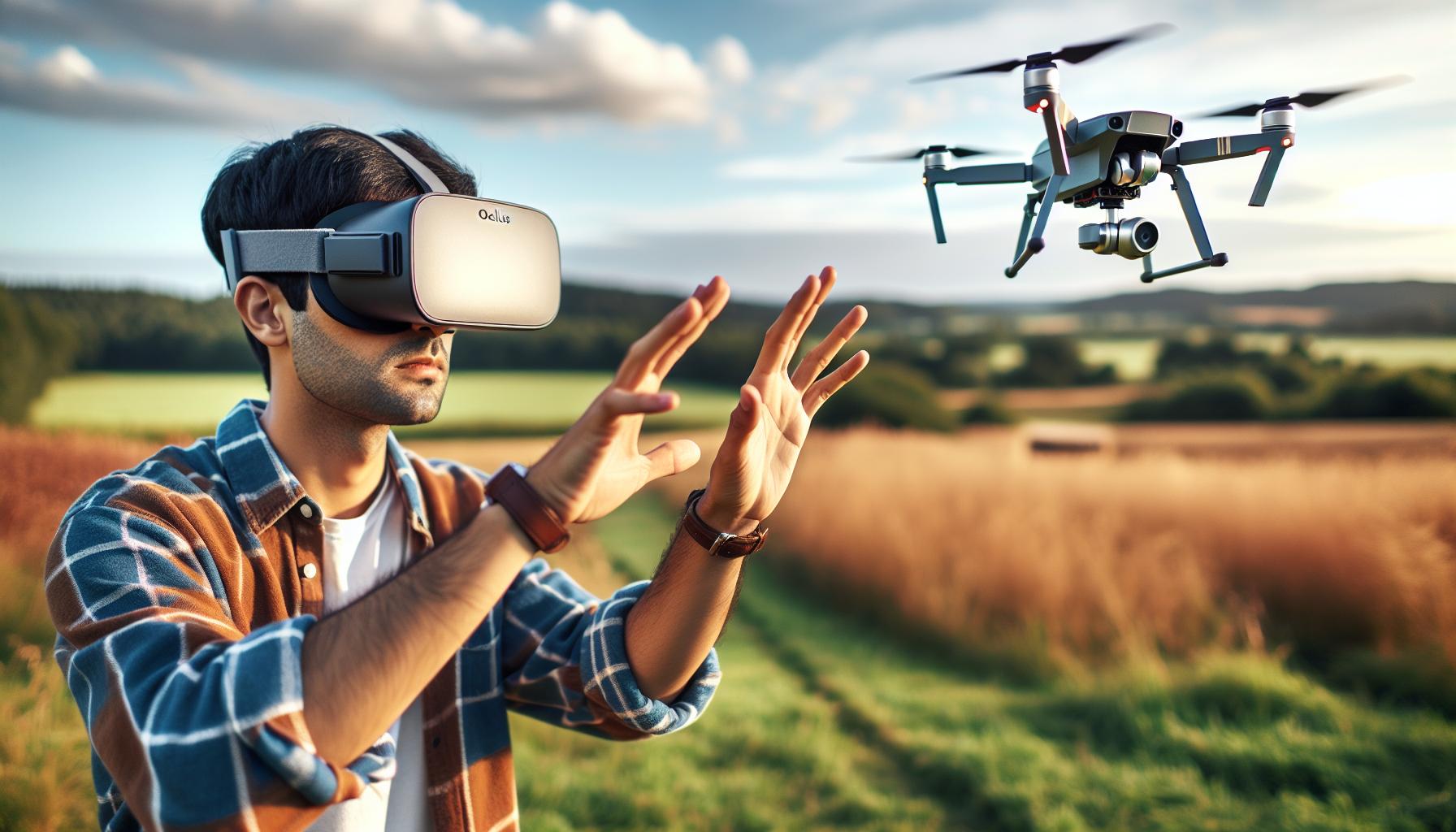
Integrating Oculus technology with DJI drones opens up exciting possibilities for immersive flight experiences. While direct connectivity between an Oculus headset and DJI drones isn’t provided out of the box, enthusiasts can utilize various methods to achieve an engaging virtual reality experience that simulates drone flying. By leveraging existing software, applications, and hardware, drone pilots can step into a new realm where the joy of flying is enhanced by virtual environments.
One popular approach is to use software solutions that enable first-person view (FPV) flying. DJI drones, equipped with FPV features, can stream their camera feed to a compatible device, allowing Oculus users to experience the flight like they are in the cockpit. Applications like DroneVR and compatible FPV apps are designed to let pilots experience drone flying firsthand while wearing VR headsets. However, users should ensure compatibility and check user reviews to confirm they suit their specific setup.
For effective integration, a strong Wi-Fi connection is crucial, as it facilitates the transmission of high-quality video feeds from the drone. A typical setup involves connecting the drone’s controller to a mobile device, which then streams the video feed to the Oculus headset through established apps. This method often requires navigating through multiple settings and may involve troubleshooting to establish a stable connection, but the breathtaking views and immersive experience can significantly elevate the enjoyment of drone flying.
Overall, while the direct connection between Oculus and DJI drones isn’t straightforward, with the right tools and applications, pilots can effectively create a VR experience that captures the adventure of flight, making it a worthy endeavor for both hobbyists and professionals.
Getting Started: The Basics of Oculus and DJI Compatibility
Integrating VR with drones can revolutionize your flying experience, transforming how you view the world from above. While DJI drones are known for their advanced flight capabilities, pairing them with Oculus headsets introduces an immersive layer that enables pilots to experience first-person views like never before. Understanding the nuances of how Oculus and DJI can work together is essential for any drone enthusiast looking to enhance their aerial adventures.
Before diving into setup, it’s crucial to establish compatibility between your DJI drone and available VR software. Most DJI drones possess built-in streaming capabilities, transmitting their camera feed to various devices. However, using an Oculus headset typically requires third-party applications, such as DroneVR or other FPV apps designed specifically for VR use. It’s important to check that your current gear, including mobile devices, meets the technical requirements of these apps to ensure a smooth experience.
A critical component of this integration is a robust network connection. High-quality video transmission necessitates a strong Wi-Fi link between your drone’s controller and the mobile device acting as the intermediary to your Oculus headset. Meeting this requirement will help eliminate lag and deliver a fluid viewing experience, letting you feel as if you are piloting the drone directly. Additionally, awareness of the drone’s operational limits is vital. While the Oculus headset provides an exhilarating viewpoint, drone pilots must continuously maintain visual contact with their aircraft, adhering to local regulations that govern drone operation.
By mindful preparation and understanding of the pairing process, you can step into a new world of drone flying that merges cutting-edge technology with the thrill of piloting from a unique perspective. As you engage with this exciting integration of VR and drone technology, you can further elevate your piloting skills while immersing yourself in breathtaking views, creating a flying experience that is as engaging as it is memorable.
Essential Equipment: What You Need for VR Flight
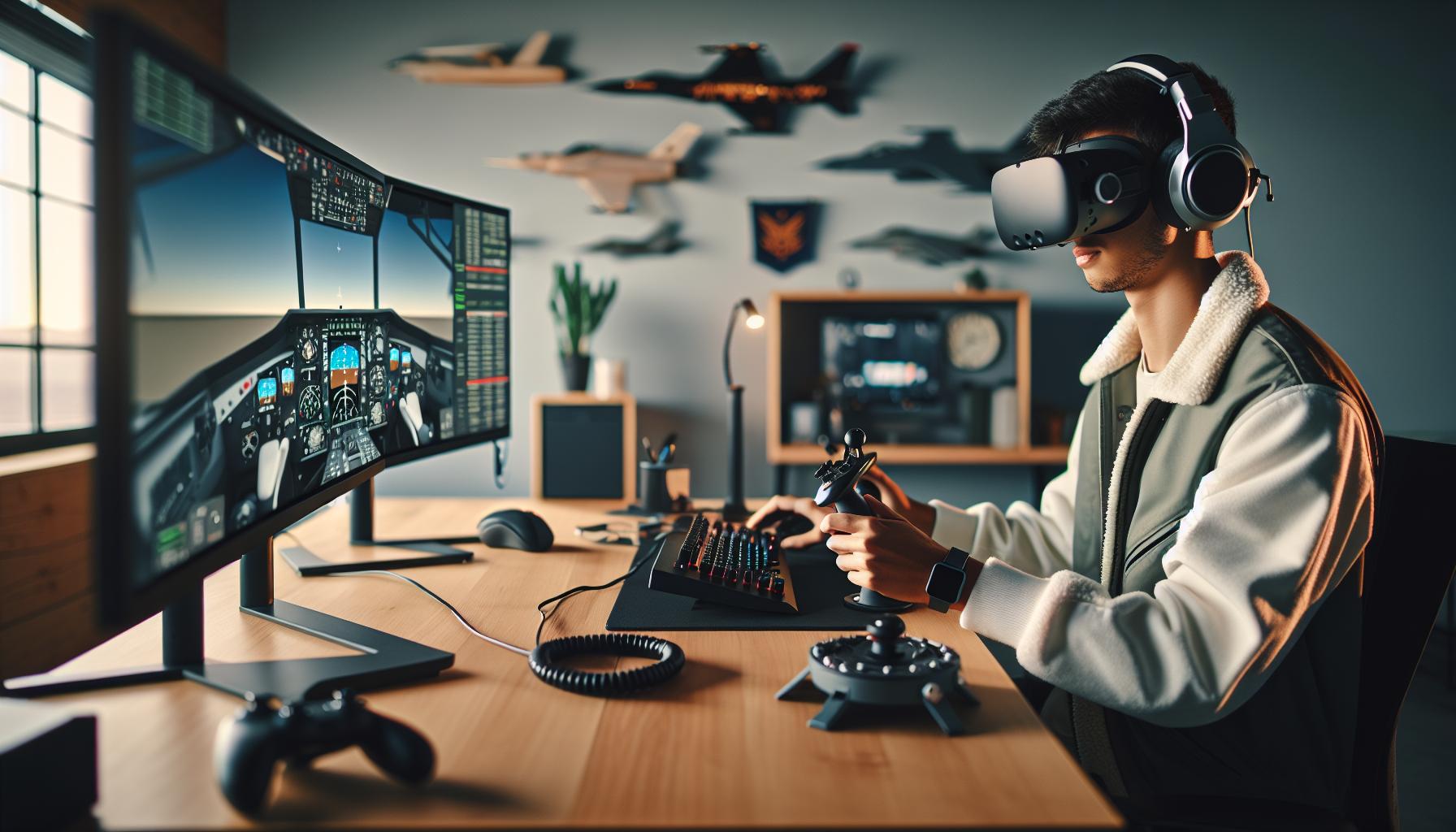
To embark on an exhilarating VR flight experience with your DJI drone and Oculus headset, having the right equipment is crucial. The combination not only enhances your piloting skills but also immerses you in stunning aerial views that traditional flying cannot match. Here’s a closer look at the essential gear you’ll need to ensure a seamless integration of these powerful technologies.
First and foremost, you’ll need a compatible DJI drone. Models like the Mavic Air 2 or the Phantom 4 Pro are great choices, equipped with advanced camera systems and impressive streaming capabilities. Ensure that your drone supports live video transmission, as this will be crucial for creating the first-person view (FPV) experience needed for VR immersion.
Next up is the Oculus headset itself. Whether you choose the Oculus Quest, Rift, or another model, it’s important to choose one that offers high-resolution displays and a high refresh rate to avoid motion sickness during flight. Additionally, check for any required software or applications that facilitate the link between your drone’s camera feed and the Oculus headset-popular options include DroneVR and similar FPV applications.
A stable and robust network connection is vital. You’ll need a strong Wi-Fi connection to handle the high-bandwidth video streaming without lag. Make sure you have a compatible mobile device that can act as a bridge between the drone’s controller and your Oculus headset. It’s also wise to invest in quality HDMI or casting equipment if your setup requires it.
Lastly, consider investing in additional accessories to enhance your VR flight experience. Items such as spare batteries for your drone, a comfortable headset strap for the Oculus, and even external battery packs for your mobile device can enhance both the duration and quality of your flights. Proper gimbal calibration and regular firmware updates on your drone are also recommended to ensure optimal performance.
With these pieces of equipment in place, you’ll be well-prepared to take your drone piloting to the next level, enjoying the breathtaking vistas and thrill that VR flight can provide.
Step-by-Step Setup: Connecting Oculus to DJI Drones
Connecting your Oculus headset to a DJI drone for an immersive VR flight experience is not just an exciting possibility; it’s an exhilarating leap into the future of drone piloting. By integrating the two technologies, pilots can enjoy a first-person view that transforms the way they see the world from above. Here is a detailed guide to getting everything set up so you can take to the skies in no time.
Begin by ensuring that both your DJI drone and Oculus headset are fully charged and up to date with the latest firmware. This ensures optimal performance and compatibility. Once you’re set with your gear, the first step is establishing a strong connection between your drone and the mobile device that will serve as a bridge to the Oculus headset. Download the necessary app, such as DJI GO or a compatible FPV application like DroneVR, from the respective app store. Once installed, connect your mobile device to the drone’s controller via USB or Wi-Fi, depending on your drone model.
Next, you’ll want to set up the video feed that will be streamed to your Oculus headset. Open the selected app and go to the settings option to ensure that live video transmission is active. For a seamless experience, you may configure the video resolution and frame rate within the app settings-higher settings provide better quality but may require a superior network connection. After successful configuration, select the casting option to enable the VR video feed transmission, ensuring your Oculus headset is linked with your mobile device as well.
Now, put on your Oculus headset and navigate to the app that receives the drone’s video feed. You may need to perform some adjustments to get the view just right, such as aligning the headset display or adjusting the gimbal settings on your drone for a smoother perspective. It’s essential to familiarize yourself with the controls of your drone alongside the VR setup, as flying in VR introduces unique spatial dynamics that can differ from traditional piloting.
As a safety note, keep in mind that VR flying can be disorienting, especially for those new to it. Start with small, controlled flights in an open area to acclimate yourself to the VR experience before attempting complex maneuvers. This systematic approach to connecting your Oculus to a DJI drone not only enhances enjoyment and skill but also prepares you to face the skies with newfound confidence. Happy flying!
Exploring Virtual Reality: Benefits of VR in Drone Flying
Imagine soaring through the skies, experiencing the thrill of flight as if you were inside the cockpit of your drone. This immersive perspective is what virtual reality (VR) brings to drone flying, significantly enhancing the overall piloting experience. By connecting your Oculus headset to a DJI drone, you transition from conventional controls to an engaging first-person viewpoint that beautifully integrates the real and virtual worlds.
One of the standout advantages of utilizing VR in drone flying is the unparalleled depth perception it offers. Pilots can accurately gauge distances, altitudes, and even object sizes, making it easier to navigate through complex environments. The ability to see the world from the drone’s view provides insights and awareness that traditional screens simply cannot match. Additionally, this immersive experience can help improve flight skills rapidly, as pilots develop a finely-tuned sense of spatial awareness and control.
Moreover, enhanced VR features, such as real-time telemetry and customizable HUDs (Heads-Up Displays), allow drone pilots to monitor crucial flight information without losing the immersive view. Being able to see data such as battery life, speed, and altitude directly in the VR environment makes for safer and more informed maneuvers. For enthusiasts, this capability means they can explore new areas with confidence, pushing the limits of their drones while being fully engaged in their surroundings.
The use of Oculus with DJI drones also fosters a sense of camaraderie and sharing within the drone community. Many platforms facilitate live streaming or recording of flights from a VR perspective, allowing others to experience the journey alongside the pilot in real-time. This social aspect not only elevates the enjoyment of flying but also encourages knowledge exchange and skill improvement among users. Ultimately, the combination of VR technology with drone flying is revolutionizing the way enthusiasts and professionals alike interact with their aerial devices, enriching both personal enjoyment and technical prowess in the field.
Advanced Features: Enhancing Your Flight Experience with VR
Experiencing flight through a VR headset like the Oculus is not just a step into the future; it transforms how you interact with your drone, offering a range of advanced features that heighten your flight experience. One notable feature is the ability to access real-time telemetry data directly in your virtual environment. By incorporating information such as battery status, altitude, speed, and GPS coordinates, you maintain situational awareness without having to divert your gaze from the immersive view the Oculus provides.
The immersive nature of VR also allows you to fine-tune your piloting skills through various training modes available within compatible apps. For instance, many DJI drones can integrate with VR simulations that help new pilots practice maneuvers and navigate obstacles in a safe environment before taking to the skies. This not only enhances confidence but also helps develop essential skills required for more advanced maneuvers.
Customizable HUDs for Enhanced Monitoring
A customizable Heads-Up Display (HUD) is another significant advantage of using Oculus with DJI drones. This feature allows pilots to personalize what information they see during their flights. You can choose to display essential data-like flight path predictions or obstacle warnings-in a way that suits your flying style. This tailored setup can greatly reduce cognitive load during flights, allowing you to focus more on piloting the drone and less on managing data inputs.
Live Streaming and Community Engagement
Additionally, utilizing VR with DJI drones opens doors to live streaming your flights. With platforms that support live broadcasting from your VR feed, you can share stunning aerial views and engage with fellow drone enthusiasts in real-time. This not only enriches your flying experience but also cultivates a community of learners and experts eager to share insights, tips, and experiences. Events like drone racing can also be amplified into a spectator sport, where viewers share in your excitement and help create a vibrant atmosphere around your flights.
Utilizing these advanced features created by merging Oculus VR with DJI drones transforms ordinary piloting into an exciting, immersive experience. As you become increasingly familiar with your capabilities and the technology, you will find that these enhancements facilitate not only skill development but also a deeper connection to the art of flying.
Troubleshooting Common Issues: Oculus and DJI Connections
Experiencing the thrill of flying a DJI drone through an Oculus VR headset can be incredible, but like any sophisticated technology, you might run into some challenging issues during setup or operation. Troubleshooting these problems requires understanding common hiccups that users face, alongside practical strategies to resolve them, ensuring a seamless and exhilarating flight experience.
One prevalent issue is connectivity problems between the Oculus headset and the DJI drone. Ensure that both devices are on the same network and that your Oculus device is fully updated. If the connection fails, try resetting both devices and restarting your smartphone or computer if they are part of the interface. Additionally, confirming that the app you are using for VR flight is compatible with your specific DJI model is crucial; some older models may have limited functionality with new software.
Another common hurdle is experiencing latency or lag within the VR feed. This can severely affect the flight experience, making it hard to control the drone effectively. To combat this, first ensure that your Wi-Fi signal is strong; sometimes moving closer to the router or eliminating obstructions can help. Check for unnecessary background processes on your device that might slow down performance. Closing other apps and minimizing interference can enhance the streaming quality from the drone to the headset.
Battery and calibration issues often arise as well, impacting both drone and headset performance. If you notice erratic behaviors in the flight or graphics, recalibrating the drone’s sensors and ensuring both devices are adequately charged can help. Consistent firmware updates for both your drone and Oculus headset are paramount; they typically contain crucial fixes that heighten stability and performance. Regularly checking for updates through their respective apps can save you heaps of trouble later on.
As you encounter and address these common issues, documenting the solutions that work can be advantageous. Establishing a troubleshooting checklist for future flights can empower you to quickly resolve persistent problems, thus enhancing your proficiency and confidence in VR drone piloting. Remember to stay connected with the community through forums and social media, as users often share valuable insights and tips that can enrich your flying experience.
Drone Models: Best DJI Drones for VR Experiences
Imagine soaring through the sky, viewing your surroundings from a bird’s eye perspective, and experiencing the thrill of flight, all while nestled comfortably within an immersive Oculus VR headset. This exhilarating combination is made possible largely due to the advancements in drone technology, particularly with DJI’s highest-performing models. When it comes to selecting the best DJI drones for a VR flying experience, there are several outstanding options that cater to various skill levels and purposes.
Top Choices for VR Experiences
Choosing the right DJI drone can greatly enhance your virtual reality flying experience. Here are some exemplary models:
- DJI Mavic Air 2: This drone boasts intelligent shooting modes and a robust 48MP camera, providing stunning visuals that translate well into VR. With its impressive flight time (up to 34 minutes) and advanced obstacle avoidance system, it is perfect for beginners and intermediates alike.
- DJI Phantom 4 Pro V2.0: Known for its reliability and high-end specs, the Phantom 4 Pro features a 20MP camera and 4K video capabilities. It offers a stable platform for VR, making it excellent for cinematographers looking to capture breathtaking landscapes.
- DJI Mini 2: For those seeking a lightweight and portable option, the Mini 2 delivers with 4K video and 12MP photos. Its compact size does not compromise on performance, making it ideal for casual flyers and travelers who want to venture into VR without the weight of larger drones.
- DJI Avata: Specifically designed for immersive flying experiences, the Avata is a great choice for advanced users looking for a more cinematic approach to drone flying and VR integration. Its compact design and 4K camera make it suitable for FPV (first-person view) experiences.
These selections provide a range of options suitable for anyone looking to enhance their drone flying with virtual reality. Each model is equipped with features that ensure high-quality visuals and stable connectivity-critical elements when integrating with Oculus headsets.
Factors to Consider
When choosing a DJI drone for VR experiences, consider these factors:
- Camera Quality: Higher resolution cameras provide clearer, more engaging visuals when viewed in VR.
- Flight Time: Longer flight durations allow for extended exploration without interruptions for battery changes.
- Obstacle Avoidance: This feature enhances safety during flight, particularly in unfamiliar environments.
- User-Friendliness: Depending on experience, selecting a model with intuitive controls can greatly reduce the learning curve.
Ultimately, the combination of DJI drones and Oculus VR headsets opens up a world of possibilities for both creative and recreational flying. Whether you’re capturing stunning aerial footage or simply enjoying the immersive experience, the right drone model will significantly elevate your VR piloting journey.
Firmware Updates: Keeping Your Oculus and Drone Up to Date
Keeping your Oculus headset and DJI drone firmware updated is essential for a seamless VR flying experience. Regular firmware updates not only introduce new features but also fix bugs and enhance compatibility between devices. This is particularly important when using new technologies together, ensuring your Oculus headset can efficiently process and visualize the aerial footage from your DJI drone.
To update your Oculus headset, simply navigate to the settings menu. Check for updates under the “Device” or “System” section. Ensure your device is connected to a stable Wi-Fi network for the download and installation process. Remember, if you experience connectivity issues or find that certain features aren’t working, an update might be overdue. Similarly, DJI drones can be updated through the DJI Fly app or the DJI Assistant 2 software. Connect your drone, select “Firmware Updates,” and follow the on-screen instructions. Keeping both devices updated minimizes potential compatibility issues, allowing for a smoother integration during your VR flight sessions.
For optimal performance, it’s wise to check for firmware updates before headed out for a flight. This simple routine can save you from unexpected technical problems during your sessions. Additionally, consulting the release notes provided with each update can inform you about new features and improvements; some updates might enhance specific functionalities relevant to VR experiences. Staying proactive with these updates not only enhances visual quality but also assures a safe and effective flying operation, maximizing your joy in exploring the skies.
Gimbal Calibration: Optimizing Your VR Flight Experience
Achieving stunning aerial footage when flying a DJI drone can heavily rely on effective gimbal calibration, especially when you’re integrating virtual reality (VR) experiences with your Oculus headset. A well-calibrated gimbal ensures that your camera remains stable and level throughout your flight, which is crucial for a seamless VR visual experience. Smoothing out vibrations and ensuring fluid motion translates into engaging and immersive visuals that elevate your entire flying experience.
To optimize gimbal performance for VR flights, follow these steps:
- Calibrate your gimbal: Before your flights, initiate the calibration process using the DJI Fly app or DJI Assistant software. This process typically involves placing your drone on a flat surface and following the instructions to calibrate the gimbal to achieve its optimal position.
- Check the gimbal settings: Depending on your drone model, you may have additional settings to adjust, such as gimbal speed and responsiveness. Tailor these settings to your flying conditions and personal preference to enhance your footage quality.
- Ensure a balanced load: If you are using additional accessories or mounting your Oculus headset in a specific configuration, ensure that the weight is evenly distributed. An unbalanced load can lead to excessive strain on the gimbal and result in poor stabilization.
- Regularly inspect the gimbal: Prior to each flight, do a visual inspection to ensure there are no physical obstructions in the gimbal mechanism and that it moves freely without resistance. Keeping the gimbal free from dirt and debris is essential for optimal performance.
In addition to calibration, understanding the best gimbal modes will significantly enhance your VR flight experience. DJI drones often feature different gimbal modes, such as Follow Mode, Lock Mode, and FPV Mode. Selecting the correct gimbal mode based on your flight intent will ensure that your camera captures fluid and dynamic footage, whether you are executing quick maneuvers or smoothing out long panoramic shots.
With the right gimbal calibration and settings in place, the integration of your Oculus headset can transform your perception of drone flying. You won’t just be viewing the skies but experiencing them in an enveloping manner that enhances your understanding of drone movements and the environment below. Always take time to calibrate properly and make adjustments as needed, ensuring your aerial adventures are not only visually spectacular but also provide a thrilling VR experience.
Safety Procedures: VR Flight Guidelines for DJI Drones
Flying a drone in a virtual reality (VR) environment can elevate your piloting experience, but it also demands a higher level of safety awareness and adherence to recommended procedures. Integrating an Oculus headset with your DJI drone brings the thrill of immersive flight but requires diligent planning and groundwork to ensure safe operation. Maintaining situational awareness is crucial. With the immersive nature of VR, it’s easy to lose track of your drone’s position and surroundings. Here are essential safety procedures to follow.
Pre-Flight Preparations
Before launching your drone, confirm that all systems are functioning correctly. This involves checking battery levels, ensuring the firmware is updated, and verifying that the gimbal is calibrated. Make sure you are familiar with the operating manual for your specific DJI drone model, and perform a walk-around inspection of the drone to check for any physical damage or obstructions.
Additionally, familiarize yourself with your surroundings. Ensure that you have a clear line of sight to avoid obstacles like trees, power lines, and buildings. Always fly in open spaces, allowing for controlled takeoffs and landings. A designated takeoff area not only provides ample space but also minimizes risks associated with unexpected obstacles during the VR flying experience.
Awareness of Flight Conditions
Weather conditions greatly affect drone performance. Checking the wind speed, precipitation, and general visibility is crucial before every flight. Avoid flying in high winds or during inclement weather, as these factors can impact both the drone’s stability and the safety of your VR experience. Furthermore, operating a drone while wearing VR goggles can disorient you regarding your actual position on the ground, so maintain a sober assessment of environmental constraints.
Establishing a VR Flight Safety Protocol
When flying in VR, utilize a buddy system whenever possible. Having a friend on the ground to act as an observer can provide critical feedback on the drone’s orientation and surrounding environment. Set clear communication signals to help maintain awareness about the drone’s status and surroundings. For instance, while you are focused on the VR experience, your partner can alert you to potential obstacles or changes in the airspace.
Lastly, always be prepared for a quick disconnection or emergency landing if necessary. Familiarize yourself with the drone’s emergency procedures and ensure you can execute a return-to-home (RTH) command or manually take control if the situation calls for it.
By adhering to these safety procedures, you can confidently enjoy the exciting world of VR drone flying with your Oculus headset while minimizing risks and ensuring a safe experience.
Legal Considerations: Compliance for VR Drone Piloting
Navigating the world of VR drone piloting is thrilling but comes with a set of responsibilities that every operator must heed to comply with legal standards. Understanding the regulations governing drone operations is essential to ensuring that your immersive experiences with Oculus and DJI drones remain lawful and safe. The legal landscape can vary significantly by region, so it is imperative to familiarize yourself with local, national, and even international regulations.
Each country has its own set of rules outlined by aviation authorities. In the United States, for example, the Federal Aviation Administration (FAA) sets strict guidelines for drone operation under Part 107. Pilots must register their drones, adhere to maximum altitude limits, maintain visual line-of-sight during operation, and avoid flying over people or moving vehicles. Furthermore, flying in controlled airspace typically requires prior authorization, which can be critical when planning VR flights that take you beyond your direct line of sight.
In addition to national regulations, consider factors such as privacy laws. When flying a drone equipped with a camera, it is important to respect the privacy of individuals and property below. Using a drone in a way that invades someone’s privacy could lead to legal ramifications, including fines or civil lawsuits. Even in public spaces, it’s wise to obtain consent if you’re capturing images or videos that include identifiable individuals.
Equally important is understanding the specific regulations regarding the use of VR while flying. Some jurisdictions may have restrictions on using devices that hinder situational awareness during flight. These could dictate when and how you can use VR headsets like Oculus to ensure you remain cognizant of your environment and compliant with safety statutes.
In summary, to engage in VR drone piloting with Oculus and DJI drones legally, you must:
- Understand and comply with national and local drone regulations.
- Ensure your drone is registered and maintained in accordance with aviation laws.
- Respect privacy laws when capturing footage with your drone.
- Stay informed about restrictions on the use of VR technology during flight.
By adhering to these guidelines, you can enjoy the immersive experience of VR drone piloting while remaining within the bounds of the law, ultimately contributing to a safer and more responsible flying community.
Frequently Asked Questions
Q: Can you use Oculus virtual reality headset with DJI drones?
A: Yes, you can use an Oculus VR headset with DJI drones to enhance your flight experience. This setup allows for immersive aerial views, making your drone flights more engaging. Ensure you have the proper connectivity and compatible software for seamless integration.
Q: What equipment is needed to connect Oculus with DJI drones?
A: To connect Oculus with DJI drones, you need a compatible drone, an Oculus headset, a smartphone for app installation, and the DJI Go app or DJI Fly app. Also, make sure your devices are updated with the latest firmware.
Q: How do I set up Oculus for a DJI drone flight experience?
A: To set up Oculus for a DJI drone flight, first install the necessary apps on your smartphone. Connect the Oculus headset, then pair your drone with your smartphone. Follow the step-by-step setup instructions provided in the app to configure the VR experience.
Q: What benefits does using Oculus with a DJI drone provide?
A: Using Oculus with a DJI drone offers a fully immersive flight experience, enabling you to see what the drone sees in real-time. This can enhance your control, spatial awareness, and overall enjoyment of flying, making your flights more interesting.
Q: Is there a specific DJI drone model best suited for VR flying with Oculus?
A: While several DJI models can support VR setups, the DJI Mavic Air 2 and DJI Phantom 4 are well-reviewed for their compatibility and performance in VR flights. Check your drone specifications to ensure VR functionality.
Q: What common issues occur when connecting Oculus with DJI drones?
A: Common issues include connectivity problems, firmware not being up to date, and app glitches. Make sure to troubleshoot these by checking device settings, updating firmware, and ensuring a strong Wi-Fi connection for smooth operation.
Q: Can I fly my DJI drone indoors using Oculus for VR experience?
A: Yes, you can fly DJI drones indoors using Oculus, but ensure the environment is spacious and obstacle-free. Consider using the drone’s obstacle avoidance features for a safer indoor experience. Always follow safety guidelines.
Q: What legal considerations should I keep in mind when flying a DJI drone with Oculus?
A: When flying a DJI drone with Oculus, be aware of local drone regulations, including no-fly zones and altitude restrictions. Ensure you have any necessary permits and are complying with privacy laws as you operate the drone.
In Summary
Ready to elevate your flying experience with Oculus and your DJI drone? By following the tips outlined in our setup guide, you’re well-equipped to embark on this thrilling VR adventure. Don’t delay-dive into the world of immersive flying today! If you have any questions or run into issues, check out our troubleshooting guide and firmware update resources to ensure your equipment is always in top shape.
For more insights, be sure to explore our detailed reviews of the latest DJI models like the Mavic, Phantom, and Mini, as well as practical tutorials on drone safety and advanced flight techniques. Interested in enhancing your skills? Subscribe to our newsletter for the latest tips and tricks directly in your inbox. Engage with our community by sharing your experiences in the comments below or connect with fellow drone enthusiasts to enhance your journey. Your adventure starts now!









