
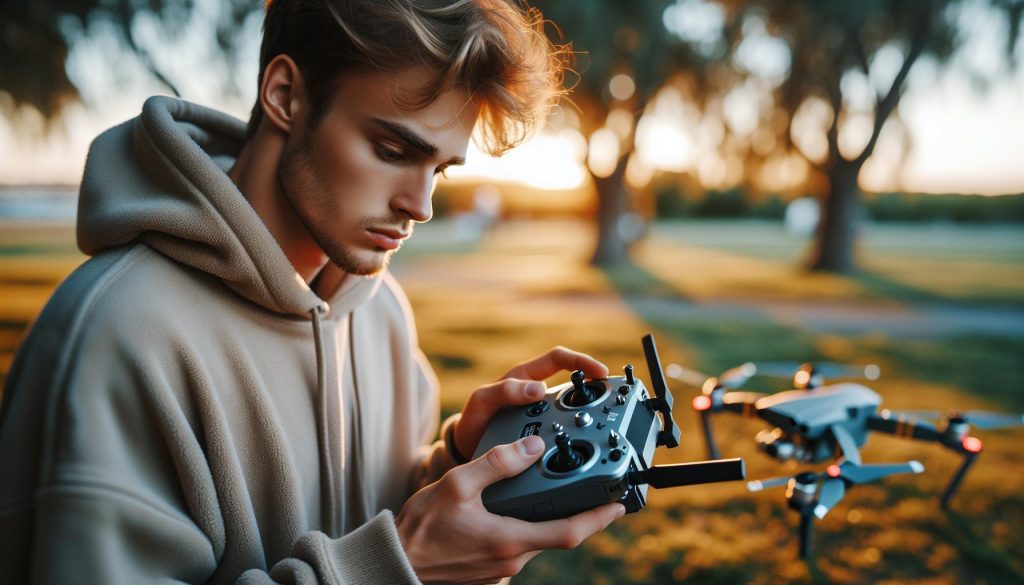
In the ever-evolving world of drone technology, the DJI RC controller stands out for its remarkable precision and user-friendly interface, but can you seamlessly integrate it with other drone models? This question resonates deeply with both seasoned pilots and newcomers aiming to expand their flying capabilities without investing in multiple controllers. Understanding the compatibility limits of the DJI RC controller can unlock new possibilities for your aerial adventures while saving you time and money. As you continue reading, you’ll uncover essential insights into its operational boundaries, practical tips for maximizing your flying experience, and the nuances that differentiate various DJI drone models. Get ready to elevate your understanding and flying finesse to new heights!
Can You Use the DJI RC Controller With Other Drone Models?
The DJI RC controller is undeniably a leap forward in user-friendly drone operation, featuring a robust design and intuitive layout. However, whether you can use it with other DJI drone models beyond the intended compatibility can be a concern for many pilots. With DJI continuously innovating and expanding their product line, understanding cross-compatibility is crucial for maximizing the utility of your equipment.
Generally, DJI controllers are designed to work seamlessly with specific drone models within their series. For instance, the DJI RC controller is primarily compatible with the Air 2S and Mavic 3 series. When considering different models, ensure you check the manufacturer’s specifications. While some users have successfully paired controllers with non-compatible drones-often resulting in limited functionality or connectivity issues-these practices can vary widely in reliability.
To set up a connection with other drones, the process usually involves entering a pairing mode on both the controller and the drone. This may mean following the exact steps outlined in the user manual for each device. However, be aware that even if pairing is successful, features specific to the controller may not function as expected with unsupported drones. Therefore, conducting thorough research on community experiences and manufacturer documentation is advisable before making any connections beyond intended use.
To ensure optimal utility from your DJI RC controller, keep an eye on firmware updates both for the controller and the drone. This step can significantly improve performance and may even enhance compatibility with other models over time. Balancing the expectation of functionality with real-world application will lead to a more satisfying experience as you navigate the skies.
Exploring Compatibility Across DJI Drone Series
The evolving landscape of drones has sparked curiosity among pilots regarding the interchangeability of controllers within the DJI ecosystem. While the DJI RC controller represents a sophisticated feat of design and technological prowess, it is important to know that its compatibility is primarily limited to select drone models. For instance, the DJI RC controller is primarily engineered to operate seamlessly with the Air 2S and Mavic 3 series, ensuring that these devices achieve their full potential. This model-specific design maximizes functional synergies, delivering an experience that feels intuitive and responsive.
When exploring compatibility, it can be tempting to experiment with pairing the DJI RC controller with other models, like the Mini or Phantom series. Such attempts, while not devoid of success stories, often lead to varying degrees of functionality. Users have reported sporadic connections with non-compatible drones, but these experiences frequently come with significant limitations-for example, the inability to access certain advanced features. Always look into user forums and vetted resources to gain insights into community experiences. This not only enhances your understanding but can also save you time and potential frustrations that arise from contrasting design standards.
The pairing process itself is relatively straightforward but does require adherence to each device’s specific instructions. Typically, it involves activating pairing mode on both the controller and the drone and ensuring they’re in proximity. Even a successful pairing might not guarantee that all features will integrate as intended, emphasizing the importance of doing your homework. To maintain the best possible performance, it is advisable to regularly check for firmware updates for both the controller and the drone, as these can lead to improved compatibility and functionality over time.
As DJI continues to innovate, the future may hold more integrated solutions that broaden the compatibility of their controllers with additional drone models. Keeping abreast of these developments is vital, as advancements could ultimately streamline your drone operation experience, giving you more freedom to utilize your equipment in diverse ways. Whether you are a hobbyist or a professional operator, understanding the limitations and capabilities of your tools will empower you to make informed decisions that elevate your flying experience.
Understanding Controller Limitations and Features
Navigating the world of drone technology often leads enthusiasts to question the functionality and limitations of various controllers, specifically DJI’s RC controller. While it boasts a range of advanced features, its practicality is not universal across all DJI models, fundamentally affecting operations and user experience. Understanding these limitations not only enhances effective usage but also aids in making informed decisions about which drones to pair with specific controllers.
One of the primary features of the DJI RC controller is its intuitive layout and accessibility to advanced functions. For instance, it seamlessly integrates with the Air 2S and Mavic 3 series to provide functionalities such as intelligent flight modes, precise camera control, and enhanced telemetry data. However, when attempting to connect it with older or non-compatible models like the Mini or Phantom series, users may encounter hurdles. The controller may connect successfully, but often with limited capabilities. Common issues include the inability to utilize specific flight modes, degraded control over camera functions, or even loss of telemetry information.
To mitigate potential frustrations, users should understand their specific drone’s compatibility before attempting a connection. This knowledge can be a game-changer when selecting a controller geared for a particular flight experience. Furthermore, taking time to read community experiences and product reviews can provide insights into what features may or may not be available when pairing a DJI RC controller with different drones.
Through diligent exploration of the controller’s capabilities and a thorough understanding of its intended design, pilots can enhance their aerial experiences. Regularly checking for firmware updates is also crucial, as these updates often unlock new features or improve existing functionalities, ensuring that both the controller and the drone work in harmony for optimal performance. Embracing this proactive approach not only enriches the flying experience but also encourages continuous learning and adaptation among drone operators.
Step-by-Step Guide to Pairing Controllers with Drones
To effectively pair the DJI RC controller with your drone, understanding the critical steps involved is essential. The compatibility of the RC controller with various DJI drone models can impact your overall flying experience significantly. Here’s a comprehensive guide to help you navigate this process smoothly.
Begin by ensuring that your drone and controller are fully charged. Low battery levels can hinder the pairing process. Next, power on both devices. For the controller, press and hold the power button until the LED indicators light up. As for your drone, turn it on typically via the power button, which might require a press-and-hold action.
Connecting the Devices
Follow these steps to connect your controller with the drone:
- Access the Pairing Menu: On the controller, swipe down from the top to access the settings. Look for the link or pairing option specific to the drone model.
- Prepare for Pairing: On the drone, press the pairing button, usually located near the battery compartment. This makes the drone discoverable.
- Establish the Connection: Back on the controller, select your drone from the available list. Confirm the connection when prompted; the LED indicators will signal a successful pairing.
Troubleshooting and Final Checks
If the devices do not connect, consider these troubleshooting tips:
- Ensure you are not too far apart; proximity can impact wireless signals.
- Restart both devices and attempt the pairing process again.
- Consult the user manual for specific pairing instructions for your drone model, as processes can vary slightly.
Lastly, once paired, successfully optimize your settings within the controller interface to ensure you have access to all available functionalities. This pairing method is crucial for maximizing your DJI drone’s capabilities. By following these steps and being mindful of potential challenges, you’ll be well-prepared to enhance your flying experience while leveraging the full functionality of the DJI RC controller. Regularly checking for firmware updates post-pairing will ensure the best compatibility and performance between your devices.
Maximizing Functionality: Settings for Optimal Use
To get the most out of your DJI RC controller, particularly when using it with compatible drones, fine-tuning your settings is essential. Proper configuration allows for enhanced responsiveness and a better overall flying experience. Start by customizing the control sensitivity to match your flying style. For experienced pilots, cranking up the sensitivity can give a more agile feel, while beginners may prefer a slower response to allow for more controlled movements during flight.
Another key setting to adjust is the screen brightness and display settings of your controller. Operating in bright sunlight? Increase the brightness to maintain visibility. Additionally, consider using the histogram feature if your controller and drone support it; this will help you adjust exposure settings in real-time for more refined photographic results. When shooting video, enable the grid overlay, which can assist in composing your shots.
Don’t overlook the importance of calibrating your gimbal regularly. This not only ensures stable footage but also helps in maintaining the drone’s general performance. Within the controller’s settings, you should find an option for gimbal calibration that prompts a step-by-step process. Follow this closely to ensure your camera remains level during flight, enhancing the quality of your media.
Lastly, pay attention to the pre-flight checklist you can customize on your controller. Having a systematic approach to check battery levels, signal quality, and flight modes before takeoff can significantly reduce the risk of in-flight complications. Utilize these settings to create personalized profiles tailored to different flying conditions or styles, thus streamlining your experience and maximizing the capabilities of your drone. With these optimizations, you can elevate your flying experience to new heights, whether you’re capturing aerial photography or simply enjoying the thrill of flight.
Troubleshooting Common Connection Issues
Ensuring a smooth connection between your DJI RC controller and compatible drones can sometimes present challenges that might leave even seasoned pilots feeling frustrated. A common encounter is the inability of the controller to pair or communicate effectively with the drone, which can stem from several factors. Understanding these issues and how to address them can save time and enhance your flying experience.
Begin by checking the firmware versions of both your drone and controller. Insufficient updates can lead to connectivity problems, so always ensure both devices are running the latest software. To update, connect each device to the DJI app or Assistant, which will guide you through the process. Pairing issues can also arise from improper connection methods; ensure you follow the correct steps to initiate pairing. Typically, you will need to power on both devices, then access the controller settings to establish a connection.
Interference is another culprit that can disrupt connections. Operating in environments with many wireless signals-such as urban areas-can challenge radio frequency stability. To mitigate this, try to fly in less crowded areas, and ensure no physical barriers, like trees or buildings, obstruct the controller’s line of sight with the drone. Distance also matters. Staying within the optimal range during initial pairing is crucial; being too far can lead to weak signals and disconnections.
Lastly, if you’ve gone through all these steps and still face issues, performing a factory reset on both the controller and the drone might be necessary. This reset can clear any corrupted settings or errors that prevent proper communication. Always remember to back up your settings and configurations before performing this step to avoid losing personalized adjustments. By addressing these potential problems proactively, you can ensure a reliable connection between your DJI RC controller and your drone, enabling you to focus on capturing stunning aerial footage and enjoying your flights.
Firmware Updates: Keeping Your Controller and Drone Aligned
Ensuring your DJI RC controller and drone are running on compatible firmware is crucial for optimal performance and broad compatibility with different drone models. Firmware updates not only enhance connectivity but also introduce new features, improve stability, and fix bugs that could affect functionality. Without the latest updates, you may encounter issues such as pairing failures or unexpected disconnections, limiting your flying experience.
To initiate a firmware update, start by connecting both your drone and controller to a stable Wi-Fi network. Using the DJI Fly app or DJI Assistant software, you can check for available updates. It’s important to update both devices simultaneously to avoid version incompatibility, which can prevent successful pairing. Here’s a quick guide to the process:
- Download the DJI Fly app on your mobile device or install DJI Assistant on your computer.
- Connect your drone and controller to your phone or computer using a USB cable.
- Open the app and navigate to the firmware update section.
- Follow the prompts to download and install available updates.
- Restart both devices post-update to ensure changes take effect.
Regular firmware updates create not only a more reliable flying experience but also enhance your drone’s capabilities. Take the time to check for updates before significant flights or after extended periods of not using your drone. This routine maintenance will help prevent potential issues that may arise from outdated software, allowing you to enjoy safer and smoother flights.
Remember, compatibility can greatly vary across different models. Always consult the official DJI support resources to confirm which updates are appropriate for your specific drone model and controller. Keeping both devices aligned with the latest firmware not only optimizes your connectivity but also significantly enriches your operating experience.
Accessories and Enhancements for DJI RC Controllers
Accessories can significantly enhance the functionality and user experience of DJI RC controllers, transforming them into versatile tools for both casual and professional drone operators. One of the most popular accessories is the sunshade, which attaches to the controller’s display. This simple addition allows for improved visibility during bright daylight, ensuring that you can keep an eye on your screen and maintain control without straining your eyes. Furthermore, custom grips and straps can provide added comfort and stability, especially during extended flights.
Another valuable accessory to consider is a mobile device holder. Many pilots prefer to use their smartphones or tablets in conjunction with the controller for a larger viewing area. A robust mount that securely attaches your device can make a significant difference, allowing for easier navigation through app settings, real-time telemetry, and enhanced situational awareness while flying. Some mounts even offer adjustable angles for optimal viewing regardless of lighting conditions.
Battery Solutions
Battery life is often a limiting factor during drone operations, and investing in additional battery packs or a multi-charger system can drastically extend your flying time. High-capacity batteries designed specifically for the DJI RC controllers can ensure that your devices remain powered throughout long shooting sessions. Keep an eye on power management with battery monitoring apps that can help you maintain awareness of your charge levels, preventing unexpected interruptions during flights.
Enhanced Controls
For those seeking more control options, consider joystick extensions or alternative control sticks that can replace the standard ones. These enhancements can make throttle and roll movements easier to manage, especially in challenging environments. Pilots can also explore programmable buttons or knobs that allow for smoother adjustments and quicker access to specific functions, such as camera tilt or gimbal adjustments.
By equipping your DJI RC controller with these thoughtful accessories, you can not only improve the user experience but also elevate the overall quality of your drone operations. Tailoring your setup to match your flying style and preferences can lead to more enjoyable and confident flying, whether you are capturing breathtaking landscapes or conducting detailed inspections.
User Experiences: Community Insights on Compatibility
Connecting a DJI RC controller to different drone models can be an intriguing exploration for many enthusiasts. Insights from the drone community reveal various experiences and challenges related to compatibility across DJI’s lineup. Many users have taken to forums and discussion groups to share their findings, often highlighting both successes and limitations when attempting to use a DJI RC controller with different drone models.
A prevailing theme in user discussions is the seamless integration of the DJI RC controller with models within the same series. For instance, users report that pairing a controller with various Mavic drones tends to be straightforward, often requiring minimal setup. However, when users attempt to connect controllers with drones from different series, such as attempting to use a Mavic controller with an Air model, compatibility issues arise more frequently. This typically stems from differences in firmware or communication protocols specific to each drone type.
For enthusiasts looking to expand their capabilities, successful experiences often involve purchasing additional controllers tailored for specific drones rather than relying on a single controller for multiple models. Some forum members advise investing in original equipment controllers for the best performance and access to full functionality features like drone settings, camera controls, and advanced flying modes. Yet, there are also anecdotal reports of third-party controllers or modified hardware being used, although these efforts can lead to mixed results and may not be compatible with DJI’s safety features.
To maximize compatibility and overcome common issues, the community suggests keeping firmware updated across all devices and carefully following official guidelines for pairing. Each model has unique requirements and protocols for establishing a connection, and users have found that consulting official documentation can be a game-changer. Additionally, sharing experiences on community forums can help users identify effective workarounds or tools to facilitate their setups, ensuring an enjoyable flying experience regardless of the drone model at hand.
Future of DJI Controllers: What to Expect
As the drone landscape continues to evolve, the future of DJI controllers holds exciting possibilities for enthusiasts and professionals alike. With the various models in the DJI lineup, there’s an increasing demand for controllers that offer versatility and improved interoperability with multiple drone series. Upcoming innovations are likely to focus on enhancing compatibility, reducing the barriers that currently exist when pairing controllers with different drones.
One potential advancement may come in the form of a unified firmware strategy. By streamlining communication protocols across their drone series, DJI could facilitate a more user-friendly experience where a single controller could easily adapt to various models. This means that instead of needing to purchase multiple remote controllers for different drones, users might only need to ensure their firmware is updated, allowing seamless transitions between devices.
Additionally, improvements in controller features are expected to enhance user experience significantly. For example, the integration of advanced telemetry data systems could provide real-time feedback on battery life, connectivity status, and flight conditions directly on the controller’s display. This would not only increase situational awareness during flights but also ensure that pilots are better equipped to make informed decisions, especially when flying in challenging environments.
Moreover, community engagement and user feedback will play a crucial role in shaping future developments of DJI controllers. The emerging trend is already seeing DJI incorporating user suggestions from forums and social media to refine controller functionality and compatibility. As DJI responds to user needs, this creates an ongoing cycle of improvement that aligns product offerings with real-world applications.
In summary, the future of DJI controllers promises an exciting blend of enhanced compatibility, user-driven innovations, and advanced technological features. By focusing on these areas, DJI can continue to support its community of pilots, ensuring they have the tools necessary for both creative expression and operational excellence in their drone activities.
Comparative Analysis: DJI Controllers vs. Other Brands
When considering the use of the DJI RC controller with other drone brands, it’s crucial to understand both the technical specifications and the broader compatibility landscape. DJI controllers are renowned for their high-quality features and seamless integration with DJI’s range of drones, such as the Mavic and Phantom series. This integration provides users with a unique user interface, advanced telemetry, and personalized control settings that may not be effectively replicated using third-party controllers.
One of the primary advantages of DJI controllers is the proprietary technology that enhances their functionality, allowing for features such as real-time video feedback, automated flight modes, and robust telemetry data. For instance, the DJI RC Pro controller is designed specifically for the Matrice and Inspire series, offering features tailored to professional applications like mapping and surveying. In contrast, many other brands’ controllers may lack these sophisticated enhancements, thus limiting the overall flight experience and capabilities.
When comparing DJI controllers to those from competitors like Autel or Parrot, several factors emerge. DJI controllers often provide superior build quality and ergonomics, making for a more comfortable user experience during extended flights. However, alternative brands may offer increased compatibility with various models, potentially allowing users to avoid the necessity of multiple controllers for different drones. This flexibility can be appealing for users frequently switching between models or brands.
For those exploring compatibility, it’s important to note that while DJI controllers can sometimes connect to non-DJI drones through various mods or software adjustments, this often comes with reduced functionality or potential connectivity issues. Therefore, if you’re considering integrating a DJI RC controller with a non-DJI model, you may need to brace for a learning curve and possibly compromise on the advanced features that users typically associate with DJI products.
In conclusion, while using DJI controllers with other drones is a tempting proposition, the inherent advantages of DJI’s proprietary technology and user interface make their controllers particularly well-suited for DJI drones. For the best experience and to fully utilize your drone’s capabilities, sticking with the manufacturer’s recommended controller is advisable.
Regulatory Considerations for Third-Party Usage
Using a DJI RC controller with non-DJI drones may seem like an enticing option for some pilots looking to unify their flight experience or save costs on controllers. However, it’s essential to navigate the regulatory landscape associated with this practice, as there are implications that can affect both safety and compliance with local aviation laws.
First, many regions have specific regulations governing the use of drones. For instance, the Federal Aviation Administration (FAA) in the United States, as well as aviation authorities in other countries, stipulate that drones must operate within certain technical specifications. Utilizing a DJI controller with a different brand of drone may lead to violations of these regulations if the non-compliant features of the controller disrupt flight safety or the drone’s operational capabilities. Given that many third-party drones are designed and certified to work with their proprietary controllers, it’s crucial to verify whether using an alternative controller adheres to local guidelines.
Additionally, it’s worth contemplating the warranty and service limitations. If a pilot modifies a drone to accept a DJI controller, they could void the warranty on that drone, leaving them vulnerable to costly repairs or replacements. Many manufacturers specifically state that non-approved accessories can lead to malfunctioning equipment or further issues, thus emphasizing the importance of using the manufacturer’s recommended devices.
Moreover, having a solid understanding of the legal implications of using third-party accessories not only protects individual operators but is crucial for commercial users who often operate under stricter regulatory scrutiny. For commercial enterprises, compliance with regulations is usually monitored rigorously, and any deviation could result in significant penalties or restrictions on future operations.
Ultimately, while integrating a DJI RC controller with non-DJI drones stands as an attractive concept, the complex landscape of regulatory considerations must be comprehensively understood and respected. By prioritizing compliance with local laws and regulations, along with maintaining the integrity of the warranty and operational safety, pilots can ensure their flying experience remains both enjoyable and lawful.
FAQ
Q: Can I use DJI RC controllers with any DJI drone model?
A: DJI RC controllers are designed to be compatible with specific drone models. Before pairing, check the manufacturer’s specifications for compatibility with your drone model. Refer to the “Can You Use the DJI RC Controller With Other Drone Models?” section for detailed compatibility information.
Q: What limitations exist when using the DJI RC controller with third-party drones?
A: DJI RC controllers may not be fully compatible with drones from other brands. Limitations often include loss of advanced features and controls, where the functionality may not match DJI’s specifications. Always consult the drone’s user manual for potential operational restrictions.
Q: How do I pair my DJI RC controller with a different DJI drone?
A: To pair your DJI RC controller, power on both the controller and the drone, then navigate to the settings on the controller. Select ‘Pairing’ from the menu and follow prompts to connect to your drone. Refer to the “Step-by-Step Guide to Pairing Controllers with Drones” for more details.
Q: What features are limited when using the DJI RC controller with non-DJI drones?
A: Using a DJI RC controller with non-DJI drones often limits access to custom settings and advanced flying modes, such as intelligent flight modes and telemetry data. Compatibility varies by brand and model, so check the specific features available for your setup.
Q: Can I use the DJI RC controller with older DJI drone models?
A: Yes, some older DJI drones can be paired with newer RC controllers, but compatibility often depends on firmware versions. Ensure both devices have the latest updates installed for optimal performance, as specified in the “Firmware Updates” section.
Q: What should I do if my DJI RC controller isn’t pairing with the drone?
A: If pairing fails, check the connection settings and ensure both devices are charged. Restart both the controller and the drone, and try pairing again. For troubleshooting tips, see the “Troubleshooting Common Connection Issues” section.
Q: Is there an advantage to using the latest DJI RC controller with older models?
A: The latest DJI RC controllers may offer improved control features, better battery life, and enhanced connectivity over older models. However, check compatibility with specific drone models to determine which features will be accessible when using an older drone.
Q: Where can I find community experiences regarding DJI RC controller compatibility?
A: Community forums and user groups are excellent resources for shared experiences and compatibility issues. Check the “User Experiences: Community Insights on Compatibility” section for insights from other drone enthusiasts.
Future Outlook
While the DJI RC Controller offers exciting capabilities for specific models, it’s important to understand its limitations with other drones. To optimize your flying experience, explore our guides on drone setup and firmware updates. If you’re curious about compatible drones, check out our comprehensive reviews of the Mini, Mavic, and Air Series. Don’t let uncertainty hold you back-take advantage of our resources to elevate your drone skills.
For more insights on drone operation and maintenance, subscribe to our newsletter for the latest tips and tutorials. Share your experiences in the comments, and connect with fellow drone enthusiasts. Your next flight adventure starts now-dive into our related articles and enhance your understanding today!









