
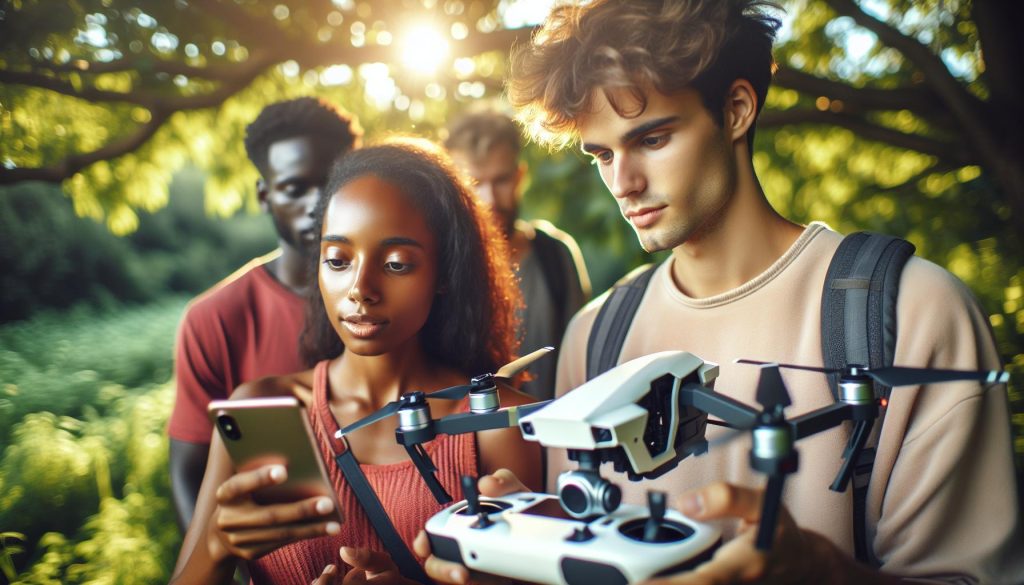
In today’s tech-savvy world, drones have revolutionized aerial photography and videography, making them accessible to hobbyists and professionals alike. Yet, a common question arises: do DJI drones work with Android devices? Understanding the compatibility of DJI’s powerful drones with Android apps is crucial for ensuring optimal performance and functionality. With various models and software requirements, navigating this landscape can be challenging. This article will delve into the intricacies of DJI drone compatibility with Android, addressing your concerns and helping you harness the full potential of your drone experience. Whether you’re looking to capture stunning landscapes or enhance your flying skills, knowing how to effectively pair your device with DJI technology is the first step toward exceptional aerial adventures. So, join us as we explore the essential details that will empower you to take your drone operations to new heights.
Does DJI Drones Support Android Devices?
While many drone enthusiasts may gravitate toward Apple’s ecosystem, DJI has ensured robust compatibility for Android users. Android devices have become essential for controlling DJI’s advanced range of drones, allowing pilots to fully utilize features from live feeds to editing tools. With the right setup, Android users can enjoy seamless integration that enhances their flying experience.
Many DJI drones, such as the Mavic series and Mini models, support the DJI GO or DJI Fly app, both available on the Google Play Store. These applications are designed to connect your drone to your Android device, enabling real-time video streaming, flight control, and access to various settings. Compatibility extends broadly across multiple Android devices, with the requirement that the device runs an acceptable version of the Android operating system. Most modern smartphones, regardless of brand, will meet these specifications, resulting in a rich and interactive piloting experience.
However, issues can arise with Android app compatibility, with some users reporting performance hiccups or connection instability. Common troubleshooting steps include ensuring the app is updated to the latest version, checking device memory, and confirming Wi-Fi settings are correctly configured for linkage. By addressing these potential roadblocks, Android users can maximize the utility of their drones and ensure a smooth flight session.
Understanding the DJI GO App for Android
The DJI GO app serves as a vital interface for drone operators using Android devices, fundamentally transforming the flying experience through its comprehensive features and functionalities. With the capability to stream high-definition video feeds in real-time, the app allows pilots to engage deeply with their environment while gaining critical flight data. For instance, users can monitor altitude, GPS positioning, battery life, and more, ensuring a well-informed and safe flying experience. Additionally, the app’s intuitive design provides direct access to flight modes, camera settings, and editing tools, making it an indispensable resource for both amateur and professional drone pilots.
To begin using the DJI GO app effectively, you’ll need to download it from the Google Play Store and ensure your Android device meets the app’s compatibility requirements. Generally, modern devices running Android 5.0 (Lollipop) or higher can seamlessly support the app. After installation, connecting the app to your drone is straightforward. Simply turn on your drone and remote controller, launch the DJI GO app, and follow the on-screen prompts to link your devices. This setup also enables the app to download the latest firmware updates for your drone, ensuring you have access to the newest features and improvements.
Once connected, the DJI GO app offers numerous advanced features, such as Intelligent Flight Modes like ActiveTrack, Waypoints, and Point of Interest. These functionalities empower pilots to capture dynamic shots effortlessly, enhancing both creativity and professionalism in aerial photography and video work. Furthermore, the app facilitates easy social media sharing and video editing, allowing users to showcase their flying adventures instantly.
However, it’s important to consider common issues related to using the DJI GO app on Android. Users may experience performance interruptions due to device memory limitations or compatibility problems with specific Android models. Regularly updating the app and the firmware can help mitigate such challenges and enhance overall performance. By familiarizing themselves with the full capabilities of the DJI GO app, drone enthusiasts can significantly elevate their flying experiences and capture stunning aerial images that showcase their skills and creativity.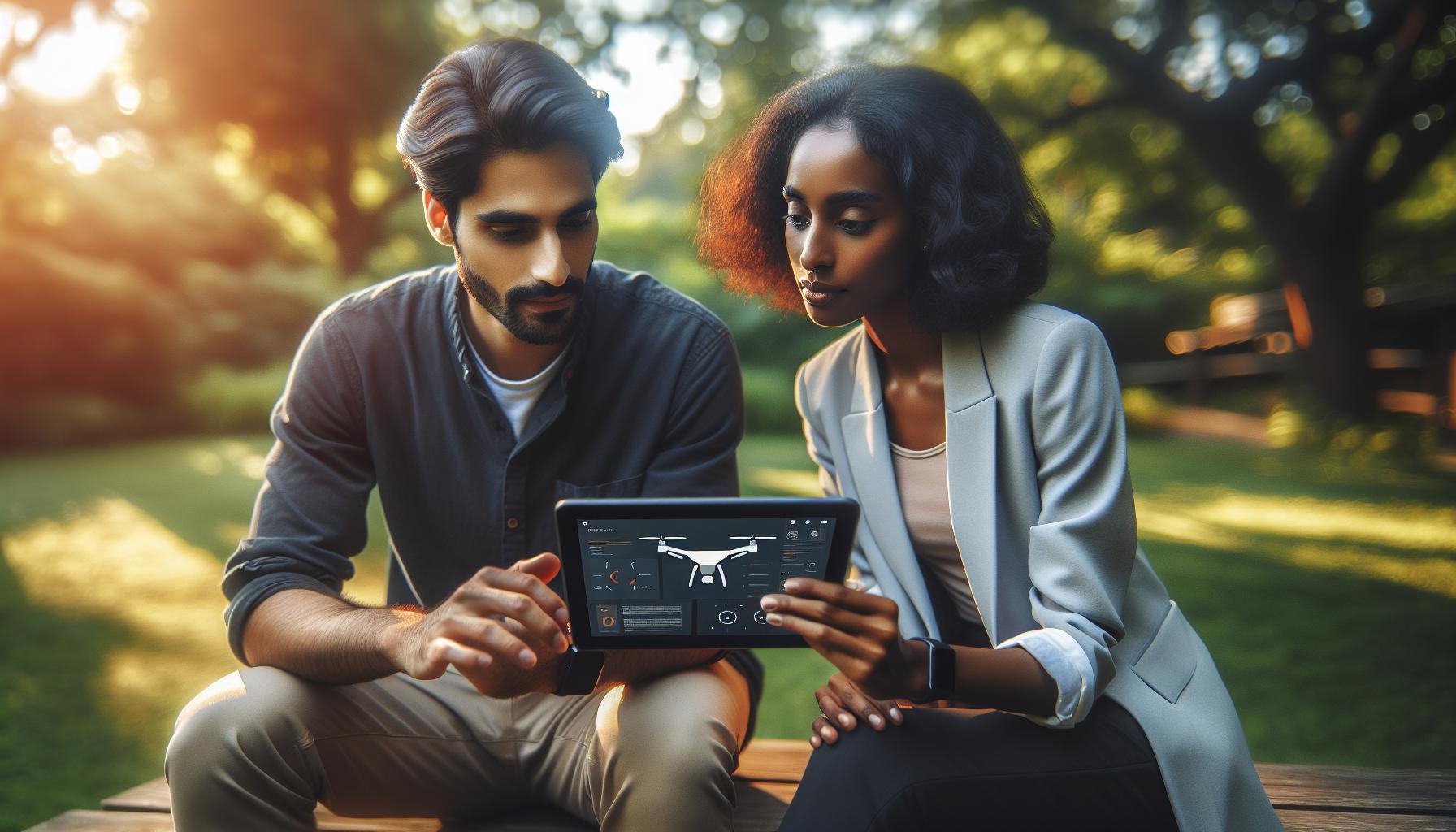
Steps to Connect DJI Drones to Android
Connecting your DJI drone to an Android device is a straightforward process that opens the door to a myriad of features and functionalities. With the DJI GO app, you can control your drone, monitor real-time flight data, and even access advanced flight modes. Here’s a step-by-step guide to ensure a seamless connection between your DJI drone and your Android smartphone.
First, make sure that your Android device is compatible with the DJI GO app. Generally, devices running Android 5.0 (Lollipop) or higher should work well. Start by downloading the DJI GO app from the Google Play Store. It’s essential to keep the app updated to benefit from the latest features and fixes.
Once you have installed the app, ensure that both your drone and remote controller are fully charged and turned off. Start by powering on your remote controller and then the drone. Once both devices are powered up, launch the DJI GO app on your Android device. The app will prompt you to connect to the drone. Depending on your drone model, this may involve choosing the correct Wi-Fi signal from your drone or connecting using a USB cable. Follow the on-screen instructions to complete the connection process.
After successfully connecting, you can then calibrate your drone’s compass if prompted. It’s also a good idea to check for any necessary firmware updates for both the drone and the remote controller using the app. This way, you ensure that your drone is running the most efficient and stable version of software available.
For added ease of use, familiarize yourself with the app’s interface. The DJI GO app provides intuitive controls for various settings, including camera options, flight modes, and live video feed settings. By understanding these functionalities, you’ll be well-equipped to make the most of your flying experience right from your Android device.
Compatible DJI Drone Models With Android Apps
With the proliferation of drone technology, the question of compatibility between DJI drones and Android devices becomes increasingly significant for prospective pilots. DJI has ensured that a broad range of its drones seamlessly integrates with Android apps, particularly the DJI GO and Fly apps, which serve as essential tools for operation, providing access to flight modes, camera settings, and real-time telemetry data. Most modern DJI drones are compatible with these applications, allowing both hobbyists and professionals to unlock the full potential of their aerial equipment.
### Compatible Models
The compatibility of DJI drones with Android apps generally spans several popular series:
- Mavic Series: Including the Mavic Mini, Mavic Air 2, and Mavic 3, these drones consistently provide robust features, such as QuickShots and automated flight paths, easily managed through the DJI Fly app on Android devices.
- Phantom Series: The Phantom 4 and its variants, known for their professional-grade camera capabilities, work well with the DJI GO app, offering advanced settings to accommodate creative shoots.
- Air Series: The Air 2S and DJI Air 2 support comprehensive functionalities via the DJI Fly app, ensuring a user-friendly interface while providing professional results.
- Mini Series: The Mini series, such as the Mini 2 and Mini SE, are optimized for casual users and remain fully compatible with Android, making them excellent starting points for novice flyers.
- Inspire Series: Targeting more advanced users, the Inspire drones utilize the DJI GO app for complete control over intricate filming options.
- Avata: DJI’s FPV drone, the Avata, is also Android-compatible, aligning with the trends of immersive aerial experiences.
### Additional Considerations
When selecting a drone, it’s crucial to verify compatibility with your specific Android device. The DJI GO and Fly apps generally require Android 5.0 or higher for optimal performance, and performance can vary based on the manufacturer and model of the smartphone. Users should also regularly update their apps to the latest version to guarantee compatibility with their drone and to enjoy new features or performance enhancements.
In summary, the majority of DJI drones cater to Android users, ensuring an expansive choice for various aerial photography and videography needs. Whether you’re capturing scenic landscapes or engaging in professional shoots, the Android platform is robustly supported, ensuring a fulfilling flying experience with DJI’s cutting-edge technology.
Common Issues with DJI Android App Compatibility
Android users often encounter specific challenges when trying to use DJI drones with their devices, despite the broad compatibility of these systems. One common issue arises from operating system incompatibility. While the DJI GO and Fly apps typically require Android 5.0 or later for optimal performance, some newer devices may still experience glitches or crashes during use due to firmware inconsistencies or app bugs. Ensuring your device has the latest version of Android can mitigate these issues, but users should also be aware that performance can differ significantly between smartphone manufacturers and models.
Another frequent hurdle relates to permissions and settings. Upon installation, the DJI apps may prompt users to enable certain permissions that are critical for the app’s successful operation, such as camera access and location services. If these permissions are denied or not configured correctly, functionality can be severely limited. Additionally, due to security settings on many devices, users might see warnings stating that the app is from “unknown sources” when attempting installation. Resolving this typically involves adjusting the phone’s security settings to allow installations from unknown sources, which should be done cautiously.
- Connection problems: Users sometimes report difficulties connecting their Android device to the drone, often stemming from Bluetooth or Wi-Fi settings. Always ensuring that mobile data is turned off and Wi-Fi is enabled can improve connection stability.
- App updates: Regularly updating the DJI apps is crucial, as updates often contain bug fixes and enhancements that address known issues, improving overall compatibility and performance.
- Device overheating: Intensive tasks like video recording can cause phones to heat up, potentially leading to performance throttling or unexpected app shutdowns. Keeping your device cool and free from intensive background processes can alleviate such problems.
To maximize your experience and minimize these common issues, it’s advisable to perform routine checks on both your Android device and the DJI apps. Consider checking online forums or communities where fellow Android users share their experiences and solutions; these platforms can be invaluable resources for troubleshooting. By being proactive and informed, you can ensure a smoother operation of your DJI drone with your Android device.
Maximizing Performance of DJI Drones on Android
To achieve peak performance from your DJI drone when using an Android device, it’s essential to optimize both your smartphone settings and the app itself. Ensuring that your Android device meets the minimum requirements for the DJI GO or Fly apps is a crucial first step. You should have at least Android 5.0, but ideally, using a device with the latest OS version can significantly enhance compatibility and functionality. Regularly checking for system updates will also help keep your device performing optimally.
Utilizing available features within the DJI apps can further enhance your flying experience. For instance, the intelligent flight modes that these apps offer allow users to maximize the creative potential of their drones. Modes like “Follow Me” or “Waypoints” can make your flying experience more dynamic and tailored to your specific needs. Familiarize yourself with these modes through practice to understand their limitations and capabilities fully.
Applying some best practices when prepping for a flight can mitigate common issues. Before takeoff, make sure to close other applications running on your Android device, as these can hog resources and lead to sluggish performance. Additionally, check your battery levels and ensure that your device is being charged or has enough power to last through your flight. Keeping the device cool is vital during hot weather; consider using a cooling rack or avoiding direct sunlight to prevent overheating during extended flights.
Lastly, consider joining online forums or local drone clubs; these communities often share valuable tips and troubleshooting advice specific to different Android models. The collective knowledge in these groups can help you overcome unique challenges you may face. By staying informed and practicing these techniques, you can ensure that your DJI drone operates smoothly and efficiently with your Android device, allowing you to focus on capturing stunning aerial footage.
Alternative Apps for DJI Drones on Android
Many drone enthusiasts seek alternatives to DJI’s proprietary apps for various reasons, such as enhanced functionality or compatibility with specific Android devices. Fortunately, the Android ecosystem boasts a variety of applications that can help users maximize their DJI drone experience. While DJI’s GO and Fly apps remain the primary tools for controlling their drones, these alternative apps can offer unique features and benefits that cater to different flying styles and user preferences.
Popular Alternative Apps
One of the top contenders in this space is Litchi. This app provides a host of advanced features such as waypoint missions, follow modes, and VR headset support. With its intuitive interface and customizable flight paths, Litchi is perfect for both casual users and seasoned pilots looking to expand their creative possibilities. It allows users to plan detailed flight routes before heading out, enabling precise aerial photography and videography sessions.
Another noteworthy option is DroneDeploy, widely regarded for its powerful mapping capabilities. Ideal for professionals in industries like agriculture, construction, and surveying, this app enables users to create high-resolution maps and 3D models from drone imagery. It also offers real-time analytics, making it a valuable tool for data-driven decision-making.
For those interested in racing or FPV (First Person View) flights, FPV Freerider is an excellent choice for practicing drone maneuvers and skill development. While it’s primarily a simulator, it helps pilots refine their flight techniques before taking to the skies, thus minimizing risks and enhancing overall flying skills.
Safety and Considerations
While exploring alternative applications, it is essential to ensure compatibility with your specific DJI drone model. Each app may support different models and functionalities; therefore, always verify that your drone is compatible with the chosen app before investing time or money. Additionally, using third-party applications might void your drone’s warranty or limit access to firmware updates from DJI, so weigh these factors carefully.
As you transition to using alternative apps, keep in mind the significance of safety guidelines and local regulations. Each app may have features that impact flight safety and compliance, such as live telemetry or geofencing capabilities, which should always be adhered to for safe operation. Always stay informed about the latest drone laws in your area to ensure responsible flying.
Exploring these alternative applications can significantly enhance your flying experience and cater to your specific needs, whether it’s for professional work, leisure, or skill development. By experimenting with different tools, you’ll discover new methods to harness your drone’s full potential, taking your aerial adventures to the next level.
Firmware Updates and Maintenance for Android Users
Maintaining your DJI drone’s firmware and performing regular maintenance is crucial for ensuring optimal performance, especially when using Android devices. Firmware updates not only introduce new features but also improve stability, enhance functionality, and address any bugs that may be affecting your flying experience. Missing these updates can lead to operational issues, loss of control, or even damage to your drone, making it important to stay current.
To update your firmware on an Android device, follow these straightforward steps:
- Install the Appropriate App: Ensure you have the necessary DJI app installed on your Android device, such as DJI Fly or DJI GO. These apps typically prompt you when an update is available.
- Connect Your Drone: Power on your drone and connect it to your Android device via Wi-Fi or USB, depending on the model. Make sure you have a strong signal during this process to prevent any interruptions.
- Check for Updates: Open the app, navigate to the settings or firmware update section, and check for available updates. The app will list the current firmware version alongside any new versions available for installation.
- Download and Install: Follow the prompts to download and install the update. Ensure your drone is fully charged and in a safe place during this process. It’s best to avoid flying during updates to maintain safety.
- Calibration and Maintenance: After updating, always perform a gimbal calibration and ensure that all components, such as propellers and batteries, are in good condition. Check for wear and tear, and replace as necessary to maintain safety and performance.
- Review Release Notes: After applying updates, take a moment to review the release notes. These notes often provide critical information about new features, bug fixes, and any operational changes you need to be aware of.
Common Maintenance Practices
- Battery Care: Always fully charge batteries before flights and store them in a cool, dry place. Follow proper discharge procedures to maximize battery life.
- Cleaning: Regularly clean your drone after flights. Check for debris in the motors, and clean the gimbal and camera lens to prevent image distortion.
- Firmware Check: Make it a habit to check your drone’s firmware every few flights to ensure you aren’t missing any critical updates that could enhance your flying experience.
By following these steps and best practices, you can significantly extend the life of your DJI drone and improve your Android flying experience. Always be proactive in maintaining and updating your equipment, as this reduces the likelihood of issues during critical moments in the air.
Essential Accessories for Enhanced Drone Control
Enhancing your drone control experience often hinges on using the right accessories, especially when flying DJI drones with Android devices. With the increasing sophistication of drone technology, having the right tools can significantly improve your operational efficiency and flight safety. From improved connectivity to better flight control, these accessories can elevate your drone experience to new heights.
One of the most beneficial accessories is a high-quality mobile device holder or tablet mount. An adjustable holder ensures your Android device stays secure, allowing for optimal visibility of the screen during flight. This is crucial when monitoring live feeds and flight data, as distractions can lead to miscalculations. Additionally, utilizing a sunshade for your device can shield your screen from glare, making it easier to see critical information in bright conditions.
Another essential accessory is an extended-range antenna or signal booster. This device enhances the connection between your drone and your controller, allowing for longer flight distances and more stable video transmission. A strong connection is paramount, particularly in environments with potential signal interference. Similarly, investing in high-capacity batteries can be a game changer; longer battery life means extended flight times, letting you capture more footage and explore further before needing to recharge.
Lastly, consider carrying spare propellers and a tool kit during your flight sessions. Propellers can be susceptible to damage, and having spares ensures you can quickly swap them out if necessary. A compact tool kit allows you to perform adjustments or repairs on the fly, minimizing downtime and keeping your shooting schedule on track.
In summary, selecting the right accessories not only enhances your flight capabilities but also contributes to a safer and more enjoyable flying experience. Whether you are a hobbyist or a professional, these tools will help you maximize the potential of your DJI drone while operating with your Android device.
User Reviews: Android vs. iOS Experience
User feedback highlights a nuanced landscape when comparing the Android experience with iOS for operating DJI drones. From usability to app performance, both platforms have distinct advantages and disadvantages that influence user preference and satisfaction.
Many Android users appreciate the broader variety of devices available, providing flexibility in choosing hardware that aligns with their budget and preference. One common advantage of Android is the ability to expand storage through microSD cards, which is especially useful for users who capture high-resolution videos and extensive photo libraries. On the flip side, some users report that certain Android devices may struggle with the demanding processing requirements of the DJI Fly and GO apps, leading to lag during flight operations or less reliable live video feeds. This variability can stem from differences in device specifications and optimization; higher-end models often deliver a smoother experience.
In contrast, DJI’s iOS apps tend to receive praise for their consistent performance across Apple devices, particularly given Apple’s more stringent hardware and software integration. Users often find that the iOS version of apps like DJI GO and the new DJI Fly app offer a more stable user interface with fewer bugs and crashes. The sleek design and optimized functionalities frequently create a more intuitive flying experience, which appeals to both amateur and seasoned drone pilots.
When it comes to updates, many Android users express frustration with delayed app upgrades compared to their iOS counterparts. DJI often rolls out features or improvements to iOS first, leaving Android users waiting for similar enhancements. However, a notable point from Android users is the flexibility to sideload apps or utilities that can enhance functionality, which is an area iOS users find more restrictive.
Ultimately, individual experiences can significantly differ based on the device in use and user expectations. Some Android users feel slightly more empowered by customizations and hardware options, while others might prefer the stability and uniformity of the iOS environment. Engaging in community forums or online reviews often provides rich insights into these varied user experiences, allowing potential buyers to make informed choices based on their specific needs and circumstances.
Safety Guidelines for Flying DJI Drones with Android
Flying DJI drones using Android devices can be an exhilarating experience, especially when you consider the advanced capabilities these drones offer. However, it is essential to prioritize safety during each flight to ensure not only the well-being of the operator but also that of others nearby. Establishing thorough guidelines can significantly enhance the operation and enjoyment of your flight sessions.
Initially, always perform a pre-flight checklist. This includes monitoring battery levels on both the drone and your Android device. Ensure that the DJI app is updated to the latest version compatible with your device, as updates often include important safety features and enhancements. Additionally, check the drone’s sensors and camera gimbal to confirm they are free from obstructions and functioning correctly.
When preparing to fly, familiarize yourself with the environment. Identify any potential hazards such as power lines, trees, or buildings that may impact the drone’s flight path. Always maintain a clear line of sight with the drone during operation-this is crucial for avoiding obstacles and ensuring it can respond promptly to your commands. Be mindful of weather conditions; strong winds, rain, or fog can impair visibility significantly and affect the drone’s performance. It’s wise to avoid flying in challenging conditions until you gain experience.
Respecting local regulations regarding drone operation is vital. Each jurisdiction may have unique laws that affect where and how high you can fly. Be aware of no-fly zones such as airports or crowded areas, and consider using apps that display such restricted areas. Engaging in responsible flying not only keeps you within legal boundaries but also contributes to the overall reputation of drone operators.
To enhance flight safety further, consider employing the use of geofencing and emergency features present in DJI apps on Android. Geofencing can prevent your drone from leaving designated flight areas, while emergency stop features can assist in quickly halting flight operations if any issues arise. Always be prepared for the possibility of signal loss by familiarizing yourself with the return-to-home function; this can be a lifesaver should your connection with the Android device drop unexpectedly.
By integrating these safety practices into your flying routine, you enhance your experience while operating DJI drones on Android devices, ensuring that your passion for aerial photography and exploration remains both enjoyable and secure.
Legal Considerations for Android Drone Pilots
Navigating the legal landscape for drone operation is crucial for every pilot, especially those using DJI drones with Android devices. Whether you’re a hobbyist capturing stunning landscapes or a professional undertaking complex aerial photography, understanding the legal considerations can help you avoid fines and ensure responsible operation. Different jurisdictions have varying regulations concerning drone flight, and as a pilot, it is essential to familiarize yourself with both local and national laws that may affect how and where you fly.
In many regions, drone users must adhere to specific requirements set forth by aviation authorities. For instance, in the United States, the Federal Aviation Administration (FAA) mandates that all drone operators register their drones if they weigh more than 0.55 pounds. Additionally, drone pilots must fly below 400 feet, keep their drones within their line of sight, and avoid flying near airports or in restricted airspace. Violating these rules can result in penalties, including fines or legal action against the operator. It is wise to consult the FAA’s resources and local regulations to ensure compliance.
Moreover, privacy concerns are increasingly prominent as drone use becomes more widespread. Laws often stipulate that operators must not capture images or videos of individuals or private property without consent. This can vary depending on your location, but generally, it’s advisable to seek permission when flying over private lands. Engaging with stakeholders and being transparent about your aerial activities not only fosters goodwill but can also prevent potential legal disputes.
To stay updated with current regulations, consider joining local drone communities or organizations, which often provide resources and more specific legal guidance tailored to your region. These communities also serve as networks for sharing experiences and tips that can enhance your flying practices. Always remember, a well-informed pilot is not just safer but also contributes to the growing legitimacy and acceptance of drones in everyday society.
Frequently asked questions
Q: Do all DJI drones work with Android devices?
A: Yes, most DJI drones are compatible with Android devices. However, ensure your Android version is 6.0 or higher to use the DJI Fly app, which is required for many newer drone models. Check the specific compatibility list for your drone model for best results.
Q: What Android apps do DJI drones support?
A: DJI drones support several apps, including DJI Fly, DJI GO, and DJI Pilot. The DJI Fly app is optimized for newer drones, while DJI GO and DJI Pilot offer broader compatibility with older models. Always download the latest version for optimal performance.
Q: How can I improve my DJI drone’s performance on Android?
A: To enhance your DJI drone’s performance on an Android device, ensure your phone is updated and free of unnecessary apps. Customize the app settings for your flight conditions and regularly check for firmware updates for both the drone and the app.
Q: Can I use an old Android phone with DJI drones?
A: It depends on the Android version. An older phone must run Android 6.0 or above to support the DJI Fly app. Unsupported earlier versions will prevent app installation, limiting functionality with DJI drones.
Q: What should I do if my DJI app crashes on Android?
A: If the DJI app crashes, restart your Android device, clear the app cache, and ensure your phone’s software is up to date. If problems persist, consider reinstalling the app or checking for compatibility issues with your specific drone model.
Q: Are there alternative apps for controlling DJI drones on Android?
A: Although DJI Fly, DJI GO, and DJI Pilot are the primary apps, some third-party applications like Litchi offer additional features. Ensure any alternative app you use is compatible with your specific DJI drone model.
Q: Why isn’t my DJI drone connecting to my Android device?
A: If your DJI drone fails to connect to your Android device, check for Bluetooth and Wi-Fi settings, ensure the app is updated, and verify that your Android version meets the minimum requirements. Restarting both the drone and the device can also help resolve connection issues.
Q: What legal regulations must I follow when flying DJI drones with Android?
A: Flying DJI drones requires compliance with local regulations, which often include registering your drone, flying below certain altitude limits, and avoiding restricted areas. Familiarize yourself with your country or region’s specific drone laws to ensure compliance while using your Android device.
In Conclusion
Now that you understand how DJI drones work seamlessly with Android devices, it’s time to take your flying experience to the next level. Ensure your mobile device runs Android 6.0 or higher to fully utilize the DJI Fly app’s powerful features, perfect for both beginners and seasoned pilots alike. Don’t miss the chance to explore our comprehensive guides on drone setup and maintenance for your specific model, like the Mavic or Phantom series, and check out our tips on safe flying practices and firmware updates.
Ready to amplify your drone skills? Dive deeper by reading our articles on advanced features like obstacle avoidance and thermal imaging. If you found this information valuable, consider subscribing to our newsletter for the latest updates and insights in the drone world. Share your thoughts in the comments below or connect with fellow drone enthusiasts to keep the conversation going. Your next aerial adventure awaits-let’s make it unforgettable!









