Charging your DJI Mavic Mini drone correctly is crucial for optimal performance and longevity. Did you know that improper charging can significantly decrease battery life and flying time? Whether you’re a casual flyer or a serious enthusiast, understanding how to recharge your drone efficiently not only enhances your flying experience but also ensures that you’re always ready for your next adventure. This ultimate battery guide will walk you through the essential steps and tips to charge your Mavic Mini safely, address common concerns, and delve into techniques that maximize your battery’s lifespan. Stay tuned to elevate your flying game and keep your drone in peak condition!
How DJI Mavic Mini Batteries Work: An Overview
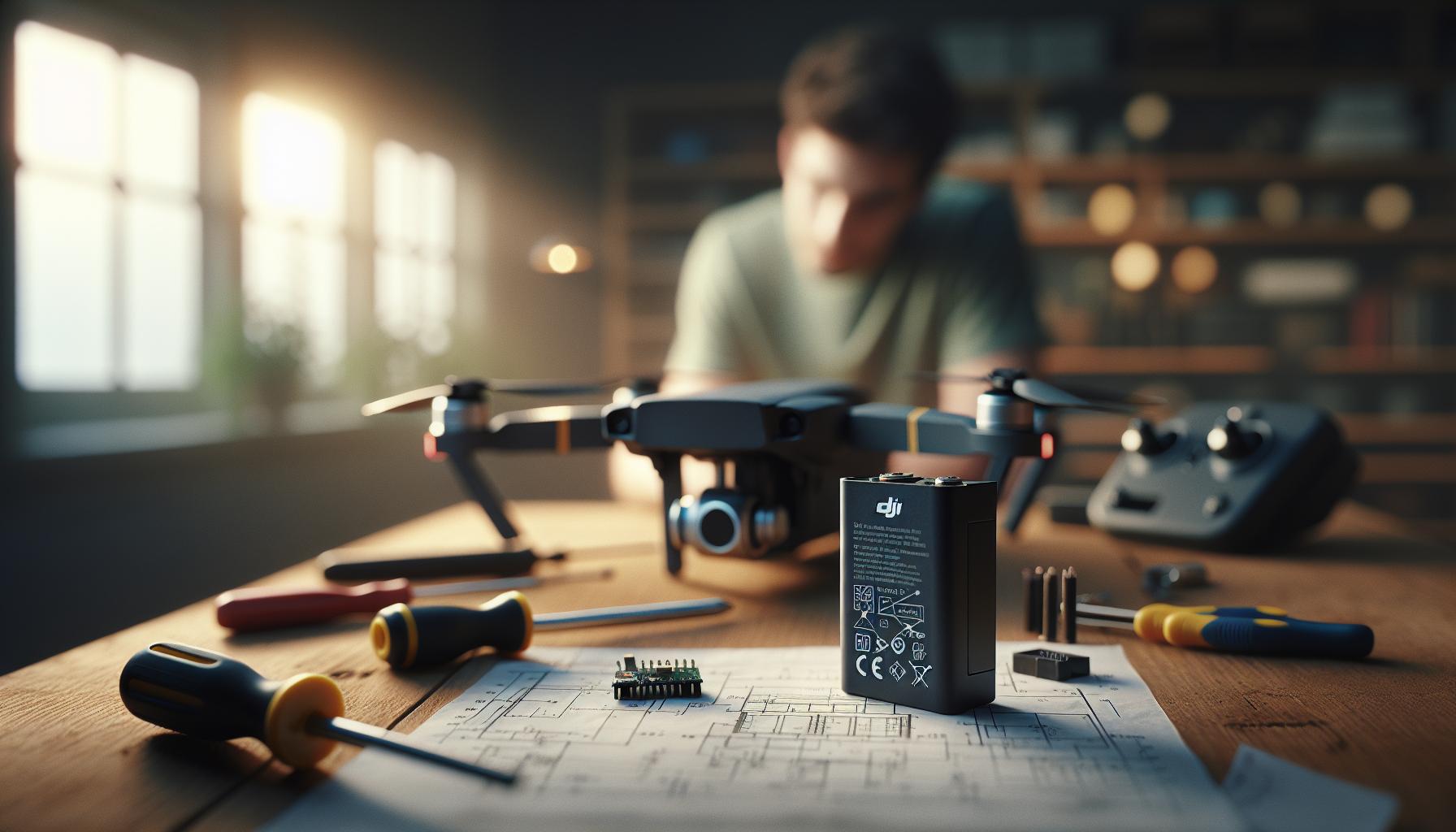
The DJI Mavic Mini relies on sophisticated lithium-polymer (LiPo) batteries, which are designed to provide optimal performance while ensuring safety and reliability. These batteries typically feature a nominal voltage of 11.4V and come in a 3-cell configuration (3S), allowing for a balance between power capacity and weight-crucial for such a lightweight drone. The Mavic Mini’s battery comes equipped with intelligent features including temperature monitoring, overcharge protection, and a built-in battery management system that optimizes charging cycles and cycles to prolong battery life.
Understanding how these batteries work is essential for maximizing your drone experience. The Mavic Mini’s battery capacity can support up to 30 minutes of flight time under ideal conditions, enabling pilots to capture stunning aerial footage without frequent interruptions. However, several factors, including weather conditions, payload, and flight pattern, can affect this flight time. Additionally, the batteries are designed for quick power delivery, allowing the drone to accelerate and maneuver rapidly, which is especially beneficial for capturing dynamic shots.
To ensure peak performance, regular monitoring of battery health is critical. DJI’s intelligent flight battery indicator provides real-time information on battery status, including remaining charge and estimated flight time. This feature helps pilots make informed decisions during flights and prevent unexpected landings due to low power. Proper usage and maintenance, including avoiding deep discharges and keeping the batteries at optimal storage levels, will not only enhance reliability but also extend the overall lifespan of your Mavic Mini’s power source.
Types of Batteries Compatible with DJI Mavic Mini
The DJI Mavic Mini primarily utilizes intelligent lithium-polymer (LiPo) batteries, specifically the DJI Mavic Mini Intelligent Flight Battery. Understanding the different types of batteries that are compatible with your Mavic Mini can enhance your flying experience, ensuring that you’re always ready to capture stunning aerial footage without interruptions.
Firstly, it’s essential to note that the standard battery for the Mavic Mini is a 2400mAh LiPo battery. It is designed to provide up to 30 minutes of flight time, depending on various conditions such as drone payload and environmental factors. The Mavic Mini’s batteries feature a 3-cell configuration, allowing for efficient power management and rapid delivery, which is crucial for agile flying and dynamic maneuvers.
In addition to the standard batteries, there are third-party battery options available on the market. Compatible batteries from reputable manufacturers can offer similar performance, but it’s crucial to verify their specifications match those of the original DJI battery to ensure safety and reliability. When purchasing third-party batteries, always check for quality certifications and user reviews to avoid subpar products that could affect your drone’s performance or safety.
Finally, if you frequently fly your Mavic Mini, consider investing in additional batteries to extend your flying sessions. DJI offers multi-charging options, such as the DJI Mavic Mini Battery Charging Hub, which allows you to charge multiple batteries simultaneously. This convenience can significantly enhance your flying experience, enabling you to stay in the air longer without the hassle of frequently changing out batteries during your sessions. By understanding the compatible battery types and investing in additional power solutions, you can maximize your Mavic Mini’s performance and your flying enjoyment.
Step-by-Step Guide to Charging Your Mavic Mini Battery
To effectively charge your DJI Mavic Mini battery and ensure optimal performance, it’s crucial to understand the procedure involved. Charging the Mavic Mini Intelligent Flight Battery correctly not only extends its lifespan but also guarantees that you’re ready to capture breathtaking footage whenever inspiration strikes.
Start by gathering your equipment. You’ll need the Mavic Mini battery, the DJI battery charger that came with your drone, and a power source. It’s recommended to plug the charger into a wall outlet for the most efficient charging. Ensure that the battery is clean and free of debris before connecting.
Once you have everything ready, follow these steps:
- Connect the Charger: Insert the battery into the DJI battery charger. Make sure it is seated correctly in the charging slot. The battery should click into place with ease.
- Attach Power: Plug the charger’s power cord into a wall outlet. The LED indicators on the charger will light up, showing the charging status. Typically, a solid red light indicates that charging is in progress.
- Monitor the Charging Process: Keep an eye on the LED lights. When charging is complete, the indicator will turn green. It’s important not to remove the battery from the charger before it’s fully charged to achieve maximum capacity.
- Consider Charging Times: A fully depleted Mavic Mini battery usually takes about 90 minutes to charge with the standard DJI charger. However, this can vary based on the battery’s condition and the ambient temperature, where extreme temperatures may impact charging efficiency.
- Safe Disconnection: Once the battery is fully charged, disconnect it from the charger carefully. Store the battery in a cool, dry place, away from direct sunlight, for optimal health.
Following these straightforward steps will help maintain the performance and longevity of your Mavic Mini battery, ensuring that you’re always prepared for your next aerial adventure. Proper charging habits pave the way for exhilarating flight experiences with minimal interruptions, allowing you to fully focus on your creative endeavors.
Tips for Optimizing Battery Charging Efficiency

To maximize the charging efficiency of your DJI Mavic Mini batteries, integrating a few best practices into your routine can lead to better performance and longevity. Understanding the nuances of battery charging can dramatically enhance your flying experience, ensuring you spend less time tethered to the charger and more time in the sky capturing stunning footage.
One key insight is to maintain an optimal charging environment. Ideal temperatures for charging LiPo batteries, like those used in the Mavic Mini, range from 20°C to 25°C (68°F to 77°F). Charging in extreme cold or heat can reduce the efficiency and lifespan of your battery. If you know you’re heading out for a session, be wary of charging outside in cold weather or exposing the battery to direct sunlight before charging. Instead, allow the battery to reach room temperature.
Regularly cleaning the battery terminals enhances connection efficiency, ensuring that electricity flows freely during charging. Use a soft cloth to wipe the connectors before inserting the battery into the charger. Additionally, when possible, use the original DJI charger designed for the Mavic Mini. This charger offers the optimal current needed for your battery, which other third-party chargers may not provide, potentially leading to slower charge times or even battery damage.
Lastly, consider charging habits that avoid partial cycles, where the battery is only charged from 20% to 80%. Aim to charge your batteries fully from a low state of charge instead. Keeping track of battery levels using the DJI Fly app also allows for better management of battery health, as it provides detailed insights into charge cycles and conditions. Following these practices can help ensure that your batteries charge efficiently, are ready when you are, and maintain their health for many flights to come.
Understanding Battery Care and Maintenance

Battery care is crucial for maximizing the performance and longevity of your DJI Mavic Mini. A well-maintained battery can significantly enhance your flying experience, allowing you to capture breathtaking shots without the worry of running out of power prematurely. Understanding the right practices not only prolongs the lifespan of your battery but also ensures safety during usage.
One of the most important aspects of battery maintenance is to store your batteries properly. LiPo batteries should ideally be kept at a partial charge of around 40-60% if you anticipate they won’t be used for an extended period. This state of charge helps to reduce stress on the battery cells and minimizes deterioration. It’s also advisable to store your batteries in a cool, dry place, away from direct sunlight and heat sources, as extreme temperatures can damage them. Using a fireproof battery bag for storage can provide an additional layer of safety.
Keeping your battery contacts clean is another essential practice. Dust, debris, and oxidation can accumulate on the terminals, potentially causing poor connections and charging issues. A quick wipe with a soft cloth before charging can ensure a clean connection. Moreover, avoid exposing the battery to extreme temperatures during use or storage; both too much heat and cold can lead to decreased battery efficiency and safety risks during flights.
Monitoring your battery’s health is equally vital. Pay attention to warning signs such as bulging, corrosion, or a significant drop in capacity, as these can indicate potential hazards. If any of these conditions are observed, it’s best to cease using the battery and consult with DJI or a professional for guidance on disposal or replacement. Deploying the DJI Fly app can help keep track of battery cycles and performance. Keeping a regular check on your battery statistics can guide your charging routines and inform when to invest in a new battery to keep your drone flying safely and effectively.
Troubleshooting Common Charging Issues

When dealing with the DJI Mavic Mini, encountering charging issues can be frustrating, but understanding the common problems can quickly help you return to the skies. One of the first signs of trouble is a battery that won’t charge. This might be due to a defective charging cable or adapter; use the original charger and cable, as third-party accessories can sometimes be unreliable. If the battery indicator lights blink irregularly or fail to illuminate, it’s often a signal of insufficient power or a fault in the battery itself.
To troubleshoot charging problems, start by inspecting the battery contacts. Dirt or oxidation can obstruct the connection, so gently cleaning the terminals with a soft, dry cloth may resolve the issue. Additionally, make sure the battery is securely seated in the charger. Loose connections can prevent proper charging and lead to frustration. If you’re using a multi-battery charging hub, ensure that the hub is receiving power. Sometimes, resetting the charging hub can help clear any minor glitches.
Another aspect to consider is the environmental conditions in which you’re charging the battery. Lithium Polymer (LiPo) batteries are sensitive to temperature extremes. If the battery is too hot or cold, many chargers have built-in safety features that will prevent charging until the battery returns to a safe temperature. Allow the battery to acclimate to room temperature before attempting to charge it again.
If these basic troubleshooting steps don’t resolve the issue, it may be time to consult DJI support or consider battery replacement. Keeping a record of battery performance and behaviors can also aid in diagnosing issues. By recognizing patterns like swelling, overheating, or rapid discharge, you’ll be better prepared for troubleshooting and may save yourself unnecessary frustration and costs in the long run. Always prioritize safety when handling batteries; if anything seems off, it’s better to err on the side of caution.
Extending Battery Life: Best Practices for Mavic Mini Users
Maximizing the lifespan and performance of the DJI Mavic Mini battery is essential for both recreational and professional drone pilots. Each flight becomes more than just a moment of fun or a task; it is an investment in your equipment and your skills. By following best practices, you can significantly extend battery life, ensuring you enjoy optimal flight times and maintain the health of your battery over the long haul.
One of the most effective ways to extend battery life is through proper charging habits. Always use the original DJI charger and avoid third-party charging devices that may compromise battery integrity. It’s advisable to charge the battery in an environment where temperatures range between 68°F and 77°F (20°C to 25°C), as extreme heat or cold can negatively impact performance and longevity. Aim to charge the battery to around 70%-80% if you don’t plan to use it immediately; this storage level helps mitigate battery deterioration.
When it comes to flying, maintain a moderate flying pace and avoid full-throttle ascents or descents, as these actions demand higher power consumption. Utilizing the battery’s built-in Intelligent Battery Management System, which continually monitors battery health and status, will also help you make informed decisions about when to land and recharge. Before every flight, check the battery status through the DJI Fly app, enabling you to assess any potential issues and flight time estimates more accurately.
In addition, regular maintenance checks are critical. Invest time in cleaning the battery contacts and ensuring they’re free from debris or oxidation, as this can lead to charging issues or reduced performance. Additionally, avoid leaving the battery fully discharged for an extended period, as this can lead to irreversible damage. Instead, store the battery at approximately 50% charge for longer periods of inactivity, which is optimal for LiPo batteries like the one in the Mavic Mini.
Lastly, always prioritize safety. Avoid charging the battery unattended and ensure it’s in a fireproof charging bag. By following these best practices, Mavic Mini users can enjoy extended battery life, enhanced performance, and a safer flying experience overall.
Using External Chargers for DJI Mavic Mini
Using external chargers with your DJI Mavic Mini can significantly enhance your flying experience by providing flexibility and efficiency in battery management. While the original charger is designed to ensure optimal charging, external chargers come into play when you require faster charging times or need to charge multiple batteries simultaneously. This versatility is particularly beneficial for event days or long outings where you may want to maximize flight time without waiting for batteries to charge one at a time.
When selecting an external charger, it’s critical to choose one that is compatible with the Mavic Mini’s 2S LiPo batteries. Look for chargers that support the Intelligent Flight Battery specifications to avoid potential damage. Some popular options include multi-battery charging hubs that allow for charging two or more batteries simultaneously, optimizing your downtime. Additionally, chargers offering Power Delivery (USB-PD) capability are ideal, as they can provide the high wattage needed for faster charging. Always check for compatibility with your specific battery model to ensure safety and efficiency.
To use an external charger effectively, follow these steps:
- Choose the Right Charger: Select a high-quality charger that supports the Mavic Mini’s battery specifications.
- Connect and Charge: Plug the charger into a power source and connect your batteries securely.
- Monitor Charging: Some external chargers come with LED indicators to show charging status; monitor these to ensure batteries are charging correctly.
- Safety First: Always charge in a safe and monitored environment to prevent accidents.
Beyond the practical aspects, an external charger can save you valuable time and extend your flying sessions significantly. Coupled with proper battery maintenance practices, external chargers can offer a seamless way to keep your Mavic Mini in the air, ensuring you’re ready for your next adventure without the hassle of downtime.
Monitoring Battery Health and Performance
To ensure optimal performance and longevity of your DJI Mavic Mini batteries, regularly monitoring their health and performance is essential. Proper battery management extends not only the lifespan of your batteries but also enhances your overall flying experience. The Intelligent Flight Batteries used in the Mavic Mini come equipped with built-in safety features, including battery management systems that monitor their condition while in use.
One of the first indicators of battery health is the actual charge level. The Mavic Mini provides an easy-to-read battery status through the LED indicators on the battery itself. A quick check before flying can inform you about the remaining power and prompt you to charge or replace the battery if necessary. But beyond just checking the charge, understanding the details that these indicators provide can give you a clearer picture of battery performance over time.
#### Key Aspects of Battery Monitoring
- Cycle Count: Each battery has a limited number of charge cycles (the process of discharging and recharging). Keeping track of this count helps you anticipate when to retire a battery.
- Voltage Levels: Monitoring the voltage of your battery is crucial. Batteries should ideally remain within specific voltage levels (generally between 3.7V and 4.2V per cell) for optimal performance.
- Temperature: Excessive heat can significantly degrade battery health. Keep your batteries cool and avoid charging them in extreme temperatures.
- Firmware Updates: Keeping your drone’s firmware up-to-date may improve battery management and reliability. Regular updates can optimize charging routines and the overall performance of the battery management system.
Regularly charging your batteries using the recommended chargers ensures they remain within the healthiest voltage range. If a battery’s performance starts to diminish-it holds less charge or discharges faster than normal-consider an evaluation. DJI offers tools to help assess battery health, and using these can reveal issues that could affect performance.
#### Final Thoughts
In the realm of drone operation, being proactive about monitoring battery health transforms a good flying experience into a great one. By keeping track of cycle counts, voltage levels, and temperature, you ensure that you’re not only maximizing your flying time but also prioritizing safety. Remember, a well-maintained battery is a reliable battery, making it easier for you to enjoy every moment in the air with your Mavic Mini.
Understanding Drone Flight Time and Battery Impact
The flight time of a drone is not just a measure of how long you can stay in the air; it significantly impacts the overall flying experience and the drone’s performance. Understanding how various factors affect flight time is crucial for both leisure and professional users of the DJI Mavic Mini. This model typically boasts a maximum flight time of approximately 30 minutes under ideal conditions, but real-world usage often presents variables that can reduce this figure.
Several elements influence drone flight time, including battery capacity, weight, environmental conditions, and the nature of your flying style. The Mavic Mini’s Intelligent Flight Battery has a capacity of 2400 mAh, which contributes to its considerable flight duration. However, as you load your drone with accessories, such as filters or additional payloads, the additional weight can lead to shorter flight times due to increased power consumption. Furthermore, flying in windy conditions requires more effort from the drone’s motors, which can further impact how long you can remain airborne.
Optimizing Flight Time
To maximize your flight time and ensure you get the most out of each battery charge, consider these practical tips:
- Fly in Optimal Weather: Aim for calm days with minimal wind and no rain. Weather conditions can drastically affect battery performance.
- Avoid Aggressive Maneuvers: Smooth and steady flying conserves battery life. Rapid ascents, aggressive turns, and high-speed flights drain the battery more quickly.
- Regularly Maintain Your Drone: Keeping your Mavic Mini in good condition ensures that all components are functioning effectively, leading to better efficiency.
- Plan Your Flights: Have a clear plan before take-off. Knowing where you’ll fly and how long it will take can prevent unnecessary power usage.
Understanding the interplay between these factors allows drone pilots to navigate more effectively in real-world situations. By staying informed and proactive about how each aspect influences battery usage, you can better manage your flight time and improve your overall experience with the Mavic Mini. Always remember, a well-calibrated drone and smart flying habits not only enhance your aerial performance but also extend the enjoyment you get from your flights.
Safety First: Charging Guidelines for Drone Batteries
Charging your DJI Mavic Mini’s battery correctly is essential not only for maintaining its performance but also for ensuring safety during use. An intelligent charging strategy helps to maximize battery efficiency and longevity. When it comes time to charge, there are several best practices you should follow to maintain your battery’s health and ensure your charging process is safe.
For starters, always use DJI’s official chargers or certified third-party options specifically designed for the Mavic Mini. Using incorrect chargers can lead to overcharging or overheating, both of which pose significant risks. Ensure that the area where you’re charging is well-ventilated and free from flammable materials. A flat, stable surface is ideal to avoid any accidental falls or damage to the battery or charger.
Before plugging in, it’s a good practice to visually inspect the battery. Check for any signs of swelling or physical damage, which could indicate a compromised battery. Never charge a damaged battery, as this could lead to leakage or even combustion. For optimal charging conditions, avoid exposing the battery to extreme temperatures-charging in temperatures ranging from 0°C to 40°C (32°F to 104°F) is recommended. Charging below freezing or in excessively hot environments can harm the battery’s chemical structure and impact its lifespan.
Finally, always monitor the charging process. Most DJI chargers come equipped with LED indicators that show charging status. It’s best to remain present while charging, especially with lipo batteries, to quickly respond to any anomalies such as a rapidly rising temperature or unusual noises. After charging is complete, let the battery cool down before handling it, and store it properly if you won’t be using it immediately. Following these guidelines not only enhances safety but also contributes to the longevity and efficiency of your Mavic Mini’s batteries.
Upgrading Your Mavic Mini: Battery Accessories and Options
Upgrading your setup with battery accessories for the DJI Mavic Mini can significantly enhance your flying experience, allowing for longer flight times and greater convenience. While the Mavic Mini’s battery system is already commendable, the right accessories can add even more functionality and ease.
One of the most popular enhancements is to invest in additional batteries. Official DJI batteries maintain optimal performance and safety, ensuring that you can extend your flying time without the hassles of downtime for charging. Many enthusiasts opt for a battery hub, which allows simultaneous charging of multiple batteries. This ensures that the batteries are charged quickly and ready to go when you are, perfect for longer sessions or when covering larger areas.
Essential Accessories for Battery Management
Consider adding these accessories to your toolkit for optimal battery management:
- Smart Charging Hub: This allows you to charge multiple batteries in sequence, prioritizing the one with the highest charge, maximizing efficiency.
- Battery Case: A dedicated case offers protection and organized storage for your batteries, reducing the risk of damage when transporting your gear.
- External Chargers: Quality external chargers can expedite the charging process, allowing you to charge your batteries faster and get back to the skies sooner.
Best Practices for Using Accessories
To ensure that your upgraded battery system works smoothly, always follow these best practices:
- Regularly Check Compatibility: Always verify that accessories are compatible with the Mavic Mini model to avoid any performance issues or safety hazards.
- Monitor Battery Health: Use DJI’s app to monitor battery health and capacity regularly, maximizing lifespan and performance.
- Store Properly: Ensure that any extra batteries are stored in a cool, dry place to preserve their lifespan, ideally at around 50% charge if not in use for an extended period.
- Firmware Updates: Keep your drone’s firmware updated, as newer updates may enhance battery management and compatibility with accessories.
By integrating these accessories and adhering to best practices, you will not only extend your flight times but also enhance the overall reliability and performance of your Mavic Mini, making every flight an enjoyable experience. Empower yourself with the right tools and knowledge to make the most out of your drone adventures!
FAQ
Q: How long does it take to charge the DJI Mavic Mini battery?
A: Charging the DJI Mavic Mini battery typically takes about 90 minutes when using the official charger. For optimal performance, make sure to use the recommended charging accessories, as outlined in the user manual.
Q: Can I charge my DJI Mavic Mini battery with a USB charger?
A: While you can use a USB cable to charge the DJI Mavic Mini battery, it is recommended to use the provided charger for faster and safer charging. USB chargers may take longer and could affect battery lifespan.
Q: What do the LED indicators mean when charging the Mavic Mini battery?
A: The LED indicators on the Mavic Mini battery show its charging status. A blinking red light indicates charging, while a solid green light signals that the battery is fully charged. Check your battery status regularly for optimal performance.
Q: Is it safe to leave the Mavic Mini battery charging overnight?
A: It is generally not advised to leave the DJI Mavic Mini battery charging overnight, as prolonged charging can lead to overheating and reduced battery lifespan. Always monitor the charging process or use a timer for safety.
Q: How can I tell if my Mavic Mini battery needs to be replaced?
A: If you notice significantly reduced flight time or charging issues with your Mavic Mini battery, it may be time for a replacement. Regularly monitor battery health and perform maintenance checks as recommended in the user manual.
Q: Can I charge multiple Mavic Mini batteries at once?
A: Yes, you can use a multi-battery charging hub designed for DJI batteries to charge multiple Mavic Mini batteries at once. This can help streamline your charging process, especially if you have several batteries for extended flight sessions.
Q: Why does my Mavic Mini battery take longer to charge sometimes?
A: Charging time can vary due to factors like ambient temperature, battery age, and the condition of the charger. Cold conditions can slow charging, while older batteries may have reduced charging efficiency. Always keep batteries in a moderate temperature range for optimal performance.
Q: What should I do if my Mavic Mini battery doesn’t charge?
A: If your Mavic Mini battery won’t charge, first check the charger and connections for any damage. Try a different outlet or charger to rule out issues. If the battery still doesn’t charge, consult the troubleshooting section of the manual or contact DJI support for assistance.
The Way Forward
Now that you’re equipped with the knowledge to charge your DJI Mavic Mini Drone efficiently, don’t miss out on maximizing your flying experience! For further insights on enhancing battery life, explore our guide on Drone Maintenance Tips and learn how to keep your drone in peak condition.
If you have any remaining questions or need guidance on drone setup and features, feel free to check out our detailed posts on Firmware Updates and Gimbal Calibration. Your next adventure awaits, so be sure to subscribe to our newsletter for the latest tips and updates on all DJI drones. Join the conversation by sharing your thoughts or experiences in the comments below-your input could help fellow drone enthusiasts! Charge up, fly high, and let’s make some incredible memories together!