

Connecting your DJI Mini 3 to your phone is essential for maximizing your flying experience. With just a few simple steps, you can easily access flight data, adjust camera settings, and enjoy real-time video streaming. Many drone enthusiasts face challenges when it comes to pairing devices, which can hinder their enjoyment and ability to fully utilize the powerful features of their drone. This guide is designed to walk you through the connection process seamlessly, ensuring you can get your Mini 3 airborne with confidence. Whether you’re a seasoned pilot or new to the drone world, understanding how to connect your drone to your smartphone will enhance your aerial adventures and lead to stunning aerial captures. Dive in to discover a straightforward approach that will have you ready for flight in no time!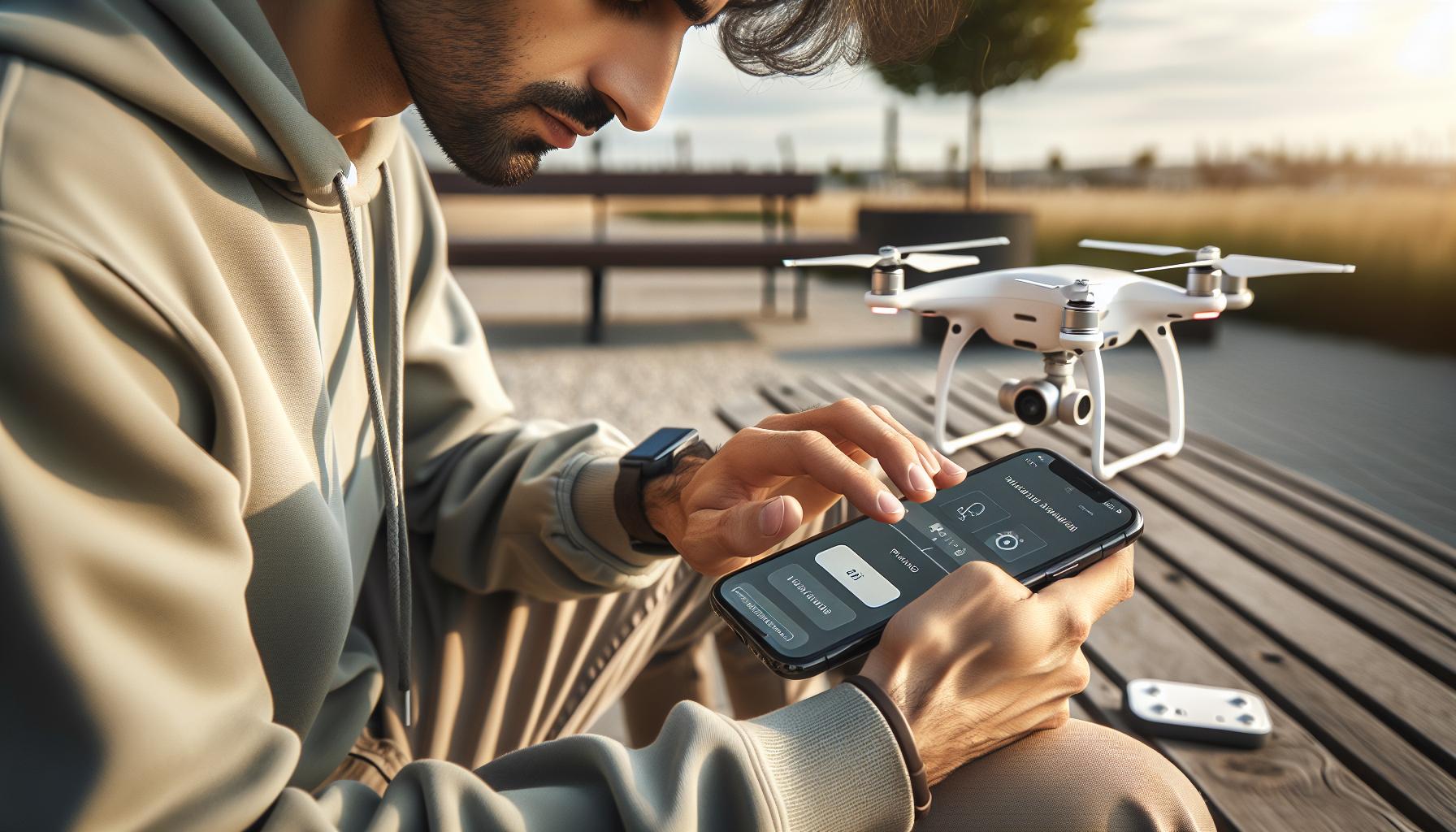
How to Prepare Your DJI Mini 3 for Connection
To ensure a seamless connection between your DJI Mini 3 and smartphone, it’s essential to prepare both devices adequately. The first step involves fully charging the drone battery and the smartphone to guarantee uninterrupted use during setup. This not only enhances performance but also prevents any surprises at critical moments, such as takeoff or while adjusting settings. Make sure the drone is free of obstructions, with the propellers correctly attached and in good condition to avoid any issues during initial tests.
Next, ensure that the DJI Fly app-essential for flight operation and control-is installed on your smartphone. It serves as the primary interface, allowing you to access various features and settings of the Mini 3. Before opening the app, transition your phone to airplane mode. This minimizes interference from calls or notifications, which can disrupt the connection process. After this, enable Wi-Fi and Bluetooth on your phone, as these are the connection protocols your Mini 3 utilizes.
With these preparations in place, you’re ready to proceed with connecting your Mini 3. By creating the right environment and ensuring both devices are configured correctly, you set the stage for an enjoyable flying experience without the frustration of technical difficulties. Once connected, you can explore the full capabilities of the DJI Mini 3, ensuring you’re ready to capture stunning aerial footage.
Choosing the Right App for Your Phone
To optimize your flying experience with the DJI Mini 3, choosing the right app is crucial. The primary application for this drone is the DJI Fly app, designed specifically for the Mini series. This app is not only integral for pairing your phone with the drone but also serves as a powerful tool to unlock the full potential of your aerial photography and videography. The user-friendly interface allows you to access flight modes, customize settings, and even edit your videos with ease.
Installing the DJI Fly app is straightforward, available for both iOS and Android devices. For iPhone users, ensure your device runs iOS 11.0 or later. Android users should have a device with a minimum of 3GB of RAM and Android 6.0 or later to avoid compatibility issues. Once downloaded, familiarize yourself with the interface; key functionalities are at your fingertips-from adjusting camera settings to accessing intelligent flight modes.
Aside from the DJI Fly app, you might encounter other third-party applications that can enhance your flying experience. However, it’s wise to stick to official software whenever possible to ensure the highest compatibility and security for your drone. Some features, like firmware updates, are often accessible only through the DJI Fly app, making it indispensable for keeping your Mini 3 up-to-date and functioning optimally.
Before heading out for your first flight, take the time to explore the app’s features thoroughly. This not only boosts your confidence as a pilot but also promotes safer flying by allowing you to pre-check settings like battery levels and camera modes. Embracing the full capabilities of the DJI Fly app sets the groundwork for capturing stunning aerial footage while ensuring a smooth flying experience.
Step-by-Step Guide to Connecting Your DJI Mini 3
Connecting your DJI Mini 3 to your phone is an essential step to unleash the full potential of your drone. This connection enables not just flight control, but also access to real-time telemetry, camera settings, and flight modes through the DJI Fly app. Whether you’re an experienced pilot or new to drone flying, the process is straightforward and can be accomplished in just a few simple steps.
To begin, ensure your DJI Mini 3 is fully charged and your phone has the DJI Fly app installed. Open the app and sign in to your DJI account, if prompted. To initiate the connection, power on your Mini 3 by pressing the power button once to see the lights flash and then again until the drone powers up completely. Next, activate the Wi-Fi on your phone; you’ll be searching for the Mini 3’s Wi-Fi signal. On the Mini 3’s battery, you’ll see a label indicating its Wi-Fi name.
Once your drone is powered on, navigate to your phone’s Wi-Fi settings to find and select the Mini 3’s network (the name typically includes “Mini 3”). Enter the default password if required; this information can usually be found in the user manual or on the drone itself. After successfully connecting, return to the DJI Fly app. The app should automatically recognize your Mini 3, and you’re now ready to explore the numerous features it has to offer.
It’s important to ensure a stable connection each time you fly. If you experience connectivity issues, consider disabling and re-enabling your phone’s Wi-Fi or reinstalling the DJI Fly app. Also, remember to regularly update the app to access the latest features and improvements. By following these steps, you will establish a seamless connection and elevate your flying experience with the DJI Mini 3.
Understanding Bluetooth and Wi-Fi Connections
Understanding the nuances of Bluetooth and Wi-Fi connections is fundamental for seamlessly operating the DJI Mini 3 and maximizing its capabilities. While both connection methods serve to link your drone with your mobile device, they operate under different protocols and are optimized for distinct functions. Wi-Fi connectivity is essential for most flying activities, providing a robust connection with high data bandwidth for video streaming and telemetry. The DJI Mini 3 uses a dedicated Wi-Fi protocol, allowing for stable and lag-resistant connections, which is crucial especially when controlling the drone’s camera and accessing flight data in real time.
On the other hand, Bluetooth serves a different purpose. While it can be utilized for initial pairing of devices, its range and bandwidth limitations make it less suitable for high-demand applications like video transmission. Typically, users might connect their DJI Mini 3 using Bluetooth to share basic information or to set up configurations through the DJI Fly app initially, but they will transition to Wi-Fi for full operational use once the drone is powered on and ready for flight.
When preparing to connect your DJI Mini 3, it’s crucial to ensure that your smartphone’s Wi-Fi is enabled and actively searching for the drone’s network. This network name is generally labeled on the drone itself, making it easy to find. Enter the default password (often found in the user manual) if prompted. Once connected via Wi-Fi, you can leverage the full suite of features offered by the DJI Fly app, including accessing live video feeds, adjusting camera settings, and monitoring flight telemetry.
To avoid common connection issues, it’s advised to maintain a good distance from other electronic devices that may cause interference, and regularly check your phone’s Wi-Fi settings before each flight. By becoming familiar with these connection methods, you empower yourself to take full advantage of the DJI Mini 3’s features, ensuring a smooth and enjoyable flying experience.
Troubleshooting Common Connection Issues
Establishing a stable connection between your DJI Mini 3 and your phone is crucial for a seamless flying experience, but even seasoned pilots can encounter unforeseen challenges during the process. Understanding the common connection issues that may arise can save you significant time and frustration, allowing you to focus on capturing stunning aerial footage instead.
One of the primary hurdles is ensuring that both devices are on the same Wi-Fi network. If your phone is still connected to a different Wi-Fi network or is in airplane mode, it will not be able to detect the drone’s signal. Always check your phone’s Wi-Fi settings before initiating the connection. If the Mini 3’s network doesn’t appear, try restarting both the drone and your phone to refresh their networks. Sometimes, manually forgetting the existing Wi-Fi connections on your phone can resolve lingering issues and allow for a cleaner reconnection.
Interference from other electronic devices can also disrupt the connection. It’s advisable to maintain a safe distance from routers, microwaves, or other wireless devices, which can create a noisy environment for the drone’s signal. If you’re in a crowded area, consider moving to an open space with reduced electromagnetic interference.
Lastly, having outdated firmware on your drone or smartphone can lead to connectivity problems. Ensuring that both your DJI Mini 3 and DJI Fly app are updated to the latest version is essential for optimal performance. Regularly check for updates within the app and perform any necessary firmware upgrades to facilitate smoother connections. If you notice persistent issues, consult the DJI support resources or community forums – often, other users may have found solutions to similar problems that can guide you effectively.
Updating Firmware for Optimal Performance
Keeping your DJI Mini 3 updated with the latest firmware is essential for ensuring optimal performance, enhanced functionalities, and overall safety during your flights. Firmware updates can introduce improvements that enhance camera capabilities, increase flight stability, and resolve any existing bugs that might impact your flying experience. Therefore, regularly checking for and applying updates should be a fundamental part of your drone maintenance routine.
To update the firmware, start by connecting your DJI Mini 3 to your mobile device using the DJI Fly app. Once connected, navigate to the “Profile” section, where you will find the “Firmwares” option. Here, the app will check for any available updates. If an update is available, you’ll see a notification prompting you to download it. Ensure that your drone’s battery is sufficiently charged-ideally above 50%-to avoid any interruptions during the update process. The app will guide you through the steps, which typically involve downloading the firmware package and then installing it on the drone.
After the installation is complete, it’s a good practice to perform a quick flight test to ensure everything is functioning as expected. If you encounter issues after the update, you might consider resetting the drone to factory settings and reapplying the latest firmware; this can sometimes resolve any software conflicts that arise. Additionally, regularly checking the changelog for firmware updates can provide insights into new features or improvements, helping you make the most of your DJI Mini 3’s capabilities.
Ultimately, by maintaining your firmware, you ensure that your drone operates at peak efficiency, allowing for smoother aerial operations and more stunning footage. Don’t underestimate the importance of firmware updates; they are pivotal in your journey as a drone pilot, helping you stay ahead in this rapidly evolving technology.
Gimbal Calibration for Smooth Flight
Before taking to the skies, ensuring that your DJI Mini 3’s gimbal is perfectly calibrated can significantly enhance your aerial photography and videography. A well-calibrated gimbal provides stability and smooths out any unwanted jitter, enabling you to capture breathtaking footage without the distractions of camera shake. Whether you’re shooting an expansive landscape or tracking a moving subject, the gimbal’s precise operation is crucial for professional-quality results.
To calibrate the gimbal, first connect your DJI Mini 3 to the DJI Fly app on your mobile device. Once connected, power on the drone and navigate to the settings menu in the app. Look for the “Gimbal” option, where you’ll find the calibration feature. It’s essential to place your drone on a flat, stable surface before initiating the calibration process. This ensures that the gimbal’s sensors can accurately detect any imbalances. Follow the on-screen prompts, which will guide you through the calibration steps. Typically, this involves moving the gimbal through different positions to ensure it correctly aligns and operates smoothly. The calibration process should only take a few minutes, but the results will be evident in the stability of your footage.
If you notice any persistent issues with the gimbal even after calibration, check for obstructions that could be hindering its movement. Additionally, overheating can cause performance interruptions; allow the drone to cool down if it has been in use for an extended period. Regularly calibrating your gimbal, especially after firmware updates or significant transport, will keep your DJI Mini 3 performing at its best. By maintaining your equipment meticulously, you’ll maximize your aerial adventures, capturing stunning visuals that resonate with viewers and stand the test of time.
Maximizing Your Drone’s Features Through the App
To fully embrace the capabilities of your DJI Mini 3, harnessing the power of the DJI Fly app is essential. This app acts as your command center, allowing you to configure settings, access camera modes, and manage flight paths directly from your mobile device. By establishing a robust connection between your drone and the app, you unlock a range of features that enhance your aerial flying experience.
A pivotal aspect of utilizing the DJI Fly app effectively is understanding its interface and the multitude of options available. From choosing specific flight modes like QuickShots and Mastershots to adjusting camera settings such as exposure and white balance, the app provides an intuitive means to optimize your drone for various scenarios. For instance, selecting the HDR mode can significantly improve your photos in challenging lighting conditions, ensuring stunning results without extensive post-processing.
Additionally, the app facilitates real-time telemetry data, displaying crucial flight information such as altitude, speed, and battery life. This data is essential for monitoring your flight and making informed decisions while airborne. The map overlay also allows you to understand your location better and to identify potential hazards in your vicinity. Familiarizing yourself with these features not only improves safety but can also enhance creative shooting, ensuring you capture breathtaking shots from unique perspectives.
Finally, don’t underestimate the importance of keeping your app updated. With each update, DJI often introduces new features and performance improvements, providing you with the latest tools to maximize your drone’s capabilities. By actively engaging with the app and its various functionalities, you can transform every flight into an opportunity for stunning photography and enjoyable exploration. The DJI Fly app is not just a tool; it is the gateway to mastering your DJI Mini 3.
Tips for Using Your Phone as a Controller
Connecting your DJI Mini 3 to your smartphone opens up a world of controls and features that can significantly enhance your flying experience. Leveraging your phone as a controller allows for greater flexibility, mobility, and the ability to visualize your flight in real-time.
To get started, ensure you have the DJI Fly app installed on your smartphone, as this is the primary interface for controlling your drone. The app is available for both Android and iOS platforms, providing a seamless, user-friendly experience. Once installed, connect your phone to your drone using the provided USB cable, ensuring the connection port is compatible with your device. This initial step is critical; a secure connection will prevent interruptions during flight.
When using your phone as a controller, go into the settings of the DJI Fly app to customize the interface to your liking. You can adjust buttons and display preferences to suit your flying style. For example, enabling the ‘Virtual Joystick’ option can allow for more precise maneuvering, especially during complex maneuvers or when capturing delicate shots close to objects. Furthermore, familiarize yourself with the various flight modes, such as Sport, CineSmooth, and Tripod, to adapt your flying style to different scenarios and capture unique perspectives.
There are important considerations for maintaining a stable connection. Ensure your phone’s Bluetooth and Wi-Fi settings are correctly configured; the DJI Mini 3 primarily connects via Wi-Fi for optimal control. It’s advisable to turn off other nearby Wi-Fi networks or devices to reduce interference. Additionally, regularly updating the DJI Fly app will ensure access to the latest features and improvements, enhancing overall functionality and performance.
Lastly, consider using a dedicated phone holder or a tripod to mitigate fatigue and improve your control precision over extended flight sessions. A steady grip will help ensure smoother operations, particularly when navigating around obstacles or capturing intricate shots. With these tips, you can confidently utilize your phone as a controller, fully embracing the potential of your DJI Mini 3 and enjoying the skies like never before.
Legal Considerations for Flying Your Drone
Before taking to the skies with your DJI Mini 3, it’s crucial to be well-versed in the legal considerations governing drone operation. These regulations are designed not only to ensure safe flying but also to protect other airspace users and people on the ground. Familiarizing yourself with the laws applicable in your area will empower you to operate responsibly and avoid potential fines or penalties.
In many countries, drone operators are required to register their drones, especially if they exceed a certain weight. For example, in the United States, the Federal Aviation Administration (FAA) mandates that drones weighing more than 0.55 pounds (250 grams) must be registered. This requirement also applies to recreational and commercial use. Make sure to keep your registration up to date and adhere to any additional rules set forth by local governments, as they may impose stricter regulations.
When flying, it’s essential to maintain a line of sight with your drone. Most jurisdictions require that you keep your drone within your visual range at all times. This means you should avoid flying in areas with obstructions that hinder your sight of the drone. Additionally, adhere to altitude restrictions, typically 400 feet (122 meters) in many regions, and avoid crowded spaces, especially during events or gatherings.
Know Before You Fly
Consider using tools and resources, such as the “Know Before You Fly” initiative, which provides information about the regulations and responsibilities of drone operators. Here’s a brief checklist of points to keep in mind:
- Check for no-fly zones: Always verify if your intended flying location is designated as a no-fly zone, such as near airports, military bases, or other sensitive areas.
- Seek permissions for commercial use: If you plan to use your DJI Mini 3 for commercial purposes, ensure you have the necessary permits and licenses, such as a Remote Pilot Certificate (Part 107 in the U.S.).
- Insurance considerations: While not legally required in many areas, obtaining drone insurance can offer protection against liability for accidents or damages that may occur during your flights.
By understanding and adhering to these legal guidelines, you can enjoy flying your DJI Mini 3 without the worry of inadvertently breaking the law. Always stay informed about changes in legislation, as drone regulations are continually evolving to address new technologies and societal concerns.
Exploring the DJI Mini 3’s Flight Modes
The DJI Mini 3 is equipped with a variety of intuitive flight modes that enhance your aerial photography and videography skills while providing unique flying experiences. Each flight mode is designed to cater to different skill levels and creative needs, allowing both novice and experienced pilots to make the most of their flying sessions. Understanding these modes not only enhances your ability to capture stunning visuals but also ensures safe operations, especially for beginners.
One of the most notable flight modes is Normal Mode, which facilitates easy handling and stability for general flight. This mode is perfect for beginners, providing a balanced experience while allowing for smooth operation. For a more dynamic flying experience, Sport Mode allows for faster speeds and greater responsiveness, making it ideal for more experienced pilots who are looking to capture fast-moving subjects or enjoy an exhilarating flight. In addition, CineSmooth Mode is particularly advantageous for capturing cinematic shots; it slows down the drone’s movements while enhancing stability, making it easier to achieve smooth and precise filming.
It’s also worth noting the Waypoint Mode, which empowers you to set specific waypoints that the drone will follow, enabling you to focus on other aspects of your shots while the Mini 3 autonomously navigates through the pre-set points. This mode is especially useful for capturing consistent footage over longer distances.
Making full use of these flight modes not only enhances your creative potential but also requires proper setup. Ensure that you are connected to the appropriate app on your phone, as this is integral to switching between modes and accessing advanced settings. Regularly checking for firmware updates through the app can also optimize performance and introduce new flight modes or features, ensuring your DJI Mini 3 is always flight-ready.
By experimenting with these various flight modes, pilots can gain confidence and hone their skills, ultimately resulting in better aerial footage and a more enjoyable flying experience.
Best Accessories to Enhance Your Flying Experience
To elevate your flying experience with the DJI Mini 3, investing in the right accessories is essential. These tools not only enhance the functionality of your drone but also streamline the operating experience, ultimately leading to better aerial photography and safer flights. Armed with the right gear, you can take full advantage of the capabilities your Mini 3 offers.
Batteries and Charging Solutions
Having additional batteries can drastically extend your flying time, allowing you to focus on capturing the perfect shot rather than worrying about battery life. Consider purchasing high-capacity batteries that are compatible with the DJI Mini 3 for longer sessions. Furthermore, a multi-battery charging hub can facilitate quicker charging for multiple batteries simultaneously, ensuring you’re always ready for action. Look for chargers that provide fast charging capabilities, such as the DJI 100W USB-C Power Adapter, which can recharge batteries in about 60 minutes.
Carrying Cases and Protection
Protecting your drone during transport is crucial, especially if you plan to travel to various locations for photography. A well-designed carrying case not only safeguards your DJI Mini 3 from physical damage but also provides organized storage for your accessories, batteries, and other equipment. Choose cases that are lightweight yet sturdy, with foam inserts tailored to fit the Mini 3 securely. Moreover, consider using propeller guards to prevent damage to your blades and enhance safety during indoor flights or when flying in tight spaces.
Smartphone Holders and Gimbals
While connecting your phone to the DJI Mini 3, a smartphone holder that provides a secure grip is vital for ease of use. Look for adjustable mounts that can attach to the controller, allowing for optimal viewing angles. This setup will help you monitor your drone’s performance and frame your shots accurately. Additionally, if you require a more professional touch, external gimbals for your smartphone can stabilize the footage you capture, providing smooth, cinematic results that will take your content to the next level.
By investing in these recommended accessories, drone enthusiasts can maximize their flying experience with the DJI Mini 3. The thoughtful incorporation of additional batteries, protective cases, and enhanced smartphone connectivity tools fosters an environment where creativity and safety coexist, paving the way for stunning aerial visuals and memorable adventures.
Faq
Q: How do I connect my DJI Mini 3 to my phone?
A: To connect your DJI Mini 3 to your phone, install the DJI Fly app, ensure Wi-Fi is enabled on your device, and then connect to the drone’s Wi-Fi network. Open the app, and follow the on-screen instructions to complete the setup.
Q: What Wi-Fi settings do I need for the DJI Mini 3?
A: Ensure your phone’s Wi-Fi is turned on and configured to connect to the DJI Mini 3’s Wi-Fi network. The default SSID and password are provided in the user manual. This allows seamless access to the drone’s features and media.
Q: Can I control the DJI Mini 3 with my smartphone?
A: Yes, you can control the DJI Mini 3 using your smartphone through the DJI Fly app. The app provides intuitive controls for flying the drone, adjusting camera settings, and accessing advanced features.
Q: What do I do if my phone won’t connect to the DJI Mini 3?
A: If your phone won’t connect, try restarting both your drone and phone. Ensure the Wi-Fi is enabled and that you’re selecting the correct network. Also, verify that the DJI Fly app is up to date to avoid compatibility issues.
Q: Do I need to update my DJI Mini 3 firmware for mobile connection?
A: Updating your DJI Mini 3’s firmware is recommended for optimal performance and compatibility with the DJI Fly app. Use the app to check for updates regularly, ensuring your drone reacts well to mobile commands.
Q: How can I download photos and videos from my DJI Mini 3 to my phone?
A: To download files, connect your phone to the DJI Mini 3’s Wi-Fi via the DJI Fly app. Access your media in the app, select the photos or videos you want, and tap the download button to save them to your phone.
Q: Is there a specific DJI Fly app version required for the Mini 3?
A: Yes, it’s important to download the latest version of the DJI Fly app that supports the DJI Mini 3. Frequent updates ensure new features and improved connectivity, enhancing your overall flying experience.
Q: What should I do if the DJI Fly app crashes when connecting?
A: If the DJI Fly app crashes, restart your phone and the drone, then relaunch the app. If issues persist, clear the app cache, and check for software updates, as outdated apps can cause stability problems.
The Way Forward
Now that you know how to effortlessly connect your DJI Mini 3 to your phone, you’re on the brink of elevating your drone experience. Remember, this connection unlocks a world of possibilities, from live-view feeds to advanced camera settings that will enhance your aerial photography. Don’t wait-get out there and start capturing breathtaking moments today!
For even more insightful tips, consider checking out our guides on optimizing your Mini 3 settings for stunning video shots or troubleshooting common connectivity issues. Interested in exploring advanced flight modes or comparing the Mini 3 with other DJI models? Our comprehensive reviews are just a click away.
Don’t forget to subscribe to our newsletter for the latest updates and tips on DJI drones, ensuring you’re always one step ahead in your flying journey. Share your experiences or questions in the comments below; we love hearing from fellow drone enthusiasts! Your next great adventure is just a flight away!









