

Knowing your DJI drone’s serial number is crucial for a variety of reasons, from registration and warranty claims to troubleshooting and upgrades. While it may seem like a simple detail, accessing this information can sometimes prove challenging, especially for new drone owners. In this guide, we’ll explore three quick methods to locate your drone’s serial number easily and efficiently. Whether you’re looking to ensure your device’s safety or simply want to stay informed about your equipment, these tips will empower you to navigate the process with confidence. Let’s dive in and uncover the essential steps to become more acquainted with your DJI drone!
Understanding DJI Drone Serial Numbers: Importance and Uses
Understanding the serial numbers of DJI drones is essential for any drone operator, whether you are a hobbyist or a professional. Each serial number serves as a unique identifier for your drone, much like a fingerprint for an individual. This unique code plays a critical role in various aspects including warranty claims, product registration, and support services. When you encounter issues like software bugs or hardware malfunctions, having the correct serial number on hand simplifies the troubleshooting process and streamlines your communication with DJI support.
The serial number can also be pivotal in ensuring the authenticity of your drone. As the market for drones grows, so do the risks of purchasing counterfeit or damaged products. Verifying the serial number against DJI’s official records can help confirm the drone’s legitimacy and maintenance history. Furthermore, in case your drone is lost or stolen, having its serial number noted and reported can significantly improve the chances of recovery.
To maximize the utility of your drone’s serial number, consider implementing a tracking system. Record the serial number along with purchase receipts and firmware updates. This practice not only aids in future warranty claims but also keeps your drone’s information organized for easy reference. Additionally, understanding the coding structure of DJI’s serial numbers could provide insights into the manufacturing date and model specifications, enhancing your overall knowledge and proficiency in handling the device.
In summary, the significance of DJI drone serial numbers transcends mere identification; they are invaluable tools for security, support, and ownership validation. By understanding how to locate and utilize your drone’s serial number, you empower yourself to better manage your equipment, ensuring longevity and compliance with regulations.
Where to Locate the Serial Number on Your DJI Drone
Locating the serial number on your DJI drone is not just a technical requirement; it’s an essential step in establishing your ownership and ensuring your device is protected. The serial number uniquely identifies your drone, serving as a critical piece of information for warranty claims, support, and security. Whether you are a new owner or a seasoned pilot, knowing where to find this important identifier can save time and enhance your drone operating experience.
You can find the serial number in several places, each offering a reliable reference point. First, check the physical drone itself. For most models, including the Mavic and Phantom series, the serial number is typically located on a sticker attached to the drone’s underside, near the battery compartment. It’s often accompanied by a barcode, making it easy to identify.
Another straightforward method is using the DJI Fly app. Once you’ve connected your drone to the app, navigate to the settings menu. Under the “About” section, you will see detailed information about your drone, including the serial number. This digital pathway is incredibly useful, especially when you’re in the field or have misplaced your original packaging.
Additionally, if you still have the original packaging, the serial number can often be found on the box. Look for a label or sticker that usually contains various identifiers, including the model number and serial number. This method is particularly vital for new owners who may not yet be familiar with their drone’s features.
By leveraging these accessible methods, you ensure that your drone remains secure and that you are always prepared for any support needs that may arise. As you familiarize yourself with your drone’s specifications, having readily available serial number knowledge can streamline processes like maintenance and legal compliance, making your flying experience not only more enjoyable but also safer.
Step-by-Step Guide to Finding the Serial Number in the DJI Fly App
Finding the serial number in the DJI Fly app is a straightforward process that can be accomplished in just a few clicks. This method is incredibly beneficial, especially for those times when access to the physical drone or its packaging is limited. By using the app, you not only retrieve your drone’s serial number but also gain access to other essential information about your device.
Start by ensuring that your drone is powered on and connected to your mobile device via the DJI Fly app. Once connected, launch the app and navigate to the main interface where you typically prepare for flight. Tap on the three horizontal dots in the upper right corner of the screen to enter the settings menu.
Next, scroll down and select the “About” section, which provides a comprehensive overview of your drone’s details. In this menu, you will find various specifications about your drone, including the serial number prominently displayed.
This digital approach not only offers the serial number but also minimizes the hassle of locating it physically. If you’re on-site and need to report an issue or register your drone, having the serial number at your fingertips can expedite processes significantly. Plus, by familiarizing yourself with the app’s layout during this process, you gain a better understanding of other features that can enhance your flying experience.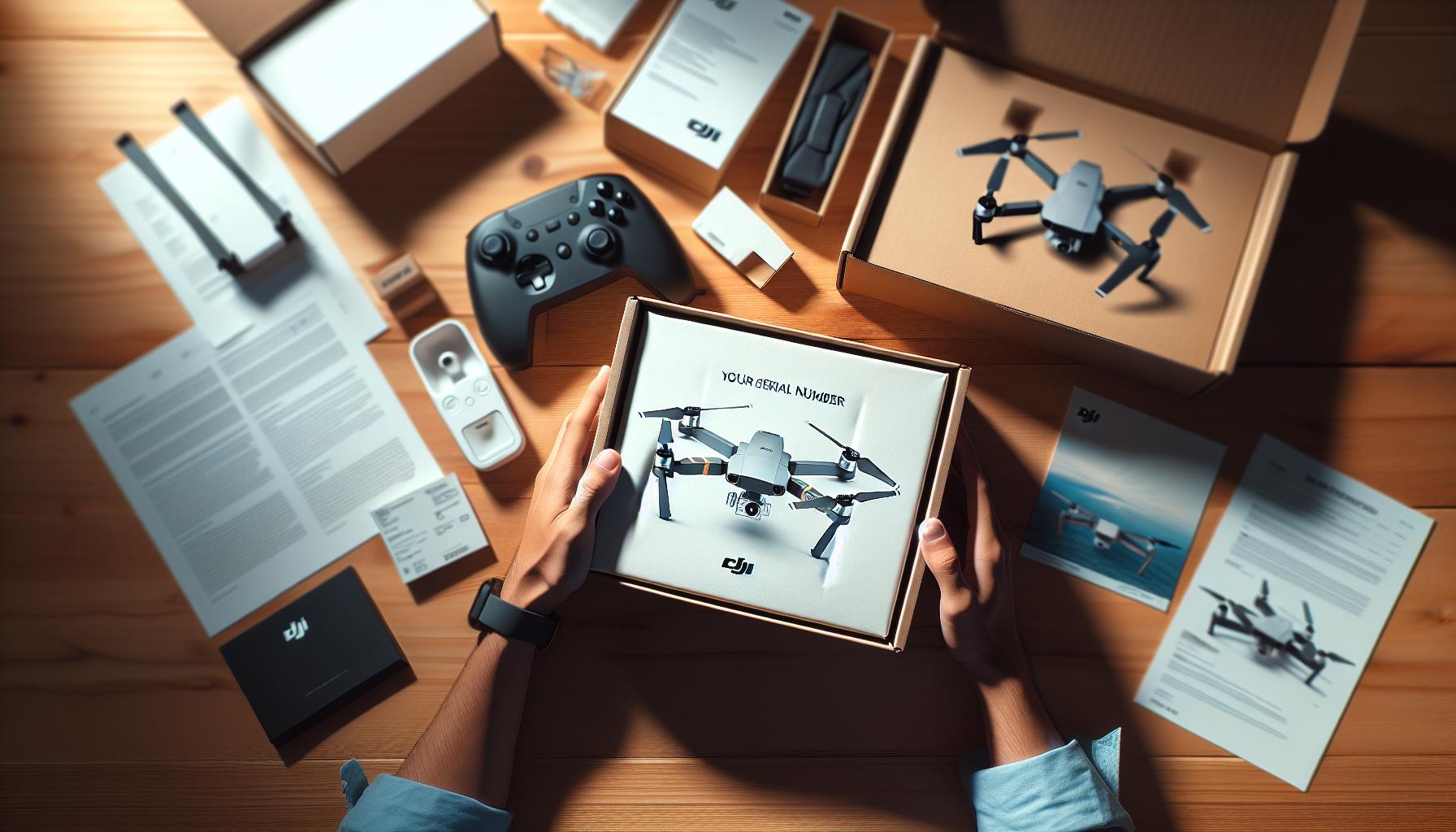
How to Retrieve Your DJI Drone Serial Number from the Packaging
When unboxing your new DJI drone, one of the most critical pieces of information you will encounter is the serial number. This unique identifier not only helps in verifying your device but also plays a role in warranty claims and support services. Locating the serial number on the packaging is straightforward, and understanding where to find it can save you a lot of time and trouble later on, especially if you need to register your drone or access customer support.
Typically, the serial number is printed on a label affixed to the box. To find it, begin by carefully examining the exterior of the packaging. Look for a sticker that might be placed on the side or bottom of the box. This label usually contains various details about the drone, including its model number, manufacturing date, and of course, the serial number. It’s important to ensure that you do not discard this packaging prematurely, as it contains information that may be vital for your ownership records.
In addition to the label on the box, taking a closer look inside the packaging can yield valuable information. DJs often include user manuals or safety information booklets, where the serial number might also be mentioned. Checking these documents ensures you have recorded this key piece of information in multiple locations, providing easy access should you need it in the future.
Always consider keeping a digital record of your serial number by taking a photo of the label or storing the number in a secure digital format. This redundancy helps maintain your records organized and can be particularly useful if you have multiple devices. By knowing how to locate and document your DJI drone’s serial number from the packaging, you are taking proactive steps to protect your investment and enhance your overall drone ownership experience.
Common Issues When Searching for Drone Serial Numbers and Solutions
When searching for the serial number on your DJI drone, you may encounter several common pitfalls that can lead to frustration and wasted time. Understanding these issues and their solutions can streamline the process and ensure you have access to this crucial information when you need it most.
One frequent problem is misinterpretation of the label’s placement on the drone or its packaging. Some users might overlook the serial number if they do not check all sections of the packaging. It’s advisable to conduct a thorough search both on the exterior and interior of the box, as the label could be in unexpected locations, including the bottom or inside of the lid. If your drone’s box is already discarded, don’t panic; many models also display the serial number in the aircraft’s software. Ensure to access the DJI Fly app where the serial number can be found under the drone’s settings.
Another issue relates to confusion in recording the serial number correctly. Typos can occur, especially if you’re jotting it down manually, leading to incorrect entries during warranty registration or customer support claims. To mitigate this risk, consider taking a clear photograph of the serial number label instead of writing it down. This way, you’ll have a digital backup that’s easy to refer to whenever necessary.
Lastly, some users may experience difficulty if multiple serial numbers are present on their drone. Drones often have additional identification codes or part numbers that may look similar to the serial number. To avoid confusion, familiarize yourself with the specific serial number format used by DJI, which typically follows a set structure detailed in the user manual. Understanding how to distinguish the serial number from other information will save you time and prevent potential mix-ups during registration or service requests.
By being aware of these common issues and employing practical solutions, you can enhance your efficiency in managing your DJI drone’s serial information, ultimately contributing to a smoother ownership experience.
What to Do After Finding Your DJI Drone Serial Number
Once you have located your DJI drone’s serial number, it’s essential to know how to utilize this information effectively. The serial number is more than just an identifier; it is a vital piece of information that can significantly impact your ownership experience, from warranty claims to tracking your drone if it goes missing. Here’s what you should consider doing next.
Firstly, register your drone using the serial number on DJI’s official website or the DJI Fly app. This registration not only helps you keep track of your device but also facilitates support services in case you encounter any issues. This process will usually involve creating a DJI account if you don’t already have one, which also acts as a platform for managing your flight records and warranty information.
Secondly, document the serial number securely in multiple locations. Besides taking a photo, consider writing it down in a dedicated logbook for your drone-related activities. This log can include details about the drone’s maintenance, upgrades, and flight hours, making it a valuable resource for both personal tracking and potential resale. Additionally, keep a digital copy stored on a cloud service or a secure folder on your computer to ensure you can access it anytime.
Another crucial step is to check if your drone is covered by warranty. The serial number often allows you to determine the manufacturing date of your drone and to verify its warranty status. If your product is within the warranty period and you experience any faults, having the serial number handy can expedite the repair and replacement process.
Lastly, stay informed about any firmware updates or software improvements related to your drone model by keeping track of the serial number. This can help ensure that you receive notifications about relevant updates that enhance performance or security. Engaging with community forums or groups can also be beneficial, as they often provide insights and support regarding specific models based on their serial numbers.
Taking these steps not only protects your investment but also enhances your overall flying experience, ensuring that you’re well-prepared for all aspects of drone ownership.
Tracking Your DJI Drone: Why Serial Numbers Matter for Security
The security of your DJI drone hinges significantly on your ability to locate and utilize its serial number. This unique identifier not only establishes ownership but also plays a crucial role in safeguarding your investment against theft or loss. When equipped with the serial number, you can contact DJI support or local authorities more effectively should any unfortunate circumstance arise, enhancing the chances of recovery.
Benefits of Serial Number Tracking
One of the primary benefits of keeping a close eye on your drone’s serial number is the ability to track your device in various situations. If your drone goes missing or is stolen, having the serial number documented makes it easier to report the incident. Local law enforcement can reference that number when searching for recovered drones, improving the odds of getting your equipment back. Moreover, when you register your drone with the serial number on platforms like DJI’s website, it helps create a formal link between you and the device, making it harder for unauthorized users to claim ownership.
Additionally, serial numbers provide peace of mind during recreational flights. If you fly in regulated airspace or shared environments, officials may ask for identification to ensure that the drone is registered and compliant with local regulations. A readily accessible serial number affirms your legitimacy as a drone operator and demonstrates responsible ownership.
Action Steps to Ensure Security
To maximize the security benefits of your drone’s serial number, consider the following practices:
- Document Your Number: Write down the serial number in multiple accessible locations, such as a drone logbook and digital storage. This includes keeping backups in case of damage or loss of physical records.
- Register Your Drone: Always ensure that your drone is registered using its serial number to remain compliant with aviation regulations.
- Engage with the Community: Join forums or social media groups centered around drone flying. Participating in these platforms can provide support and advice related to tracking and maintaining your drone’s security.
- Use Tracking Devices: Consider additional tracking technology or apps that can link back to your drone’s serial number, providing real-time GPS tracking even if the drone moves out of your immediate area.
By understanding the importance of your DJI drone’s serial number in terms of security, you not only protect your investment but also enhance your overall flying experience. With the right practices in place, you’re better equipped to manage risks associated with drone ownership, ensuring your flights remain a positive and enjoyable pursuit.
Additional Tips for Managing Your DJI Drone’s Serial Information
Keeping track of your DJI drone’s serial number can save you a lot of trouble in the long run, making it essential to manage this information effectively. An organized approach helps ensure that you can quickly access your serial number when needed, whether for warranty claims, theft recovery, or registration purposes. Here are some tips to enhance your management of this crucial detail.
Start by maintaining a dedicated log specifically for your drone. This log should not only include the serial number but also relevant details such as purchase date, warranty information, and service records. Consider using a digital format like a spreadsheet or a simple notes app, which allows for easy updates. Make sure to synchronize this information with cloud storage, so you can access it from multiple devices, especially during emergencies.
In addition to documentation, incorporate barcode or QR code labels on your drone and its accessories. These codes can be linked to an online inventory system where you catalog all serial numbers associated with your equipment. It provides a quick scanning option for retrieval, ensuring that you don’t have to sift through paperwork or digital files during crucial moments, such as when registering your drone with local authorities or contacting support.
Engaging with the drone community can also provide valuable insights into managing serial information. Online forums and social media groups often share best practices, cautionary tales, and organizational tips from seasoned pilots who have faced similar challenges. Connecting with other enthusiasts can enhance your understanding while providing reassurance that you’re following industry standards for drone ownership.
Lastly, don’t forget to revisit and update your records periodically, especially after any significant event such as repairs or upgrades. A proactive approach ensures that your information remains current and decreases the likelihood of misplacing or forgetting vital details. By adopting these strategies, you empower yourself as a responsible drone owner, enhancing your ability to pilot your DJI drone with confidence.
Understanding DJI’s Serial Number Format and Meaning
Understanding DJI’s serial numbers is crucial for effective drone management and ownership. These unique identifiers play an important role in ensuring the safety, legality, and support of your drone. Typically, a DJI serial number consists of a combination of letters and digits that offer insights into the production timeline and specific model of the drone. Decoding the serial number can give users vital information, including the manufacturing date, which can be pivotal for understanding warranty claims and support options.
The format of DJI serial numbers usually includes a series of alphanumeric characters. For example, the first few digits often indicate the production month and year, enabling owners to ascertain how current their model is. This information can serve as an indicator for firmware updates and other compatibility issues with accessories. Additionally, some characters may denote specific production lines or regions, giving users a better context for their drone’s origin and potential resale value.
To navigate the intricacies of DJI’s serial numbers effectively, it may help to familiarize yourself with common patterns. Most DJI drones will have a serial format that starts with a letter followed by a series of numbers; this standardization aids in easier identification. Understanding these formats not only facilitates better record-keeping but also enhances your ability to communicate with DJI support should you face issues. This knowledge empowers all drone operators, elevating their confidence in handling technical inquiries and support requests.
In conclusion, paying attention to your DJI drone’s serial number is not just about identifying your device but is integral for effective ownership. Familiarizing yourself with the format and its implications ensures you remain informed and prepared for any potential challenges, thereby enhancing the longevity and usability of your drone. Know your serial number, understand its format, and keep your operational knowledge up to date; you’ll be better equipped to navigate the intricacies of drone ownership.
Using Serial Numbers for Warranty and Support Claims
When it comes to managing your DJI drone, understanding how to leverage the serial number can make a critical difference, especially during warranty and support claims. Your drone’s serial number is the key to unlocking customer service, allowing you to quickly establish ownership and confirm details regarding warranty coverage. If you’ve ever experienced technical issues or needed repairs, you likely know how essential it is to have this number on hand.
To initiate a warranty claim or seek support, you’ll typically be required to provide the serial number of your drone. This number helps DJI validate when and where the drone was manufactured, as well as any potential registration or past maintenance records associated with that specific unit. Whether you encounter a malfunction, need a part replacement, or require technical support, having your serial number easily accessible ensures a smoother interaction with customer service representatives. It’s wise to document your serial number in multiple places-both physically on your drone and digitally in a secure location-to avoid any delays when seeking assistance.
Additionally, when filing a warranty claim, it’s not just about providing the serial number; accompanying details such as the date of purchase and proof of purchase are often required. This information can help support your claim, confirming that you are within the warranty period and reinforcing your eligibility for any free repairs or replacements. This proactive approach enhances your chances of a successful claim and reinforces the importance of keeping thorough records.
In instances where there are disputes over warranty coverage, being able to present clear evidence related to the serial number and your purchase history gives you significant leverage in negotiations. It’s beneficial to familiarize yourself with your drone’s specific warranty terms as outlined by DJI, so you know exactly what support you’re entitled to based on your serial number.
By understanding how to effectively use your serial number, you empower yourself to ensure that your drone operates smoothly and remains within the safety and compliance guidelines set by the manufacturer. Not only does this save you time, but it also gives you peace of mind, knowing that you can rely on the support network available solely through this alphanumeric identifier.
How to Identify Your Drone Model Using the Serial Number
Identifying your drone model using the serial number is a straightforward yet crucial task for every DJI owner. The serial number acts as a unique identifier for your drone, encoded with essential information about your device. Knowing how to extract the model type through this number can enhance your ownership experience, especially when seeking support or updating firmware.
To identify your drone model, locate the serial number usually found on the bottom or side of your drone. Once you have it, you can use it in various ways. The serial number contains specific segments that denote different characteristics. For example, typically, the first few digits represent the drone’s model type and production year. Understanding this structure allows you to pinpoint your model efficiently.
Another method to verify your model is through the DJI website or user forums, where you can enter the serial number to look up details about your specific drone. Here, you may find not just the correct model identification but also pertinent information regarding updates, recalls, or support documents relevant to your drone type. If you encounter difficulties, DJI’s customer service can provide assistance by referencing your serial number directly against their database.
Ultimately, being proficient in identifying your drone model using the serial number not only streamlines support and servicing but also improves your overall operational knowledge. This is especially vital for ensuring compatibility with accessories, software updates, and flight regulations tailored to your specific model.
DIY Methods for Serial Number Verification and Registration
Every DJI drone owner knows that the serial number is the key to unlocking a wealth of information about their device, acting as a unique identifier that holds everything from the model to manufacturing details. Verifying your drone’s serial number is an essential step to ensure you’re operating within warranty guidelines, seeking support, or even registering your drone correctly. Here are some practical DIY methods to assist you in verifying and registering your DJI drone’s serial number effectively.
Start by checking the manufacturer’s documentation. When you purchase your drone, it often comes with a user manual or a warranty card that lists the serial number. This can serve as a quick reference without needing to physically examine your drone, especially useful if you’ve misplaced your drone or are traveling. Make sure to keep this document safe, as it contains other important information like purchase date and dealer details, which could be beneficial for warranty claims.
If you have immediate access to your drone, locate the serial number sticker usually positioned on the underside or side of the drone. In addition to visual confirmation, consider registering your drone through the DJI Go or DJI Fly app. Open the app, log in to your DJI account, and navigate to the ‘Profile’ or ‘Settings’ section where your drone(s) are listed. The app displays all registered devices along with their related serial numbers. This not only allows you to verify the serial number but also keeps your records updated in the event of loss or theft.
For a more detailed verification, you can visit the DJI support website and use the serial number to find precise details about your drone. By entering your serial number, you can access information about firmware updates, potential recalls, and customer support. This step ensures that your device is registered correctly and compliant with any software or operational guidelines set by DJI.
In case you encounter issues while verifying your serial number, consider reaching out to DJI support. Their customer service representatives can assist in looking up your serial number in their database, resolving any discrepancies or concerns. Taking these proactive steps not only instills confidence in your drone’s operational status but also enhances your overall flying experience by aligning with the necessary legal and technical requirements.
Faq
Q: How can I find my DJI drone serial number if I lost the packaging?
A: If you’ve lost the packaging, you can still find your DJI drone’s serial number by checking the drone’s body. Most models have the serial number printed or engraved in a hidden area, often on the underside or near the battery compartment.
Q: What should I do if my DJI drone serial number is not readable?
A: In case your drone’s serial number is faded or unreadable, try contacting DJI support. They may assist you with alternative methods to verify your drone’s ownership, such as providing proof of purchase.
Q: Where can I enter my DJI drone’s serial number for warranty checks?
A: You can enter your DJI drone’s serial number on the DJI support website. Navigate to the warranty check section and input the number to see your warranty status and available support options.
Q: Why is it important to find the serial number on my DJI drone?
A: Finding your DJI drone’s serial number is crucial for registration, warranty claims, and support services. It helps confirm ownership and can also assist in recovering your drone if it’s lost or stolen.
Q: Can I retrieve my DJI drone’s serial number through the DJI Fly app?
A: Yes, you can retrieve your serial number through the DJI Fly app. Go to the “About” section in the app settings after connecting to your drone, and you will find the serial number listed there.
Q: What is the format of DJI drone serial numbers?
A: DJI drone serial numbers typically consist of a mix of letters and numbers. They usually follow a specific format which can include the drone model year, production batch, and manufacturing location.
Q: How can the serial number help in identifying my DJI drone model?
A: The serial number can provide insights into your DJI drone model by using DJI’s official resources or contacting support. Specific patterns in the serial number can also reveal model-specific information.
Q: Is there a way to register my DJI drone using the serial number?
A: Yes, you can register your DJI drone using the serial number on DJI’s official website or through the respective app. This registration process links your drone to your account, ensuring tracking and support.
For further assistance with DJI drones and related topics, explore additional guides on setup and maintenance as you continue your drone journey!
Key Takeaways
Now that you’ve mastered the quick methods to find your DJI drone’s serial number, you’re well on your way to maximizing your flying experience and ensuring your device’s registration and warranty are in check. Don’t let uncertainty hold you back-take action now and confirm your drone’s identity! If you’re looking to dive deeper into optimizing your drone experience, check out our guides on drone setup and firmware updates, or explore tips for enhancing flight safety.
Remember, your drone is a powerful tool for creativity and exploration. For any questions or to share your experiences, feel free to leave a comment; we love hearing from fellow enthusiasts! Keep pushing your drone skills further-consider signing up for our newsletter for the latest updates, expert tips, and exclusive content to enhance your flying capabilities. Your aerial adventure awaits!









