
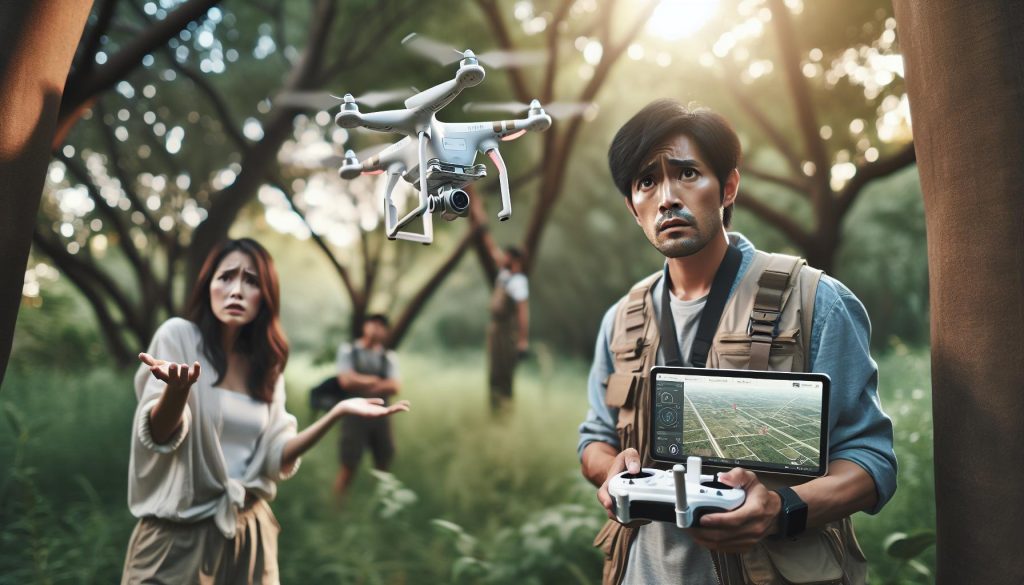
Losing a drone can be a frustrating experience, especially when you rely on it for capturing stunning aerial footage or completing professional tasks. Understanding how to efficiently recover your DJI drone not only saves you money but also enhances your flying confidence. In this emergency recovery guide, we’ll explore effective strategies and tips tailored specifically for DJI drones, helping you navigate the recovery process with ease. Whether you’re a novice hobbyist or an experienced pilot, the insights provided will empower you to minimize loss and maximize your drone flying experience. Dive in to discover essential techniques that turn panic into proactive recovery, ensuring your drone adventures can continue smoothly.
How to Track Your Lost DJI Drone: Step-by-Step Techniques
Losing a drone can be a heart-stopping moment for any operator, but having a systematic approach can significantly enhance your chances of recovering it. Here’s a step-by-step guide on how to track your lost DJI drone effectively.
First, utilize the built-in GPS and tracking features of your DJI drone. Most modern DJI drones have Global Positioning System (GPS) capabilities that provide real-time tracking on the DJI Fly app or DJI GO 4 app. If the connection is still active, you can see its last known location on the map. Navigate to the app and check for any options related to locating your drone. If you haven’t done this already, switching on the Find My Drone feature can also help pin down its last coordinates.
Next, gather data from the last flight log. This can be accessed through the app where you regularly fly your drone. It will contain flight data, including altitude, speed, and location points. Understanding the flight path can help estimate the direction in which your drone may have drifted, especially if it lost signal mid-flight.
Utilize your remote control to ensure you’re sending out a signal. Drones often have a “Find My Drone” function, which makes them emit a sound or visual cue that can help guide you to their precise location. While doing this, thoroughly search the area where your drone last communicated its location. Stay alert for any distinctive sounds or lights the drone may be emitting.
If your drone hasn’t responded to any signals and the last known location is unclear, consider taking an organized approach to search the area. Divide the search space into sections and systematically cover each area while keeping an eye out for where the drone might have landed. It may also be helpful to talk to locals or nearby users who might have seen your drone or know the area well.
In case your drone is completely unresponsive and none of the tracking features help, social media can be a powerful tool for recovery. Post in local drone forums or community groups, detailing your drone’s description and last known location. The drone community is often very supportive and your post might reach someone who can assist in locating your device.
By following these steps, you can maximize your chances of recovering your lost DJI drone efficiently. Stay calm, focused, and keep these strategies handy to navigate through this challenging experience.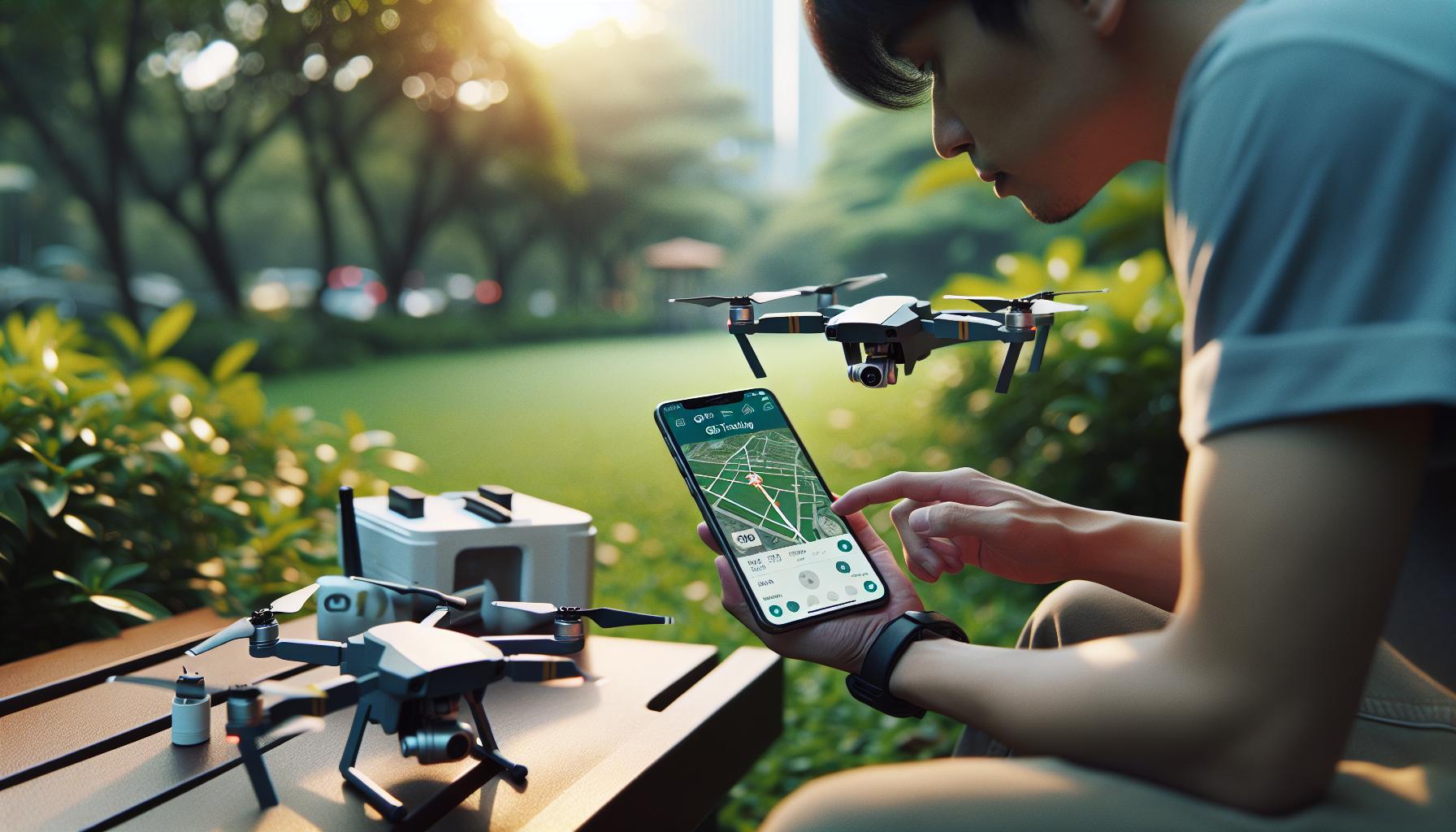
Understanding DJI’s Built-in Locator Features
Most modern DJI drones are equipped with advanced built-in locator features that significantly enhance the chances of recovery after a loss. One of the key technologies utilized is GPS, which allows drone operators to track their device’s last known location via the DJI Fly or DJI GO 4 apps. When a drone loses connection, the app will display the last location recorded before the disconnection occurred. This function is invaluable for quickly pinpointing where your drone may have gone down, especially in vast or unfamiliar areas.
To optimize the use of these features, make sure to enable the “Find My Drone” function prior to taking off. When activated, this feature allows the drone to emit a beeping sound or flash its lights, making it easier to locate visually and audibly, particularly useful if it has landed in dense foliage or hard-to-reach areas. Additionally, users can access flight logs through the app to analyze their drone’s last recorded paths, altitude, and flight duration. Understanding the trajectory can provide context about where the drone might be headed or if strong winds may have affected its landing position.
While using these tools, it’s also important to stay aware of the battery levels and signal strength during flight, as these factors directly impact the effectiveness of locating your drone after an incident. If the battery is critically low, the drone may not have enough power to execute its return-to-home function, thus limiting your ability to track it. Having a good grasp of these built-in capabilities can significantly streamline your recovery efforts and increase the chances of bringing your drone home safely.
Furthermore, being proactive about your drone’s settings can prevent future mishaps. Regularly updating firmware ensures that you have the latest tracking features and improvements, which can enhance the overall experience of using the drone as well as its recovery options. Being informed and prepared is key to maximizing the usefulness of DJI’s built-in locator tools.
Using Third-Party Recovery Apps for Drones
Using third-party recovery apps can significantly enhance the chances of locating your lost DJI drone, especially if built-in locator features fall short. Many dedicated applications are designed for drone recovery, giving operators access to additional tools and functionality that complement native apps like DJI Fly or DJI GO 4. These applications often come equipped with unique features such as real-time tracking, community support, and enhanced flight path analysis that can prove invaluable in the recovery effort.
One popular choice among drone pilots is Drone Scanner, which offers the ability to view the last known location of your drone and track its flight path history. This application integrates GPS data to display a map of the drone’s trajectory, making it easier to predict where it may have landed. Another noteworthy app is Flytrex, which provides detailed telemetry data that can aid in understanding how environmental factors-such as wind speed and obstacles-might have influenced the flight path before loss of control. Utilizing these apps not only broadens the search parameters but also equips the operator with analytical tools that help reconstruct the flight path, potentially leading to a more successful recovery.
When integrating third-party apps into your recovery strategy, it’s crucial to check connectivity options and ensure that you have the necessary permissions and network settings configured correctly. Consider joining online communities or forums where drone enthusiasts share their experiences and tips regarding recovery methods, including the most effective apps to use in various scenarios. Participating in such discussions can help you learn from others’ mistakes and successes, enabling you to adopt best practices for efficiently locating your drone.
In conclusion, third-party recovery apps serve as a powerful complement to DJI’s built-in features, providing additional layers of functionality and support. By leveraging these resources and combining them with careful analysis of flight data and community insights, you can significantly improve your odds of recovering your lost drone swiftly and effectively.
What to Do Immediately After Losing a Drone
The moment you realize your drone is missing can be overwhelming, but staying calm and following a structured approach can significantly improve your chances of recovery. Begin by retracing your last known commands and movements. If your DJI drone was in flight when you lost signal, try to remember the flight path, the last visual sighting, and any obstacles it might have encountered. Each detail can provide vital clues for your search.
React Immediately
Your first step should be to open the DJI Fly or DJI GO app to determine if your drone is still connected. If it is, check the GPS coordinates and the last known location displayed on the app. If the drone has disconnected, switch to map view to see its last known trajectory and mark this on a physical map or using your phone. The app may also provide information about the last recorded altitude, which can help narrow down the search area.
Utilize Your Resources
If equipped, a remote controller with a built-in screen can provide real-time telemetry data. Pay attention to your drone’s battery level; if it’s low, you’ll need to focus your search quickly. Engage with any nearby drone operators or local flying clubs, as they may possess additional insights relevant to the area. Even if they can’t help directly, local knowledge about terrain and common drone recovery methods is invaluable.
- Expand Your Search Area: Begin looking in a radius around the last known coordinates. Drones can be blown off course by wind, so be prepared to cover greater distances.
- Gather Tools: Bring a mobile device with GPS, a notebook for tracking discovered areas, and binoculars for a wider view when scouting inaccessible terrains.
- Inform Others: If safe, inform people in the vicinity about your lost drone-especially if you’re in a public area. They may have seen it or can assist with the search.
Record Your Findings
Documenting your steps can help maintain focus and ensure you’re covering new ground. If you come across potential landing spots or debris, take note of these areas for a more thorough inspection. If your drone features a built-in locator beep, activate it to listen for any audible signals that could guide you closer.
By following these immediate steps and leveraging the technology at your disposal, you enhance your likelihood of recovering your lost DJI drone. Stay persistent, as many operators have successfully found their drones even after extended searches. The key is to act swiftly and systematically.
Locating Drones: The Importance of GPS and Signal Strength
The effectiveness of locating a lost DJI drone relies heavily on the synergy between GPS technology and the strength of the signal it emits. When operating a DJI drone, your device continuously communicates with the remote controller, maintaining a constant data exchange about location, battery status, and any potential obstacles. This real-time feedback loop is crucial, particularly when your drone goes missing. If the drone loses connection, it can still provide valuable information based on its last known GPS coordinates, making it vital to understand how to leverage this data for recovery.
GPS does more than pinpoint your drone’s general location; it also plays a significant role in determining how far the drone could have traveled after losing signal. Many drones have a feature referred to as “Return to Home” (RTH) that, when triggered, directs the drone back to its last known position or the take-off point. If you are aware of the current GPS data through the DJI Fly or DJI GO app, you can estimate the drone’s possible landing zone in relation to factors such as wind direction and speed at the time of disconnection. Understanding these dynamics can broaden your search effectively, directing you towards the most probable recovery area.
Signal strength is another critical factor. The lost drone’s ability to communicate with the controller is contingent on environmental elements, such as obstacles towering around it, buildings, trees, and overall terrain. When a drone ascends into higher altitudes, the signal can weaken, making it imperative to search areas at various elevations, especially if you know the last altitude it maintained. Using a handheld GPS device during the search can help in tracking your route and locating the drone based on its last known altitude from the app data.
In your search efforts, it’s advantageous to utilize available technology-both in the drone’s design and external aids-to enhance your recovery strategy. A high-quality mobile device equipped with GPS and mapping tools can help visualize the search area and flag potential locations where the drone might have landed. Documenting your findings throughout the search not only keeps track of accessed areas but also allows you to iterate on your strategy based on ongoing feedback and visual clues you might encounter during the search.
By appreciating the collaborative function of GPS and signal strength, you will be better prepared to navigate the terrain and utilize every resource at your disposal, increasing the chances of successfully locating your lost DJI drone.
Calibrating Your Remote for Better Communication
Calibrating your remote controller is a vital step in ensuring reliable communication with your DJI drone, especially when you’re in a stressful situation like searching for a lost unit. Proper calibration not only optimizes the controller’s performance but also enhances the overall signal clarity, making it easier to navigate your drone back to safety or locate it more effectively.
To begin the calibration process, take your remote controller and drone to an open area free from potential interference, such as buildings or large trees. This will help you achieve a clear operational environment, minimizing disruptions to the GPS and signal strength. Start by powering on both the drone and the controller. Open the DJI Fly or DJI GO app on your smart device and navigate to the settings menu. Look for the “Remote Controller” section and select the “Calibrate” option. Follow the on-screen instructions, which often involve moving the sticks and other controls through their full range of motion to ensure they are registering properly.
Key Calibration Steps
- Ensure the drone and remote are powered on.
- Open the app and locate the calibration settings.
- Follow guided prompts to adjust stick responses and other features.
- Save the settings and test responsiveness before flight.
Once calibration is complete, conduct a thorough test of the controller’s functionality. This is crucial because any misalignment could result in signal loss during a recovery mission. If you notice any discrepancies during the test, re-calibrate to make sure everything aligns perfectly. A well-calibrated remote enhances the clarity of signals being transmitted, which is especially important in environments with potential physical barriers that can interfere with your drone’s communication.
Effective calibration not only ensures that you have better control during your flights but also plays a crucial role should you find yourself in a drone recovery scenario. By taking the time to calibrate your equipment correctly, you increase your chances of maintaining connection with your drone, even in challenging conditions, which can be the difference between success and failure in locating your lost device.
In summary, regular calibration is a simple yet powerful practice that can significantly enhance your flying experience and recovery efforts. Always remember to calibrate your remote before heading out for a flight-it’s an essential habit for any drone operator.
Effective Search Strategies for Drone Recovery
Searching for a lost drone can be a nerve-wracking experience, but employing effective strategies can significantly increase your chances of a successful recovery. The first step is to utilize your drone’s built-in GPS and locator features if they are available. Most DJI drones are equipped with a “Find My Drone” feature that can help pinpoint its last known location. Make sure to regularly check the DJI Fly or DJI GO app for any location updates or signal strength indicators as you plan your search.
Once you’ve pinpointed the last known location, it’s essential to assess the surrounding area. Drones can land in unexpected places, so keep an open mind regarding where it might be. Look for landmarks visible from the sky, such as distinctive trees, buildings, or open fields that you can use as reference points. Rotate your perspective-what looks like an open area on the ground may be more difficult to navigate on foot. Bringing binoculars can also aid in scanning areas from a distance without getting too close.
Efficient search strategies involve meticulous planning and teamwork, especially if you’re flying with companions. Divide the search area into sections and cover them systematically. Consider using flag markers to denote areas already searched, thus avoiding redundancy. Sharing information about signal strength can help each person focus their efforts where the signal is strongest. If you are still unable to locate the drone, take into account the drone’s battery life. If you know the estimated flight time, time your searches accordingly-look for the drone within a reasonable radius from where it last transmitted.
Lastly, don’t underestimate the effectiveness of sound. Many DJI drones emit beeping sounds when they are activated. If your drone has a low battery, it may also emit a different signal. Turn off any noise around you, or even try finding it at dusk or dawn when the surroundings are quieter. By combining these methods, you enhance your chances of recovering your lost DJI drone efficiently.
How to Analyze Flight Data to Find Your Drone
Analyzing flight data is a crucial step in recovering a lost DJI drone, helping you retrace its last movements and pinpoint its possible location. When your drone goes missing, the first course of action is to access flight logs through the DJI Go or DJI Fly app, which record vital information such as the last known coordinates and altitude data. This information can shed light on the drone’s final moments, revealing details about its flight trajectory and any abrupt changes in movement that may indicate where it descended.
It’s essential to pay close attention to the following data points from the flight logs:
- Last known GPS coordinates: These are usually logged automatically before the drone lost connection. Mark these coordinates on a map to determine the immediate search area.
- Altitude: Knowing the last altitude helps gauge whether your drone may have crashed, landed, or is potentially stuck in a tree. This can guide your ground search in the surrounding area.
- Flight path: Reviewing the flight path can indicate whether the drone was returning to the home point before it lost connection. Look for any sharp turns or other flight anomalies that might provide clues about its behavior just before it became lost.
- Battery status: Checking battery data can help estimate how far the drone might have traveled after the last recorded coordinates. If the battery was critically low, your search area could be more confined.
After identifying the relevant data from the logs, combine these insights with your physical search efforts. If the last known coordinates point to an area that is difficult to access, using the altitude data can help narrow down potential search zones. For example, if the altitude suggests the drone may have landed low, focus your search on flatter terrain within that GPS coordinate vicinity.
Additionally, consider sharing this data with fellow drone enthusiasts or search parties; collaboration can enhance your recovery efforts. By systematically analyzing flight data and applying it to your search strategy, you substantially increase your odds of retrieving your lost DJI drone.
Common Mistakes to Avoid When Searching for a Lost Drone
When a DJI drone goes missing, the stress of the situation can lead to hasty decisions that ultimately prolong the recovery process. Understanding common pitfalls can make all the difference in efficiently locating your lost device. For instance, it’s easy to underestimate the search area based solely on the last known GPS coordinates. Many pilots erroneously assume the drone will remain close to this spot, which leads to wasted time in a limited search zone. Always consider the possibility of wind or other external factors that could have affected its final location.
Another frequent mistake involves neglecting to check the drone’s status through the associated app immediately after a loss. The DJI Go or Fly app provides critical information, including battery levels, last known GPS coordinates, and flight data. Skipping this step can result in misguided searches and missed opportunities to use the provided data effectively. For instance, if the battery was critically low at the time of disconnection, it is reasonable to broaden your search area, as the drone may not have traveled far before landing.
Additionally, many drone operators fail to communicate with fellow enthusiasts or local communities about their lost drone. Crowdsourcing your search efforts can prove invaluable, as experienced pilots often possess knowledge of nearby terrains and past incidents, providing insight that may assist in your recovery. Explaining the situation to others increases your outreach and can lead to successful cooperative searches that just might yield results.
Lastly, it’s crucial to remain calm and composed during the search. Panic can cloud judgment, leading to reckless searching that overlooks clues left behind by the drone. Establishing a systematic approach-like checking areas according to the last recorded flight path and altitude-ensures every lead is exhausted thoroughly, enhancing the chances of a successful retrieval. By avoiding these common mistakes, you can dramatically improve your strategy for recovering a lost DJI drone.
Preventative Measures: Keeping Your Drone Safe
To ensure that your DJI drone remains safe and operational, adopting a proactive approach is essential. Many pilots overlook the importance of regular maintenance, proper storage, and adherence to safe flying practices, which can lead to unfortunate losses. For instance, environmental factors such as high winds or sudden weather changes can drastically affect flight performance. By being aware of these conditions and planning flights accordingly, you can minimize the risk of losing your drone.
One of the most effective preventative measures is to consistently update your drone’s firmware. Firmware updates often include enhancements to navigation, stability, and safety features. Ensuring your drone has the latest software can improve its ability to maintain connection with GPS and ground control, significantly decreasing the likelihood of drift or loss of signal during flights. Additionally, familiarize yourself with the drone’s built-in safety features, such as Return-to-Home (RTH), which can automatically return your drone to its launch point if it loses connection or goes out of range.
Regularly checking your equipment is equally important. Scrutinize your drone before every flight for signs of damage or wear, particularly on the propellers and battery. A compromised propeller can affect flight stability, while a faulty battery may lead to sudden power loss-both situations that could result in a crash or loss. Implementing a checklist prior to each flight can help ensure that all systems are functioning optimally.
Lastly, establish a robust flight plan that considers the area and potential obstacles. Use flight apps and real-time mapping tools for pre-flight planning, which allow you to identify no-fly zones and plan your routes carefully. Engaging with local drone flying communities can also provide invaluable insights into safe flying practices specific to your area.
By committing to these preventative measures, drone operators can significantly reduce the chances of losing their devices and enhance the overall flying experience.
Legal Considerations When Recovering a Lost Drone
Recovering a lost drone can be a stressful experience, and it’s essential to be aware of the legal considerations that come into play during the search and recovery process. Depending on where you are located, various laws and regulations govern drone operations, which can affect how and where you can search for your lost device. Understanding these legalities not only ensures a smoother recovery but also helps you avoid potential fines or legal disputes.
Firstly, it’s crucial to know whether you are searching on private or public property. If your drone has landed in a private area, such as someone’s backyard or a commercial facility, you must obtain permission to enter that property. Trespassing laws vary by region, and entering without permission could lead to legal repercussions. It is wise to approach property owners politely and explain your situation. Many people understand drone mishaps and may allow you to retrieve your device, while others may prefer you stay away.
In addition to property laws, awareness of local drone regulations is essential. In many places, drone operators are required to adhere to specific no-fly zones, especially in urban areas, near airports, and in sensitive environments like parks or wildlife sanctuaries. If your drone has crashed in such an area, retrieving it could breach these regulations. Therefore, familiarize yourself with local laws on drone flight to ensure compliance while searching. Utilize drone community forums or apps that provide information about airspace regulations to stay updated.
Lastly, if your drone is lost and suspected to have caused damage-perhaps by colliding with another object or flying into restricted airspace-it may be necessary to report this to the relevant authorities. Being open and cooperative can mitigate further issues. Understanding and adhering to the legal frameworks not only aids in a successful recovery but also enhances your credibility as a responsible drone operator. Always keep these considerations in mind to protect yourself legally and make your search as effective as possible.
Maintaining Your DJI Drone After Recovery: Checklist and Tips
After the anxiety of recovering a lost DJI drone fades, the next critical step is ensuring that your drone remains in optimal condition for future flights. Regular maintenance not only enhances performance but also extends the lifespan of your device, minimizing the chances of future mishaps. Here are essential tips and a checklist to help you maintain your DJI drone and ensure it is ready for your next adventure.
Post-Recovery Inspection
Once you have retrieved your DJI drone, the first step is to conduct a thorough visual and functional inspection:
- Check for Physical Damage: Look for signs of damage on the body, propellers, and gimbal. Any cracks or dents can affect performance and flight stability.
- Inspect the Propellers: Ensure that the propellers are not chipped or bent, as this can lead to imbalance during flight. If any damage is found, replace them before your next flight.
- Examine the Camera: Make sure the lens is clean and free from debris to ensure clear imaging during flights.
Functional Tests
After visually inspecting the drone, perform functional tests to ensure everything is operating correctly:
- Battery Health: Check the battery for any swelling or damage. Conduct a full charge and monitor the battery’s discharge rate during practice flights.
- Calibration: Calibrate the drone’s compass and IMU to enhance flight accuracy. This is crucial if the drone has encountered physical disruptions during the loss.
- Firmware Updates: Ensure your drone’s firmware is up to date to benefit from the latest features and fixes. Connect to the DJI app and follow the prompts for any necessary updates.
Cleaning and Storage
Proper cleaning and storage are vital for longevity:
- Regular Cleaning: Clean the drone after each flight to remove dust, debris, and moisture. Use a microfiber cloth for the camera and gimbal.
- Store Safely: Use a padded case for storage. Ensure the drone and its components are kept in a dry, cool place, away from direct sunlight.
By adhering to this maintenance checklist, you’ll not only optimize your DJI drone’s performance but also foster a greater sense of confidence in your capabilities as a pilot. Regular upkeep creates a seamless flying experience, allowing you to focus on capturing stunning aerial views and enhancing your skills without the worry of potential failures. Always be proactive in caring for your equipment; it pays off in the long run.
Frequently asked questions
Q: How can I find my lost DJI drone if it won’t connect to the app?
A: If your DJI drone won’t connect to the app, try resetting the remote control and the drone. Also, check if the drone’s battery is charged. If possible, physically retrace your last flight path while keeping an eye on the app for any signals. For more tips, refer to the section on effective search strategies.
Q: What should I do if my DJI drone landed in water?
A: If your DJI drone has landed in water, immediately turn it off and remove the battery. Rinse with fresh water if it’s saltwater, and allow the drone to dry completely for at least 48 hours. Consider taking it to a professional for assessment and recovery advice. Preventive measures can help avoid this situation-see our tips for keeping your drone safe.
Q: Can I use the Find My Drone feature outside of the app?
A: The Find My Drone feature typically requires your device’s app. However, you can also use the Fly Safe website or associated third-party recovery apps to help locate your lost drone. Check the article section on using third-party recovery apps for more options.
Q: What are common mistakes people make when searching for a lost drone?
A: Common mistakes include not checking battery levels before searching, failing to analyze flight data, and searching without a plan. Stay focused on areas where the drone last had a signal, and avoid distractions. For related insights, review our section on analyzing flight data.
Q: Is it legal to search for a lost drone in someone’s property?
A: Searching for a lost drone on private property without permission can be considered trespassing. Always seek permission from property owners first. Familiarize yourself with local laws regarding drone recovery and privacy to avoid legal issues. For more legal considerations, visit our dedicated section.
Q: How can I use GPS data to find a lost DJI drone?
A: You can use GPS data by accessing flight logs in the DJI app or the Fly Safe website. This data provides coordinates where the drone last recorded its position. Then, plan a search within a reasonable radius of these coordinates. For more on this, refer to our guide on analyzing flight data.
Q: Are there any emergency signals my DJI drone might transmit?
A: Some DJI drones have emergency features that may emit signals, like audible alarms or LED flashing lights. If you’re within proximity, listen for these signals while searching. Ensure your remote is calibrated properly to maintain communication with the drone during a search. For calibration tips, consult our calibration section.
Q: When should I consider hiring professionals to recover my lost drone?
A: If your drone is in an inaccessible location or if you’ve spent significant time searching without success, hiring professionals might be wise. They often possess specialized equipment and expertise. For tips on effective recovery techniques, review our section on effective search strategies.
The Way Forward
Now that you’re equipped with effective strategies to locate your lost DJI drone, it’s time to put these tips into action! Remember, being proactive and knowing your drone’s capabilities can save you time and stress during emergencies. For more in-depth support on maximizing your drone experience, you might find our guides on drone setup and firmware updates invaluable. Don’t miss out on exploring our comprehensive reviews of popular DJI models, which can enhance your flying skills and confidence.
We’d love to hear about your own drone recovery experiences-feel free to share your stories in the comments below! For even more expert tips and the latest updates on drone technology, be sure to subscribe to our newsletter. Take control of your flying experience today, and ensure that your adventures are safe and successful! Let’s keep flying high together!









