
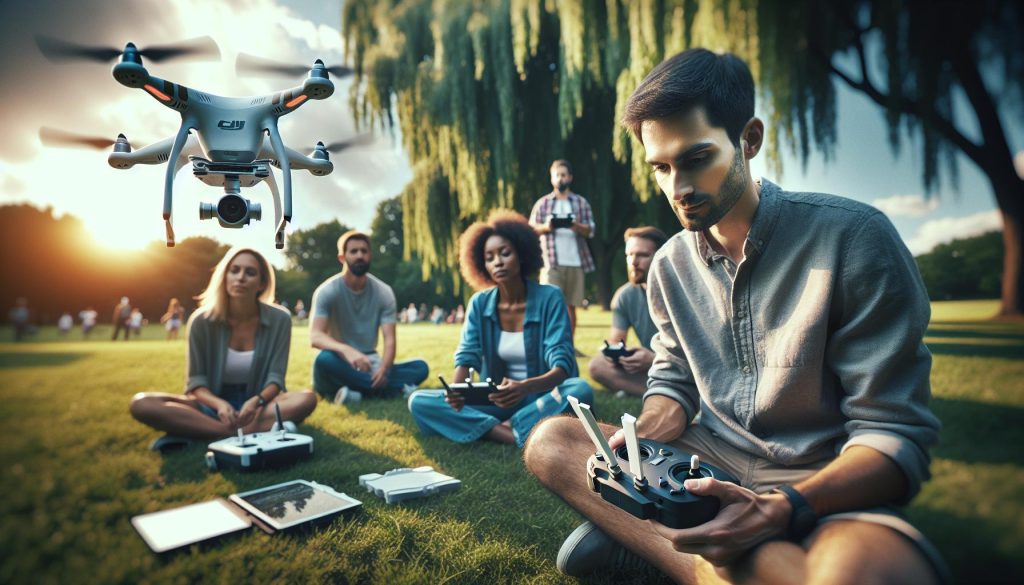
Drones have revolutionized the way we capture and interact with the world, with DJI emerging as a leader in this technology. Whether you’re a budding hobbyist dreaming of breathtaking aerial shots or an experienced pilot looking to refine your skills, mastering how to fly a DJI drone is essential. This guide will equip you with the fundamental skills every pilot needs to operate these sophisticated machines safely and effectively. From understanding the various flight modes to troubleshooting common issues, we’ll cover it all. You’ll gain confidence in your flying abilities, enabling you to explore new perspectives and unleash your creativity. Ready to elevate your piloting skills? Let’s dive in and start your journey into the skies!
How to Choose the Right DJI Drone for Your Needs
Choosing the right DJI drone is a vital step to ensuring you get the most out of your aerial photography or videography experience. With various models designed for different needs, the first task is to assess your specific requirements. Are you a beginner looking for an easy-to-fly option or an experienced pilot seeking advanced features? Knowing your skill level and intended use can significantly narrow down your options.
For hobbyists, the DJI Mini series is often recommended due to its lightweight design, ease of use, and affordability. These drones are excellent for capturing stunning aerial shots without the complexity of higher-end models. Conversely, if you are a professional filmmaker, you may lean toward the Mavic or Phantom series, which offer superior camera capabilities and advanced functionality. Consider factors like camera quality, flight time, and obstacle avoidance features that align with your filming needs.
Performance specifications should also play a crucial role in your decision. For example, if you plan to shoot in varied weather conditions, drones with enhanced wind resistance and battery life will serve you better. Similarly, if portability is essential, the Mavic Mini’s compact design is a significant advantage for travel. It’s also beneficial to read user reviews and comparisons of different DJI drone models to gather real-world insights and performance evaluations.
To make an informed choice, compile a list of must-have features and create a shortlist of models that meet these criteria. Consider visiting a local store to test the drones firsthand, or check out online demonstrations to see how they perform during actual flights. Understanding your preferences and how each model aligns with them will pave the way to selecting the ideal DJI drone for your aerial adventures.
Essential Drone Pilot Skills: Starting with the Basics

Starting your journey as a drone pilot can feel overwhelming, but mastering the essentials is an exciting step toward harnessing the vast capabilities of DJI drones. Understanding the fundamental skills required for flying not only enhances your confidence but also ensures safe and effective drone operation. As you prepare to take to the skies, familiarize yourself with a few key areas that will significantly impact your flying experience.
One of the first skills to develop is your operational controls. DJI drones come with intuitive remotes that offer various functions, but knowing how each control works is crucial. Spend time learning the joystick movements-upward and downward thrust, rotational yaw, lateral movement, and how these interact with the drone’s flight modes. The more comfortable you become with the controls, the easier it will be to execute complex maneuvers when you’re in the air.
Moreover, grasping the importance of pre-flight checks cannot be overstated. Before each flight, inspect your drone thoroughly, checking the battery life, propeller condition, and firmware updates. This diligence can prevent many potential issues mid-flight. Ensure you also familiarize yourself with the DJI Go app or the dedicated controller interface to understand real-time telemetry and settings that affect the flight, such as altitude limiters and GPS lock.
Next, understanding the environmental conditions can vastly improve your flying capabilities. Be mindful of wind speeds, temperature, and moisture levels, as these elements can affect stability and battery life. Learning to read weather conditions and assessing their impact on your flight can help you become a more responsible and skilled pilot.
Lastly, practice makes perfect. Start with easy flight exercises-such as hovering, ascending and descending in a straight line, and making gradual turns-to develop muscle memory. Gradually increase the complexity of your flights, incorporating features such as Waypoint missions or Active Track. Every flight experience contributes to your skill set, paving the way for more sophisticated aerial photography or videography in the future.
In summary, focus on familiarizing yourself with your drone’s controls, perform thorough pre-flight checks, stay aware of environmental factors, and practice consistently. By honing these essential skills, you will not only boost your flying confidence but also expand your creative capabilities in the world of aerial imaging.
Mastering DJI Drone Controls and Flight Modes
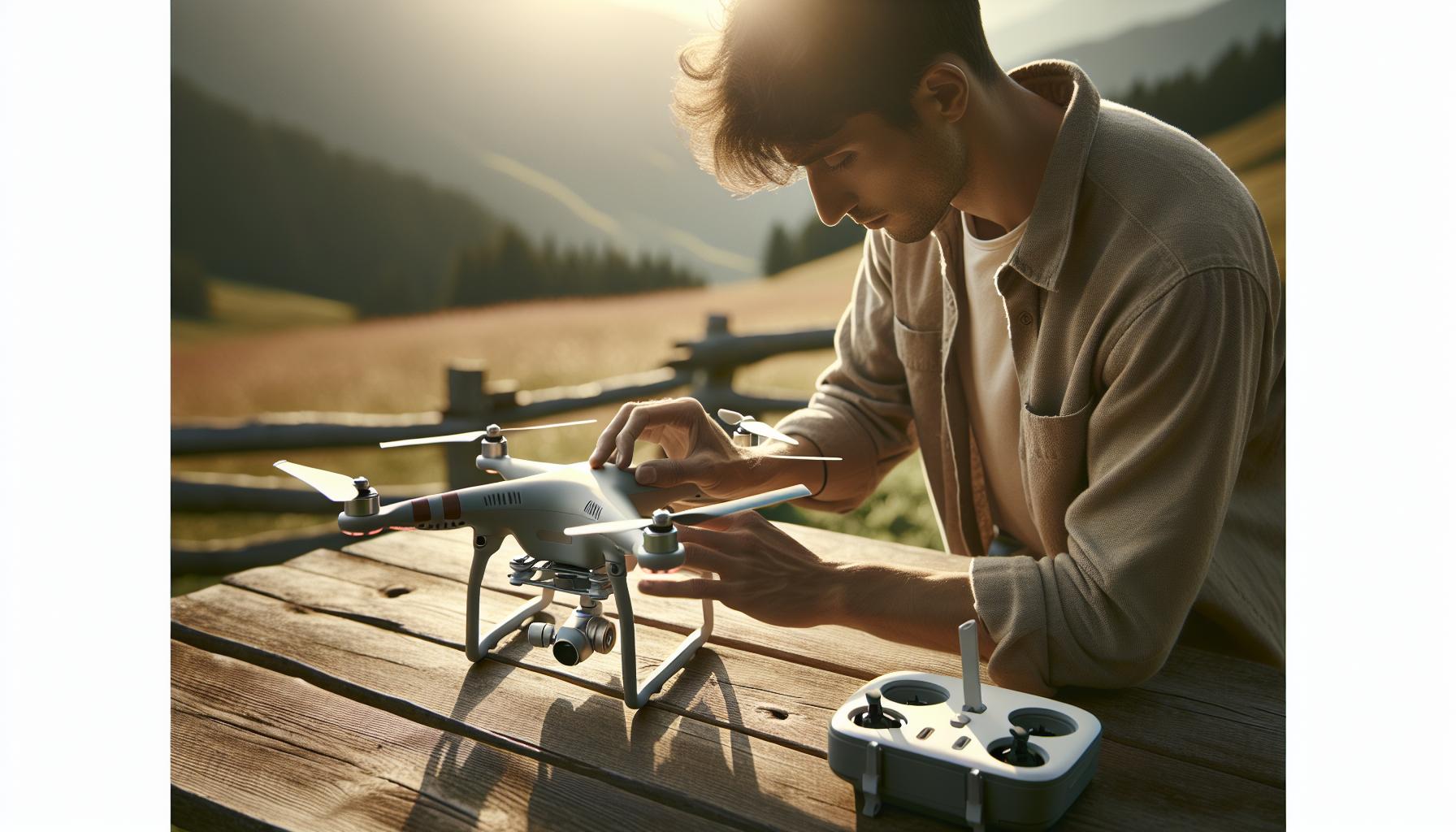
Mastering the controls and flight modes of your DJI drone is crucial to elevating your flying experience. These drones offer unparalleled versatility and ease of use, but understanding how to operate them effectively requires familiarity with essential controls and features. The intuitive design of DJI remotes empowers pilots to perform intricate maneuvers, provided they know how to utilize the various joystick movements and buttons.
A deep dive into the joystick functionalities reveals that each control plays a vital role in your drone’s movements. The left joystick typically governs the altitude and rotational yaw-the rotation around the vertical axis-while the right joystick controls the lateral movement. An important aspect of mastering these controls is practicing specific maneuvers like hovering, executing sharp turns, and transitioning from ascending to descending smoothly. Engaging these basic movements in open areas will build muscle memory to facilitate more sophisticated flying later on.
DJI drones come equipped with several flight modes, each tailored for different flying conditions and pilot skill levels. Familiarizing yourself with these modes not only enhances your capability but also expands your creative options. Some primary modes to explore include:
- Position Mode (P-mode): Ideal for beginners, this mode ensures your drone maintains stable flight by utilizing GPS and vision positioning systems.
- Sport Mode: Designed for experienced pilots seeking agility, this mode disables many safety features and allows for high-speed maneuvers.
- Tripod Mode: Perfect for capturing high-quality video with precision, this mode restricts speed and movement for smooth footage.
- Waypoints and ActiveTrack: Advanced features that allow for automated flight paths or tracking subjects, enabling cinematic shots with minimal pilot intervention.
Understanding the synergy between your drone’s controls and its flight modes can transform your flying technique and help you adapt to various aerial scenarios. Whether capturing breathtaking landscapes or navigating through complex environments, mastering these essential skills is the key to unlocking your drone’s full potential.
Setting Up Your DJI Drone: Step-by-Step Guide
To optimize your flying experience with a DJI drone, proper setup is crucial. Ensuring that all components are correctly initialized will save you time and reduce frustration during your first flight. Here’s a detailed guide to help you get started.
Begin by unboxing your drone and laying out all parts, including the drone body, remote controller, batteries, charger, and accessories. Familiarize yourself with each component; for example, ensure that your drone’s propellers are securely attached, as any loose parts can lead to flight instability. Once everything is in place, the first step is to charge the battery fully using the provided charger. Most DJI batteries need around 60 minutes for a complete charge, so ensuring this step is properly managed is essential to prevent any downtime later on.
Next, it’s time to download the DJI Fly app or the corresponding application specific to your drone model. This app will guide you through the connection process with your drone. After installing the app, turn on the remote controller and the drone. Connect your mobile device to the remote controller and launch the app. You’ll be prompted to follow on-screen instructions, which may include configuring your personal settings, updating firmware, and completing a pre-flight checklist to ensure everything is functioning correctly. Firmware updates are especially important, as they can improve drone performance and include new features.
Calibration Steps
An essential part of setting up your DJI drone involves calibrating the compass and the gimbal. To calibrate the compass, hold the drone horizontally and rotate it 360 degrees until the app indicates that calibration is complete. Next, switch to vertical orientation and repeat the process. For gimbal calibration, ensure the drone is on a flat surface, and follow the app instructions. This ensures stable footage during flights and enhances the overall flying experience.
Honing these setup skills not only prepares your drone for flight but also builds your confidence as a pilot. As you follow these steps, remember to always have safety in mind. Double-check that you have a sufficient battery charge, that your surrounding area is clear, and that you’ve reviewed local regulations before taking to the skies. With everything set up correctly, you’ll be ready to take your first flight and explore the incredible capabilities of your DJI drone.
Gimbal Calibration and Firmware Updates Explained

To achieve stunning aerial footage, gimbal calibration and keeping your firmware updated are essential aspects of operating your DJI drone effectively. A properly balanced gimbal mitigates shaky video and enhances stability, while up-to-date firmware ensures your drone operates efficiently and can access the latest features and improvements.
Gimbal calibration is straightforward but crucial for maintaining high-quality video capture. Start by placing your drone on a flat, level surface to allow the gimbal to adjust correctly. Access the DJI Fly app, which will guide you through the calibration process. Typically, you’ll be instructed to initiate the calibration and to rotate the drone in various orientations. Watch for indications in the app confirming each step-this feedback ensures that your gimbal is correctly aligned to counteract any movements that could affect video quality. Remember to perform this calibration whenever you change flight environments or after crashes that could impact the gimbal’s alignment.
Equally important is regular firmware updates. DJI frequently releases updates to improve performance, add features, and address issues discovered by the community. To check for updates, connect your drone to the DJI Fly app. Navigate to the settings or device management area, where you’ll find firmware options. If an update is available, ensure your drone and remote controller are fully charged, and initiate the update process-this typically involves downloading the new firmware and then allowing the app to install it. Keeping your firmware updated prevents malfunctions and ensures you can benefit from the technological advancements that DJI integrates into their products. Additionally, setting up auto-update notifications can help you stay informed about the latest releases without needing to manually check frequently.
By prioritizing gimbal calibration and firmware updates, you’ll enhance your flying experience, ensuring both smooth footage and optimal drone performance. These practices not only save you from potential issues but also empower you as a pilot, enabling you to focus on creativity and mastering your aerial artistry.
Safety First: Key Procedures for Drone Flying
Flying a drone is not just about capturing stunning aerial views; it involves a commitment to safety that every pilot must prioritize. A staggering percentage of drone incidents can be attributed to avoidable mistakes, making it crucial to establish robust safety procedures. Prior to every flight, checklists are invaluable tools. They ensure a thorough pre-flight inspection that includes verifying the drone’s condition, confirming battery levels, and ensuring all components are functioning correctly. A checklist fosters a systematic approach toward minimizing risks, and it’s advisable to repeat this process notably after any crash or hard landing.
Pre-Flight Safety Checks
Before embarking on a flight, conduct the following checks:
- Battery Life: Ensure your drone and remote controller are fully charged. A flight cut short due to low battery can lead to damage or lost drones.
- Firmware Updates: Confirm that your firmware is up-to-date. This decreases the chance of malfunctions and enhances overall performance.
- Environmental Conditions: Assess the weather-avoid flying in high winds, rain, or poor visibility. Knowing your environment is key; strong gusts can impact even the most stable drones.
- Restricted Areas: Familiarize yourself with local regulations and no-fly zones. Always respect airspace regulations to avoid legal issues and ensure safety.
In-Flight Safety Practices
Once airborne, maintaining vigilance is paramount. Here are some essential practices to follow:
- Keep Visual Line of Sight: Always maintain a clear line of sight with your drone to react swiftly to obstacles or unexpected situations.
- Avoid Crowds: Steer clear of populated areas. Not only is this considerate, but it also reduces the risk of accidents involving people or property.
- Monitor Battery Levels: Keep a close eye on the battery level during flight. Plan to return for landing when you reach around 20% battery to prevent emergency landings.
By adhering to these practices, drone pilots not only enhance their safety but also uphold the integrity of the hobby. The combination of thorough pre-flight checks and vigilant in-flight protocols fosters a culture of responsibility among drone enthusiasts, ultimately leading to a safer and more enjoyable flying experience. Remember, the skies should be a safe place for everyone involved-your diligence directly contributes to that goal.
Navigating the Laws: Drone Regulations You Must Know
Operating a drone, particularly a DJI model, opens up an exhilarating world of aerial photography and videography. However, this excitement comes with a significant responsibility: compliance with local and national regulations. Understanding these laws is not merely advisable but essential for safe and legal drone flying. By doing so, you’ll not only protect yourself but also cultivate a respectful and responsible drone community.
The first step to navigating drone regulations is to familiarize yourself with the rules set forth by your country’s aviation authority. In the U.S., for example, the Federal Aviation Administration (FAA) mandates that all drone pilots register their drones and adhere to guidelines such as keeping visual line of sight with the aircraft, flying below 400 feet, and not operating in restricted airspace. These requirements also apply to larger drones used for commercial purposes, which necessitate obtaining a Remote Pilot Certificate.
To further ensure compliance, pilots should take advantage of various online resources and mobile applications designed to help them understand local airspace restrictions. For instance, tools such as DJI’s own Fly Safe Geo Zone Map can help you identify no-fly zones or areas where flying requires special permissions. Awareness of temporary flight restrictions (TFRs)-often in place for events like sports games or emergency scenarios-is equally important, as these can change frequently and without notice.
When preparing for a drone flight, conduct thorough research into local laws, as regulations can vary significantly by state or country. Beyond registration and general flight permissions, some locations may have additional rules regarding privacy, commercial usage, and even operating drones near homes or businesses. Always be sure to ask for permission when flying over private property to avoid legal disputes and to foster goodwill within your community.
In summary, understanding and respecting the regulations surrounding drone use is crucial. By ingraining these practices into your flying routine, you’ll not only enhance your safety and that of others but will also contribute to the responsible growth of the drone piloting community at large. Your informed approach will reflect positively on all drone enthusiasts, encouraging a culture of respect for regulations and personal accountability.
Indoor Flying Tips for DJI Drones: Techniques and Tricks
Indoor flying poses unique challenges for drone operators, but with the right techniques and careful planning, you can navigate these hurdles effectively. One of the primary concerns when flying indoors is managing space limitations and obstacles. Unlike outdoor environments, indoor spaces often contain furniture, walls, and ceilings that can become hazardous if not properly considered. Using a DJI drone’s onboard sensors and obstacle avoidance technology can significantly enhance your flying experience. These features help prevent collisions and allow pilots to explore indoor spaces safely and confidently.
To set yourself up for success, begin by selecting an appropriate indoor area with ample room for maneuvering. A large, open space, such as a gymnasium or warehouse, is ideal for practice. Once you’ve identified a location, prepare your drone by ensuring it is fully charged and updated with the latest firmware. Before takeoff, perform a thorough pre-flight check, which includes calibrating the drone’s compass and IMU (Inertial Measurement Unit) to ensure stable flight performance. Always remember to switch to “Indoor Mode,” if available, which helps in reducing the drone’s sensitivity to GPS signals that may be unreliable in enclosed spaces.
When flying indoors, consider utilizing specific flight modes that enhance your control and agility. The “CineSmooth” mode, for instance, can help you achieve smooth, cinematic shots by limiting the drone’s speed and providing more gentle stick responses. It’s also helpful to practice slow, controlled movements and hover in one place until you’re comfortable with how your drone reacts to input. Additionally, be mindful of your surroundings and adjust your flying style accordingly. Use vertical space to your advantage by flying at different altitudes, and practice hand-eye coordination to maintain spatial awareness.
To further improve your indoor flying skills, engage in activities like obstacle courses. Setting up simple challenges using objects like chairs or boxes can help you hone your maneuvering skills and build confidence in navigating tight spaces. Remember, safety should always be your top priority: make sure to fly away from people and fragile items to minimize risks. Indoor flying can be a rewarding experience, offering a distinct perspective and an opportunity to build your proficiency in a controlled environment. With practice and preparation, you can master indoor drone flying and expand your aerial skills.
Advanced Features: Exploring Obstacle Avoidance Technology
The world of drone flying has been revolutionized by advanced obstacle avoidance technology, which significantly enhances safety and the overall flying experience. With sensors and intelligent algorithms, DJI drones are equipped to detect obstacles up to a certain distance, allowing for real-time adjustments in flight paths. This technology helps pilots avoid collisions with buildings, trees, and other potential hazards, making it particularly valuable for both novice and experienced users.
Understanding how to utilize obstacle avoidance features effectively can transform your flying practices. Most DJI drones come equipped with multiple sensors located on the front, rear, and sometimes the sides. These sensors work in tandem to create a comprehensive understanding of the environment. When an object is detected, the drone can either stop, hover, or redirect itself, thus enabling smoother and safer flights. Engaging the “ActiveTrack” mode can further leverage this technology, allowing your drone to automatically follow a subject while continuously avoiding obstacles. This is particularly useful for capturing dynamic shots without compromising safety.
Practical Tips for Using Obstacle Avoidance
To maximize the benefits of obstacle avoidance technology, consider implementing the following tips during your flights:
- Familiarize Yourself with Your Drone’s Capabilities: Each DJI model has specific ranges and types of obstacle detection. Knowing what your drone can do will help you make the best flight choices.
- Practice in Varied Environments: Test your drone’s obstacle avoidance in different settings, both indoors and outdoors. This will help you understand its reaction times and limitations.
- Update Firmware Regularly: Keep your drone’s software up to date to ensure you have the latest improvements and settings for obstacle avoidance.
- Use Different Flight Modes: When flying in complex environments, switching to modes such as “Tripod” or “CineSmooth” can limit speed and enhance control, giving you more time to react.
By consistently practicing these strategies, you will not only improve your maneuverability but also bolster your confidence in safely navigating challenging landscapes. As technology advances, staying informed about updates and enhancements will allow you to make the most of your DJI drone’s capabilities, transforming your approach to aerial photography and videography. Whether for professional use or personal enjoyment, mastering obstacle avoidance technology is a crucial skill that will enhance your overall flying experience.
Troubleshooting Common DJI Drone Issues
Regardless of your flying experience, encountering issues with your DJI drone can be frustrating. Knowing how to troubleshoot common problems can help you maintain better control over your flights and ensure that you can quickly identify and rectify issues as they arise.
One of the most prevalent issues pilots face is signal loss. If you notice your drone becoming unresponsive or losing connection, the first step is to ensure that you’re flying within the specified range and not obstructed by tall buildings or other obstacles. Reestablishing a strong connection often requires you to reset your remote controller by turning it off and on again, or adjusting the controller’s antennas to enhance reception. Always conduct pre-flight checks to confirm that both the drone and controller firmware are up to date, as outdated software can lead to connectivity problems.
Another common issue is battery performance. Drones are sensitive to temperature changes, and flying in extreme conditions can significantly impact battery life. If your drone’s battery is discharging faster than usual, check for any visible damage or bulging and ensure that you’re calibrating it according to manufacturer recommendations. It’s advisable to recharge batteries to the optimal voltage level specified in your user manual before flights and to avoid flying until the battery reaches critically low levels, as this can damage the battery in the long term.
Lastly, sensor issues can also arise, particularly related to obstacle avoidance features. If your drone is not accurately detecting obstacles, a gimbal calibration might be necessary. To do this, access the calibration settings via the DJI Go app and follow the on-screen instructions. Regular maintenance, including cleaning the sensors and lenses of your drone and ensuring they are free from debris, will extend their operational efficiency and improve detection accuracy.
By familiarizing yourself with these troubleshooting techniques and integrating routine checks into your flying habits, you will find that many common drone issues can be resolved quickly, allowing you to focus on enjoying your flying experience while capturing stunning aerial footage.
Comparison of DJI Drone Models: Mini, Mavic, Phantom, and More
When considering the expansive lineup of DJI drones, it’s essential to match the model with your specific needs, whether you’re a beginner, an experienced pilot, or a professional aerial photographer. Each series, from the compact Mini to the versatile Mavic and the robust Phantom, offers unique features that cater to different flying styles and requirements. Understanding these distinctions not only enhances your flying experience but also ensures you get the most value out of your investment.
DJI Mini Series
The DJI Mini series stands out for its lightweight design and ease of use, making it perfect for beginners and casual users. Models such as the Mini 3 Pro deliver impressive camera capabilities with 4K video and high-resolution stills, all within a compact frame that doesn’t require FAA registration in many regions due to its weight. Its intuitive controls and built-in tutorials help new pilots gain confidence while capturing stunning aerial footage. For those who prioritize portability without sacrificing quality, the Mini series is an excellent choice.
DJI Mavic Series
The Mavic series represents a balance between performance and portability. Drones like the Mavic Air 2 and Mavic 3 are popular for their advanced features such as intelligent flight modes, longer flight times, and superior obstacle avoidance technology. They cater to intermediate and professional pilots who need a versatile drone for various applications, from personal photography to commercial projects. With capabilities like 4/3 CMOS sensors in models like the Mavic 3, these drones are ideal for enthusiasts looking to elevate their aerial photography and videography.
DJI Phantom Series
For professional filmmakers and serious hobbyists, the DJI Phantom line remains a benchmark in the industry. The Phantom 4 Pro, for instance, offers a robust frame, exceptional camera quality, and advanced flight capabilities, including precise GPS positioning and obstacle sensing. Its larger size makes it less portable, but it compensates with stability and performance in windy conditions, making it suitable for cinematic shoots and detailed mapping. When choosing the Phantom, consider your need for enhanced camera systems and flight versatility, especially for demanding environments.
Feature Comparison Table
| Model | Camera Quality | Flight Time | Portability | Ideal Use Case |
|---|---|---|---|---|
| Mini Series | Up to 4K | Up to 30 minutes | Highly portable | Beginner aerial photography |
| Mavic Series | Up to 5.1K | Up to 46 minutes | Portable | Versatile shooting and mapping |
| Phantom Series | Up to 4K | Up to 30 minutes | Less portable | Professional filmmaking |
Choosing the right DJI drone hinges on understanding your specific needs-whether you want a lightweight travel companion, a versatile workhorse, or a professional aerial powerhouse. Each model opens the door to a variety of flying experiences, ensuring there’s a DJI drone tailored just for you. Embrace the learning curve and explore the unique strengths of each series to enhance your aerial adventures.
Essential Accessories Every DJI Pilot Should Consider
When embarking on your journey as a DJI drone pilot, having the right accessories can elevate your experience and enhance your flying capabilities. These tools not only improve functionality but also help protect your investment, ensuring you can capture breathtaking aerial shots effortlessly. Investing in essential accessories tailored to your specific needs can streamline your workflow while enhancing safety and creativity in your flying endeavors.
Battery Solutions
One of the most critical accessories is extra batteries. Drone flight times can be limited, and having additional batteries allows you to extend your flying sessions without frequent interruptions. Consider investing in a battery charging station or hub that allows you to charge multiple batteries simultaneously. This will ensure that you’re always ready for your next flight, maximizing the amount of air time you have on location.
Carrying Cases and Backpacks
Transporting your DJI drone safely is paramount, especially if you’re planning to travel or hike to your flying spots. A well-padded carrying case or backpack designed specifically for your drone model helps protect it from bumps and drops. Many bags also offer compartments for additional accessories, such as spare batteries, propellers, and cameras, making organization easy and efficient.
Propeller Guards and Replacement Blades
Safety should always be a priority when piloting a drone. Propeller guards are invaluable for minimizing damage during crashes, especially for beginners or when flying in tight spaces. In addition to guards, having a set of replacement propellers on hand is wise, as they are prone to wear and may need to be replaced regularly.
Filters and Gimbals
For those serious about aerial photography or videography, lens filters can significantly enhance the quality of your footage. ND (Neutral Density) filters help manage exposure and improve color saturation, while polarizing filters can reduce glare from reflective surfaces. Additionally, a gimbal or a stabilizer can aid in ensuring smooth, professional-quality footage, which is beneficial during dynamic shots.
By equipping your DJI drone with these essential accessories, you not only enhance your flying experience but also ensure that you’re prepared for any situation that may arise while in the air. Each accessory serves a purpose, from protecting your equipment to boosting your creative capabilities, empowering you to focus on capturing stunning aerial visuals.
FAQ
Q: How do I start flying a DJI drone for the first time?
A: To start flying a DJI drone, first, fully charge the batteries and ensure the drone is properly assembled. Next, connect your smartphone to the controller via the DJI Fly app. Initiate the pre-flight checklist, including GPS signal acquisition and firmware updates, before taking off in a safe, open area.
Q: What are the best practices for maintaining my DJI drone?
A: Regular maintenance for your DJI drone includes cleaning the propellers, checking for firmware updates, and inspecting the battery and connectors. Store the drone in a dry place and avoid extreme temperatures. Following the maintenance tips in the “Troubleshooting Common DJI Drone Issues” section can also help prolong its lifespan.
Q: How do I enhance my flying skills with a DJI drone?
A: To enhance your flying skills, practice various flight modes and techniques like altitude control and precision landing. Utilize the simulator feature in the DJI Fly app to build confidence without risking damage. Learning advanced controls can be explored further in the “Mastering DJI Drone Controls and Flight Modes” section.
Q: What should I do if my DJI drone loses connection?
A: If your DJI drone loses connection, immediately activate the “Return to Home” feature to ensure safe retrieval. Avoid flying in areas with poor GPS signal, and check the drone’s firmware regularly to minimize connectivity issues as discussed in the “Troubleshooting Common DJI Drone Issues” section.
Q: How do weather conditions affect drone flying?
A: Weather conditions significantly affect drone flying. Avoid operating your DJI drone in high winds, rain, or extreme temperatures, as these can compromise flight stability and safety. Always check the weather forecast before flying to ensure optimal conditions for a safe experience.
Q: What are the legal considerations for flying a DJI drone?
A: Legal considerations for flying a DJI drone include registering your drone if it weighs more than 0.55 lbs, following airspace regulations, and adhering to local laws regarding privacy. Detailed guidance is provided in the “Navigating the Laws: Drone Regulations You Must Know” section of our article.
Q: Can I fly a DJI drone indoors, and if so, how?
A: Yes, you can fly a DJI drone indoors by ensuring there is enough space and good lighting. Use the drone’s indoor flight mode to enhance stability. Refer to the “Indoor Flying Tips for DJI Drones: Techniques and Tricks” section for strategies on managing obstacles and maintaining control indoors.
Q: What accessories should I invest in as a new DJI drone pilot?
A: Essential accessories for a new DJI drone pilot include spare batteries for extended flight time, a carrying case for protection during transport, and extra propellers. The “Essential Accessories Every DJI Pilot Should Consider” section offers further recommendations to enhance your flying experience.
Concluding Remarks
Now that you’ve mastered the essential skills for flying your DJI drone, it’s time to put your knowledge into action! Remember, whether you’re taking stunning aerial shots with your Mavic or exploring with your Mini, continuous practice and learning can elevate your piloting skills. Don’t miss out on our detailed guides on advanced flight techniques and safety protocols to further enhance your experience.
Make sure to subscribe to our newsletter for the latest updates on drone tech and tips tailored for both novice and pro pilots alike. Join our community by sharing your flying experiences or questions in the comments below-your insights can help fellow drone enthusiasts! For more resources, check out our in-depth reviews of the latest DJI models and our troubleshooting tips to tackle common challenges. Keep flying high!









