

In the world of drone photography, the quality of your footage can hinge on a single factor: the performance of your SD card. Formatting your SD card for your DJI drone is essential not only for maximizing storage efficiency but also for preventing recording errors that can spoil your breathtaking aerial shots. An improperly formatted card can lead to frustrating interruptions during flights, loss of valuable footage, or even unwanted delays in capturing that perfect moment. By understanding the right formatting techniques and the specific requirements of your DJI equipment, you can ensure seamless operation and reliable performance every time you take to the skies. Ready to protect your creative endeavors? Let’s dive into the step-by-step process to format your SD card and keep your aerial adventures error-free!
Understanding SD Card Requirements for DJI Drones
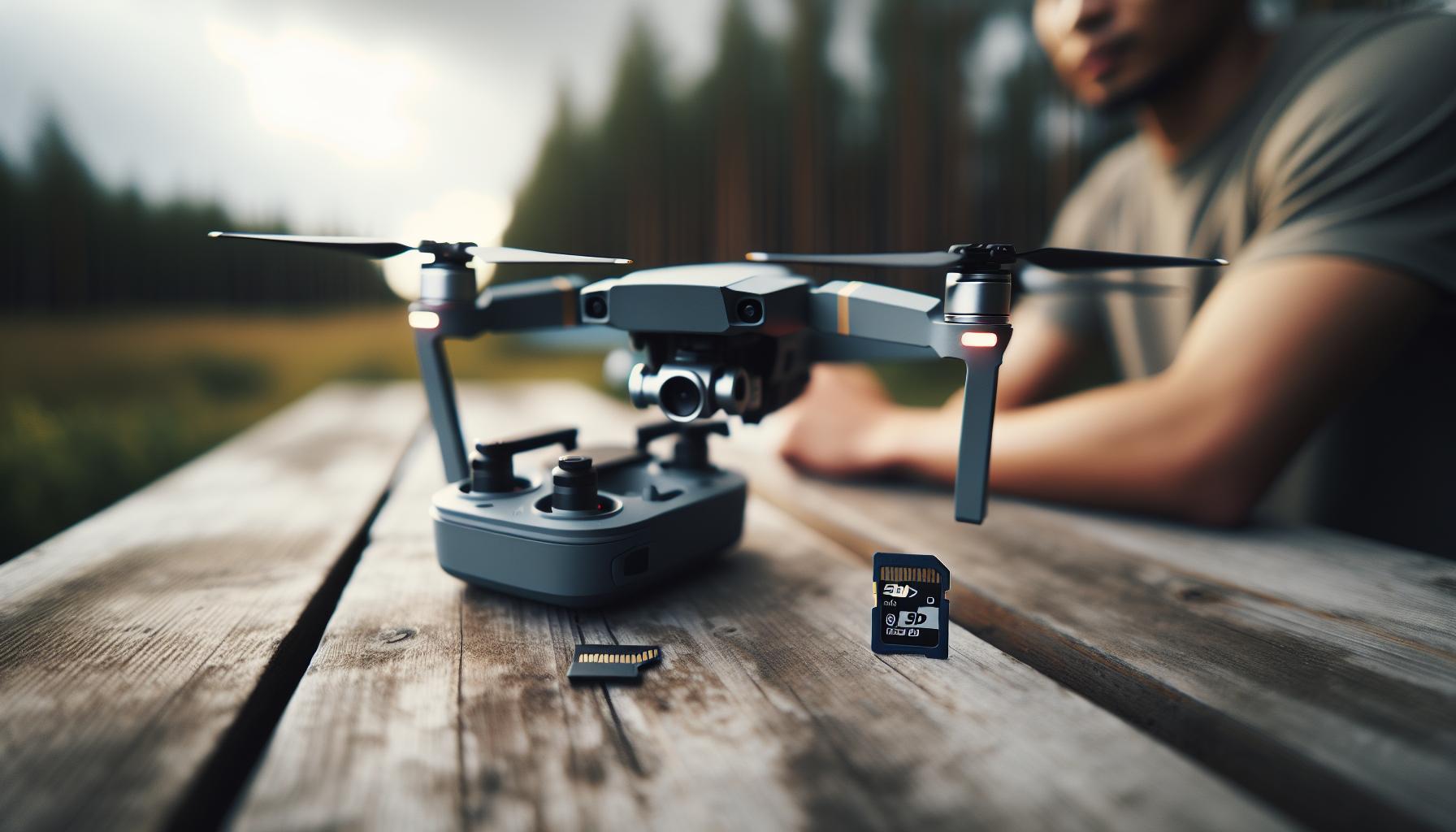
When it comes to flying DJI drones, understanding the SD card requirements is paramount to ensure smooth recording and high-quality footage. DJI drones, especially those that shoot in high resolutions like 4K, demand SD cards that can handle significant data transfer rates. The compatibility of your SD card can directly impact your recording quality, where slower cards may result in recording errors or lower performance.
For optimum performance, it’s essential to choose an SD card that adheres to the UHS (Ultra High Speed) standard. DJI recommends using UHS-I or UHS-II rated cards with a Video Speed Class of V30 or higher. These ratings indicate that the card can sustain write speeds of at least 30 MB/s, crucial for uninterrupted recording when capturing high-resolution footage. Furthermore, SD cards should be formatted to the exFAT file system, particularly for those with capacities exceeding 32GB, as this format supports larger files without fragmentation, enabling seamless video capture.
Additionally, the physical aspects of the SD card, such as its ability to withstand temperature variations, impact its reliability during flight. Choose cards that are built for high endurance, with features that withstand high temperatures, shock, and even X-ray security checks at airports. This robustness ensures that your data remains intact even in challenging conditions. Regularly check your SD card for errors and always carry a backup card to avoid unexpected interruptions during your shoots.
With the right SD card in place, you can fly with confidence, knowing your drone is ready to capture high-quality imagery that exceeds your expectations.
Step-by-Step Guide to Formatting Your SD Card
Formatting your SD card is a critical step in ensuring smooth and error-free recording with your DJI drone. An improperly formatted card can lead to recording failures, loss of footage, and frustration during your flying sessions. To prevent these issues, follow this correctly.
Begin by securely inserting the SD card into your computer or card reader. On both Windows and Mac systems, the formatting process is simple but slightly different. For Windows users, open “This PC” or “My Computer,” right-click on the SD card drive, and select “Format.” In the format dialog box, choose exFAT as the file system, as it is preferred for larger capacity cards beyond 32GB. Ensure that the Quick Format option is checked for a faster process, then click “Start” to begin formatting. Mac users can go to Disk Utility, select your SD card from the list, and click on the “Erase” tab. Set the format to exFAT and give the card a new name if desired; then, click “Erase” to complete the process.
After the card is formatted, safely eject it from your computer. This step is crucial, as removing the card prematurely can lead to corruption. When inserting the card into your DJI drone, make sure you use the indicated slot correctly and push it gently until it clicks into place. Always check your drone settings to confirm that the SD card is recognized; this can often be done within the camera or settings menu of the drone’s app.
Lastly, regular formatting of your SD card is recommended before significant flying sessions, especially when switching recording resolutions or after extensive use. This can help clear residual data and reduce the chances of recording errors, ensuring that your drone is always ready to capture stunning aerial footage with optimal performance.
Top Formatting Tools for DJI Drone Pilots

Formatting is an essential process that ensures your DJI drone operates without a hitch, especially when dealing with high-resolution video recordings. There are several tools and methods available to streamline the formatting process for drone pilots, each providing unique benefits tailored to different user preferences and technical requirements.
One of the most widely used methods for formatting SD cards is the built-in utilities provided by operating systems, such as Windows’ File Explorer and macOS’ Disk Utility. These options allow you to format your SD card quickly and effectively while setting the file system to exFAT, which is necessary for handling larger files typically generated by 4K video recordings. For example, in Windows, simply right-click your SD card under “This PC,” choose the format option, and select exFAT. On a Mac, open Disk Utility, and after selecting the SD card, click on Erase, choosing the exFAT format. This straightforward approach is efficient for most users, ensuring quick access and compatibility with their drone.
For those seeking more advanced control over their formatting options, specialized software tools such as SD Card Formatter are invaluable. This free application, endorsed by the SD Association, is designed specifically for SD and microSD cards. Unlike general formatting utilities, it optimally formats SD cards by adjusting settings for maximum performance and reliability. After installing SD Card Formatter, you can select your card and easily execute a format, ensuring that the card is prepared fully for high-resolution recording tasks without leaving behind residual data that might lead to performance issues.
Lastly, regardless of the method chosen, consider some proactive tips. Always double-check your formatting selections to avoid data loss. Regularly format SD cards before significant flying sessions, but remember to back up any important footage first. Additionally, creating a habit of periodically formatting your SD cards can significantly reduce the risk of recording errors and enhance your overall drone operation experience. By using the right tools and following these best practices, you’ll ensure your DJI drone captures stunning aerial footage without hiccups.
Troubleshooting Common Recording Errors

Poor recording performance can be a frustrating obstacle for drone operators, often stemming from issues with the SD card itself. Common errors include recording interruptions, low-quality footage, or even the inability to save files at all. Understanding and addressing these problems is crucial to ensure seamless flight operations and high-quality video capture.
One prevalent error arises from using SD cards that don’t meet the performance requirements for high-resolution recording. Drone models, particularly those capable of shooting in 4K or higher, necessitate cards with fast write speeds. A Class 10 or UHS-I card is generally adequate, but for more demanding video settings, UHS-II or V30-rated cards are recommended. If your card falls short of these specifications, you may encounter dropped frames or failed recordings. Performing a routine check on your SD card’s speed rating can prevent these issues.
Another common source of recording errors is corrupted or poorly formatted cards. Regular formatting, as discussed in previous sections, eliminates residual data that can confuse your drone’s system. Additionally, always ensure the proper file system is set during formatting; using exFAT supports larger file sizes desired for drone video quality. If you experience recurring errors, try reformatting the card through the drone’s internal settings rather than a computer, as this method is tailored specifically for the device’s requirements.
Lastly, maintaining your SD card in good condition goes a long way in preventing recording errors. Be sure to safely eject the card from the drone after use and keep it dry and free from dust. Over time, SD cards can wear out; signs of this may include slower performance or read/write errors. If your card frequently causes issues, consider replacing it. By staying proactive and vigilant about these factors, you can enhance your drone recording experience and focus more on capturing breathtaking aerial footage.
Choosing the Right SD Card for Your Drone

Choosing the right SD card can significantly impact your drone’s performance, especially when capturing stunning high-resolution footage. Not all SD cards are created equal, and selecting one that meets your DJI drone’s specifications is crucial for avoiding recording errors and ensuring a smooth flight experience.
To start, consider the speed class of the SD card. For DJI drones that shoot in 4K or higher resolutions, opt for at least a Class 10 or a UHS Speed Class 1 (U1) card. However, for more advanced recording settings, such as 4K at higher frame rates, a UHS Speed Class 3 (U3) card or a Video Speed Class (V30/V60) card is highly recommended. These cards not only provide fast write speeds necessary for handling large video files but also minimize the risk of dropped frames during recording.
When shopping for an SD card, pay attention to its capacity as well. DJI drones typically support cards with capacities from 16GB up to 1TB, but it’s worth noting the efficiency of your workflow. For extended shooting sessions, a larger capacity card allows for more footage without the need to switch cards frequently. Keep in mind that as capacity increases, so does the potential file size, so balancing speed and size is essential for optimal performance. Additionally, brands such as SanDisk, Lexar, and Samsung are well-regarded within the drone community for their reliability and performance-make sure to choose cards from reputable manufacturers.
Lastly, don’t overlook the importance of durability. Look for cards that offer water, shock, and temperature resistance to safeguard your footage from environmental damage. Investing in a high-quality SD card ultimately enhances your overall drone experience, allowing you to focus on capturing breathtaking aerial footage without the frustrating worry of recording interruptions.
Maximizing Storage Space on Your SD Card
is essential for capturing high-quality aerial footage during your drone flights. Proper management of your SD card can prevent recording interruptions and ensure that you have ample space for all your creative endeavors. Here are some practical strategies that can help you make the most of your available storage.
One effective way to maximize storage is by organizing and categorizing your footage regularly. Create specific folders for different projects or types of footage, such as aerial shots, time-lapses, or panoramas. By doing this, you not only keep your files tidy but also make it easier to locate specific videos when editing. Consider deleting any unnecessary duplicates or failed takes right after a flight session to free up space immediately.
Another consideration is the format of the files you’re capturing. Many drones allow you to shoot in various resolutions and formats. If your project doesn’t require the highest possible quality, choose lower resolutions or codecs that consume less space. For instance, if shooting in 4K isn’t necessary, opting for 1080p can save a significant amount of storage. Additionally, consider using efficient video formats like H.265, which can deliver high-quality visuals while compressing file sizes more effectively than older codecs like H.264.
Furthermore, regularly backing up your files to external hard drives or cloud storage solutions will not only secure your footage but also help you manage your SD card’s space. By doing this, you can safely delete older files from your SD card while preserving them elsewhere, ensuring you have enough space for new projects without losing valuable data.
Lastly, remember to regularly format your SD card-this is not just about preventing recording errors, but also about optimizing storage. Formatting clears out any fragmented files that could take up unwanted space, ensuring your drone operates efficiently. By combining these strategies, you can enhance your drone’s performance and guarantee uninterrupted recording sessions throughout each flight.
How to Properly Insert and Eject SD Cards
Inserting and ejecting an SD card from your DJI drone may seem like a simple task, but doing it correctly is essential for preventing data loss and ensuring optimal performance. Starting with insertion, always turn off your drone before you begin. This not only helps avoid accidental data corruption but also ensures that the drone’s system recognizes the SD card properly.
To insert the SD card, locate the SD card slot on your drone, which is typically found near the battery compartment or on the side of the drone. Gently press the card in, using the gold contacts to guide you. You should feel a slight click when it’s securely in place. Be careful not to force it, as this can lead to damage. Once the card is inserted, power on the drone and check for indications on the screen or app confirming that the card is recognized.
When it’s time to remove the SD card, the same principle applies-always switch off the drone first. Locate the SD card again and gently press it inwards; this action unlocks the card, allowing it to spring back slightly for easy removal. Pull it out gently to avoid bending or damaging the card connections. After ejection, ensure that the card is stored properly, preferably in a protective case, to prevent physical damage or exposure to static electricity.
By following these detailed steps, you ensure that your SD card’s data remains intact and that your drone’s performance is not hindered by improper handling. This practice is not only crucial for maintaining recording integrity but also contributes to the longevity of your drone’s hardware, allowing you to enjoy aerial photography and videography without interruptions.
Maintaining Your SD Card for Longevity
Ensuring the longevity of your SD card is crucial for maintaining the performance and reliability of your DJI drone. A well-cared-for SD card not only prevents data loss but also enhances your overall flying experience by minimizing recording errors that can disrupt your creative footage. To achieve this, consider a routine of good practices that extend the life of your card and keep it functioning optimally.
Always take the time to format your SD card regularly, especially before major projects or trips, using the drone’s built-in formatting feature. This process erases old data and optimizes the card for new recordings, ensuring that space is used efficiently and preventing potential corruption. Remember to only format the card through the drone or a compatible device instead of a computer for best compatibility with the drone’s file system.
Storage and Handling Tips
Proper storage is just as important as regular formatting. When not in use, keep your SD cards in a protective case that shields them from static, dust, and physical damage. Avoid exposing the cards to extreme temperatures, humidity, or magnetic fields, as these can compromise the card’s integrity. Always ensure your hands are clean and dry before handling the SD cards to avoid transferring oils or moisture, which can lead to malfunction.
Monitoring and Testing
Keep an eye on the performance of your SD card during flights. If you notice slower writing speeds or intermittent errors, it may be time to replace your card. Additionally, using software tools to check the health and read/write speeds of your SD card can provide insights into its operational status. Some DJI drones can also alert you to potential recording issues related to SD card performance.
By embracing these maintenance practices, you ensure that your DJI drone remains a reliable tool in your aerial photography arsenal, allowing you to capture breathtaking videos without interruptions. Remember, a little preventive care can go a long way in preserving the performance and longevity of your SD card.
Optimizing SD Card Performance for High-Resolution Video
To achieve the best results when shooting high-resolution video with your DJI drone, optimizing the performance of your SD card is vital. The type and quality of the SD card can greatly influence your drone’s ability to record smooth, uninterrupted footage. High-resolution video, especially in formats like 4K and above, demands that your SD card has fast read and write speeds. This ensures that data is transferred quickly, reducing the risk of frame drops or recording failures.
When choosing an SD card, look for ones rated with a minimum speed class of UHS-I U3 or V30. These ratings indicate that the card can handle sustained write speeds of at least 30 MB/s, which is crucial when recording high-bitrate video streams. Using a card with higher specifications, like UHS-II or V60, will further enhance performance and future-proof your setup if you plan to shoot in even higher resolutions or faster frame rates down the line.
In addition to selecting the right card, regularly formatting it using your drone’s built-in features is essential. This process not only prepares the card for new recordings but also helps maintain its speed by clearing any fragmented files that could slow down write times. Make it a habit to format your SD card before significant recording sessions to ensure optimal performance and minimize the risk of errors.
Additional Performance Tips
- Quality Matters: Invest in reputable brands such as SanDisk, Lexar, or Samsung, as these typically offer better reliability and performance.
- Monitor Health: Regularly check your card’s performance and health with tools designed for this purpose to catch any potential issues early.
- Storage Management: Avoid overfilling your SD card, as this can lead to slower writing speeds. Aim to keep at least 10-20% of the card’s capacity free.
- Temperature Control: Be mindful of the operating environment. Extreme temperatures can affect card performance, so avoid using the drone in excessively hot or cold conditions.
By addressing these factors, drone operators can optimize their SD card’s performance, ensuring that high-resolution video recording remains seamless and error-free. This thoughtful approach not only enhances the quality of your footage but also contributes to a more enjoyable and efficient flying experience.
Understanding File Systems: FAT32 vs exFAT
Choosing the right file system for your SD card can significantly affect the performance and reliability of your DJI drone recordings. The two most common file systems you’ll encounter are FAT32 and exFAT. Each has its strengths and weaknesses, particularly when it comes to handling large video files that drones often produce.
FAT32 has been a reliable choice for many years, primarily due to its compatibility. It works seamlessly with most operating systems, making it easy to transfer files across different devices without worrying about formatting issues. However, one major limitation is its maximum file size restriction of 4 GB. This can be problematic when recording high-resolution video, especially on modern drones that can produce files well over this limit. If the video exceeds 4 GB, the recording will stop, leading to potential interruptions and the need for manual intervention.
On the other hand, exFAT is designed to address this limitation, supporting file sizes larger than 4 GB, making it ideal for high-definition and 4K video recordings. This flexibility ensures that your recording sessions can be uninterrupted, allowing you to capture long takes without worrying about file size constraints. Additionally, exFAT supports larger storage capacities, so if you’re using high-capacity SD cards, exFAT is the better choice for optimizing their usage.
When formatting your SD card for your DJI drone, the file system should be chosen based on your specific recording needs. For those who frequently shoot video beyond the 4 GB mark or use larger SD cards, exFAT will serve you best, ensuring smoother operations and preventing recording errors. In contrast, if you prioritize compatibility and do not require large file handling, FAT32 might suffice. Ultimately, selecting the appropriate file system is a critical step in preparing your SD card for optimal performance in high-stakes filming.
Regular Maintenance Tips for DJI Drones
Maintaining your DJI drone is essential for ensuring both its longevity and optimal performance, particularly when it comes to preventing recording errors linked to your SD card. Like any advanced piece of technology, consistent upkeep can make the difference between a successful shoot and a frustrating experience. Regular maintenance not only enhances your drone’s reliability but also protects your valuable footage from potential loss.
One key aspect of maintenance is regularly checking and formatting your SD card. This process should ideally be done before each use. Following a shooting session, it’s crucial to review and back up your footage before formatting the card to avoid loss. Use the appropriate file system-either FAT32 or exFAT depending on your needs-as this can greatly influence performance and error prevention. Formatting creates a clean slate on your SD card, reducing the likelihood of corruption, file fragmentation, and associated recording errors.
Another tip is to keep your drone clean, including the camera lens and gimbal, to prevent obstructions that might impact video quality or cause recordings to fail. Always inspect the SD card for any physical damage or signs of wear, such as cracks or frayed connectors, as these can lead to recording issues during flight. Moreover, when inserting or ejecting the SD card, do so gently to ensure that you’re not damaging the contacts, which can lead to intermittent failures.
Finally, updating your drone’s firmware is a critical maintenance step that can not only improve overall performance but also resolve known bugs that might affect recording capabilities. Ensure that your drone’s software is current to take advantage of the latest features and enhancements. Regular maintenance and following these best practices will position you for smoother operations and successful captures in your aerial pursuits.
FAQ
Q: What type of SD card is best for DJI drones to prevent recording errors?
A: Use a high-speed SD card with UHS-I or UHS-II ratings, such as those rated V30 or above. This ensures fast write speeds necessary for high-resolution video recording, which is crucial for preventing recording errors and ensuring smooth operation.
Q: How often should I format my SD card for a DJI drone?
A: It is recommended to format your SD card every few flights or after transferring files. Regular formatting helps clear out corrupted files and prevents recording errors, ensuring optimal performance. Refer to the “Step-by-Step Guide to Formatting Your SD Card” section for detailed instructions.
Q: Can I use an SD card with a higher storage capacity than recommended for my DJI drone?
A: Yes, using an SD card with a higher capacity is usually fine, but it should be compatible with your drone’s specifications. Check your user manual to ensure it supports cards beyond 64GB, especially those formatted in exFAT, which is ideal for larger files.
Q: What are the signs that my SD card needs to be formatted?
A: Signs that your SD card may need formatting include the drone displaying error messages, inability to save files, or the card not being recognized. Regular maintenance can prevent these issues; see the “Maintaining Your SD Card for Longevity” section for tips.
Q: How do I know if my SD card is malfunctioning on my DJI drone?
A: If your drone experiences recording errors, prompt file deletion, or unexpected shutdowns during flights, these may signal a malfunctioning SD card. Perform a format and check for firmware updates to troubleshoot, as outlined in “Troubleshooting Common Recording Errors.”
Q: Is it necessary to use the DJI app to format my SD card?
A: While you can format your SD card using a computer, using the DJI app ensures the card is formatted according to specific drone requirements, preventing potential compatibility issues. Follow the official app commands for the best results.
Q: What file system should I use when formatting my SD card for a DJI drone?
A: For DJI drones, the recommended file systems are FAT32 for cards up to 32GB and exFAT for cards larger than 64GB. These formats support the file sizes and types typically used in drone photography and videography.
Q: Can I recover data from an SD card formatted for a DJI drone?
A: Data recovery is possible but can be difficult after formatting. If you need to recover files, use specialized recovery software immediately. Regularly back up your footage to prevent data loss; refer to the section on “Maximizing Storage Space on Your SD Card” for best practices.
Key Takeaways
Now that you’re equipped with the knowledge to format your SD card for your DJI drone, you’re one step closer to flawless recordings and capturing stunning aerial footage without interruptions. Don’t wait-ensure your card is formatted and ready before your next flight to avoid frustrating recording errors.
For more in-depth insights, check out our guides on how to optimize your drone settings for safer flights and essential accessories that enhance your DJI experience. If you have questions or need further assistance, feel free to leave a comment or explore our troubleshooting section.
Remember, the more you know about your drone and its operation, the better your flying experience will be. Dive deeper into topics like firmware updates and advanced flight modes to truly elevate your aerial photography skills. Join our community today and elevate your drone flying to new heights!









