
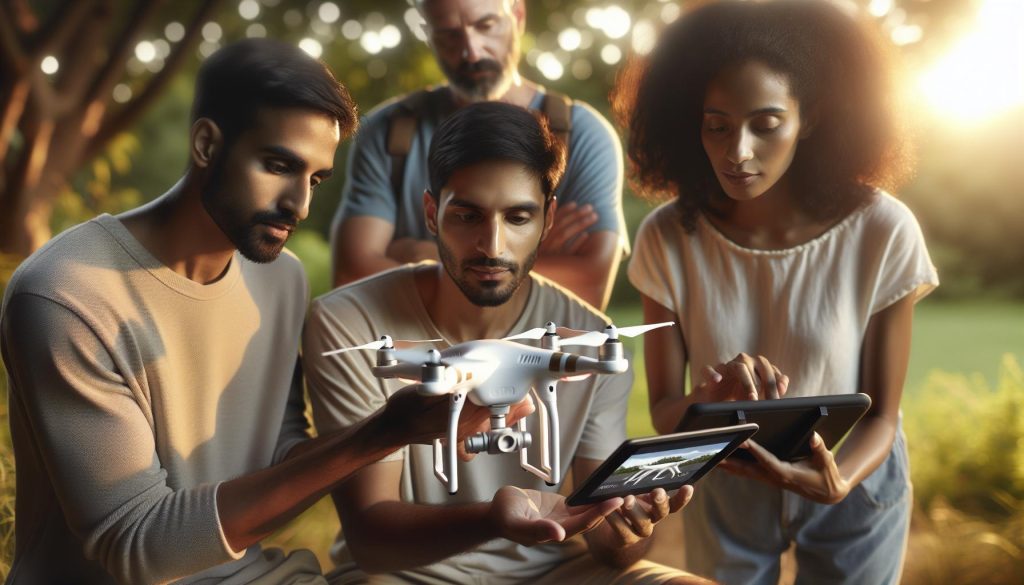
Properly shutting down your DJI drone is crucial for maintaining its longevity and performance. Many users underestimate the importance of this simple yet vital procedure, which can prevent potential issues such as battery drain or system errors. Whether you are a hobbyist capturing stunning aerial shots or a professional relying on your drone for critical operations, understanding the correct shutdown process is essential to ensure your device remains in top shape. In this guide, we will provide detailed instructions tailored to all DJI models, so you can confidently power down your drone while safeguarding its components. Read on to discover the best practices that will keep your drone performing at its best for years to come.
Understanding the Importance of Proper Drone Shutdown
Properly shutting down your DJI drone is more than just a simple task; it’s a crucial part of maintaining the longevity and performance of your equipment. When you power off your drone correctly, you protect its delicate electronic systems, which are designed to handle specific power states. An abrupt or improper shutdown can lead to issues such as corrupted firmware, damaged internal components, or even complete malfunctions over time. Think of it as a computer; just as you wouldn’t simply pull the plug, the same principle applies to your drone.
One of the most significant risks involved with neglecting the shutdown procedure is the potential loss of data. DJI drones often store flight logs and other critical information about the flight session. A proper shutdown ensures that this data is securely saved and that your flight history remains intact. Moreover, an incorrect shutdown may prevent the battery from fully disengaging, which can lead to unnecessary drainage or other battery-related problems that might affect future flights.
Understanding the sequence of powering off your drone can prevent unnecessary wear and tear. Each DJI model has its unique shutdown process that optimizes for safety and efficiency. Therefore, familiarizing yourself with your specific model’s shutdown protocol is paramount. Establishing a routine for shutting down your drone will also heighten your awareness of any potential issues that may arise during the flight, leading to a more conscientious flying experience overall.
Incorporating this practice not only enhances your aircraft’s reliability but also reinforces responsible flying habits. As you develop your skills as a drone operator, view the shutdown procedure as an integral part of your flying operations, much like pre-flight checks or maintenance routines. Remember, a well-maintained drone is a safe drone, ensuring years of effective flying fun and creativity.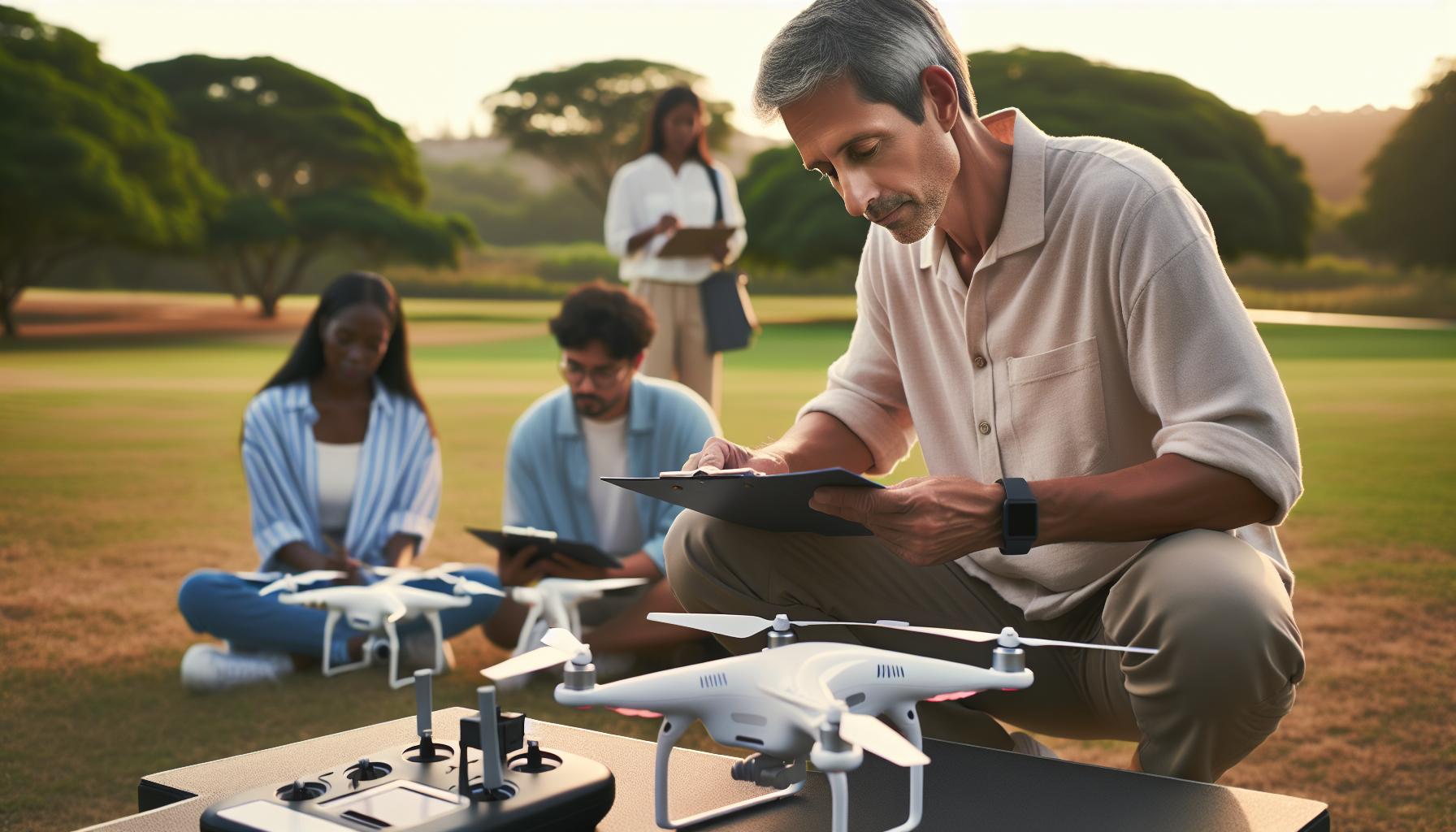
Step-by-Step Guide to Powering Off DJI Drones
Properly shutting down your DJI drone is integral to maintaining its performance and extending its lifespan. Following a consistent and correct shutdown process not only safeguards the integrity of your device but also protects important data stored during your flight sessions. Unlike a simple flick of a switch, powering off your drone requires deliberate steps to ensure that all systems are properly disengaged. For those keen on preserving their investment and maintaining optimal functionality, understanding the following step-by-step guide is essential.
- Land Your Drone Safely: Begin by bringing your drone back to the ground safely. Use your remote control to initiate a descent and activate the landing gear when you’re a few feet off the ground. Wait until your drone is completely stationary on the ground.
- Power Down the Controller: Before turning off the drone, it’s best practice to power down your remote controller first. This helps in ensuring that the communication between the drone and controller is terminated properly. Most controllers have a dedicated power button – simply press it until the light turns off.
- Turn Off the Drone: With the controller powered down, locate the power button on your drone. Depending on the DJI model, it may be located on the top or back of the device. Press and hold the power button for about two seconds. You will typically see the lights flash indicating that the machine is powering down.
- Wait for Confirmation: Wait until the LED lights on the drone cease flashing entirely, confirming that the power has shut down completely. This is crucial to ensure that all systems are properly disengaged.
- Remove the Battery (Optional): If you are done flying for the day or if the drone will be stored for an extended period, consider removing the battery. This can alleviate any unnecessary power drainage and further preserve the battery’s health. Most DJI drones have a battery release button that you need to press to dislodge the battery safely.
- Store Your Drone Properly: Once powered down, place your drone in its protective case or on a soft surface to prevent physical damage. Ensure that the propellers are tucked away or protected, and keep the drone in a cool, dry place to avoid moisture damage.
By following these steps, you can ensure that your DJI drone is turned off safely and correctly, maximizing its longevity and reliability. This systematic approach reinforces responsible flying habits while mitigating potential technical issues that can arise from improper shutdown practices.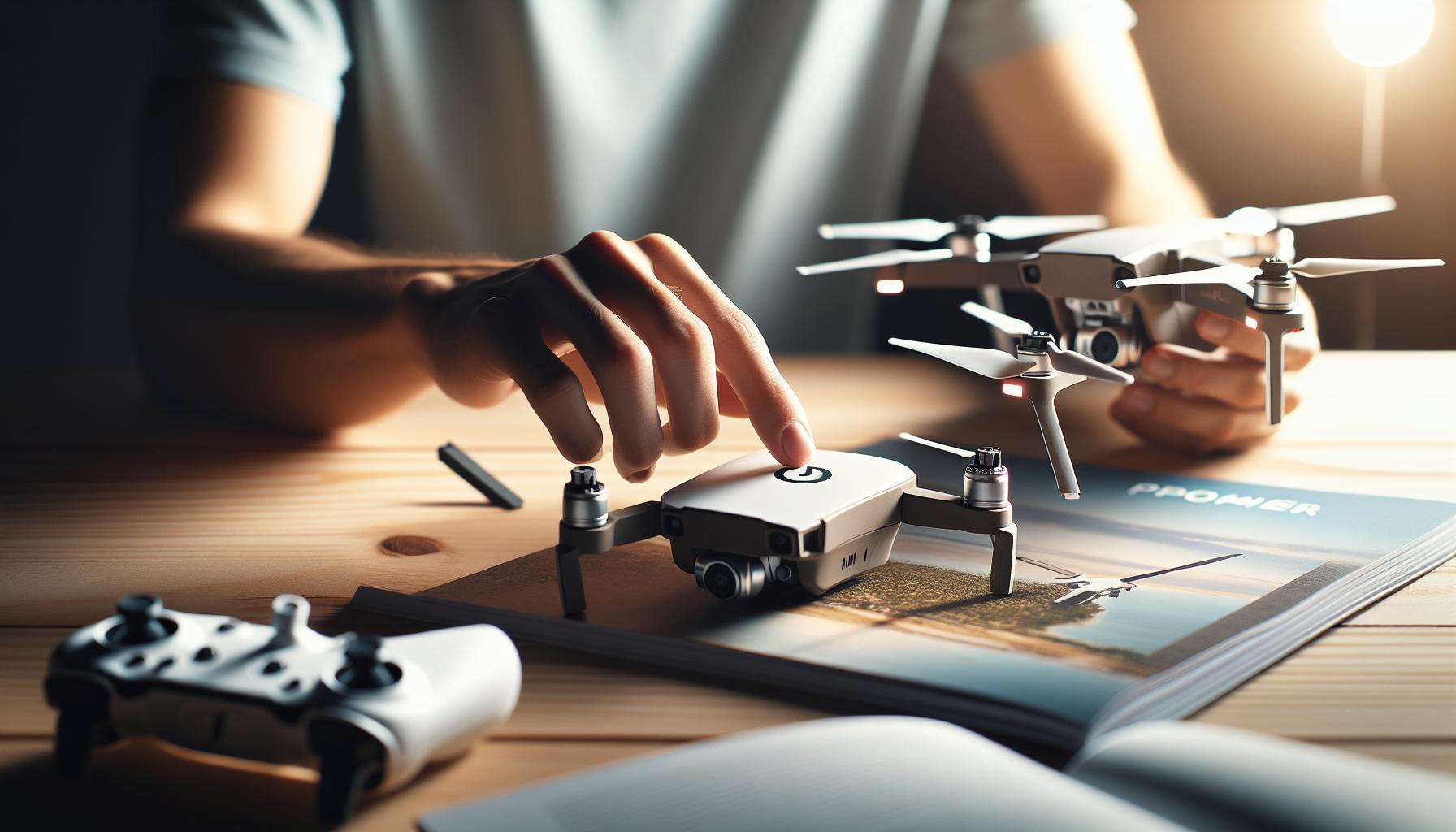
Common Mistakes to Avoid When Turning Off
Properly shutting down your DJI drone is critical for ensuring its longevity and maintaining optimal performance. However, many operators inadvertently make common mistakes during the shutdown process that can lead to various issues, ranging from minor inconveniences to severe damage. Recognizing these pitfalls can make a substantial difference in your overall drone operation experience.
One of the most frequent errors is turning off the drone before the controller. This disconnects the communication too abruptly, which can cause issues with data retention and not allowing the drone’s systems to disengage correctly. Instead, always power down the controller first to ensure a smooth termination of operations. Additionally, rushing through the shutdown can prevent you from waiting for the LED lights on the drone to cease flashing completely. This step is vital as it confirms that all systems have powered down, giving you peace of mind that the drone is entirely inactive.
Another common mistake is forgetting to remove the battery if the drone will not be flown again soon. Keeping the battery connected drains its life over time, especially if there are any minor power draw from the drone’s systems even after shutdown. This can lead to reduced battery performance or capacity over time. Furthermore, neglecting to store the drone properly can lead to damage. After powering down, always place your drone in a padded case or on a soft surface, ensuring that the propellers and components remain protected.
Lastly, some users overlook the importance of conducting a brief post-flight check for any error messages or indicators on the drone’s display before shutdown. This step can prevent surprises during your next flight, as resolving any minor issues early can enhance your flying experience. By avoiding these frequent mistakes, you’ll not only enhance the safety and security of your drone but also ensure it performs at its best every time you take to the skies.
Shutdown Procedures for Different DJI Models
Proper shutdown procedures are crucial for the maintenance and longevity of your DJI drone, as different models have specific requirements and features. Understanding these nuances can dramatically enhance your post-flight experience and ensure your drone is ready for its next adventure.
When it comes to the Mavic series, including the Mavic Mini, Air, and Pro models, begin your shutdown by powering down the controller first. This can be accomplished by pressing and holding the power button until the LEDs turn off. Once the remote is off, proceed to the drone, which typically requires a similar power-off method by pressing and holding the power button. For models equipped with intelligent flight batteries, it’s also wise to remove the battery if there are no immediate plans for another flight. This practice not only conserves battery life but also prevents potential power drain issues that can arise with prolonged battery connection.
The Phantom series has a slightly different approach. After ensuring that your drone is safely landed and powered down, tap the power button on the battery to ensure it’s completely off-this also initiates the battery’s shutdown sequence. Phantom users should also remember to power down the remote controller before turning off the drone itself to maintain proper communication sequence and prevent any unexpected behavior during this critical phase.
For the DJI Avata, which is designed primarily for first-person view (FPV) flying, the shutdown process is straightforward. Similar to other models, the controller should be turned off first, followed by a press and hold of the power button on the drone. Note that the Avata features a unique battery design that allows hot swapping; therefore, when removing the battery post-flight, ensure that the drone is completely powered down to avoid any unintended reactivations.
In every case, waiting for the LED indicators to stop flashing before removing the battery or packing away your equipment is essential. This not only confirms that the systems are fully powered off but also gives you the opportunity to check for any error messages or alerts on the drone’s display, preemptively addressing any concerns that could affect future flights.
By adhering to appropriate shutdown procedures tailored for your specific DJI model, you ensure that your drone remains in peak operational condition, ready to take to the skies whenever you are.
Troubleshooting Power Issues After Shutdown
Safety and optimal performance of your DJI drone strongly hinge not only on correct operational practices but also on the ability to handle power-related issues effectively. If your drone shows signs of power difficulties after shutdown, such as failure to turn on or unexpected battery alerts, having a methodical approach can make all the difference in resolving these concerns.
One common issue arises when the drone remains in a “sleep” state post-flight, which can lead to complications when trying to power it back on. To combat this, ensure you follow the shutdown procedure meticulously: turning off the controller before the drone itself. If your drone appears unresponsive after this, hold the power button on the battery for about 10 seconds to force a complete shutdown. This method can help reset any miscommunication between the drone and its systems.
If power issues persist, inspect the battery and connections for corrosion or debris. Ensure that battery contacts are clean and free from any residue that might hinder the flow of power. Additionally, check for firmware updates that may address known power management issues. Keeping your drone’s software current not only enhances functionality but also increases reliability, especially in shut-down and start-up scenarios.
In instances where your drone powers up but does not respond to commands, consider performing a simple recalibration. This can often resolve intermittent electrical issues. If these troubleshooting steps do not yield results, seeking assistance from DJI’s customer service or a professional repair service may be necessary. Properly diagnosing these problems ensures your drone remains in top condition for future flights, reducing downtime and enhancing your flying experience.
The Impact of Improper Shutdown on Drone Performance
Improper shutdown procedures can have significant implications on the performance and longevity of your DJI drone. When a drone is powered down incorrectly, it can lead to a variety of issues ranging from minor inconveniences to serious operational failures. A common scenario arises when a drone enters a “sleep” mode instead of completely shutting down, which can create confusion for users when trying to power it back on. This lack of proper shutdown can affect the drone’s internal systems, causing it to misinterpret battery levels, resulting in unexpected warnings or even failing to operate altogether.
Another crucial issue linked to improper shutdown is the potential for data corruption. Drones often engage in data logging during flights, storing vital information that helps in analyzing flight performance and assists with post-flight checks. If a drone is turned off abruptly or without following the specified shutdown protocols, this data may not be saved correctly. Thus, users could lose valuable insights that aid in flight planning, maintenance schedules, or troubleshooting issues that may arise later.
To maintain optimal performance, it’s essential to integrate proper shutdown routines into your flying habits. For instance, always ensure that the controller is powered off before the drone to minimize the risk of communication errors that could place your drone in an undefined state. Following the manufacturer’s guidelines on shutting down the drone can prevent residual power from interfering with its electronic components, ultimately prolonging its lifespan.
Lastly, regularly checking battery health post-flight can prevent complications related to improper shutdowns. If your drone fails to respond correctly upon the next power-up and shows unusual behavior, addressing these issues immediately can ensure smooth operations in subsequent flights. Adopting a meticulous approach towards shutdown procedures not only enhances immediate flight safety but also safeguards the drone’s condition over time, affirming the importance of treating every stage of the drone operation with care and respect.
Best Practices for Maintaining Your DJI Drone
Proper maintenance of your DJI drone is essential for not just performance, but also safety and longevity. All drones, whether they are from the Mini, Mavic, Phantom, or Air series, require regular care to ensure they perform optimally and remain safe during flight. A well-maintained drone not only enhances your aerial footage but also instills confidence in your flying capabilities.
To start with, always perform a thorough pre-flight inspection. This includes checking the props for any signs of damage or stress, ensuring camera lenses are clean, and verifying that batteries are charged and free from any swelling or leaks. Each time before a flight, it’s beneficial to look for any loose screws or foreign debris that may have lodged during your last outing. This diligence can prevent unexpected issues in the air.
After your flight, it’s critical to conduct a post-flight check as well. Make it a routine to review the flight logs via the DJI app to catch any irregularities in battery performance or other system parameters. Additionally, wiping down your drone, particularly the camera and sensors, can prevent dirt build-up that can affect flight stability and video quality. If your drone has been in contact with water or dust, consider using a soft cloth to clean sensitive parts carefully.
Battery Care
One of the most vital aspects of drone maintenance involves proper battery management. Always allow your batteries to cool down after flight before storing them. For long-term storage, DJI recommends keeping the batteries charged between 40%-60% to extend their lifespan. Regularly check battery health within the DJI GO app and adhere to the recommended charge cycles. This not only enhances performance but significantly reduces the risk of battery failure during flights.
Firmware and Software Updates
Staying up to date with firmware updates is another key component of drone maintenance. Manufacturers regularly release updates that fix bugs, improve performance, and add new features. Ensure your drone’s firmware is updated before every significant flight to benefit from these enhancements. Following an update, always conduct a test flight to ensure that all features are functioning as expected.
By incorporating these best practices into your routine, you can significantly improve the reliability and overall lifespan of your DJI drone. A little extra attention goes a long way, ensuring every flight is as safe and enjoyable as possible while fostering a deeper understanding of your equipment’s needs.
Post-Flight Checklist for Safe Drone Handling
After a successful flight, it’s crucial to execute a post-flight checklist that ensures the safety and longevity of your DJI drone. Neglecting this phase can lead to performance issues and increase the risk of damage during future flights. A thorough checklist gives you the opportunity to assess your gear, making necessary adjustments while helping you learn from each flight.
Start by safely powering down your drone with the standard method for your model. For most DJI drones, this involves holding the power button until the lights turn off. As the drone powers down, take a moment to verify the status of your battery. A quick glance at battery levels can inform you whether immediate recharging is necessary or if you should follow the recommended cooling routine. Recording the battery’s state of charge is also helpful for planning future flights.
Once the drone is off, turn your attention to physical maintenance. Wipe down the drone and remove any debris, dust, or moisture that may have accumulated on the body and camera lenses during the flight. Pay special attention to the gimbal and camera, as contaminants can affect image quality. Inspect the propellers for any signs of damage or wear, as even a slight imperfection can compromise flight performance next time.
Next, review your flight logs through the DJI app. This not only helps identify any operational discrepancies but also aids in tracking performance trends over time. Look for key indicators such as battery health, signal strength, and any error messages. Maintaining meticulous logs allows you to adapt your flying techniques and gear choices accordingly.
Finally, ensure that your drone is stored correctly after the post-flight care. Place it in a padded case to protect against impacts, and store it in a cool, dry location. Keeping your drone free from extreme temperatures and humidity will prolong its lifespan, allowing for many successful flights to come.
By routinely following a post-flight checklist, you are taking important steps to ensure not just the safety of your drone, but its ongoing performance and reliability in the air.
How to Update Firmware Before Shutdown
Keeping your DJI drone’s firmware up to date is essential for optimizing performance, enhancing features, and fixing any bugs that may arise. Before shutting down your drone after a successful flight, take a moment to ensure that it is running the latest firmware. This proactive approach can prevent future issues and provide a smoother flying experience.
Begin the update process by connecting your drone to the DJI Fly or DJI GO 4 app on your mobile device. If you haven’t already, ensure that your device is compatible, and that both the drone and the app are powered on. The app will automatically check for available firmware updates upon connecting. If an update is available, you will see a prompt indicating the new version along with the option to download it. It’s wise to read through the update notes provided to understand what changes or improvements are being made.
To initiate the download, simply follow the on-screen instructions. Make sure your battery levels are adequate-both on the drone and the mobile device. Ideally, have your drone at least 50% charged to avoid interruptions during the update. Once the download is complete, the app will guide you through the installation process. Keep your drone on a flat surface and ensure it remains powered on during this procedure. The update can take several minutes, so patience is key. The drone will typically indicate its progress with lights, which will change as it updates.
After the firmware update is successfully completed, you can confidently shut down your drone, knowing it is equipped with the latest enhancements. This simple step not only boosts your drone’s performance but also minimizes the chances of encountering issues in future flights. Always remember, regular updates and maintenance are part of a responsible flying routine that can lead to countless enjoyable and safe flying experiences.
Tips for Storing Your Drone Safely After Use
Storing your DJI drone properly after use is crucial for maintaining its longevity and ensuring optimal performance in future flights. Just like you wouldn’t leave your valuable electronics exposed to the elements, your drone deserves a careful storage routine that protects its delicate components and enhances its durability.
First and foremost, always ensure your drone is completely powered off before storage. This minimizes battery drain and potential electronic malfunctions. Once powered down, remove the battery from the drone. Batteries are sensitive to temperature variations and moisture, so storing them in a cool, dry place is essential. Consider using a dedicated battery storage bag, which is designed to mitigate the risk of fire or damage.
Use a Protective Case
Investing in a quality protective case is another best practice for storing your drone. A case provides a safe environment that shields your drone from dust, debris, and accidental impacts. Opt for a case that fits your specific model, with compartments for the drone, controllers, batteries, and any additional accessories you may have. This not only keeps everything organized but also makes transportation more convenient.
Avoid Atmosphere Extremes
You should also pay attention to the storage environment. Extreme temperatures-hot or cold-can adversely affect battery life and the integrity of sensitive components. Ideally, store your drone in a temperature-controlled environment, such as indoors away from direct sunlight. If you need to store your drone for an extended period, remove the batteries and store them separately, checking their charge level regularly.
Lastly, make it a habit to perform a quick post-flight inspection before storing your drone. This not only involves checking for physical damage but also assessing the state of the propellers, gimbal, and camera lens. Ensuring your drone is in top shape upon storage can save time and effort on maintenance later.
By following these tips, you can ensure that your DJI drone remains in excellent condition, ready for your next adventure, while reducing the risk of issues that could arise from improper storage.
Integrating Shutdown into Your Pre-Flight Routine
A robust pre-flight routine is crucial for successful drone operation, but just as important is the integration of shutdown procedures after your flying session. Properly powering down your DJI drone not only extends its lifespan but also ensures that you’re set for the next flight with minimal downtime. It may seem easy to just press a switch and forget, but taking a moment to focus on shutdown can prevent potential issues later.
Incorporating shutdown into your pre-flight preparation means developing a habit that anticipates future needs. Prior to your next flight, consider outlining the necessary steps to turn off your drone correctly. A checklist can be invaluable, and here’s a succinct version to get you started:
- Verify that all recordings are complete and data is saved.
- Perform a final inspection of your drone’s physical condition.
- Follow proper shutdown procedures for your specific DJI model, ensuring all safety protocols are met.
- Document any issues or observations in your flight log for future reference.
Additionally, each DJI model may have unique shutdown procedures that are essential to follow. For example, drones like the Mavic or Phantom series may require slightly different steps to ensure that power is fully discharged and that all systems are correctly powered down. Familiarize yourself with your model’s specific guidelines and make them part of your routine.
Creating a conducive environment for your drone’s battery when shutting down is also critical. Ensuring that the drone is on stable ground and not in a direct sunlight or extreme temperature will help maintain optimal battery health, thereby improving its performance.
Transforming shutdown from an afterthought into an integral part of your flight routine not only promotes safety and efficiency, but it also fosters better drone maintenance practices. Recognizing the importance of proper shutdown procedures prepares you not just for your next flight, but cultivates a mindset of responsibility and care for your drone technology. By being attentive to shutdown protocols today, you pave the way for successful flights in the future, ensuring your equipment remains in top condition and ready for action anytime you are.
Exploring Features Affected by Shutdown Procedures
Proper shutdown procedures can significantly influence the performance and longevity of a DJI drone by affecting its various features and systems. Neglecting these protocols might not only lead to immediate operational glitches but also inflict long-term damage on critical components such as the battery, gimbal, and software systems.
One of the most crucial features influenced by shutdown practices is the battery management system. DJI drones use intelligent batteries that perform self-diagnostics and have built-in safety features. If a drone is improperly powered off, it can interrupt these processes, leading to inaccurate battery status readings. This could result in unexpected power loss during future flights, posing risks to flight safety. Moreover, frequent improper shutdowns can reduce battery life over time, necessitating costly replacements.
Another impacted aspect is the gimbal stabilization system, which relies on precise calibration during the shutdown. If power is cut abruptly, the gimbal may not recalibrate correctly, causing jittery footage or difficulty in maintaining a stable view during flight. For content creators and professionals, such inconsistency can lead to unusable footage and frustration. Following proper shutdown procedures allows the gimbal to reset and prepare for the next flight, ensuring optimal performance.
Additionally, many DJI models have firmware that updates during shutdown. Failing to complete the proper shutdown routine can interrupt these updates, leaving the aircraft vulnerable to bugs or security issues due to outdated software. Regular updates are vital for maintaining compatibility with new technologies and improving overall functionality. By ensuring that the drone is turned off correctly, pilots can be confident that their systems are up-to-date and functioning properly.
By prioritizing proper shutdown procedures, operators not only protect their investment but also enhance the reliability and performance of their drones. Adopting these practices fosters a deeper understanding of how various systems interact and reinforces the overall discipline necessary for both leisure and professional drone operation. The importance of a few moments dedicated to proper shutdown cannot be overstated; it safeguards the functionality of your DJI drone and supports an improved flying experience.
Frequently Asked Questions
Q: How do I properly shut down my DJI drone?
A: To properly shut down your DJI drone, first power off the remote controller, then disconnect the battery by pressing the battery release tab and removing it from the drone. This sequence ensures all systems are safely powered down. For detailed procedures, refer to the shutdown process section of your manual.
Q: What are common mistakes to avoid when turning off a DJI drone?
A: Common mistakes include failing to turn off the remote controller first, not waiting for the drone to settle before shutdown, or abruptly disconnecting the battery. These errors can cause data loss or firmware corruption; always follow the recommended shutdown procedures to ensure safety.
Q: Can I leave my DJI drone powered on after a flight?
A: Leaving your DJI drone powered on after a flight is not advisable. It can lead to battery drain and overheating issues. Always turn off the drone and controller to preserve battery health and system integrity.
Q: How do shutdown procedures differ between DJI models?
A: Shutdown procedures may vary slightly between models. For example, the Mavic series typically requires the controller to turn off first, while the Mini series may have different power management settings. Always consult the specific user manual for your DJI model for accurate instructions.
Q: What should I do if my DJI drone won’t turn off after a flight?
A: If your DJI drone won’t turn off, try pressing and holding the power button for 5-10 seconds. If that fails, disconnect the battery; however, this may not be safe in all situations. Refer to the troubleshooting section of your manual for further guidance.
Q: How does improper shutdown affect my DJI drone’s performance?
A: Improper shutdown can lead to corrupted flight logs and firmware issues, impacting your drone’s performance during future flights. Regularly follow proper shutdown procedures to maintain optimal functionality and avoid complications.
Q: Should I perform any maintenance before shutting down my DJI drone?
A: Yes, performing a quick maintenance check before shutdown, such as ensuring the propellers are free of debris, can enhance the longevity of your drone. Additionally, updating firmware while your drone is powered on is recommended for optimal performance.
Q: What is the best way to store my DJI drone after shutdown?
A: After shutting down your DJI drone, store it in a cool, dry place, ideally in a dedicated case to protect it from dust and moisture. Additionally, remove the battery and store it separately to prevent long-term battery damage.
Insights and Conclusions
As you wrap up your session, remember that mastering the shutdown process for your DJI drone is not just about preserving battery life; it’s a crucial step in ensuring the longevity and reliability of your equipment. If you haven’t yet, check out our guide on [Drone Maintenance Tips] for best practices that can keep your drone in top shape. Was there anything specific you found challenging? We encourage you to leave your thoughts or questions in the comments below; our community is here to help!
Don’t miss out on future insights! Subscribe to our newsletter for the latest tips on drone flying, firmware updates, and tutorials that will elevate your aerial skills. Looking for more in-depth reviews? Explore our section on [Mavic vs. Air Series Comparisons] to find the perfect drone for your next adventure. Take your passion to the next level and stay connected with us as you continue your journey in the world of drones!









