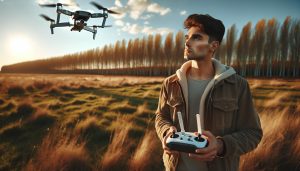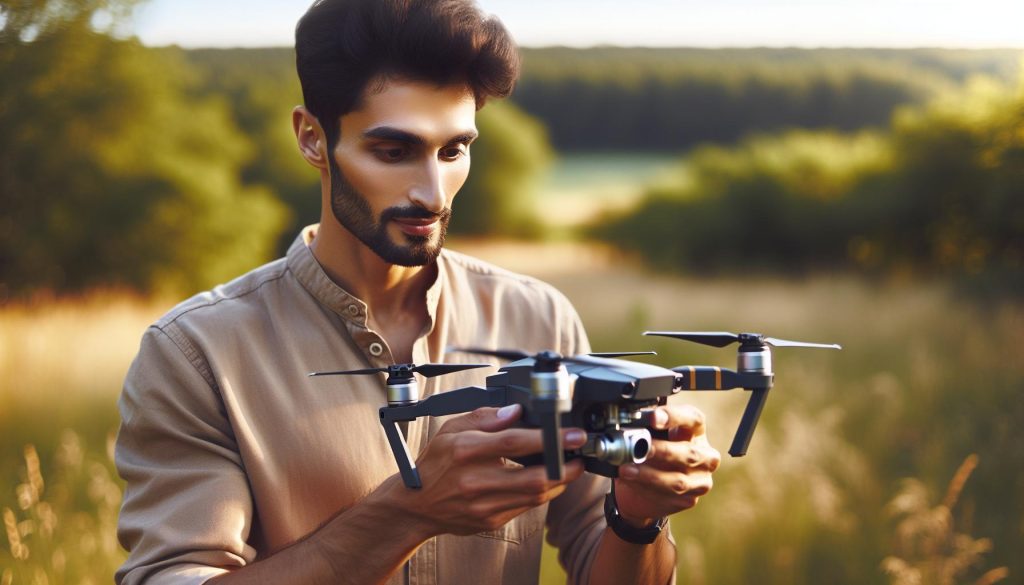
Flying a DJI drone can be one of the most exhilarating experiences, yet for beginners, it may also feel overwhelming. Did you know that over 1 million people are now drone enthusiasts, seeking to capture breathtaking aerial photography or experience the joy of flight? This guide, “How to Fly a DJI Drone for Beginners: Master Flight Fast,” is designed to turn that thrill into reality. By understanding the fundamentals of drone operation, you’ll gain the confidence to navigate the skies safely and effectively. Whether you’re excited to capture stunning landscapes or simply enjoy flying, mastering the basics can elevate your experience. We’ll walk you through essential steps-setup, flight modes, safety procedures, and tips for troubleshooting common issues-ensuring you’re well-equipped to take to the air. Prepare to unleash your creativity, explore the world from a new perspective, and become a skilled pilot in no time!
How to Choose the Right DJI Drone for You
Choosing a DJI drone can be a game-changer for both hobbyists and professionals alike, offering a blend of cutting-edge technology and user-friendly features. The market is diverse, with models designed for various skill levels and purposes. Whether you’re interested in aerial photography, racing, or just exploring the skies, identifying the right drone is crucial to elevating your flying experience.
First, consider your flying objectives. If you’re a novice looking to learn the basics without overwhelming complexity, the DJI Mini series offers lightweight options with impressive features, such as high-quality cameras and intuitive controls. These drones are particularly well-suited for beginners who want to capture stunning visuals without a steep learning curve. On the other hand, if you’re looking for advanced functionalities geared toward professional use, such as cinematic capabilities or sophisticated obstacle avoidance, the Mavic series, which includes the Mavic 3, may be your best bet. These drones offer superior battery life, extended range, and advanced data transmission systems, making them ideal for serious photography or videography projects.
Key Considerations When Choosing a Drone
When selecting a DJI drone, keep the following factors in mind:
- Camera Quality: Higher resolution cameras can significantly improve the quality of your aerial shots. Look for drones with at least 4K video capabilities for stunning videography.
- Flight Time: Consider how long you want to fly; some models can stay airborne for up to 46 minutes. Longer flight times allow for more extensive shoots.
- Portability: If you plan to carry your drone on trips, opt for a foldable design, such as the Mavic series.
- Ease of Use: Features like GPS-assisted flight, automatic return-to-home, and intelligent flight modes can simplify flying for beginners.
- Budget: DJI offers drones in various price ranges. Determine your budget beforehand to help narrow down your choices.
Deciding on the right drone from DJI not only involves understanding the unique offerings of each model but also aligning those features with your flying goals. By evaluating factors such as camera capabilities, flight performance, and ease of use, you can find a drone that complements your skill level and enhances your aerial experience. Ultimately, the right DJI drone will empower you to take your flying skills to new heights, whether you’re capturing breathtaking landscapes or exploring the art of aerial filmmaking.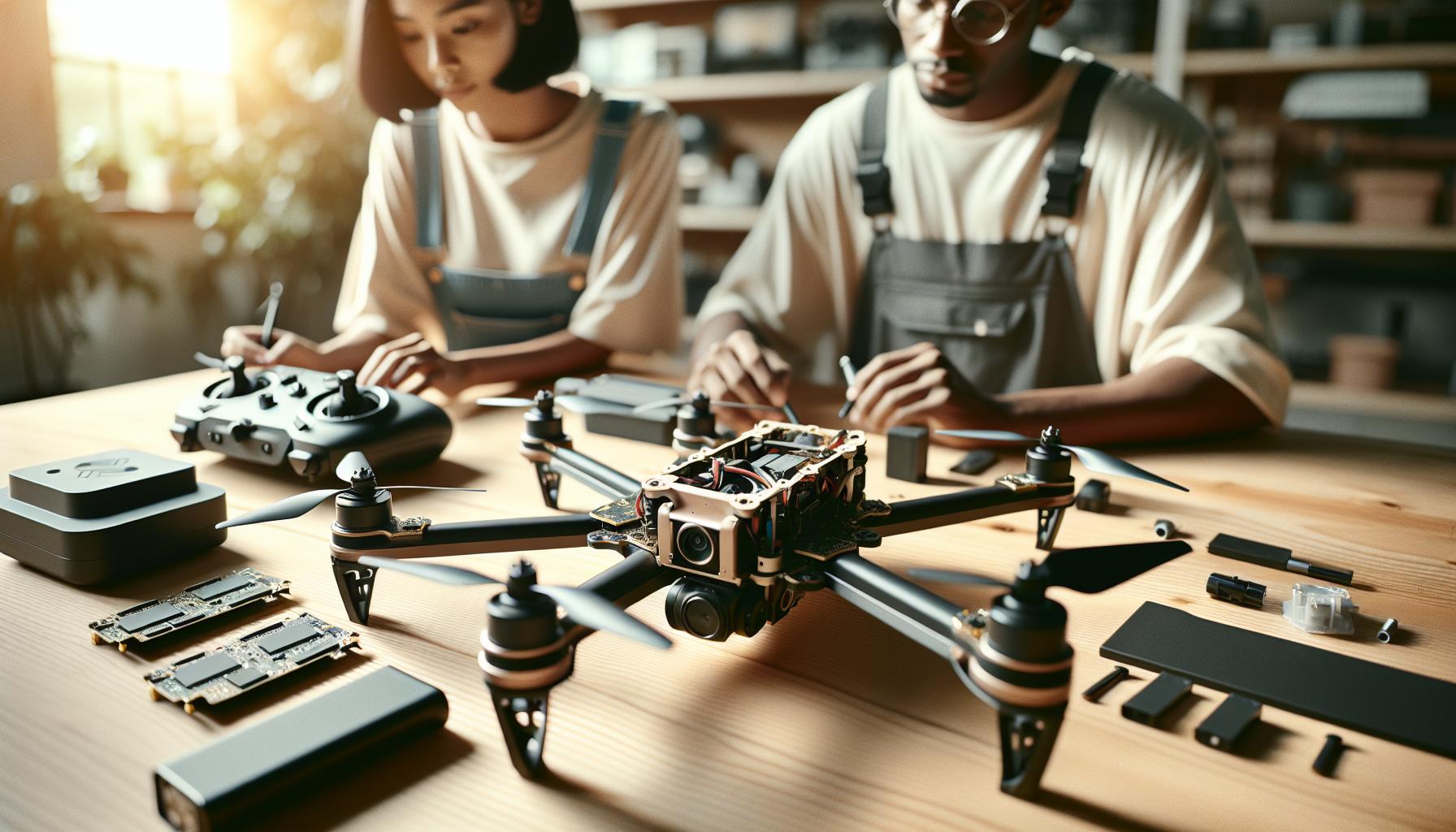
Essential Drone Components and Their Functions
The heart of any successful drone operation lies in understanding its essential components and their specific functions. A DJI drone is comprised of several key elements that not only contribute to its performance but also enhance user experience-making it crucial for both beginners and seasoned pilots to grasp these essentials to achieve optimal flight performance.
At the core of the drone is the flight controller, which acts as the brain of the operation. It processes input from various sensors, including the GPS, gyroscope, and accelerometer, to stabilize flight and maintain orientation. Understanding how the flight controller functions can help you interpret its responses during flight, particularly when making adjustments for windy conditions or navigating more complex environments.
Another crucial component is the propulsion system, which includes the motors and propellers. The efficiency and power of these elements dictate how well your drone can ascend, descend, and maneuver. It’s essential to know the propeller specifications as they can influence flight time and responsiveness. For instance, larger propellers typically offer better lift but may also require more power, showcasing the trade-offs you’ll need to consider based on your flying goals.
The camera system is another vital component, especially for those interested in aerial photography or videography. DJI drones often feature high-quality cameras capable of shooting in 4K resolution or higher, with gimbal stabilization to minimize vibration. Familiarizing yourself with your drone’s camera settings and capabilities can significantly enhance the quality of your footage, allowing for impressive shots that leverage the drone’s aerial perspective.
Lastly, the battery and power management system are essential for determining how long you can stay airborne. Understanding your drone’s power consumption can help you plan your flights better and incorporate sufficient battery life into your shooting schedule. Knowing how to monitor battery levels through the app or remote control can also prevent unexpected landings.
By gaining a deeper understanding of these essential components-flight controller, propulsion system, camera, and battery-you’ll not only improve your flying skills but also enhance the overall experience with your DJI drone. Each element is interconnected, and mastering how they work together is key to becoming a proficient pilot.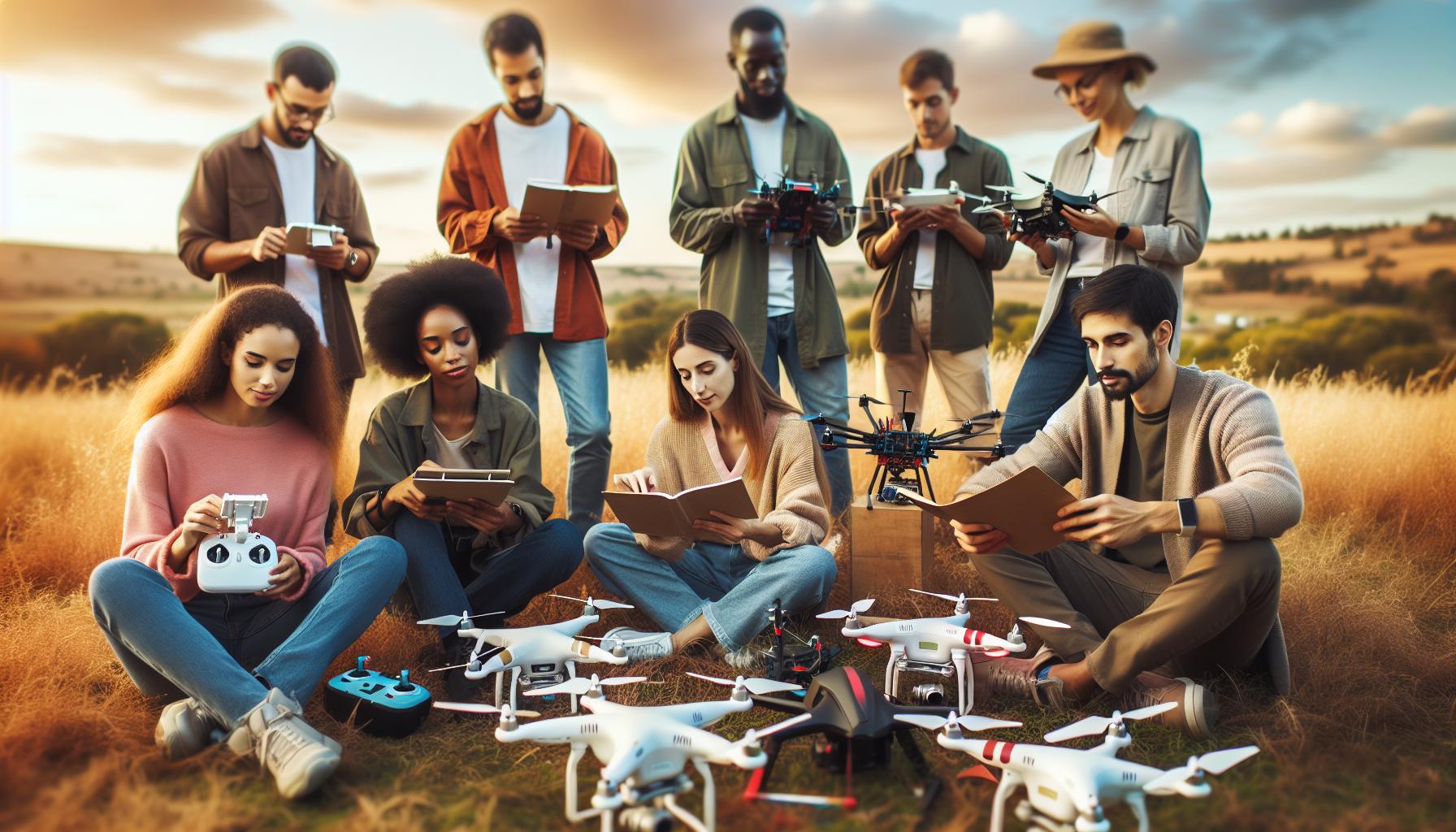
Understanding Flight Modes: Beginner to Expert
When mastering the skies with a DJI drone, understanding the different flight modes is essential for achieving impressive aerial photography and smooth navigation. Each mode is designed to cater to varying skill levels, making it easier for beginners to learn while also providing advanced features for seasoned pilots. As you explore these modes, you’ll gain valuable insight into optimizing your flying experience.
Flight Modes Explained
DJI drones typically offer a range of flight modes. Here’s a breakdown:
- Beginner Mode: Ideal for newcomers, this mode restricts altitude and distance to around 30 meters and 100 meters, respectively. It simplifies the flying experience, allowing you to focus on basic controls without the worry of flying too far or too high.
- Positioning Mode (GPS Mode): The standard flying mode that engages GPS and visual sensors to maintain a stable hover. It’s perfect for capturing steady footage as it helps keep the drone in place, even in light wind.
- Sport Mode: For more experienced pilots, this mode enhances responsiveness and speed, allowing for rapid maneuvers. However, the drone’s sensors for obstacle avoidance may be disabled, thus requiring more skill and awareness from the operator.
- Atti Mode (Attitude Mode): This mode disables GPS and relies solely on the drone’s internal sensors. It is ideal for advanced pilots wishing to practice manual flying and understand how the drone responds to their commands without GPS correction.
- Tripod Mode: This is a specialized mode that allows for very slow, precise movements-perfect for close-up photography or videography. It limits control sensitivity, making it easier to capture stable shots in tight spaces.
Practical Tips for Flight Mode Transition
Transitioning between these flight modes should be approached with care. Start practicing in Beginner Mode to build confidence and gradually move to more advanced settings. Here are a few tips to consider:
- Familiarize Yourself: Spend time understanding how each mode responds to your inputs. Learn the strengths and limitations, especially when moving to Sport or Atti Modes where you will have to rely more on manual controls.
- Practice in Safe Areas: Choose wide-open spaces free from obstacles when transitioning to advanced modes. This reduces the risk of collisions as you get accustomed to faster speeds and more manual controls.
- Use the DJI App: Take advantage of the DJI app’s tutorials and guides. It often provides practical demonstrations of how flight modes impact performance, giving you a better grasp of when to use each setting.
By understanding and mastering the various flight modes available in DJI drones, you’ll enhance not only your flying skills but also your ability to capture stunning aerial imagery and video. As you grow more confident, leveraging these modes effectively will significantly elevate your drone operation capabilities.
Step-by-Step Guide to Setting Up Your DJI Drone
Setting up your DJI drone correctly is crucial for ensuring a smooth flying experience and capturing stunning aerial footage. Whether you’ve just unboxed your first drone or upgraded to a more advanced model, following a systematic setup process will familiarize you with the technology and enhance your overall flying skills.
Begin by carefully reading the user manual provided with your drone; this document is essential as it contains model-specific instructions and safety warnings. After reviewing the manual, charge your drone’s battery fully before flying. A fully charged battery not only boosts performance but also prolongs your flying time, giving you more chances to practice.
Next, you’ll want to install the DJI App on your smartphone or tablet. This app is your control center, allowing you to access various settings, tutorials, and live video feeds from your drone. Make sure to create an account and log in to enable all app features, including firmware updates and flight logs. Double-check that your device is compatible with your drone model and connect through Wi-Fi or USB as required.
Once the app is ready, it’s time to unfold your drone and install the propellers securely. Ensure that the propellers are attached in the correct direction, as indicated by the markings on both the propeller and the drone body. A quick visual check will help you avoid common mistakes that can inhibit flight performance. After installing the propellers, power on your drone and the remote controller, ensuring that both devices are charged. The app will guide you through any other setup processes such as compass calibration and firmware updates, which keep your software current and your drone running smoothly.
Before your first flight, it’s vital to calibrate the gimbal. This step ensures that the camera remains stable and level during flight, allowing for high-quality video capture. To do this, simply follow the instructions in the app, which typically require you to rotate your drone in specific orientations while the camera stabilizes. Finally, conduct a comprehensive pre-flight check that includes verifying the environment for obstacles, checking for any ‘no-fly’ zones, and ensuring that you have a clear line of sight to the drone.
Adhering to this setup process not only prepares your DJI drone for flight but also builds your confidence as a pilot. With your drone ready to go, you can then delve into the exciting world of aerial photography and exploration. Always remember that proper setup, calibration, and safety checks are key to mastering your flying skills and enjoying your experience with DJI technology.
Mastering Gimbal Calibration for Smooth Footage
Getting breathtaking aerial footage from your DJI drone requires meticulous attention to detail, especially when it comes to gimbal calibration. A well-calibrated gimbal ensures that your camera remains stable during flight, resulting in smooth and professional-quality videos. Whether you’re shooting sweeping landscapes or dynamic action scenes, mastering gimbal calibration is crucial for any pilot looking to elevate their aerial photography skills.
To begin the calibration process, it’s essential to ensure that the drone is powered on and has connected with your remote controller. Access the DJI app linked to your drone model and navigate to the camera settings. There, you will find the calibration settings that are specific to your gimbal. Generally, you should position your drone on a flat, stable surface to eliminate any interference caused by terrain fluctuations. As you initiate the calibration process following the app prompts, you will be guided to rotate your drone in various orientations-keeping the camera facing up and down, then tilting it sideways. During this period, the gimbal’s sensors will recalibrate to maintain a steady shot.
Tips for Successful Gimbal Calibration
- Check for Obstructions: Before calibrating, ensure the gimbal is free from any debris that could affect its movement.
- Warm-Up Time: Allow your drone to warm up for a few minutes; this helps the sensors stabilize.
- Battery Level: Make sure your drone and controller batteries are adequately charged to avoid interruptions during the calibration.
- Wind Conditions: Ideally, perform calibration indoors or during calm weather conditions to minimize external influence.
After the calibration process is complete, it’s advisable to perform a quick test flight. Observe how the camera adjusts during different movements; if you notice any unintended camera tilts or wobbliness, you may need to repeat the calibration. Regular calibration not only enhances footage quality but also prolongs the lifespan of your gimbal and camera system. By incorporating these practices into your drone routine, you’ll ensure that your DJI drone delivers the cinematic quality you’re aiming for every time you take to the skies.
Firmware Updates: Keeping Your Drone Up to Date
Keeping your DJI drone updated with the latest firmware is essential for optimizing performance, enhancing safety, and unlocking new features. Just like any technology, drones benefit from regular software updates, which often include improvements in flight stability, camera capabilities, and even new flight modes. Manufacturers like DJI release updates to fix bugs, enhance existing functionalities, and address any security vulnerabilities that may have been discovered since the last version.
To ensure your drone operates at its best, follow these steps for updating the firmware. First, connect your drone to the DJI app on your smartphone or tablet, which should be synced with your remote controller. Upon launching the app, you will typically receive a prompt indicating whether any firmware updates are available. If a new version is detected, you can simply follow the on-screen instructions to initiate the update. It’s essential to conduct this process in a location with a stable internet connection and, preferably, a fully charged battery to avoid interruptions.
Best Practices for Firmware Updates
- Backup Settings: Before starting the update, consider taking note of your preferred settings or manually backing them up if the app allows. This ensures you can easily restore your configuration if needed.
- Read Release Notes: Review the release notes provided by DJI for the update. These notes typically outline what changes have been made, so you’ll know what improvements are being added.
- Use Official Sources: Always download firmware updates directly through the DJI app or the official DJI website. This practice minimizes the risk of using corrupt or malicious files.
- Test After Updating: Post-update, conduct a test flight to confirm that all systems function correctly. Pay attention to any changes in flight behavior or camera functions to ensure everything is running smoothly.
By incorporating firmware updates into your routine, you not only enhance the longevity of your drone but also ensure you’re leveraging the full potential of your equipment. Regular updates keep your drone equipped with the latest technology and safety features, giving you peace of mind as you embark on new aerial adventures.
Safety First: Key Pre-Flight Checks to Perform
Before embarking on your aerial adventure, performing a series of pre-flight checks is essential for ensuring both your safety and the optimal performance of your DJI drone. A few moments spent assessing your equipment and flight area can mean the difference between a remarkable day of flying and an unfortunate mishap. By systematically reviewing these key safety checks, you will confidently approach your flying experience.
Start by inspecting your drone for any visible damage. Look for bent propellers, loose connections, or any signs of wear and tear that may have occurred since your last flight. Pay special attention to the battery, ensuring it is fully charged and securely attached. An improperly connected battery can result in unexpected power loss mid-flight. Next, confirm that your drone’s camera and gimbal are free of obstructions and securely attached. Any loose components can impact flight stability and the quality of your footage.
Checking the weather conditions is equally critical; strong winds, rain, or low visibility can severely affect your drone’s performance and safety. Always verify that you are within the manufacturer’s recommended operating conditions for your specific model. Additionally, review your flying location for potential obstacles such as trees, power lines, or buildings that may pose a risk during your flight. Establishing a clear, unobstructed flight path is vital for a successful outing.
Lastly, perform a comprehensive functionality check of your remote controller and drone systems. Ensure that the controls respond correctly and that the GPS is operational by checking for a sufficient number of satellites connected. If your drone is equipped with features like obstacle avoidance, confirm that these systems are functioning properly. Taking these precautions can enhance your flying experience, allowing you to focus on capturing stunning imagery without unnecessary worries.
Indoor Flying Techniques for Beginners
Flying a drone indoors can be an exhilarating experience, particularly for beginners eager to master their skills in a controlled environment. Drones like the DJI Mini and Mavic series are well-suited for indoor flight due to their compact size and advanced stabilization technology. These features give novices the opportunity to practice piloting without the challenges posed by outdoor elements like wind and varying terrains.
Start by selecting an appropriate indoor space-ideally a large, open area free from obstacles like furniture, pets, or hanging light fixtures. Space is critical; the more room you have, the easier it will be to maneuver the drone and avoid collisions. Prior to taking off, ensure that your drone’s propellers are securely attached, and the battery is charged. Engage the low-speed mode on your drone to ensure a more manageable flight experience, allowing for gentler responses to control inputs.
During flights, practice basic maneuvers such as ascending, descending, and turning. Use the drone’s built-in sensors and obstacle avoidance features to your advantage. These technologies will help prevent crashes and allow you to build confidence in your flying skills. Try the following techniques to enhance your indoor flight experience:
- Figure Eights: A great exercise to practice both forward and backward movement while maintaining control.
- Hover Practice: Focus on maintaining a stable hover at different heights.
- Obstacle Courses: Set up simple obstacles with household items and practice navigating through them.
As you grow more comfortable, challenge yourself by introducing more complex maneuvers. Pay attention to your drone’s response to control inputs and practice understanding the drone’s sensitivity. Each small step will enhance your coordination and familiarization with the controls, ultimately preparing you for outdoor adventures. The skills developed through indoor flying provide a solid foundation for outdoor flight, where factors like wind must be considered.
Always keep safety at the forefront: inform those around you about your flying activity, ensure the space is adequately secured, and always respect the capabilities and limitations of your drone. Practicing indoors not only develops your piloting skills but also builds the confidence needed to transition smoothly to outdoor flying scenarios.
Navigating the Skies: Tips for Flying Outside
Flying a drone outdoors presents a thrilling opportunity to explore the skies while capturing stunning visuals. However, venturing outside comes with its own set of challenges that require careful consideration and preparation. One of the first steps to a successful outdoor flight is to choose the right location. Opt for open spaces, such as parks or fields, where you’re far from people, animals, and obstacles. Always check local regulations to ensure you’re not infringing on any no-fly zones, as compliance is crucial for safe flying.
Before taking off, familiarize yourself with the weather conditions. High winds can greatly affect stability, especially for lighter models like the DJI Mini. Ideally, aim for calm days with minimal wind. If you’re unsure about the wind speed, an app can help you monitor conditions in real-time. Properly calibrate your drone’s compass before flight, as this will help you maintain accurate control and positioning. This step is particularly important if you’ve moved your drone to a new location, as electromagnetic interference can affect its sensors.
Techniques for Flying
Flying outdoors allows you to practice more advanced maneuvers. Start with basic movements-ascend to a comfortable altitude and get a feel for the controls. Here are some practical techniques to enhance your flying skills:
- Orbit Flight: Practice flying in a circular path around a point of interest. This will help you learn how to maintain distance and control while filming or photographing an object.
- Waypoint Navigation: Utilize your drone’s GPS capabilities by setting waypoints in the app. This feature allows you to program a flight path and focus on composition and capturing the perfect shot.
- Follow Me Mode: This advanced feature enables you to have the drone autonomously follow you. It’s great for action shots while biking or hiking, allowing you to concentrate on your activity.
As you grow more comfortable, incorporate features like DJI’s obstacle avoidance technology. These systems provide additional safety, helping to navigate around trees and buildings. However, always keep an eye on your surroundings, as the drone’s sensors may not account for every potential hazard.
Lastly, after each flight, conduct thorough checks on your equipment. Inspect the drone for any physical damage, ensure the camera lens is clear, and recharge batteries for the next adventure. Whether capturing breathtaking landscapes or simply enjoying the thrill of flight, outdoor drone flying can be incredibly rewarding when practiced with care and awareness.
Advanced Features: Obstacle Avoidance Explained
The innovation of obstacle avoidance technology in DJI drones has significantly transformed the piloting experience, making it more accessible for beginners while providing an added layer of safety for experienced flyers. At its core, obstacle avoidance employs advanced sensors and algorithms that allow the drone to detect and navigate around objects in its path. This feature not only enhances the safety of your flights but also enables you to focus more on capturing stunning aerial imagery rather than worrying about potential collisions.
DJI’s obstacle avoidance system typically utilizes a combination of visual sensors, infrared sensors, and ultrasonic waves to create a 3D map of the environment around the drone. This enables it to identify hazards like trees, buildings, and other obstacles. For example, when flying in environments with dense foliage or urban landscapes, the drone will automatically slow down and adjust its altitude or direction to avoid collisions. This is particularly useful during complex maneuvers where maintaining precise control can be challenging, allowing pilots to push their creative boundaries without the constant fear of crashing.
While relying on obstacle avoidance systems provides valuable assistance, it is vital to remember that these sensors have limitations. For instance, some models may struggle in low-light conditions or inclement weather, and they might not detect very small or transparent objects. Therefore, it’s crucial to remain vigilant and keep your drone within visual line-of-sight. To maximize the effectiveness of obstacle avoidance, pilots should also familiarize themselves with their drone’s specific settings and adjust parameters according to their flying conditions, such as enabling or disabling certain sensors based on the environment.
Engaging with the obstacle avoidance capabilities of your DJI drone can greatly enhance your flying experience. As you grow more comfortable, you may find yourself experimenting with the boundaries of your drone’s features, utilizing obstacles as elements in your photography or videography. By mastering both the technology and the piloting skills necessary to use it effectively, you’ll unlock a new level of creativity and safety in your aerial adventures.
Legal Compliance: Understanding Drone Regulations
Understanding the intricate landscape of drone regulations is crucial for smooth flying and avoiding potential legal pitfalls. Drone laws vary significantly by country, state, and even city, making it imperative for operators to stay informed. In general, compliance involves understanding and adhering to specific rules set by aviation authorities like the FAA in the United States and similar entities worldwide. Familiarizing yourself with the local laws not only ensures a lawful flying experience but also fosters a responsible piloting culture.
Key Regulatory Points to Consider
- Registration Requirements: Depending on your drone’s weight, you may need to register it with the FAA or your country’s aviation authority. For instance, in the U.S., drones weighing more than 0.55 pounds (250 grams) must be registered to fly legally.
- Altitude and Airspace Restrictions: Most regulations limit flight to a maximum altitude of 400 feet, particularly in uncontrolled airspace. Understanding the various classes of airspace helps avoid restricted areas such as near airports or government facilities.
- Line of Sight: It is imperative to maintain your drone within visual line-of-sight during flight. Flying beyond this threshold may lead to legal repercussions and poses a risk to safety.
- Drone Insurance: While not always mandated, obtaining insurance is advised to protect against potential liability and accidents, particularly if flying commercially.
- No-Fly Zones: Certain areas, such as national parks, military installations, and crowded events, generally have strict regulations or outright bans on drone flights. Checking no-fly zones via apps or maps before takeoff is critical.
Local Regulations and Community Guidelines
In addition to national laws, local municipalities may have specific regulations governing drone operations, including restrictions on flying in public parks or residential neighborhoods. Joining a local drone community or forum can provide insights into these nuances. Engaging with local stakeholders, including law enforcement and property owners, can also enhance good practices and improve public perceptions of drone usage.
As UAV technology continues to evolve, so too do regulations. Staying abreast of changes is essential. Regularly consulting resources such as the FAA website or your local aviation authority can help you maintain compliance and foster safe flying practices. With the right knowledge and preparation, you can enjoy your DJI drone adventure legally and responsibly, paving the way for innovative and creative aerial photography and videography.
Troubleshooting Common Issues: Quick Fixes for Drones
Flying a DJI drone can offer a thrilling experience, but even seasoned pilots encounter challenges. Knowing how to troubleshoot common issues can significantly enhance your flying experience and prevent frustration. From connectivity problems to battery concerns, being equipped with quick fixes can ensure that your drone remains in the air, capturing stunning footage.
One of the most frequent issues encountered by drone operators is connectivity problems, particularly between the drone and the remote controller. This can manifest as a “disconnected” message on your app or a failure to start the motors. To remedy this, first, check that both the drone and the controller have sufficient battery life. If both are charged, try restarting both devices and ensure the latest firmware is installed on both the drone and the remote controller. Re-establishing the connection can often be done by manually linking them through the app, which may involve pressing the linking button on the drone while in close proximity to the controller.
Battery malfunctions can also wreak havoc on your flying sessions. If your drone starts beeping or displays a warning about low battery despite a full charge, recalibrating the battery can help. To do this, power off the drone and remove the battery. Reinsert the battery carefully and power the drone back on. Monitoring the battery’s health is vital; ensure that the battery contacts are clean and that the battery life indication is accurate. If problems persist, consider testing with another battery if available or refer to the manufacturer’s guidelines for proper maintenance.
Another issue that might arise is the drone not responding correctly to control inputs. This can often be traced back to sensitivity settings in the app; accessing the control settings allows you to adjust the responsiveness and smoothness of the drone’s movements, particularly in beginner flight modes. For more complex maneuvers, ensure that you have practiced enough in a safe, open area to prevent accidental crashes due to oversensitivity or delayed reactions in control.
Lastly, if your drone experiences gimbal issues, such as abnormal movements or vibrations, ensure that it is properly calibrated. The gimbal calibration can be done through the app, and it typically involves placing the drone on a flat surface, following the instructions in the app to execute the calibration sequence. Regular maintenance checks and cleaning around the gimbal area can prevent future occurrences, allowing for smooth and stable footage no matter the flight conditions.
Instead of letting these common issues dampen your enthusiasm for flying, understanding how to address them serves to empower you as a pilot. By employing these quick fixes, you can keep your focus on enjoying the adventure that comes with piloting your DJI drone.
Frequently Asked Questions
Q: What is the first step to take before flying a DJI drone?
A: The first step is to read the user manual specific to your DJI model. Understanding the drone’s components, settings, and controls is crucial for safe operation. Additionally, perform a pre-flight check to ensure all systems are functioning correctly.
Q: How do I calibrate my DJI drone’s compass?
A: To calibrate the compass, power on the drone and remote controller, then follow the prompts on the DJI app. Rotate the drone horizontally and vertically as instructed until the calibration is complete. This enhances accuracy and safety during flight.
Q: What should I do if my DJI drone loses connection during flight?
A: If your drone loses connection, it will typically enter a “Return to Home” (RTH) mode. Ensure that you have set the RTH altitude and that the GPS signal is strong before flying, as this helps in safely recovering the drone.
Q: Can I fly my DJI drone indoors?
A: Yes, but indoor flying requires caution. Use the drone’s “Indoor Mode” if available, as it disables GPS and uses infrared sensors instead. Ensure a spacious area free from obstacles to practice basic maneuvers safely.
Q: How do I take good aerial photos with my DJI drone?
A: To capture stunning aerial photos, adjust the camera settings based on lighting conditions and use the HDR mode for high contrast environments. Experiment with angles and keep the drone stable to avoid blurry images.
Q: What are common mistakes beginners make when flying a DJI drone?
A: Common mistakes include flying in restricted areas, ignoring battery levels, and not performing pre-flight checks. Starting with small, controlled spaces helps develop skills and confidence before flying in complex environments.
Q: How do I update the firmware on my DJI drone?
A: Firmware updates can be performed through the DJI GO or DJI Fly app. Connect your drone to the app, navigate to the firmware section, and follow the prompts. Always ensure a stable internet connection during the process.
Q: What are the legal restrictions for flying a DJI drone?
A: Legal restrictions vary by region, but generally include operating below 400 feet, avoiding airports, and not flying over people or private properties without permission. Always check local regulations and register your drone if required.
The Conclusion
Congratulations on taking your first steps in mastering flight with your DJI drone! By now, you should feel more confident in your abilities to set up, fly, and capture stunning aerial footage. Don’t stop here-practice makes perfect! For a deeper dive, check out our comprehensive guides on drone setup and gimbal calibration to further refine your skills. Also, explore our advanced tips on flying indoors and maximizing obstacle avoidance features to enhance your flying experience.
If you want to stay updated on the latest drone technology and tips, consider signing up for our newsletter or check out our latest drone reviews finding the best model suited for your needs. Have questions, or want to share your flying experiences? We love hearing from our readers, so drop a comment below! Remember, every flight is a new opportunity to learn and explore. Keep flying, and take your skills to new heights!