In the world of drones, knowing your equipment inside and out is crucial for both safety and performance. The serial number of your DJI drone is not just a unique identifier; it plays a vital role in warranty claims, support inquiries, and theft recovery. Yet, many pilots aren’t aware of how to quickly find this information. This guide will empower you with the knowledge to locate your DJI drone’s serial number in seconds, ensuring you can maintain your gear with confidence and ease. Stay tuned as we unravel this straightforward process and highlight why this information is essential for every drone operator.
How to Locate Your DJI Drone Serial Number
To quickly locate the serial number on your DJI drone, it’s essential to understand its importance and where you can find it. The serial number is a unique identifier for your device, crucial for warranty service, repairs, and verifying authenticity. Notably, each model may have its own preferred location for this information.
You can often find the serial number by following these general steps:
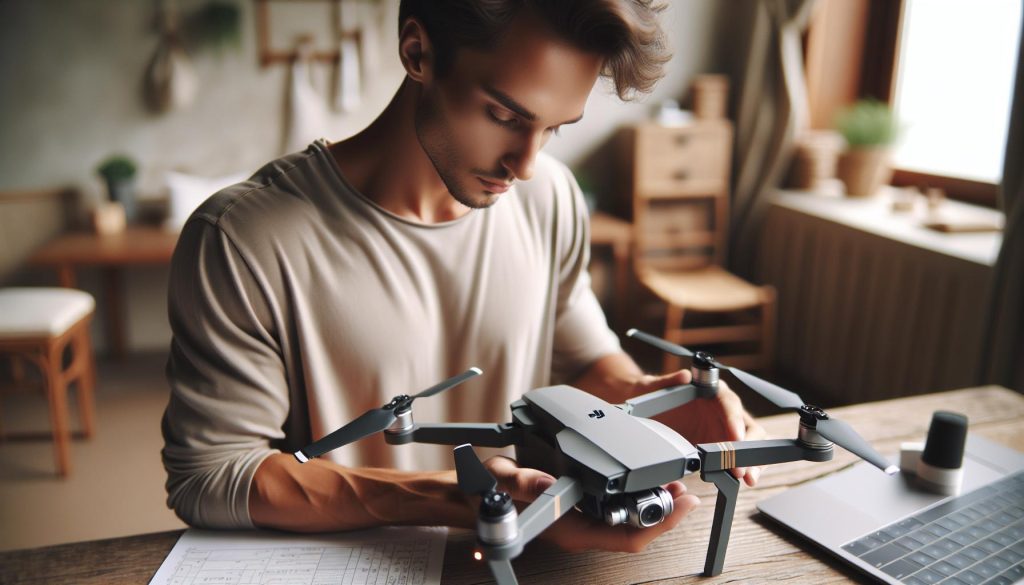
- Check the Drone Body: On most DJI drones, the serial number is engraved or printed on the underside of the drone. Look near the battery compartment or on the side of the drone’s body.
- Battery Compartment: For models like the Mavic and Phantom series, the serial number may also be located inside the battery compartment or on the battery itself. Removing the battery can sometimes provide better access.
- Packaging and Documentation: If you have the original packaging, the serial number is typically printed on a sticker on the box. Additionally, any documents or manuals that came with your drone usually also reference the serial number.
- DJI Go App: Connecting your drone to the DJI Go or DJI Fly app can provide you with the serial number digitally. After connecting, go to the settings menu, and you should find the serial number in the “About” or “Device Information” section.
- DJI Assistant 2 Software: If connecting through the app isn’t feasible, you can use the DJI Assistant 2 software on your PC or Mac. Connecting your drone to the computer will allow you to view detailed specifications, including the serial number.
By following these steps, you’ll be able to quickly and accurately locate the serial number on your DJI drone, which will prove essential for troubleshooting, service requests, and maintaining the overall integrity of your flying experience.
Understanding the Importance of the Serial Number
The serial number of your DJI drone serves as its unique fingerprint in the vast world of flying technology. This seemingly innocuous sequence of letters and numbers holds critical importance for both novice flyers and seasoned professionals alike. Having this information readily accessible isn’t just about keeping track of your gear; it’s essential for warranty registrations, service requests, and even theft recovery.
In situations where your drone may require repairs, whether due to manufacturer defects or accidental damage, the serial number is the key to unlocking your drone’s history with DJI. It enables you to validate warranty claims and ensures that any repairs or services are performed with precision, tailored specifically to your model. Furthermore, if your drone is lost or stolen, providing the serial number to authorities can significantly aid in tracking and potential recovery.
Understanding the importance of your drone’s serial number goes beyond basic identification. It also plays a role in verifying authenticity. The drone market, like many sectors, is not immune to counterfeit products. When purchasing a new or used drone, checking the serial number helps ensure that you’re acquiring an authentic DJI product. This diligence protects you from scams and helps maintain the integrity of your flying experience.
To get the most out of your drone ownership, it is prudent to maintain a record of your device’s serial number. Consider storing it in both digital formats, like notes on your smartphone, and physical copies, such as in your drone’s manual or packaging. This way, in case of an unexpected incident, you can easily access important information without any hassle. By understanding and utilizing your drone’s serial number, you empower yourself to take full advantage of its capabilities while ensuring a smooth journey in your aerial adventures.
Where to Find the DJI Drone Serial Number
To ensure you can make the most of your DJI drone, it’s crucial to locate its serial number. This unique identifier serves multiple purposes, from facilitating warranty service to authenticating your device. For different DJI models, the serial number can typically be found in consistent locations, but there are model-specific nuances to keep in mind.
One of the easiest ways to find the serial number is by checking inside the battery compartment. For example, on the DJI Air 3 and Mini 4 Pro, you will find a sticker that clearly displays the serial number right inside the battery compartment. This location is not only secure but also discreet, helping to prevent wear and tear from exposure during use. Additionally, each drone model comes with a barcode sticker that features the serial number, usually found on the drone’s body or near the battery slot. This serves as an alternative identification method, particularly useful when the drone is shipped or repaired.
If you’re using a DJI Smart Controller, the process is slightly different. The serial number is located on the back of the remote controller, directly beneath the QR code. This approach highlights the importance of checking all components when searching for serial numbers, as essential information can sometimes be overlooked.
Understanding these various locations helps reinforce the importance of regular checks for your drone’s serial number, making troubleshooting and service processes smoother. The goal is to become familiar with these details to enhance your drone experience and ensure that you’re prepared in any situation.
Identifying Serial Numbers on Different DJI Models
The quest for identifying your DJI drone’s serial number can vary significantly depending on the model you own. Each DJI drone has its own unique places to hide this important identifier, and knowing where to look is key to quickly accessing it when needed. For instance, many users find themselves looking at the interior of the battery compartment, which serves as a common spot across various models. Drones like the DJI Mini 3 and DJI Mavic 3 feature easily accessible serial number stickers right beneath the battery, ensuring you can locate it without hassle.
In addition to the battery compartment, there are other locations on different DJI models that might surprise you. For the Phantom series, you’ll typically find the serial number on the bottom of the drone, usually near the landing gear. On models such as the Inspire series, inspect the drone body, particularly around the gimbal area, where the serial number is often printed for convenience. The Mavic Mini, for example, includes its serial number on the back leg, which is an unconventional yet effective location.
It’s also essential to remember that remote controllers can have their own serial numbers. The DJI Smart Controller, for example, features its serial number on the back, right beneath a QR code. This design not only helps organize multiple devices but also makes it easy to track your equipment comprehensively.
Here are the key locations for identifying serial numbers on popular DJI models:
| Model | Serial Number Location |
|---|---|
| DJI Mini 2 | Inside the battery compartment |
| DJI Mavic Air 2 | Inside the battery compartment |
| DJI Phantom 4 | Bottom of the drone near the landing gear |
| DJI Inspire 2 | Drone body near the gimbal |
| DJI Smart Controller | Back of the remote controller under the QR code |
By familiarizing yourself with these locations, you enhance your ability to quickly retrieve essential information, whether for warranty claims or device authentication. This understanding not only simplifies troubleshooting but also reinforces proper drone management habits for both novice and experienced pilots.
Troubleshooting Missing or Unreadable Serial Numbers
Identifying the serial number on your DJI drone is essential for various purposes, including warranty claims and verifying authenticity. However, there may be occasions when the serial number is missing or difficult to read, which can hinder these processes. Understanding how to troubleshoot these issues effectively is key to ensuring you can access your serial number when necessary.
One common problem is a worn or faded serial number sticker. Regular use and exposure to elements can wear down the sticker’s visibility. If you find the sticker is unreadable, attempt to clean the area gently with a soft cloth and a mild solution to remove dirt or grime that may obscure the serial number. If cleaning does not help, refer to your drone’s user manual, as it might provide alternative locations or methods to locate the serial number. For specific DJI models, such as the Mavic Air or Phantom series, consider accessing the original box or paperwork that came with your drone, as some serial numbers are recorded there.
For instances where the serial number appears to be completely missing, it’s essential to explore software options. Many DJI drones allow users to access their serial number via the DJI Fly app or DJI GO 4 app. Simply connect your drone to the app, and navigate to the ‘Settings’ or ‘About’ section; here, you may find the serial number displayed alongside other crucial information about your drone. This digital approach can save time and avoid frustration, particularly if the physical serial number has been compromised.
If, after attempting these troubleshooting steps, you still cannot locate your serial number, it may be prudent to contact DJI support. They can assist with further steps, which may involve verifying ownership through other means. Maintaining a record of your drone’s serial number, including screenshots from the app or photos of the sticker, can help you avoid complications in the future. By being proactive and using these tips, you can ensure that you’re prepared for any situation that may arise regarding your DJI drone’s serial number.
Using the DJI App to Access Serial Information
For drone owners, knowing how to quickly access the serial number is vital for warranty claims, registration, and verifying authenticity. Fortunately, DJI has made this process straightforward with its dedicated apps, like the DJI Fly app and DJI GO 4 app. Utilizing these mobile tools not only saves time but also enhances your overall management of the drone, ensuring you have all necessary information at your fingertips.
To access your drone’s serial number using the DJI app, first ensure that your drone is powered on and connected to your mobile device via Wi-Fi or the remote controller. Open the app, and navigate to the ‘Settings’ or ‘About’ section. In these menus, you will find the serial number displayed prominently, often alongside other critical information such as firmware version and flight logs. This method is especially advantageous for users who might struggle with physically locating the serial number sticker on the drone, particularly if it’s worn or obscured by grime.
A practical tip for ensuring you have the information stored safely is to take a screenshot of the serial number once you have it displayed in the app. This not only provides you with a digital copy but also mitigates the risk of losing your serial number due to wear and tear on the physical sticker over time. Additionally, keeping a record in a dedicated document for all your drone details, including the serial number, can be beneficial in the long run, especially if you own multiple drones or accessories.
Using the DJI app is not just about convenience; it’s also about engaging with the technology effectively. By familiarizing yourself with the app’s interface and exploring its features, you can enhance your drone piloting experience, making routine checks for updates or preparing for upcoming flights seamless. This holistic approach to drone management sets the foundation for being a responsible and informed pilot, ready to tackle the skies with confidence.
Verifying Your Drone’s Authenticity with the Serial Number
Verifying the authenticity of your DJI drone is crucial not just for peace of mind, but also for ensuring you’re covered in case something goes wrong-especially if you need to utilize warranty claims or service support. Each DJI drone comes with a unique serial number that acts like its fingerprint, allowing you to trace its manufacturing details and verify its authenticity. By following the proper steps, you can authenticate your drone and safeguard your investment against counterfeits.
To start the verification process, locate your drone’s serial number, typically found on a sticker inside the battery compartment or on the original packaging. You can also access this vital information through the DJI app, which displays the serial number in the ‘Settings’ or ‘About’ section once connected to your drone. Having the serial number in hand is essential for cross-checking it against official DJI records and ensuring you’re dealing with a legitimate product.
Once you have your serial number, head to the DJI service website. Here, you can input your serial number into their verification tool, which will provide information about your drone’s model, purchase date, and warranty status. This step is critical for confirming whether your drone was purchased from an authorized dealer-an important distinction that impacts your warranty coverage and service options.
Remember, purchasing from unofficial sources can expose you to risks like receiving a stolen or counterfeit product. By verifying your drone’s authenticity, you not only enhance your safety and security as a pilot but also ensure that you’re entitled to the full range of support and services that DJI offers, such as updates and repairs. This diligence ultimately enhances your flying experience and instills confidence in your gear, empowering you to navigate the skies without uncertainty.
Maintaining Records of Your DJI Drone Serial Number
Keeping an organized record of your DJI drone’s serial number can prove invaluable in various scenarios, from warranty claims to verifying authenticity. This unique identifier is your drone’s digital fingerprint, providing essential information about its manufacturing and service history. Creating a dedicated document or digital file to store this information ensures quick access, minimizing the stress of searching for it when needed.
To maintain an accurate and up-to-date record, consider these practical tips:
- Document Storage: Use cloud-based storage solutions like Google Drive or Dropbox for easy access across devices. Create folders for each drone you own, including purchasing documents, receipts, and warranty details.
- Regular Updates: Whenever you update the software or service your drone, note this along with the serial number in your records. This habit not only helps in maintaining the history of your drone but also aids when troubleshooting issues.
- Include Related Information: Alongside the serial number, add details like purchase date, place of purchase, and warranty expiration date. This comprehensive record can facilitate support interactions with DJI or authorized service providers.
- Physical Copies: For those who prefer hard copies, consider keeping a printed file with your drone’s manual or inside the drone’s case for easy access. Ensure that you also keep this file secure to prevent loss or damage.
Having these records not only enhances your operational efficiency but also boosts your confidence as a drone pilot. Should you encounter any issues or need to validate your drone’s authenticity, you’ll have the necessary information at your fingertips, streamlining processes related to maintenance, service support, and potential resale.
Common Questions About DJI Drone Serial Numbers
Understanding the intricacies of your DJI drone’s serial number can greatly enhance your overall drone operation experience. Common questions frequently arise around this critical identifier, often centering on its significance, location, and how to manage it effectively.
One prevalent query pertains to what a serial number actually reveals about the drone. The serial number uniquely identifies your drone, providing essential information about its model, production date, and warranty status. This number is key for any service inquiries or warranty claims you may need to make. For instance, if your drone ever needs repairs, providing the serial number ensures that DJI can access the history of your specific unit quickly.
Another frequent question is how to retrieve a serial number if it’s difficult to find or unreadable. In most DJI models, the serial number can typically be located on the drone’s body, near the battery compartment, or within the battery bay itself. If physical inspections don’t yield results, using the DJI app can provide a digital record of your drone’s serial number. Simply connect your drone to the app, and navigate to the settings where the serial number is displayed.
A particularly important consideration is what to do if you’ve lost your drone and need to report it stolen. Having your serial number documented is crucial; you can easily report it to the authorities and DJI to help recover the lost device. Therefore, creating a routine of logging and maintaining this critical data not only aids in personal record-keeping but is also vital in emergency situations.
In summary, addressing these common questions around DJI drone serial numbers allows pilots to appreciate their importance and equips them with the proper knowledge and strategies for managing this essential information effectively. By prioritizing record-keeping and understanding the role of your drone’s serial number, you elevate your readiness and confidence in all aspects of drone operation.
FAQ
Q: How do I find the serial number on my DJI drone?
A: To find your DJI drone’s serial number, check the drone’s body, often located on the battery compartment or within the propeller area. Refer to your user manual for specific instructions for different models. For immediate access, use the DJI app while connected to your drone, where the serial number is displayed in the settings.
Q: Why is knowing my DJI drone’s serial number important?
A: The serial number is crucial for warranty claims, servicing, and verifying authenticity. It helps ensure you’re not using a stolen drone and is often required for registration with aviation authorities. Maintaining a record is essential for updates and any potential recalls.
Q: Can I find my DJI drone serial number in the DJI app?
A: Yes, you can find the serial number in the DJI app. Connect your drone, go to the settings, and look for the “About” section. Here, the serial number is listed alongside other device information, making it easily accessible.
Q: What should I do if my DJI drone serial number is unreadable?
A: If the serial number is unreadable, check for multiple locations on the drone’s body. If you’re unable to locate it physically, try using the DJI app to retrieve the serial number. If all else fails, consult DJI support for further assistance.
Q: How can I verify the authenticity of my DJI drone using the serial number?
A: To verify authenticity, enter your drone’s serial number on the DJI official website or contact DJI support. They can confirm whether your drone is genuine and registered, helping protect you from counterfeit products.
Q: Where can I find the DJI Mini drone serial number?
A: For the DJI Mini series, the serial number is typically located on the bottom of the drone, near the battery compartment. You can also find it in the DJI Fly app when connected to your drone.
Q: Is the DJI drone serial number unique for each model?
A: Yes, each DJI drone model has a unique serial number that distinguishes it from other units. This uniqueness is essential for registration, warranty, and support purposes.
Q: When should I check the serial number of my DJI drone?
A: Check your drone’s serial number before making a purchase, to register your drone, during warranty claims, or when seeking technical support. Keeping track of it is also useful for insurance purposes.
In Retrospect
Now that you know how to check your DJI drone’s serial number quickly and efficiently, take the next step in your drone journey! Ensuring that your drone’s identification details are correct is crucial for registration, warranty claims, and troubleshooting. Don’t wait-confirm your serial number today and keep your flying experience secure and seamless.
For more insights, dive into our beginner’s guide on troubleshooting common DJI drone issues or explore our detailed review comparison of the latest Mini and Mavic models. Have questions? Feel free to leave a comment below or share your thoughts with our community. With the right knowledge and preparation, you can unlock the full potential of your drone adventures. Start exploring more resources now to elevate your flying skills and stay updated on the latest drone innovations!