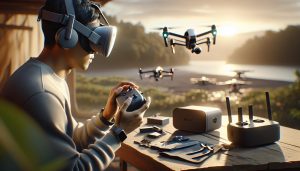
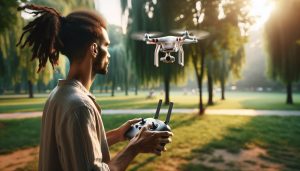
Connecting a DJI drone can seem intimidating for beginners, but it’s an essential first step to unlocking the incredible world of aerial photography and flight. Did you know that mastering just a few simple setup processes can significantly enhance your flying experience? In this guide, we will walk you through the straightforward steps to connect your DJI drone with ease, allowing you to focus on capturing stunning visuals rather than struggling with technology. Whether you’re eager to document your adventures or explore creative filmmaking, understanding the connection process will empower you to take full advantage of your drone’s capabilities. Let’s dive in and discover how to simplify your drone setup, so you can embark on your aerial journey with confidence and excitement.
Connecting Your DJI Drone: Step-by-Step Guide
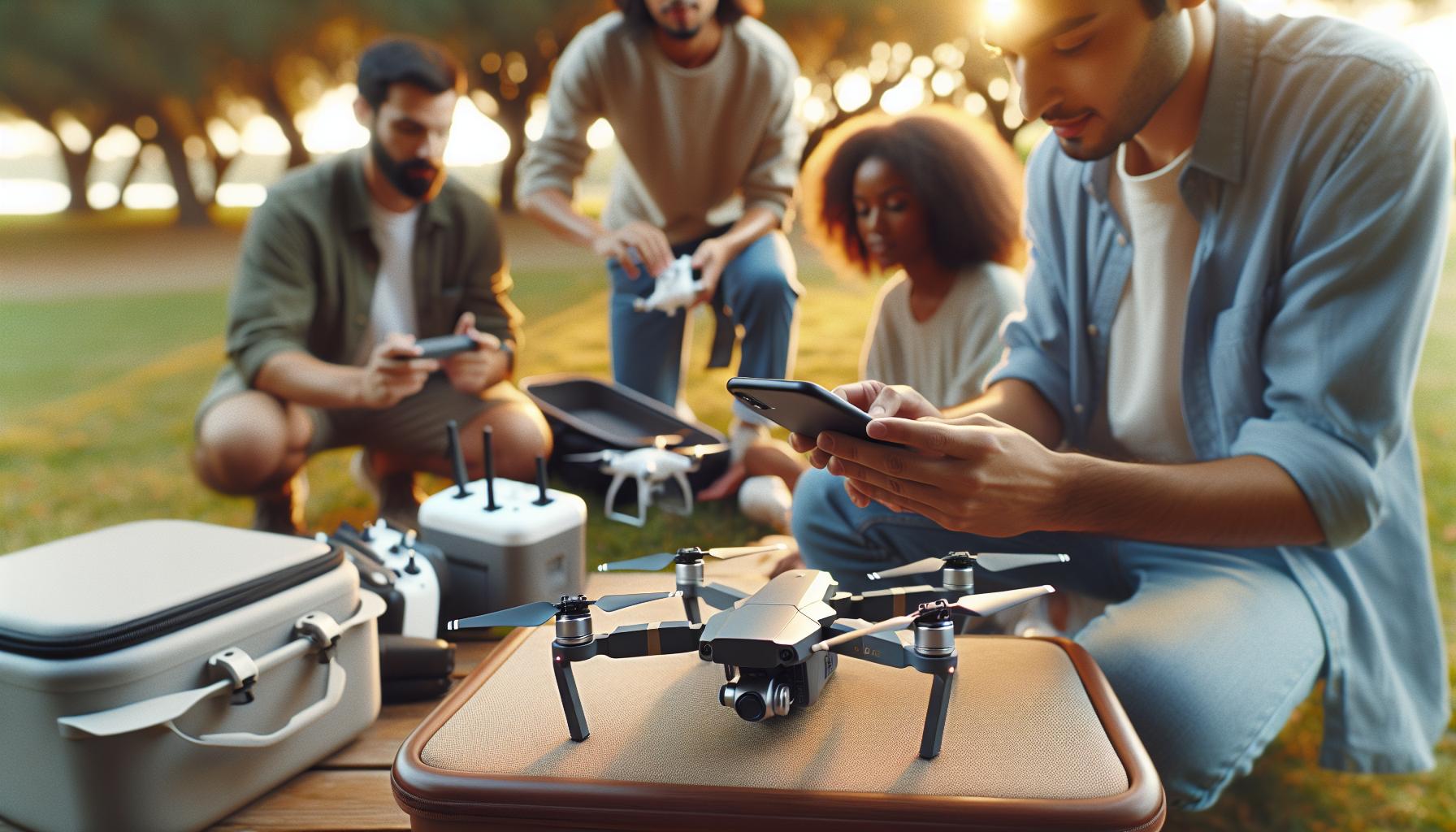
To embark on your aerial adventure, connecting your DJI drone properly is essential for a seamless flying experience. The process may seem daunting at first, but with the right steps, you’ll find it straightforward and intuitive. Begin by ensuring your drone and remote controller are fully charged and ready for activation. This preparation is vital since an insufficient battery can lead to connection issues later on.
First, power on your drone and remote controller. Once powered, launch the DJI Fly app on your connected mobile device. If you haven’t downloaded the app yet, make sure to do so from your device’s app store-this serves as your primary interface for controlling the drone. Follow the on-screen prompts within the app to set up your drone. This typically involves activating your device, which includes linking your drone to the controller and your mobile device.
Next, it’s important to pair your remote controller with the drone. Depending on your model, this may involve pressing a specific button on the controller, or initiating a pairing mode within the app. Once paired, you should hear a confirmation sound from the drone, indicating a successful connection. When everything is connected, you can proceed to check for any firmware updates to ensure your drone is operating at its best.
Additionally, consider calibrating your drone’s compass and gimbal as part of your initial setup. These steps help maintain stable flight and smooth video recording. Consult your drone’s user manual or the app for guidance on these procedures. Following these instructions will not only enhance your flying experience but will also help prepare you for capturing stunning aerial photography and videography.
Essential Tools for Setting Up Your DJI Drone
When you’re ready to connect and launch your DJI drone, having the right tools at your disposal can make a significant difference in ensuring a smooth and successful setup. From simple home items to specific accessories, take a moment to prepare yourself with the essential tools that will enhance your experience and facilitate a flawless connection process.
To begin with, you’ll want to gather the basic tools required for setup and maintenance. This includes a small Phillips screwdriver for tightening propellers, a microfiber cloth for cleaning the camera lens and sensors, and a power bank or extra charged batteries for prolonged flying sessions. A case or storage bag will also help protect your drone and accessories during transport. For those planning to fly in tricky weather conditions, consider investing in a landing pad to offer a clean takeoff and landing surface.
Software and Apps
Don’t overlook the importance of having the appropriate software and applications ready for installation on your smart device. The DJI Fly app is essential, catering to various model features and performance settings. Make sure you have the app installed and updated before your first flight to simplify the calibration and management processes. Also, consider downloading the DJI Assistant 2 application on your computer, which allows you to perform advanced updates and diagnostics for your drone.
Tightening Up Connections
Once you have your tools and apps ready, the physical setup can now begin. Make sure to check that all screws and connections are secure, especially on the drone’s arms and battery compartment. This not only prevents mechanical failures during flight but also enhances overall safety. Having a tape measure can help when ensuring the drone is level during calibration, providing accurate flying dynamics.
Bringing everything together, these essential tools and software will significantly contribute to not only successfully connecting your DJI drone but also enhancing your overall flying experience. Proper preparation allows for focus on enjoying the flight, capturing incredible images, and mastering the skills necessary for an unforgettable aerial adventure.
Unboxing Your DJI Drone: What to Expect
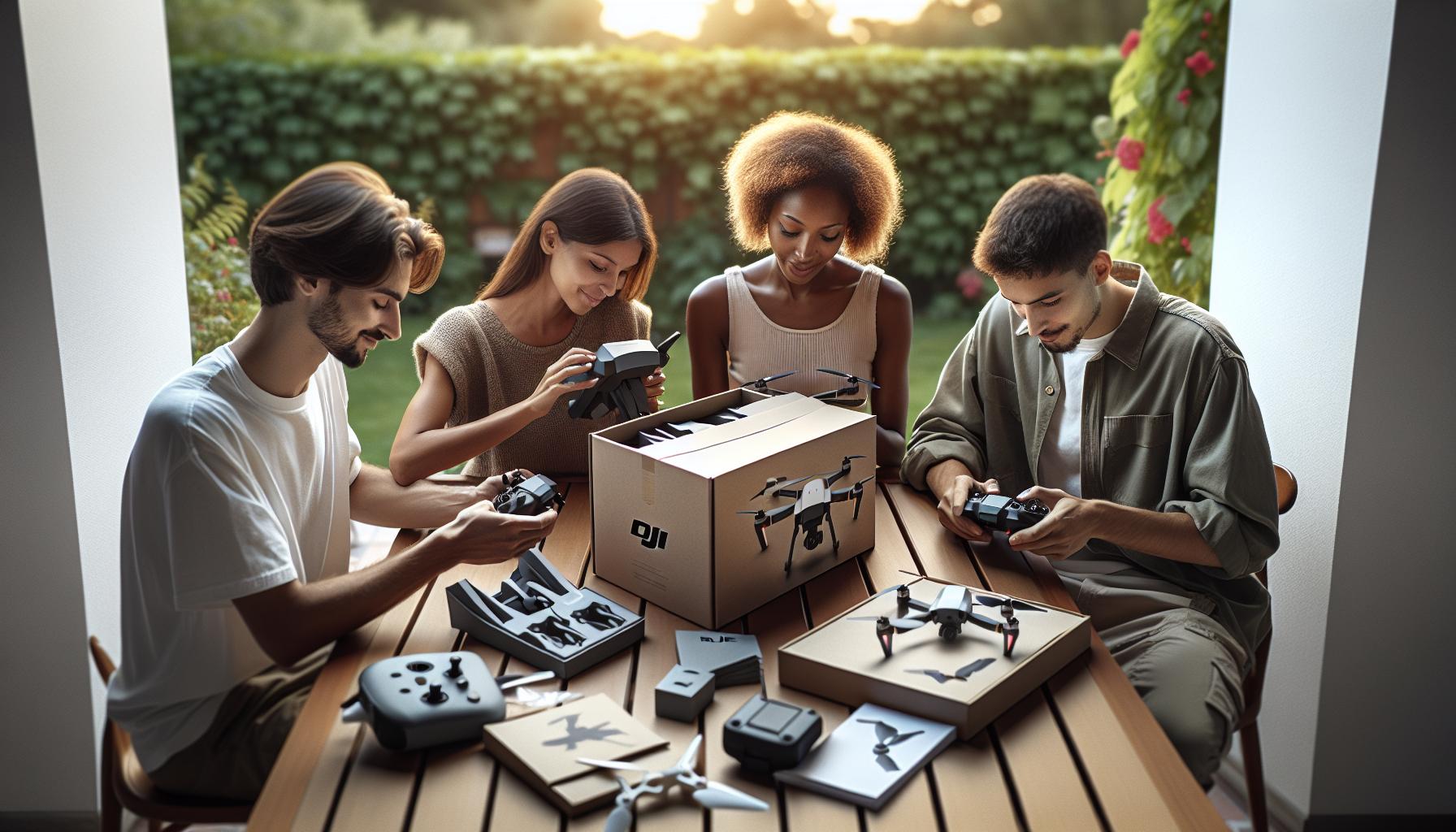
Unboxing a DJI drone is not just about tearing open the packaging; it’s an experience filled with anticipation and excitement. As you lift the lid, the first sight is often the drone compactly nestled, which signifies the arrival of countless aerial adventures. Depending on the model you’ve chosen, whether it’s the DJI Mini 3, known for its 4K HDR capabilities, or the more advanced Air 3S with its dual-camera system, each unboxing is tailored to impress and prepare you for flight.
When you finally get to the contents, expect to find several key items that will assist in setting up your drone for its first flight. Typically, the packaging includes the drone itself, a remote controller, and essential accessories such as propellers, a battery, and charging cables. Take your time to check off each item on the list; ensuring everything is present helps eliminate future frustrations.
Exploring What’s Inside
Here’s a breakdown of what you’ll typically find when unboxing a DJI drone:
- The Drone: The compact and carefully designed aircraft that will capture stunning images from the sky.
- Remote Controller: Integrated controls that allow you precise maneuverability and access to various flight modes.
- Propellers: Often before your first flight, you’ll need to attach these, which is a straightforward process but may require a small screwdriver.
- Batteries: One or more lithium-polymer batteries are typically included, ensuring you have enough power for multiple flights.
- Charger and Cables: For powering your drone and remote controller, these are crucial for keeping your gear ready.
- Instructions Manual: Don’t overlook the manual; it contains vital information about the specifications, safety protocols, and tips for use.
Once you’ve unpacked and inspected each item, it’s wise to keep the packaging and any included materials. You never know when you might need to do a return or warranty claim. With everything laid out, the next steps will involve charging your batteries, installing the propellers, and preparing any required software, like the DJI Fly app, to manage your new aerial companion effectively. So, get ready to embark on your new drone journey with confidence!
Creating Your DJI Account for Access and Controls

To maximize your experience with a DJI drone, creating an account is a vital step that grants you access to essential features, updates, and cloud support. This process is straightforward and ensures that you’re connected to DJI’s ecosystem, empowering you to unlock the full potential of your drone.
Start by downloading the appropriate DJI app for your drone model, whether it’s the DJI Fly for Mini and Air series or the DJI Go for more advanced models. Open the app, and you’ll be prompted to register for a DJI account if you don’t have one. Fill in the required information, including your email, a secure password, and any additional personal details that may enhance your user experience. Make sure to use a valid email address, as a verification link will be sent to your inbox to confirm your account.
Benefits of Creating a DJI Account
Once your account is set up, you can enjoy several benefits that enhance your drone-operating experience:
- Access to Cloud Services: Store your media and flight data securely, making it easy to access your footage anytime.
- Firmware Updates: Get notifications about essential updates for your drone, helping you maintain optimal performance and introduce new features.
- Customer Support: Direct access to DJI’s customer service and troubleshooting guides assists in resolving any operation issues.
- Community Engagement: Participate in forums and groups where you can share experiences and learn from other pilots.
After verifying your account through the email link, return to the app and log in with your newly created credentials. From here, you will be able to pair your drone and controller, update firmware, and customize various settings tailored to your flying style. Ensuring your DJI account is ready before your first flight not only streamlines the setup process but also helps you feel more connected with your device and the community, setting a strong foundation for your aerial adventures.
Choosing the Right DJI App for Your Drone Model
Selecting the appropriate DJI app is crucial for both novice and experienced drone pilots, as it enhances your flying experience and maximizes the functionality of your drone. DJI offers different applications tailored to specific drone models, ensuring that users have a seamless interface for operations such as piloting, capturing footage, and managing settings. For example, the DJI Fly app is designed specifically for the Mini series, Air series, and other entry-level models, while the DJI GO 4 app is more suited for Mavic Pro and Phantom series drones.
When choosing an app, consider the features that come with it. The DJI Fly app stands out with an intuitive user interface that simplifies the flying experience for beginners while still retaining powerful capabilities for seasoned pilots. It includes tutorials, quick access to flight modes, and smart features like automated recording options. In contrast, DJI GO 4 offers advanced options for professional pilots, including detailed telemetry data, customizable camera settings, and comprehensive editing tools for post-flight processing.
It’s essential also to check compatibility with your specific drone model before downloading. Using the incorrect app can lead to a myriad of issues, including limited functionality or connectivity problems. To ensure the best performance, always download the latest version of the app from the official app store, as software updates frequently introduce new features and enhancements.
Remember, the right app not only allows for better control and functionality but also connects you to a broader community of drone enthusiasts. Engaging in forums and tutorials available within the app can significantly improve your flying skills and broaden your understanding of drone technology. Always stay updated with the latest releases, as DJI continually enhances its apps to meet the evolving needs of pilots around the world.
Initial Drone Setup: Battery and Propeller Installation
Preparing your DJI drone for flight is an exciting step that sets the stage for a great aerial adventure. One of the most critical aspects of this preparation involves correctly installing the battery and propellers, as it directly impacts your drone’s performance and safety. Understanding how to execute these steps effortlessly will not only enhance your flying experience but also ensure that your equipment remains in top condition.
Start by unpacking your drone and locating the battery. The DJI drones typically come with lithium-polymer batteries, known for their high energy density and lightweight properties. To install the battery, ensure that the drone is powered off. Insert the battery into its compartment until you hear a click, indicating it’s securely locked in place. It’s essential to confirm that the battery is oriented correctly; most batteries have markings that clarify the direction of insertion. Before moving on, check the battery indicator lights to ensure it’s charged adequately for your flight. A fully charged battery is crucial, as it maximizes flight time and minimizes the risk of losing power mid-flight.
Next, let’s focus on the propellers. These components are vital for lift and control, so proper installation is critical. DJI drones typically use color-coded propellers to indicate their respective slots. For models like the Mini 3, align the gray propeller with the motor with the gray marking and the black one with the black marking. Press down firmly on the propeller while twisting it to lock it in place. Repeat this for all four propellers, ensuring that each one is secure and that the blades can move freely without obstruction. It’s advisable to routinely check the propellers for any damage or debris, as this can compromise the drone’s performance and safety during flight.
In summary, follow these steps to install the battery and propellers with accuracy and caution. Proper handling and installation will empower you as a pilot, allowing you to focus on capturing stunning aerial views and enjoying your flying experience without the worry of equipment failure. With your battery loaded and propellers ready, you are now set to move on to connecting your drone to the various controlling devices to facilitate a seamless flying experience.
Connecting Your Drone to Your Smartphone or Tablet
To embark on your aerial adventures with a DJI drone, establishing a connection between your drone and your smartphone or tablet is essential. This connection enables you to utilize advanced features, access real-time telemetry, and control your drone effortlessly through your mobile device. The process is straightforward, making it easy for beginners to start flying.
Begin by ensuring your drone and mobile device are ready for pairing. Power on your DJI drone and download the appropriate DJI app for your model, such as the DJI Fly app for Mavic Mini or Mini 2, or the DJI GO 4 app for Mavic Pro and Phantom series. Once installed, launch the app on your smartphone or tablet. For the best experience, make sure your device’s operating system is up to date and that your smartphone has a strong Wi-Fi or mobile data connection.
Next, initiate the connection. In the app, tap the “Connect” button that appears once the drone is powered on. If prompted, ensure your smartphone’s Bluetooth is enabled, as many models utilize this feature for pairing with the drone. The app will search for the drone, and when it appears in the list, select it to connect. You may see a series of prompts, including accepting permissions for the app to access your camera, location, and microphone. These are essential for utilizing all the functionalities of your drone fully. Once connected, you should see a live feed from the drone’s camera and a dashboard displaying flight data.
If you experience issues during the connection process, ensure the drone is not connected to any other devices and that it is within a reasonable range of your smartphone-typically within a few meters. Additionally, restarting the drone and the app can often resolve connection issues. Following these steps will prepare you for your first flight, granting you access to stunning views and seamless control over your DJI drone.
Pairing the Remote Controller with Your Drone
Establishing a secure connection between your drone and its remote controller is critical for your drone flying experience. This pairing not only enables you to control your drone effectively but also ensures optimal performance and functional safety. Whether you own the latest Mavic series or a classic Phantom, the pairing process remains consistent, making it straightforward for beginners and seasoned pilots alike.
To begin the pairing process, first ensure that both your DJI drone and remote controller are fully charged. Power them on, and keep the remote controller close to the drone. Most DJI models have a pairing button, which is usually located on the side or back of the drone. Press and hold this button until you see flashing indicators; this signals that the drone is ready to pair. Next, locate the pairing button on the remote controller, which may also require a similar press-and-hold action. Keep an eye on the LED indicators on both the drone and the controller; they will shift from a rapid blinking state to a solid light once the pairing is successful.
Verifying the Connection
After the lights stabilize, you should check to ensure that the connection was successful. Launch the appropriate DJI app on your smartphone or tablet linked to the drone. Upon opening the app, you should see the drone’s live feed and essential flight data, confirming the remote controller is paired correctly. If you encounter any difficulties during this process, consider resetting both devices: turning them off for a moment and then powering them back on before attempting the pairing again.
Troubleshooting Common Issues
There are several common issues that you may face while :
- Distance: Ensure that the remote controller is within a close range to the drone during the pairing process.
- Interference: Avoid areas with potential signal interference, such as near large metal structures or other electronic devices.
- Battery Levels: Confirm that both the drone and remote controller have sufficient battery power, as low levels can hinder connection.
- Firmware Updates: Sometimes, outdated firmware can cause issues. Update your devices through the DJI app if you encounter persistent connection problems.
With these steps and considerations in mind, you’ll establish a reliable connection between your DJI drone and its remote controller, paving the way for an enjoyable and safe flying experience. Whether you’re capturing stunning aerial footage or simply exploring the skies, a solid connection is your first step toward mastering the art of drone flying.
Updating Firmware: Ensuring Optimal Performance
Keeping your DJI drone’s firmware up to date is a crucial step that can enhance performance, improve functionality, and prevent potential issues. Firmware updates often include new features, bug fixes, and optimizations that can make your flying experience smoother and more enjoyable. Failing to update might not only mean missing out on valuable enhancements but could also lead to incompatibility with the latest software applications or remote controllers.
To begin the update process, ensure that both your drone and remote controller are fully charged. First, launch the appropriate DJI app on your smartphone or tablet, then connect your device to the drone via Wi-Fi. The app will typically automatically check for firmware updates as long as the drone is powered on and connected. If an update is available, you’ll receive a prompt indicating that an updated version is ready for download. Follow the onscreen instructions to initiate the download and installation process, which usually involves agreeing to any terms of use and confirming the update.
Important Considerations
- Stable Connection: Ensure that the Wi-Fi connection between your smartphone and drone is stable throughout the update. Interruptions can lead to incomplete installations, which may affect the functionality.
- Follow Instructions: Always adhere to the on-screen prompts carefully. Some updates may require specific actions, such as recalibrating the drone afterward.
- Check Release Notes: Before proceeding with any update, review the release notes provided by DJI. They offer insights into what changes or improvements the firmware includes.
- Backup Data: It’s advisable to save any configuration settings or flight data before performing the update, just in case something goes awry.
After the update is complete, it’s wise to perform a quick operational check. Make sure that all controls are responding as expected and that any new features are functioning correctly. Also, remember to recalibrate your drone’s gimbal and compass if instructed by the app; this will help ensure that your drone operates optimally after the update. With the firmware updated, you’re better positioned to enjoy enhanced flight capabilities, smoother controls, and improved overall performance, making every flight an exciting adventure.
Calibrating Your Drone’s Gimbal for Smooth Footage
To capture stunning, smooth footage with your DJI drone, calibrating the gimbal is an essential step that cannot be overlooked. The gimbal plays a critical role in stabilizing your camera, ensuring that vibrations and sudden movements don’t ruin your shots. Whether you’re flying the Mini, Mavic, or any of DJI’s advanced models, proper gimbal calibration is key to achieving professional-looking videos and photos.
Begin by powering on both your drone and the remote controller. Open the DJI app on your smartphone or tablet and establish a connection between your device and the drone. Once connected, navigate to the gimbal settings within the app. Here, you’ll find an option to calibrate the gimbal, typically represented by a calibration icon or a setting labeled “Gimbal Calibration.” Follow the on-screen prompts, which may involve placing the drone on a flat surface and keeping it still during the calibration process. The app will guide you through each necessary step, ensuring that all calibrations are accurately performed.
After the initial calibration is complete, it’s important to conduct a test flight to verify the calibration’s effectiveness. Take the drone for a short flight and monitor the gimbal’s response. If you notice any unusual tilting or movement, revisit the calibration settings within the app and repeat the process. Calibrating your gimbal not only enhances stability but also can improve your overall flying experience, making it easier to track moving subjects and capture dynamic footage.
In addition to the initial calibration, consider recalibrating the gimbal periodically or after any significant travel or crashes. Environmental changes, such as altitude or temperature fluctuations, can affect the gimbal’s performance. Regular calibration can help maintain the quality of your footage, ensuring that your aerial adventures are as cinematic as they are enjoyable.
Understanding Flight Modes: Beginner to Advanced Options
Understanding the various flight modes offered by DJI drones can significantly enhance your flying experience and the quality of your aerial footage. Each mode is designed to cater to different skill levels and flight scenarios, ensuring that whether you’re a novice or an experienced pilot, there’s a setting that suits your needs. From the intuitive features aimed at beginners to the advanced options for seasoned flyers, mastering these modes will empower you to get the most out of your drone.
Beginner Flight Modes
For new pilots, the Beginner Mode is a fantastic way to get comfortable with flying without feeling overwhelmed. In this mode, the drone typically limits its maximum altitude and distance from the controller, reducing the risk of losing control. Additionally, features like GPS stabilization ensure that the drone hovers steadily in place, allowing beginners to focus on basic controls like takeoff, landing, and navigating.
Another useful option for beginners is the Tripod Mode, which slows down the drone’s movements, making it easier to capture stable footage while flying in tight spaces or during complex maneuvers. This mode is particularly beneficial when trying to get cinematic shots without the risk of sudden jerks that could spoil the video.
Intermediate to Advanced Flight Modes
As you gain confidence, you can transition to more complex settings such as Sport Mode. This mode unleashes the full potential of your DJI drone, allowing for faster speeds and more agile movements. Pilots can enjoy the thrill of advanced flying, though it requires a solid understanding of drone control to navigate effectively.
For those interested in creative cinematography, ActiveTrack becomes an invaluable tool. This mode uses advanced sensors and intelligent algorithms to track and follow moving subjects automatically. Whether you’re filming a friend cycling or capturing wildlife in motion, ActiveTrack lets you focus on composition while the drone does the piloting.
Additionally, Waypoints can be used for planning advanced flights. By setting specific GPS coordinates, you can craft a detailed flight path that the drone will follow autonomously, which is ideal for capturing complex shots or surveying areas without needing constant pilot input.
Safety and Functionality Enhancements
It’s essential to recognize that as you explore these flight modes, certain safety features are always integrated into DJI drones. For example, the Obstacle Avoidance technology provides significant benefits across all modes. Drones equipped with this feature can detect and avoid obstacles in their flight path, which is especially crucial when flying in unfamiliar environments or using more advanced modes.
As you become more comfortable with the various flight modes, it’s advisable to frequently switch between them to understand their differences and how they can each provide unique advantages based on your flying conditions. This flexible adaptability is key to developing your skills and enhancing both your enjoyment and your footage quality while flying a DJI drone.
Safety Protocols: Preparing for Your First Flight
Before taking to the skies, it’s critical to prioritize safety to ensure a smooth and enjoyable flying experience with your DJI drone. One essential step is to conduct a thorough pre-flight check, which involves inspecting both the drone and its accessories. Ensure that your drone’s hardware is intact-look for any signs of wear, check propellers for damages, and confirm that the battery is charged and properly seated. Keeping spare batteries on hand can also help prevent your maiden flight from being cut short. Additionally, familiarize yourself with the user manual, which provides essential details on your specific drone model’s features and functionalities.
Understanding the environment in which you’ll be flying is equally important. Check local regulations and weather conditions. Flying in adverse weather like high winds, rain, or snow can lead to unpredictable outcomes, so aim for clear skies with little to no wind. Furthermore, local laws may dictate no-fly zones, especially around airports, schools, and populated areas, so be sure to consult your drone’s app or online resources for geofencing information. Equipping your device with apps that provide real-time data on these factors can enhance your flying experience.
Prior to your first flight, it’s also essential to establish a designated takeoff and landing zone that is spacious, free of obstacles, and clear of bystanders. An open area far away from trees, structures, and people will contribute to a more controlled and enjoyable experience. Always perform a range check to ensure the remote controller communicates effectively with the drone, and practice basic maneuvers such as takeoff, hovering, and landing to build your confidence.
Lastly, embracing safety protocols such as the use of the ‘Beginner Mode’ can be extremely beneficial for novice pilots. This feature limits altitude and distance, allowing you to focus on mastering the basic controls without the pressures of advanced flying scenarios. Regularly refreshing your knowledge on safety guidelines and drone operation will further enhance your competence and flying enjoyment as you embark on this exciting journey with your DJI drone.
Troubleshooting Common DJI Drone Connection Issues
Establishing a strong and reliable connection between your DJI drone and its accompanying devices is crucial for a successful flight experience. If you encounter connectivity issues, understanding a few common troubleshooting steps can save time and reduce frustration. One frequent problem is the inability to connect the drone to the remote controller or your smartphone. This can often be resolved by ensuring that both devices are fully charged and that the drone is powered on before attempting to pair.
In instances where the app fails to recognize the drone, it’s beneficial to check the compatibility of the app with your specific drone model. Ensure that you have downloaded the latest version of the DJI Fly or DJI GO app, as outdated versions may lack critical updates. Additionally, navigating to the drone’s settings to re-establish connections can often do the trick. A handy tip is to turn off Bluetooth on your smartphone and then turn it back on, as this can sometimes help in rediscovering the drone.
If issues persist, consider resetting the drone and remote controller to factory settings. This is usually achieved by holding the designated reset button on the controller while restarting the drone. Remember, however, that this will erase any saved settings, so it should be a last resort. Another important step is to ensure that you are operating your drone in an open area, free from potential interference from other wireless devices, which can disrupt connection integrity.
Finally, always check for firmware updates. Connecting the drone to your home Wi-Fi and ensuring that it’s running the latest firmware can significantly enhance performance and connectivity. Regular maintenance checks and adhering to the manufacturer’s guidelines can further prevent issues from arising and help extend the lifespan of your equipment, making your flying experience more enjoyable overall.
Exploring Advanced Features and Custom Settings
Exploring the advanced features and custom settings of your DJI drone opens up a world of possibilities, significantly enhancing your flying experience and the quality of your aerial footage. Modern DJI drones come equipped with sophisticated capabilities that, when leveraged correctly, can elevate your skills from beginner to expert level. Understanding these features not only empowers you as a pilot but also emphasizes safe and effective flying practices that can impress both you and your viewers.
Start with Intelligent Flight Modes that are designed to simplify complex maneuvers. Modes like ActiveTrack, Point of Interest, and Waypoints enable the drone to autonomously follow subjects or create predefined paths, allowing you to focus on framing your shots without constantly managing the controls. This is particularly useful for capturing dynamic action footage or stunning vistas. Additionally, the Mastershots feature provides a series of automated shot sequences that can produce cinematic results with minimal effort.
Another crucial aspect is customizing your drone settings for optimal performance. You can adjust parameters such as gimbal sensitivity, return-to-home altitude, and max flight speed through the DJI Fly or GO app. Tailoring these settings according to the environment and your flying style can significantly enhance your control and increase the safety of your drone operations. For example, increasing the return-to-home altitude is essential when flying around obstacles like trees or buildings to ensure a safe return in case of lost signal or low battery.
Moreover, take advantage of the DJI AirSense and Obstacle Avoidance systems. These features utilize sensors and advanced algorithms to detect and avoid potential hazards, allowing you to focus on capturing stunning imagery while minimizing the risk of accidents. It’s important to familiarize yourself with how these systems operate, including the various visual and audible alerts that will guide you in navigating crowded airspace or complex environments.
Lastly, don’t overlook the potential for firmware updates. Regularly updating your drone’s software ensures you have access to the latest features and security enhancements. These updates often introduce new flight modes and capabilities that further refine your flying experience. To perform updates, connect your drone to Wi-Fi through the app and follow the prompts to download the latest software version. By embracing these advanced features and settings, you will not only improve your drone piloting skills but also enhance your overall aerial photography and videography projects, making every flight an opportunity for creative expression.
Legal Considerations: Flying Your DJI Drone Responsibly
Flying a drone can be an exhilarating experience, but it comes with a set of responsibilities that every pilot must understand and respect. As the popularity of drones has surged, so too has the need for clear regulations to ensure safe and responsible usage. Adhering to legal requirements not only protects you but also enhances the credibility of all drone pilots. Understanding these legal considerations is essential for both beginners and seasoned operators, ensuring that you fly within the bounds of the law while enjoying the capabilities of your DJI drone.
First and foremost, familiarize yourself with the regulations established by your country’s aviation authority. In the United States, for instance, the Federal Aviation Administration (FAA) mandates that all drone operators register their drones if they weigh more than 250 grams (approximately 0.55 pounds). This registration is a straightforward process that can be completed online and serves to establish accountability among drone pilots. Additionally, pilots should also take the FAA’s part 107 certification if they plan to use their drones for commercial purposes, which entails passing a knowledge test and adhering to specific operational guidelines.
When planning your flight, it’s critical to understand where you can and cannot fly. Drones should be kept away from restricted airspaces, such as near airports, military bases, and other sensitive locations. Many localities also have established specific rules about flying in public parks or populated areas. Utilizing apps like the DJI Fly app can provide real-time geofencing data to help ensure you are operating within safe zones. Always check for local laws regarding privacy; flying over private property without permission can lead to legal disputes and potential fines.
Another vital aspect of responsible flying is respecting altitude limits and maintaining visual line of sight. Most regulations require that drones fly below 400 feet and remain within the pilot’s line of sight at all times. This isn’t just a legal obligation; it’s also a safety measure to avoid collisions with manned aircraft. By keeping your drone in sight, you can make quick adjustments as necessary and ensure you are not encroaching on restricted areas.
Finally, always stay informed about updates to drone regulations, which can change as the technology evolves and as more research is conducted into the safety and privacy implications of drone usage. Engaging with local drone communities or forums can provide insight into best practices and emerging rules. By prioritizing adherence to legal regulations and respecting shared airspace, you will not only enhance your own flying experience and skills but also promote a positive image of the drone community as a whole.
Faq
Q: How do I connect my DJI drone to my phone?
A: To connect your DJI drone to your phone, download the DJI app compatible with your drone model. Open the app, power on your drone, and follow the pairing instructions. Ensure Bluetooth is enabled on your phone for a successful connection.
Q: Why won’t my DJI drone connect to the controller?
A: If your DJI drone won’t connect to the controller, ensure both devices are powered on and fully charged. Check for firmware updates on both the drone and controller. If issues persist, try resetting the connection by restarting both devices.
Q: What should I do if my DJI drone is not responding after connection?
A: If your DJI drone is unresponsive post-connection, first check the battery levels. Ensure your remote and drone are within range, and restart both devices. If the issue continues, refer to the troubleshooting section of your manual for further assistance.
Q: How do I update my DJI drone firmware after connecting?
A: To update your DJI drone’s firmware, connect the drone to the DJI app after powering it on. Navigate to the settings menu and select “Firmware Updates.” Follow the prompts to download and install the latest firmware for optimal performance.
Q: Where can I find the user manual for my DJI drone?
A: The user manual for your DJI drone can typically be found on the official DJI website under the support or downloads section for your specific drone model. Always refer to the manual for detailed setup, connection, and safety instructions.
Q: Are there specific apps for different DJI drone models?
A: Yes, DJI offers different apps tailored to specific models. For instance, the DJI GO 4 app is suitable for Mavic and Phantom drones, while the Fly app is designed for Mini and Air series drones. Make sure to download the app that matches your drone.
Q: What safety checks should I perform before flying my DJI drone?
A: Before flying, check the drone’s battery, ensure the propellers are securely attached, and calibrate the compass if needed. Also, verify the weather conditions and confirm your flying location adheres to local regulations.
Q: Can I connect multiple devices to my DJI drone?
A: Generally, DJI drones allow connection to one remote controller at a time. However, some models support connecting mobile devices for live video feed. Refer to your specific drone’s documentation for details on device compatibility and features.
In Conclusion
Congratulations on taking the first step to connect your DJI drone! By following these straightforward setup instructions, you’re now ready to take your flying experience to new heights. Don’t forget to explore our guide on updating your DJI firmware to ensure you’re always equipped with the latest features and safety enhancements. Plus, if you want to master your drone skills, check out our detailed reviews comparing the Mini, Mavic, and Air Series drones here.
Before you head out, consider signing up for our newsletter so you can get the latest tips, tricks, and exclusive offers straight to your inbox. Have questions or need further assistance? Drop a comment below, and join our community of drone enthusiasts who are eager to help! Remember, the sky’s the limit, and we’re here to support your journey in the exciting world of drone flying. Happy flying!